A Claude Code review can mean five different things as of November 2026: the /code-review command in your own session (with /review as its alias), the /security-review command, a deeper cloud review called ultrareview, Anthropic's managed Code Review service for GitHub pull requests, and a review workflow you run yourself with the Claude Code GitHub Action. A sixth option adds a second model: OpenAI's Codex plugin for Claude Code. This guide explains what each one does, who can use it and what it costs, then ends with the part no tool replaces: a short human check before agent-written work counts as done. Every command, plan and price below was checked against the official documentation in November 2026.
 VibeiDEAll your agents. One Grid.Battery friendly, no 3D. 14 days free, no card.Download
What are the ways to review code with Claude Code?
There are six, and they differ mainly in where the review runs and who pays for it.
| Option | What it is | Where it runs | Who can use it | Cost note |
|---|---|---|---|---|
/code-review (alias /review) | Review of your branch, a pull request, a branch or a path for correctness bugs | Your Claude Code session | Anyone, on any plan | Counts toward your plan usage or API billing |
/security-review | Security check of the changes on your current branch | Your Claude Code session | Listed without a plan restriction | No separate price listed |
/code-review ultra (ultrareview) | Deep multi-agent review with verified findings, a research preview | A cloud sandbox on Anthropic infrastructure | Accounts signed in with claude.ai | 3 one-time free runs on Pro and Max, then typically $5 to $25 per review in usage credits |
| Code Review (managed) | Automatic review of GitHub pull requests with inline comments | Anthropic infrastructure | Team and Enterprise organizations, once an Owner turns it on | Token usage billed as usage credits, no flat price |
| Claude Code GitHub Action | A review workflow you own, or @claude in a comment | Your own CI runners | Anyone with a Claude API key, a subscription token or cloud provider credentials | GitHub Actions minutes plus tokens or subscription usage |
Codex plugin (/codex:review) | Read-only review by Codex from inside Claude Code | Your local Codex CLI | A ChatGPT subscription (including Free) or an OpenAI API key | Counts toward your Codex usage limits |
The first five rows follow the comparison in the official Code Review documentation and the commands reference. That page also lists one more route: your own reviewer, written as a subagent or a skill.
What do /code-review, /review and /security-review do?
/code-review reviews the changes on your branch for correctness bugs and reports the findings in your conversation, and /review is now an alias of the same command. The local review page describes the details:
- Target. With no argument it covers your branch's commits ahead of its upstream branch plus uncommitted changes. You can pass a pull request number, a branch, a path or a Git revision range instead.
- Effort. An optional level from
lowtomaxtrades confidence for coverage. Atlowyou get the findings the review is most confident in. Frommediumup, coverage broadens. - Flags.
--fixasks Claude to apply the findings to your working tree, through your permission mode.--commentposts them on a GitHub pull request as inline comments. - Context. The review runs as a background subagent with its own context window, so it does not fill your conversation.
- Rules. It follows your
CLAUDE.md. It does not readREVIEW.md, which belongs to the managed service.
Older guides describe /review as a separate, read-only pull request review. That was true before Claude Code v2.1.223. Today both names run the same review.
/security-review is a different command. It analyzes the diff between your branch and origin's default branch for security vulnerabilities such as injection, auth issues and data exposure, and it needs an origin remote.
Three neighbors are worth knowing. /diff shows the changes in your working tree, including Claude's edits so far. /simplify reviews changed code for cleanup only and does not look for bugs. /verify builds and runs your app to confirm a change works. Our Claude Code commands guide covers the rest.
What is ultrareview?
Ultrareview is a deeper review that runs in a cloud sandbox instead of your session, started with /code-review ultra (/ultrareview is an alias). According to the ultrareview page, a larger fleet of reviewer agents explores the change in parallel, every reported finding is independently reproduced and verified, and a review typically takes 5 to 10 minutes while your terminal stays free.
As of November 2026 it is a research preview, so pricing and availability may change. It requires signing in with a claude.ai account and is not available on Amazon Bedrock, Google Cloud's Agent Platform or Microsoft Foundry, or to organizations with Zero Data Retention. In those cases the command runs a local review instead. Pro and Max accounts get three free runs as a one-time allotment. After that a review typically costs $5 to $25 in usage credits depending on the size of the change, and the launch dialog shows an estimate before each run.
What is Anthropic's managed Code Review for pull requests?
Code Review is a managed service that reviews pull requests in your GitHub repositories and posts findings as inline comments, with no workflow file to maintain. As of November 2026 it is available on Team and Enterprise plans, for repositories hosted on GitHub, and not for organizations with Zero Data Retention enabled.
How it works, per the official docs:
- Several agents examine the diff and the surrounding code in parallel.
- A verification step checks candidate findings and filters out false positives.
- The remaining findings are deduplicated and ranked by severity: Important, Nit or Pre-existing.
- The review posts inline comments, a summary and a check run named Claude Code Review.
A review never approves or blocks the pull request, and the check run never concludes as a failure. Access to the repository is read-only inside a review, and it works from reading the code without building or running it.
An Owner of the Claude organization turns it on in Admin settings, under Claude Code, by installing the Claude GitHub App and choosing repositories. The setup page lists three review levels (Quick, Standard, which is the default, and Deep) and three choices for when reviews run: once after PR creation, after every push, or manual. A newly added repository starts at after every push, which runs the most reviews.
Anyone with write access can request a review with a top-level pull request comment, as described on the pull request page:
@claude review
@claude review always
The first runs a single review. The second also subscribes the pull request to a review on each later push.
On cost, the costs page says there is no flat per-review price as of November 2026. Reviews are billed on token usage through usage credits, separately from the plan's included usage, and to the organization. Cost scales with the review level, the size of the change and how often reviews run. An Owner can set a monthly spend limit for the service.
How do you review pull requests with Claude Code GitHub Actions?
You add a workflow that uses anthropics/claude-code-action@v1, and Claude reviews pull requests on your own CI runners. Running /install-github-app in Claude Code sets up the app, the secret and, if you select it, a review workflow. The GitHub Actions documentation gives this workflow, which installs the code-review plugin and runs it when a pull request is opened or updated:
name: Code Review
on:
  pull_request:
    types: [opened, synchronize, ready_for_review, reopened]
jobs:
  review:
    runs-on: ubuntu-latest
    permissions:
      contents: read
      pull-requests: read
      issues: read
      id-token: write
    steps:
      - uses: actions/checkout@v6
        with:
          fetch-depth: 1
      - uses: anthropics/claude-code-action@v1
        with:
          anthropic_api_key: ${{ secrets.ANTHROPIC_API_KEY }}
          plugin_marketplaces: "https://github.com/anthropics/claude-code.git"
          plugins: "code-review@claude-code-plugins"
          prompt: "/code-review:code-review --comment ${{ github.repository }}/pull/${{ github.event.pull_request.number }}"
          claude_args: '--allowedTools "mcp__github_inline_comment__create_inline_comment"'
With --comment, Claude posts an inline comment on each issue it finds, or one summary comment when it finds none. Without it, the findings stay in the workflow run log. Claude skips draft and closed pull requests.
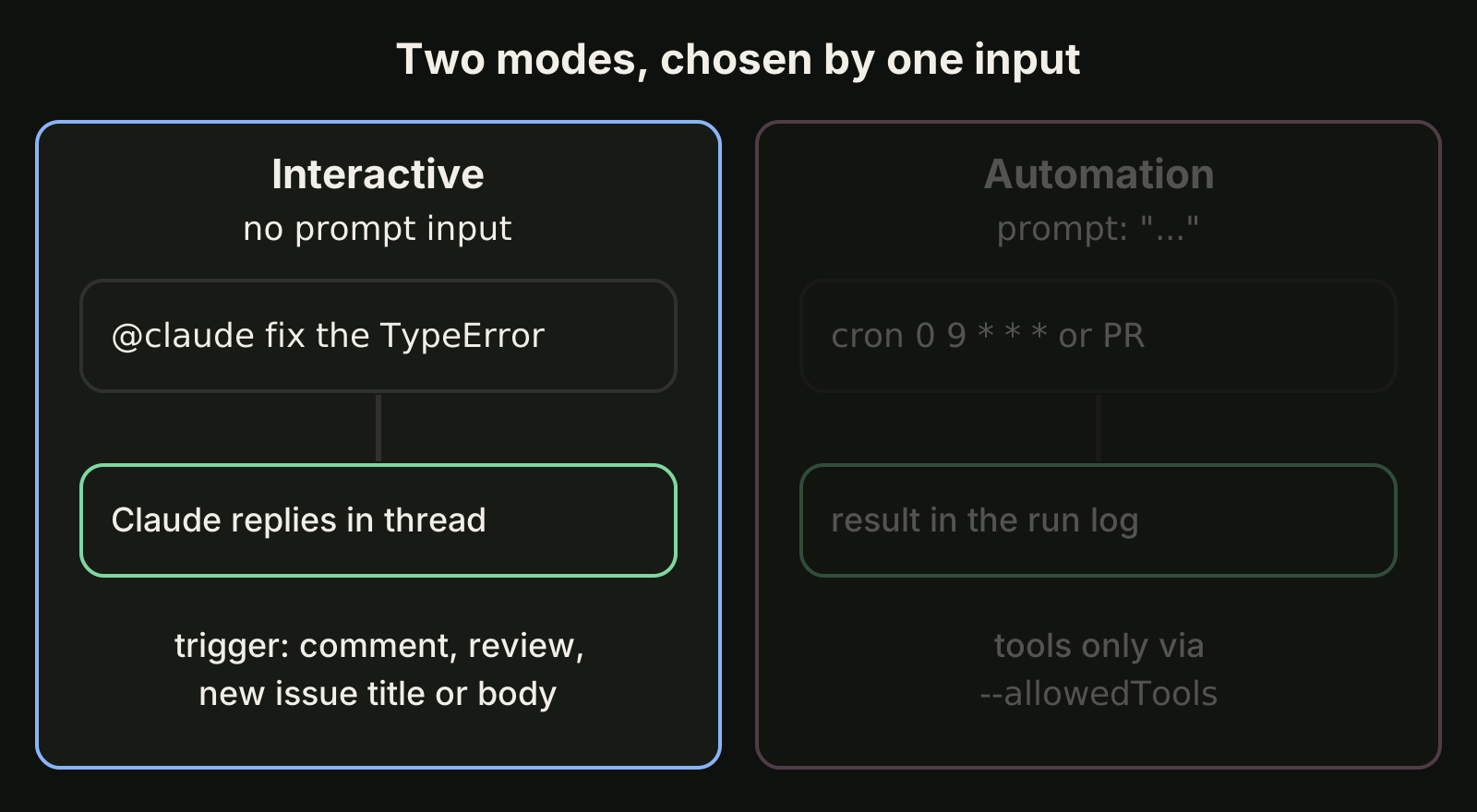
You can also mention @claude in a pull request comment with a specific request when the interactive workflow is installed. One caution from the docs: if the managed Code Review is also on, an @claude review comment starts both, so give the action a different trigger_phrase. Each run spends GitHub Actions minutes plus API tokens, or your Claude subscription if you authenticate with an OAuth token. Our Claude Code GitHub Actions guide covers setup and cost limits.
How do you get a second model to review Claude's code?
Install OpenAI's Codex plugin for Claude Code and run /codex:review, which gives you a read-only Codex review of your uncommitted changes or of a branch. The plugin's README lists the requirements as of November 2026: a ChatGPT subscription (including Free) or an OpenAI API key, and Node.js 18.18 or later.
/plugin marketplace add openai/codex-plugin-cc
/plugin install codex@openai-codex
/reload-plugins
/codex:setup
/codex:review --base main --background
/codex:adversarial-review is the steerable variant that questions design choices and accepts focus text. Both are read-only, and the usage counts toward your Codex limits. The reason to bother is simple: a second model does not share the assumptions of the one that wrote the code. Our Codex plugin guide walks through every command.
How to do it: review one change before you merge
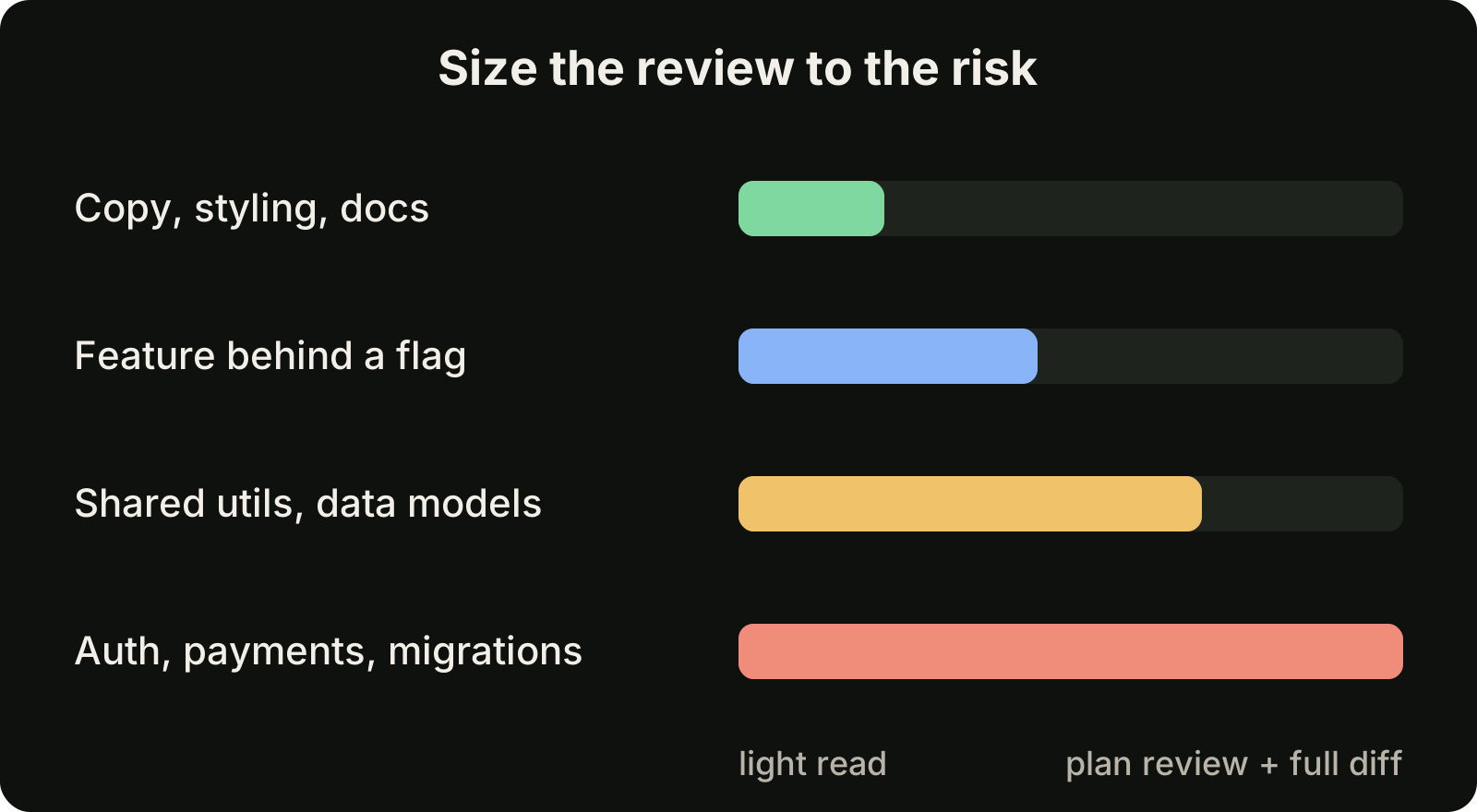
Start with the cheapest review and escalate only when the change deserves it.
- Look at what changed:
/diff- Run the local review on your branch, or on a pull request by number:
/code-review
/code-review high 1234- For anything that touches input handling, auth or data access, add the security pass:
/security-review- Let Claude apply the findings, then read the new diff yourself:
/code-review --fix- For a substantial change, get a deeper or independent pass before merging:
/code-review ultra
/codex:review --base main- On a team repository with managed Code Review, open the pull request, or comment
@claude reviewif the repository is set to manual.
How should you review agent-written changes yourself?
Check three things before a task counts as done: the diff, the tests and the scope. The docs say it plainly: a review with no findings does not mean the code is error-free or secure.
- Read the diff. Start with the file list, then the lines. The agent's summary describes intent, and the diff is what you merge.
- Run the tests yourself. Re-run the command the agent says it ran, at least for anything that matters.
- Check the scope. Every changed file should trace back to the request. Look for new dependencies, leftover debug output and broad catches added to make a test pass.
When several agents work at once, keep one task per branch or worktree so each one ends with its own diff, and let a different model review each diff than the one that wrote it. Finished but unreviewed work is still work in progress. Our guide to reviewing AI generated code covers the full process.
Where VibeiDE fits
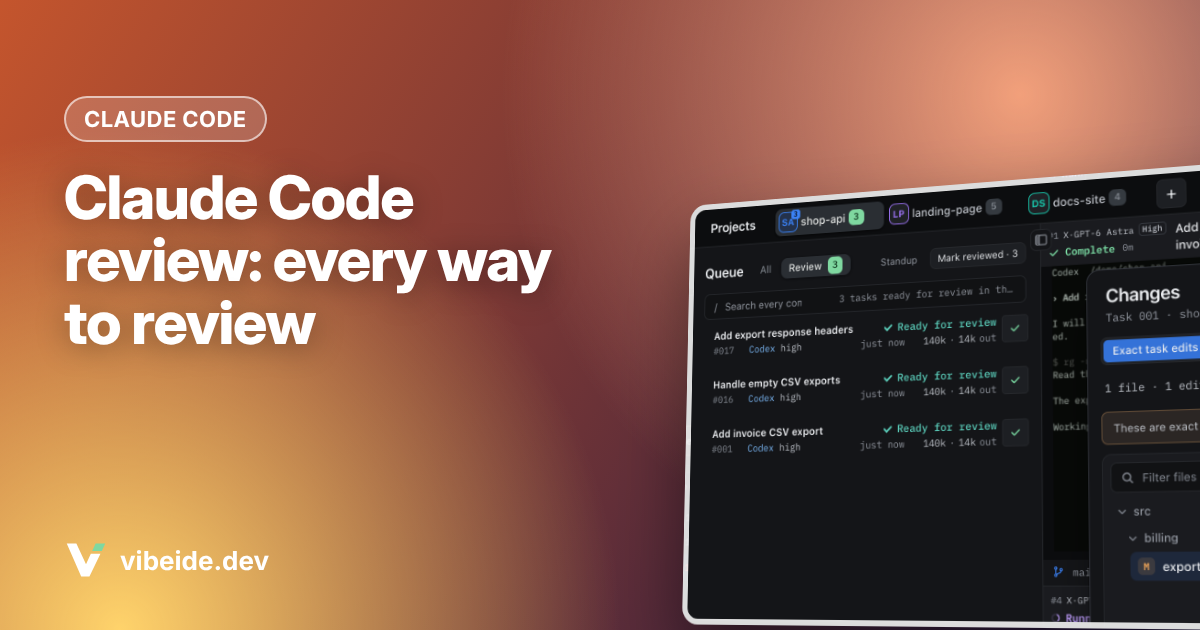
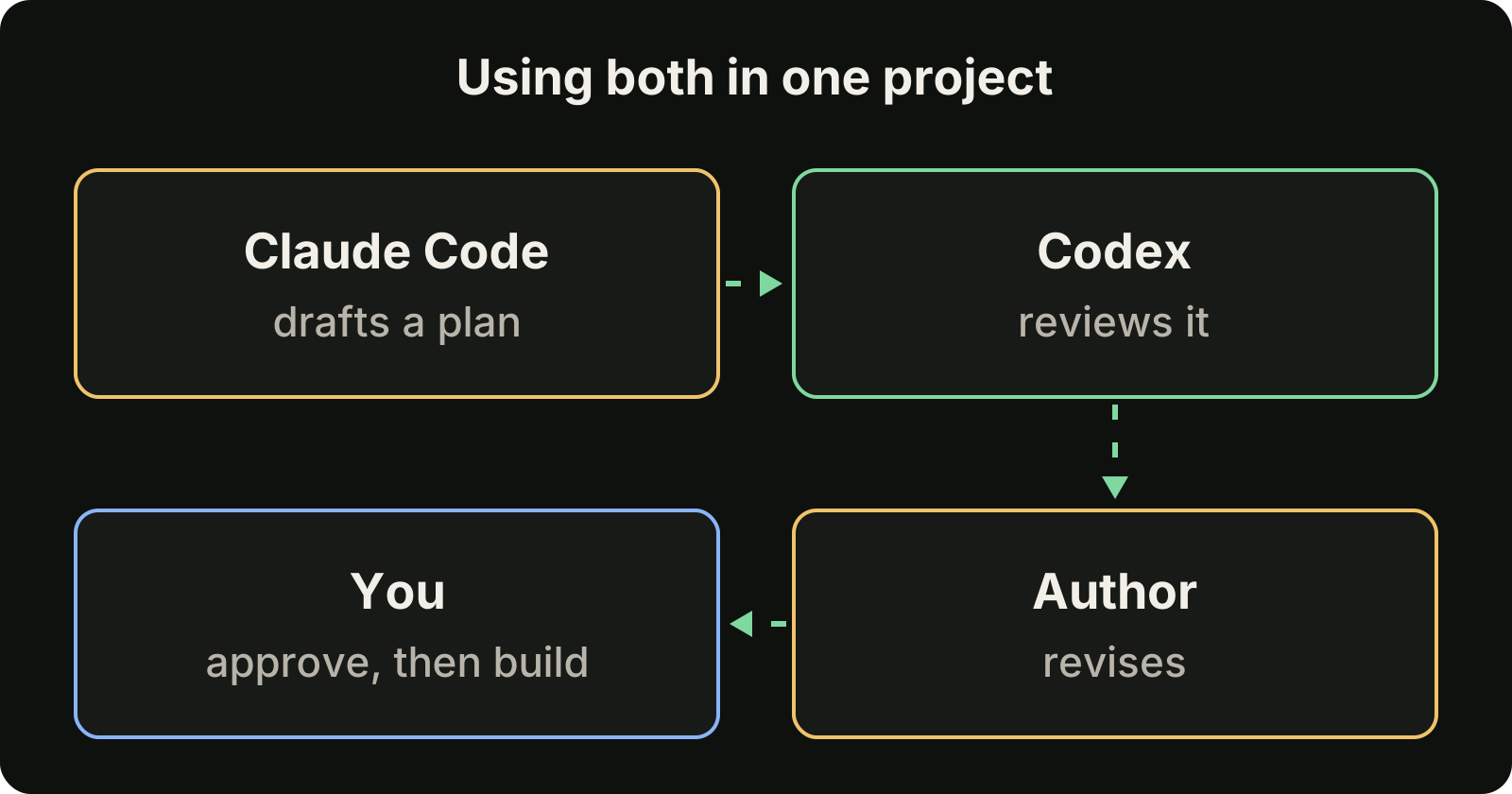
VibeiDE is a desktop app that coordinates the Codex, Claude Code and OpenCode CLIs you already installed. Each project has its own task queue, and finished tasks wait in Ready for review, which is an unread completion state, not a code approval. Changes below the prompt shows file diffs for the project or the selected worktree and can commit, or commit and push, without leaving the app. Plan council has one provider draft a plan, the other review it critically, and the author revise it before you decide to implement.
FAQ
Is Claude Code review free?
The local /code-review command works on any plan and counts toward your normal usage. As of November 2026, ultrareview includes three one-time free runs on Pro and Max and then bills usage credits, and the managed Code Review bills token usage as usage credits to a Team or Enterprise organization.
What is the difference between /review and /code-review in Claude Code?
None today. /review is an alias of /code-review and takes the same effort levels and flags. Before v2.1.223 it was a separate single-pass review of a GitHub pull request.
Does Claude Code Review approve or block pull requests?
No. It posts inline comments, a summary and a neutral check run. The decision to merge stays with your team.
How do I review code written by several AI coding agents?
Give each agent its own task and branch, review each diff separately, run a review from a different model than the author, then read the diff and run the tests yourself.
Takeaways
/code-review(alias/review) reviews your branch or a pull request in your session, on any plan, and--fixapplies the findings./security-reviewchecks the branch diff for vulnerabilities and needs anoriginremote./code-review ultraruns a verified multi-agent review in the cloud: three one-time free runs on Pro and Max, then usage credits, as of November 2026.- Managed Code Review is for Team and Enterprise organizations on GitHub. It comments inline and never approves or blocks.
- The Claude Code GitHub Action runs the same kind of review on your own runners, with your own triggers.
/codex:reviewadds a second model. Whatever tool you use, read the diff, run the tests and check the scope before you call it done.