A closer look at 
The real screens. The workflows. The tools around your agents.
The real app, with example projects.
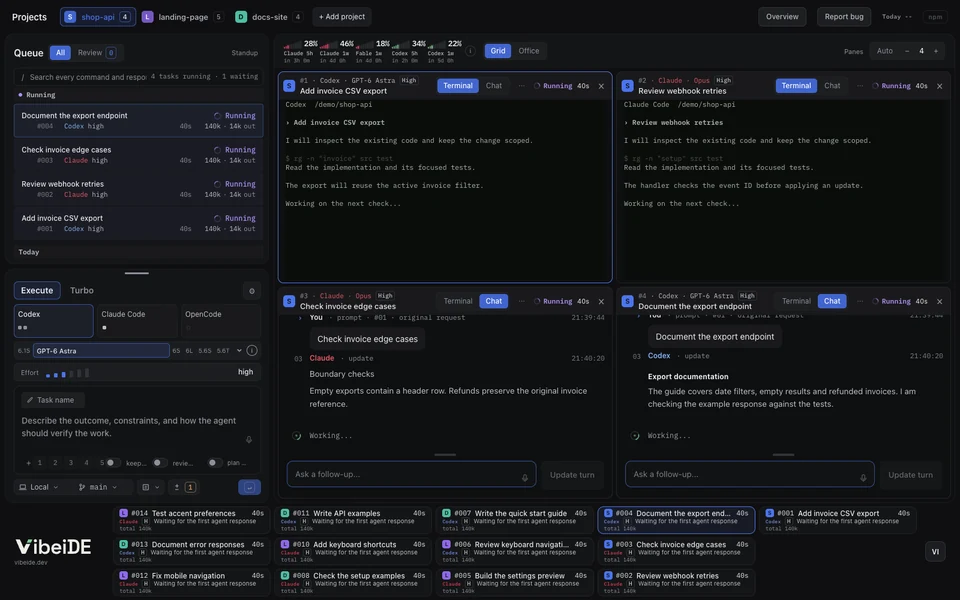
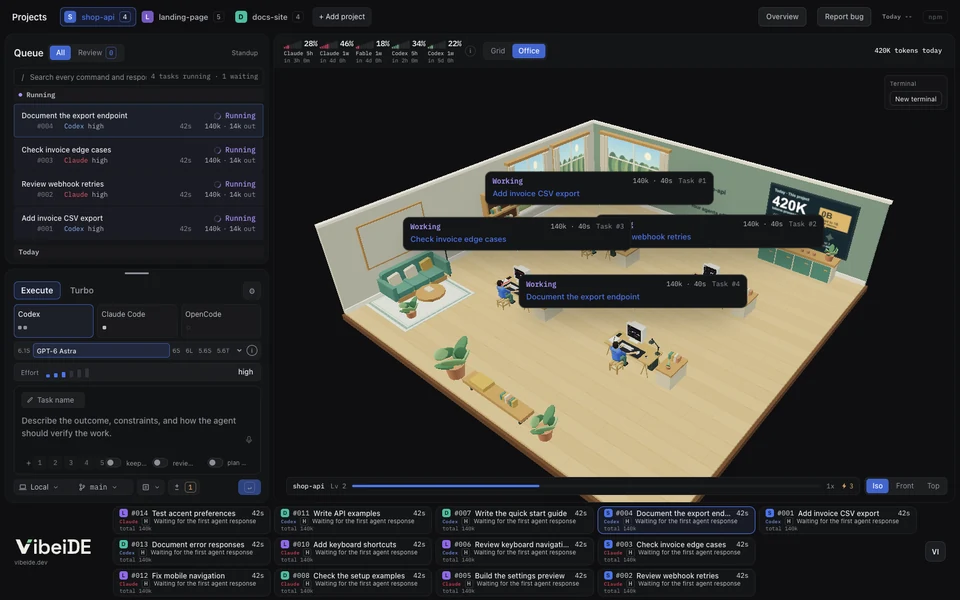
Every task starts clean and can be resumed.
A fresh session per task keeps context small, which helps reduce hallucinations and token cost. Resume any task later.
Set a limit on parallel tasks for each provider, per project. Once it is reached, new tasks wait in the queue and start as soon as a slot frees up.
Finished work waits for your review.
In one crowded session, tasks can get skipped. Here each task gets its own terminal and history, so every result waits for you.
Two agents check the plan before code exists.
One agent drafts, the other challenges, the author revises.
- Claude writes the plan
- Codex checks it
- Back to Claude
- You hand it off
The tools around the queue.
Pick the tool you want to explore.
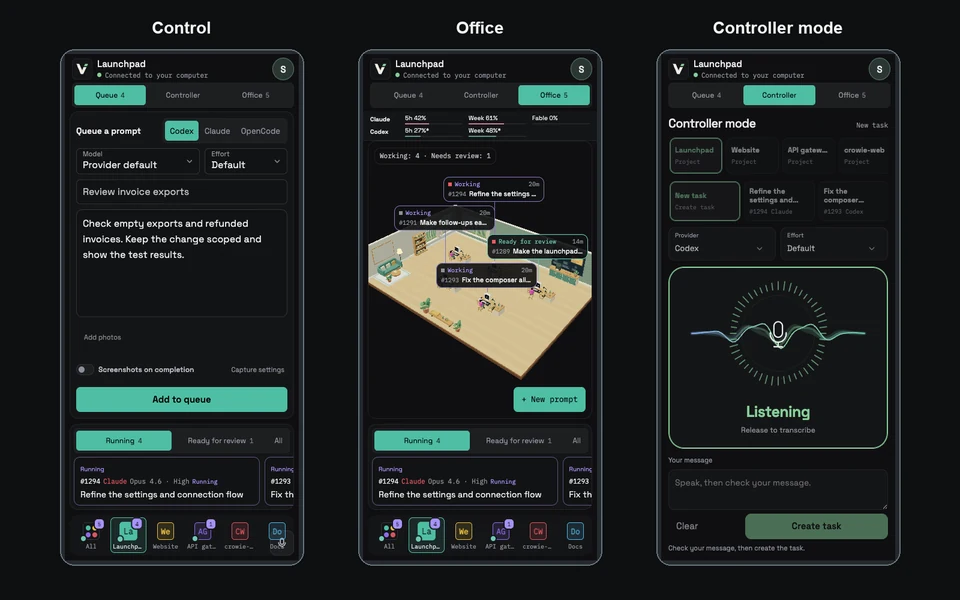
Your queue, in your pocket.
Pair with a QR code, then queue, watch and review from anywhere while your computer does the work.
- Scan the QR code
- Queue from your phone
- Your computer runs it
- Review from anywhere
Hold. Speak. Release.
Hold your shortcut or microphone to dictate a prompt or follow-up. Release, check the text, send.
Your paired phone PWA works as a microphone and remote controller too. The speech model runs on your computer.
Optional. 670 MB download. About 800 MB RAM. No GPU.
Smart plans. Faster execution.
Let a capable model plan, then hand the work to a lighter model. Choose how many planners and executors run in each project.
Requests queue when planners are busy. Executors pick up plans as soon as they are ready. Execute has its own limits.
Turn finished work into a changelog.
Standup sorts finished tasks by category, ready to copy.
Completed tasks
- #104 PDF statement download
- #105 Invoice CSV export
- #98 Simplify date filters
- #106 Fix export rounding
- #107 Secure download access
billing-api Sep 4 to Sep 5, 2026
Added
Monthly PDF statement download #104
Invoice CSV export #105
Changed
Removed the legacy date-filter toggle #98
Fixed
Rounding errors in CSV totals #106
Security
Restricted statement downloads to account owners #107
Keep track of your provider usage.
Provider-reported 5 hour and weekly limits, with reset times.
Sample windows.
Claude, 5 hour window
Claude, weekly
Codex, 5 hour window
Codex, weekly
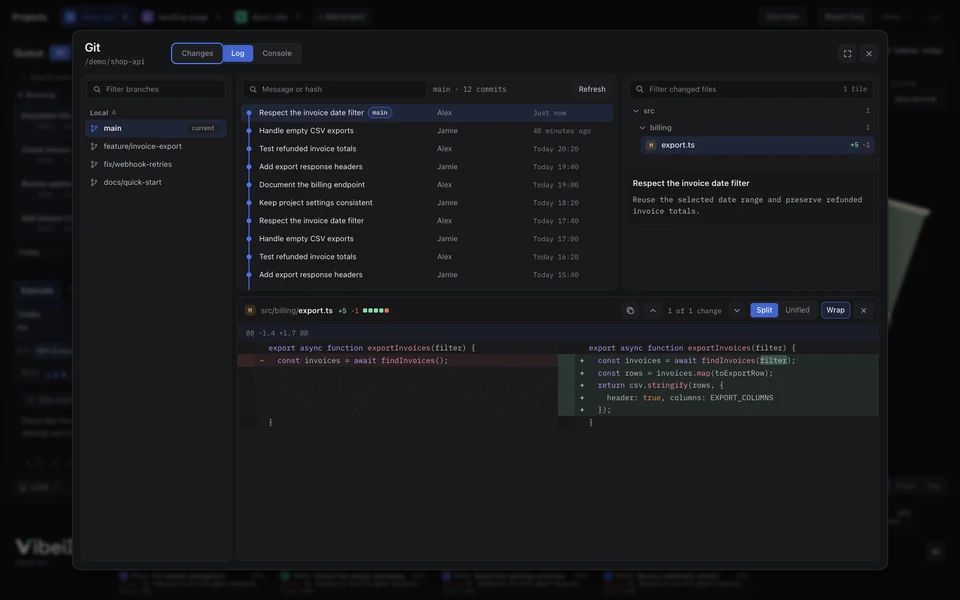
Keep parallel edits apart.
Two Git modes, chosen per project.
Make your work fun again.
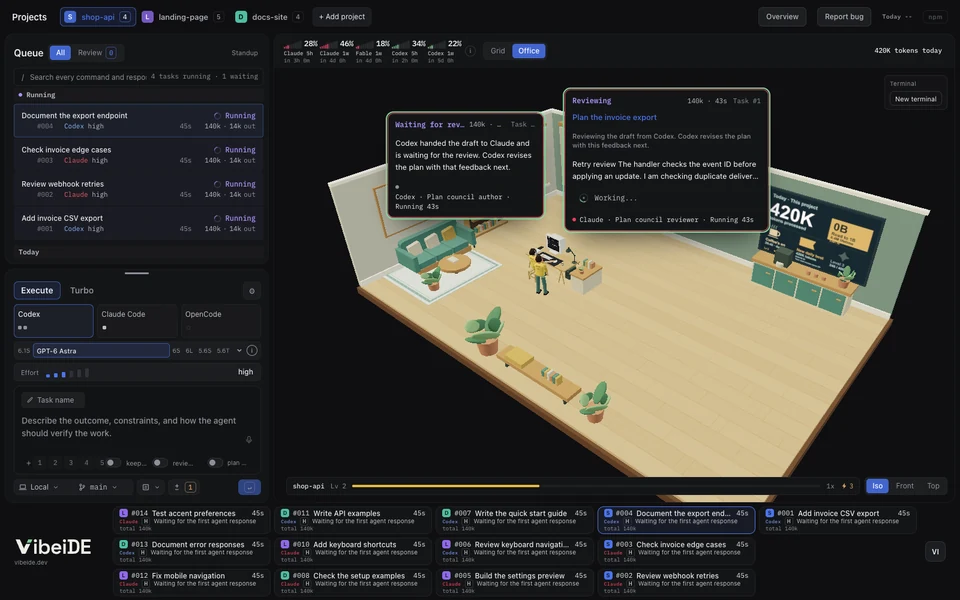
Start on milk crates. Finish tasks, earn XP and build your dream office. Unlock 59 rewards, from comfy chairs to hologram screens and a money tree. Every level brings an upgrade. Your agents celebrate with a dance party, lights and confetti!
Achievements0 of 9 unlocked
- Coffee’s onStart the first task of a local day. Locked
- Quick drawReview ten tasks within five minutes of finishing. Locked
- DiplomatUse Plan council on ten tasks. Locked
- JugglerRun tasks in three projects at once. Locked
- Parallel universes IdeaRun three tasks in separate worktrees at once. Locked
- ArchaeologistResume a task older than thirty days. Locked
- Token miserEnd a day below ten million tokens with twenty reviews. Locked
- Well rested IdeaTake a weekend off after a five day review streak. Locked
- Rainbow IdeaRun tasks in seven projects at once, each in its own color. Locked
0 of 59 rewardsNext: Sawhorse table at level 2
- Level 3: Project rug
- Level 6: Project chair
- Level 12: Neon level sign
- Level 15: String lights
- Level 22: Second monitor
- Level 30: Jukebox
- Level 33: Bonsai
- Level 40: Gold crowns
- Level 49: Hologram dome
- Level 50: Champion trophy
Your team.
One company view.
Every teammate has a room for their agents. See shared task names, activity and work waiting for review, on desktop or phone.
Members choose what to share. Prompts, code and agent output stay private.
Explore Company mode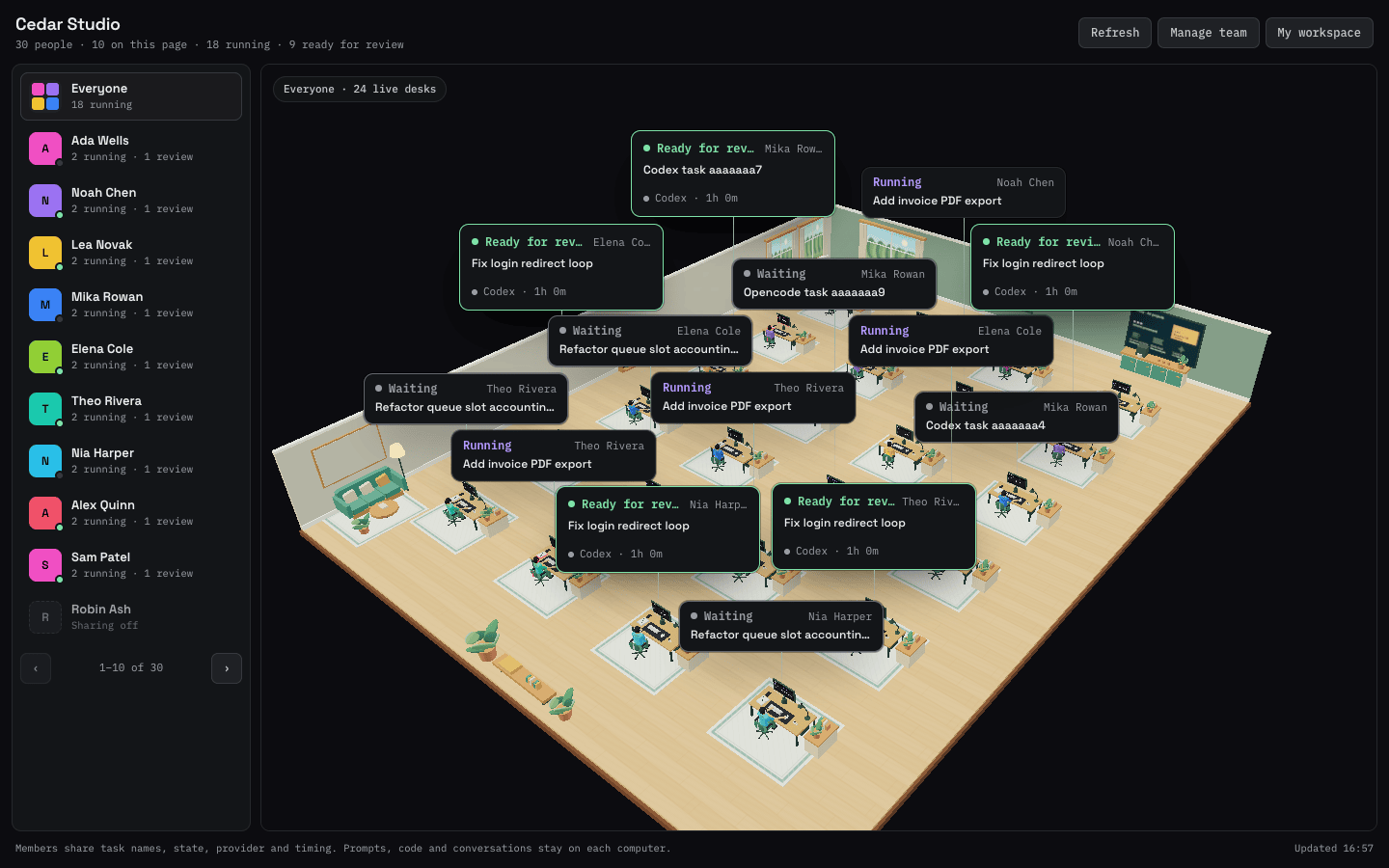
FAQ
Why not paste everything into one Claude Code session?
Unrelated work piles up in one context, raising the risk of mix-ups and hallucinations, and every message costs more. VibeiDE gives each task its own clean, saved session.
Why not just use tmux or separate terminals?
They work if you track everything yourself. VibeiDE adds project queues, provider limits, saved history and review, so no result gets lost in a tab.
How many tasks can run at once?
You choose. Each project has its own limit of parallel tasks for every provider, such as Codex, Claude Code and OpenCode. When a limit is reached, new tasks wait in the queue and start as soon as a slot frees up.
Do I need new API keys?
No. VibeiDE runs the Codex and Claude Code CLIs already on your computer. Your logins, keys and credits stay with them.
Does VibeiDE include Claude Code or Codex usage?
No. VibeiDE runs the Codex, Claude Code or OpenCode you already use, with your own subscription or API key. Your provider bills its own usage and applies its own limits. One provider is enough to start.
Which computers does VibeiDE run on?
macOS and Windows. The Linux build is in beta. Get them from the download page.
Can I cancel?
Yes. Cancel any time in Billing. Your plan stops renewing and access continues until the end of the paid period. The trial needs no card, so nothing renews after it.
Can I keep a terminal open between turns?
Yes. Turn on Keep open when you queue a task, then finish it when you are done.
What happens to lifetime licences if VibeiDE is discontinued?
Your licence to the last supplied version remains. Updates and hosted services may stop. The app currently requires periodic online licence validation. If development or hosted licensing permanently ends, we will notify affected customers and explain the available continuation, migration and statutory remedies. See the licence and sale terms.
Where is my data stored?
Task records are stored on your computer; prompts and context go to your AI provider. Optional Mobile control relays prompts, voice recordings, result excerpts, screenshots and project paths through the hosted service. Voice recordings are transcribed on your computer, not by a speech service. Team sync shares only the listed metadata. See Privacy.
Find your workflow
- Claude Code orchestration across your projects
- A project workspace and task queue for Codex
- Headless OpenCode tasks in your coding workspace
- AI coding orchestration for independent builders
- Keep client coding work attached to its request
- Move from an AI coding idea to a reviewed implementation
- One operator workspace for multiple client repositories
- VibeiDE vs separate AI coding terminals
- VibeiDE vs a tmux workspace for coding agents
- Run AI coding agents in parallel with clear task ownership
- A task queue for your AI coding agents
- Plan coding work around provider usage windows
- Resume a Claude Code conversation from its saved task
- Claude Code rate limits: keep the rest of your work moving
- Codex rate limits: plan around your account allowance
- VibeiDE vs Conductor
- VibeiDE vs Claude Squad
- VibeiDE vs Warp
- VibeiDE vs BridgeMind
- Plan council: two agents review your plan