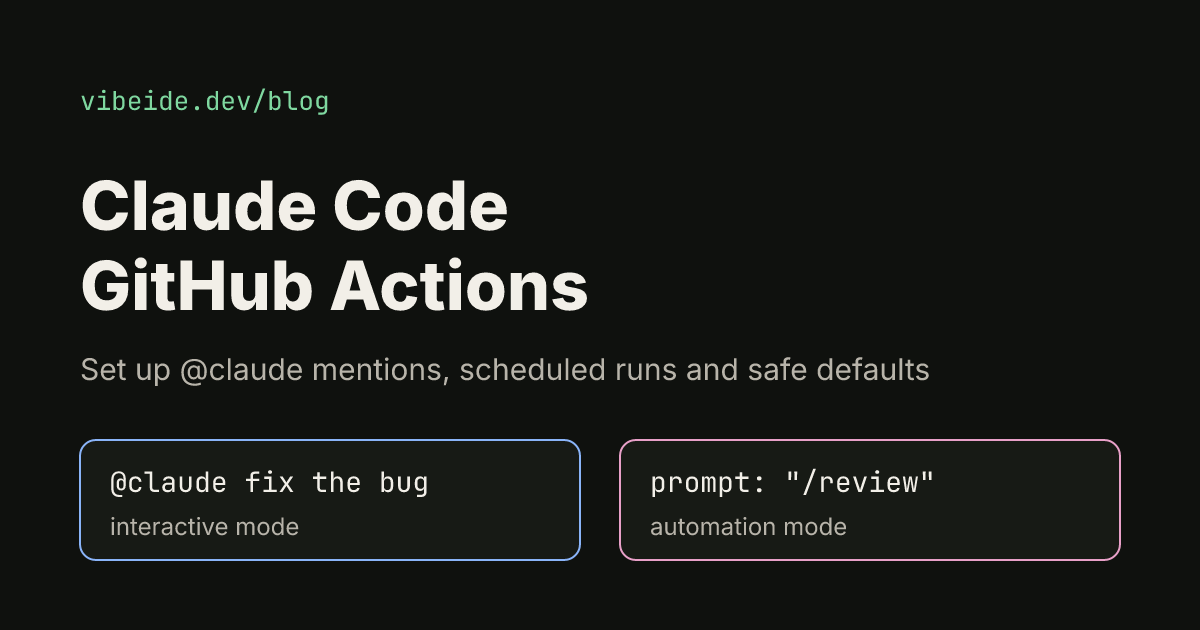
Claude Code GitHub Actions lets Claude Code run inside your repository's workflows. Someone writes @claude fix the TypeError in the dashboard on an issue or pull request, a GitHub runner starts, Claude reads the code, makes the change and replies in the same thread. The same action can also run on a schedule or on any GitHub event with a fixed prompt, for example to review every new pull request.
This guide covers both setup paths, the two modes the action runs in, the claude_args input that controls what Claude may do, who is allowed to trigger it, and how to keep runs and costs in check. Every command, input and permission below was checked against the official Claude Code GitHub Actions documentation as of October 2026.
What the action is
The integration is a regular GitHub Action, anthropics/claude-code-action, currently referenced as @v1. It is built on the Claude Agent SDK, the same engine as Claude Code headless mode, and adds the GitHub plumbing: reading the triggering comment, posting progress, and pushing commits.
Do not confuse it with two neighbours that share the name. Anthropic's Code Review feature reviews every pull request without you writing a workflow, and Claude Code in the cloud runs sessions on Anthropic's infrastructure. This article is about the workflow file you own.
Quick setup with /install-github-app
You need admin access to the repository, a github.com remote (GitLab and Bitbucket remotes make the command exit with a notice) and the GitHub CLI (gh) signed in with gh auth login. Then, inside the repository:
claude
/install-github-app
Claude Code installs the Claude GitHub App, then sets up a repository secret. If it already has an API key, it reuses it; otherwise you choose between a long-lived token from your Claude subscription and pasting an API key. The secret is named ANTHROPIC_API_KEY for an API key or CLAUDE_CODE_OAUTH_TOKEN for a subscription token. Finally it pushes a branch with the workflow files you picked and opens a pull request. Merge it and @claude works.
Press Esc to stop partway; the closing message lists what already happened, such as a pushed branch or a saved secret.
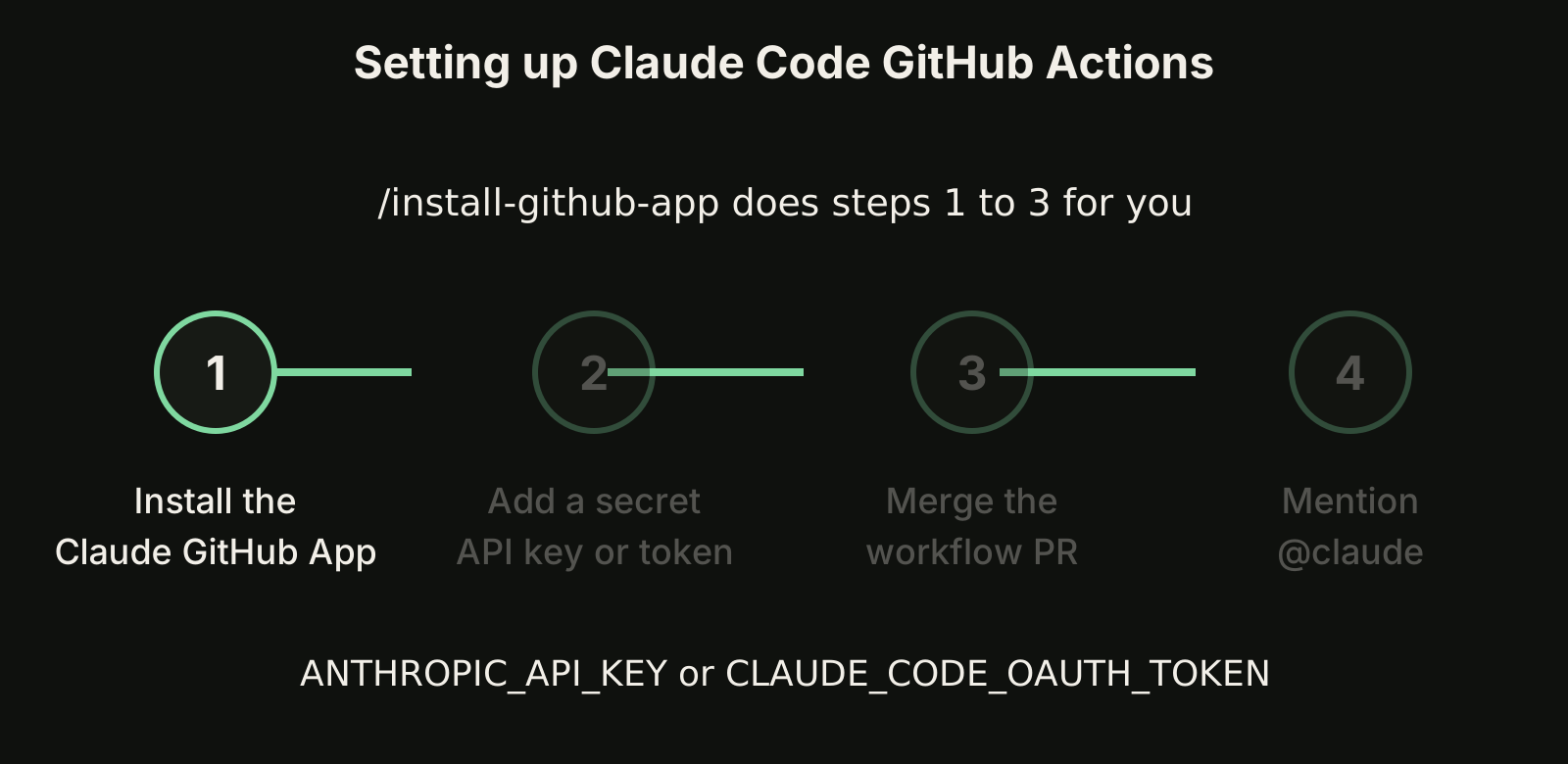
Manual setup in three steps
Use this when you do not run Claude Code locally, when the command fails, or when you want full control:
- Install the Claude GitHub App on the repository. The action relies on three of its permissions: Contents, Issues and Pull requests, each read and write. The app's full permission set is larger because other Claude features share it, and GitHub does not let you accept a subset. If policy requires the minimum, create a custom GitHub App with just those three, as the action's setup guide describes.
- Add a secret. Either
ANTHROPIC_API_KEYfrom the Claude Console, orCLAUDE_CODE_OAUTH_TOKEN, which you generate locally withclaude setup-token(available on Pro, Max, Team and Enterprise plans). Store it as a GitHub Actions secret, never in the repository. - Copy the workflow.
examples/claude.ymlfrom the action's repository is a working workflow. If you use the OAuth token, change theanthropic_api_keyline toclaude_code_oauth_token: ${{ secrets.CLAUDE_CODE_OAUTH_TOKEN }}.
For an organization, install the app once at organization level, store the secret as an organization secret, and add the workflow to each repository or call a shared reusable workflow. Prefer an API key for shared secrets, because an OAuth token belongs to the subscription of whoever generated it.
Interactive mode: respond to @claude
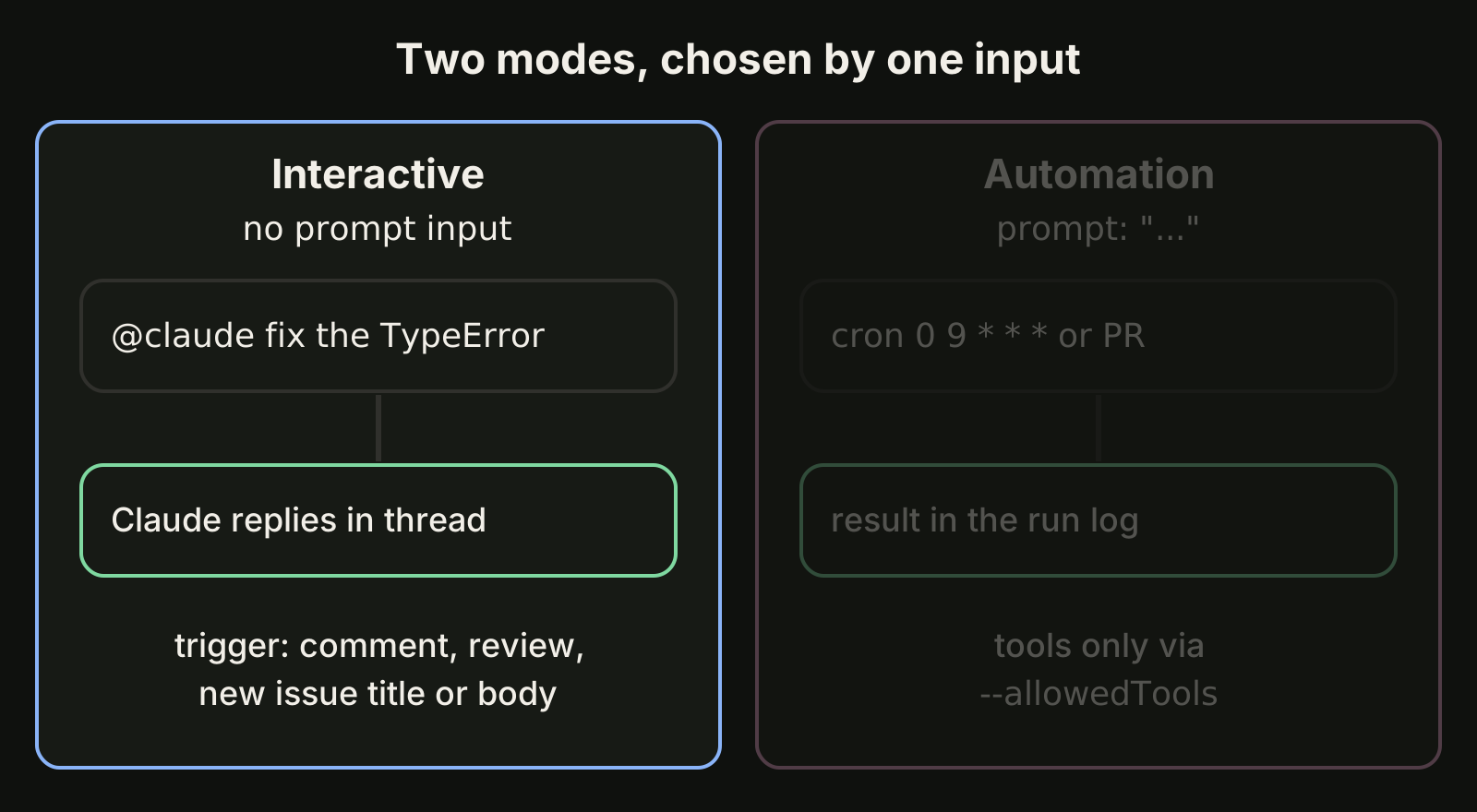
When the workflow has no prompt input, the action waits for the trigger phrase, @claude by default, in an issue or pull request comment, a review, or the title or body of a new issue. This is the official minimal workflow:
name: Claude Code
on:
  issue_comment:
    types: [created]
  pull_request_review_comment:
    types: [created]
jobs:
  claude:
    if: contains(github.event.comment.body, '@claude')
    runs-on: ubuntu-latest
    permissions:
      contents: write
      pull-requests: write
      issues: write
      id-token: write
      actions: read
    steps:
      - uses: actions/checkout@v6
        with:
          fetch-depth: 1
      - uses: anthropics/claude-code-action@v1
        with:
          anthropic_api_key: ${{ secrets.ANTHROPIC_API_KEY }}
The if line stops runners from starting on every comment. id-token: write is needed for the action's default GitHub App authentication, and actions: read lets Claude read CI results on pull requests. Claude replies in a comment on the same thread and updates it as it works.
Write requests the way you would brief a colleague: @claude implement this feature based on the issue description works because the issue already holds the context. Vague one-liners cost more turns and more minutes.
Automation mode: prompts, skills and schedules
Add a prompt input and the action stops waiting for a mention. It runs on whatever event the workflow listens to, and by default writes results to the workflow run log rather than a comment.
The prompt can be plain text or a skill. For a skill in .claude/skills/, check out the repository first, then pass /skill-name as the prompt (see Claude Code skills for how to write one). For a skill inside a plugin, install it with the plugin_marketplaces and plugins inputs and pass /plugin-name:skill-name.
A plain-text prompt starts with no shell or GitHub API access. Grant exactly what it needs through claude_args. This example, adapted from the official docs, writes a daily report at 09:00 UTC using two GitHub MCP tools, so it does not even need a checkout:
name: Daily Report
on:
  schedule:
    - cron: "0 9 * * *"
jobs:
  report:
    runs-on: ubuntu-latest
    permissions:
      contents: read
      issues: read
      id-token: write
    steps:
      - uses: anthropics/claude-code-action@v1
        with:
          anthropic_api_key: ${{ secrets.ANTHROPIC_API_KEY }}
          prompt: "Generate a summary of yesterday's commits and open issues"
          claude_args: |
            --allowedTools "mcp__github__list_commits,mcp__github__list_issues"
Two GitHub rules apply to schedules: they run only from the default branch, and in public repositories GitHub disables a schedule after 60 days without repository activity.
Pass CLI arguments with claude_args
claude_args accepts any Claude Code CLI flag, so everything you know from the terminal carries over:
| Flag | What it does in a workflow |
|---|---|
--max-turns 5 | Caps how many turns a run may take |
--model <name> | Picks the model; without it the Claude Code default is used |
--allowedTools "..." | Pre-approves tools, including MCP tools |
--mcp-config <path> | Loads MCP servers from a config file |
--append-system-prompt "..." | Adds instructions on top of the defaults |
--debug | Prints debug output to the run log |
Other inputs worth knowing: trigger_phrase changes @claude to something else, settings takes Claude Code settings as JSON or a file path, and use_bedrock, use_vertex or use_foundry route inference through your own cloud account with OIDC instead of an API key.
Claude also reads your repository's CLAUDE.md on every run, so code style, test commands and review criteria belong there. Keep it short, because it is loaded each time. Our CLAUDE.md best practices cover what to put in it.
Who can trigger a run
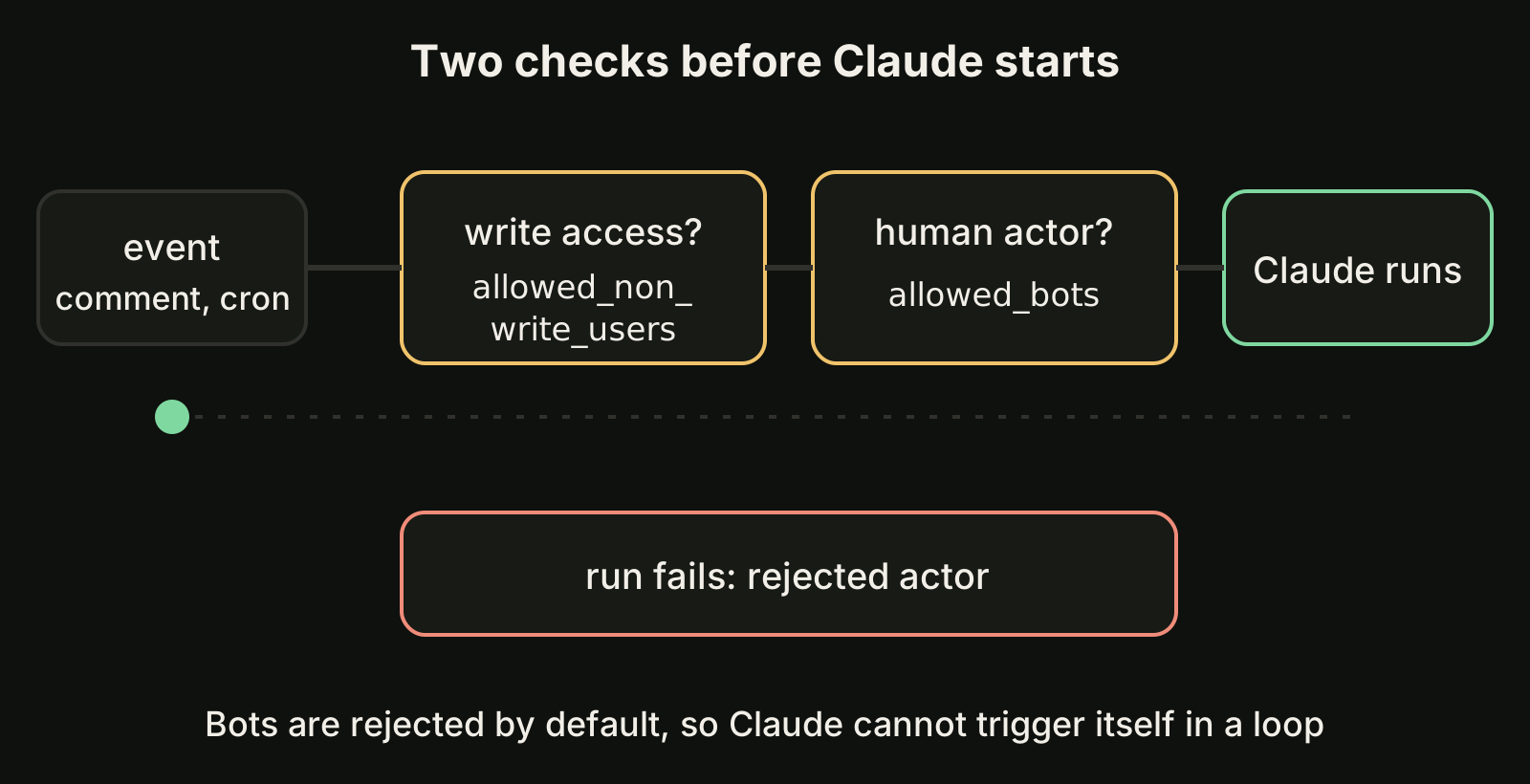
Before Claude starts, the action checks the actor, and the run fails if either check rejects it:
- Write access. On issue and pull request events, the commenter must have write access. To allow specific users without it, set
allowed_non_write_usersand pass your owngithub_token. - Human actor. Bots are rejected unless listed in
allowed_bots, which prevents bots from triggering Claude in a loop. Scheduled runs are attributed to a repository user, usually whoever last changed the cron line, so list that bot if it was one.
On public repositories GitHub withholds secrets from workflows triggered by fork pull requests, so a review workflow only runs on branches inside the same repository.
Keep runs and costs under control
Each run spends two budgets: GitHub Actions minutes on the runner, and tokens. With an API key you pay API rates; with an OAuth token the run uses your Claude subscription instead. To keep both small:
- Set
--max-turnsinclaude_argsand atimeout-minuteson the job. - Use GitHub's
concurrencysetting so a burst of comments does not start ten runs at once. - Give context up front with issue templates and specific requests.
- Review what Claude pushes before merging. Treat its pull requests like any other contribution; our guide to reviewing AI generated code has a checklist.
Troubleshooting and upgrading
If @claude gets no reply, check that the app is installed, workflows are enabled, the secret exists, the comment contains @claude as a whole word (not /claude or @claude-bot), and the commenter has write access.
If CI does not run on Claude's commits, you probably passed github_token: ${{ secrets.GITHUB_TOKEN }}. GitHub does not trigger workflows on commits made with the default token, so remove it and let the action authenticate as the Claude GitHub App.
Still on @beta? Change it to @v1, delete the mode input (the mode is now detected), rename direct_prompt to prompt, and move options such as max_turns and model into claude_args. custom_instructions becomes --append-system-prompt.
Where VibeiDE fits
The action is ideal for work that should happen in GitHub. For the coding you drive from your own machine, VibeiDE is a desktop app that coordinates the Codex, Claude Code and OpenCode CLIs you already installed. Each project has its own task queue, finished tasks wait in Ready for review (an unread completion state, not a code approval), and the Changes view below the prompt shows file diffs and can commit, or commit and push, without leaving the app. See Claude Code orchestration across your projects.
Takeaways
- Run
/install-github-appfor the fast path, or install the app, addANTHROPIC_API_KEYorCLAUDE_CODE_OAUTH_TOKEN, and copyexamples/claude.yml. - No
promptinput means interactive mode (@claudementions); apromptinput means automation mode on any event, including cron. - Plain-text prompts get no tools by default: grant them with
--allowedToolsinclaude_args. - Only users with write access and non-bot actors can trigger runs unless you allow them explicitly.
- Cap every workflow with
--max-turns, a job timeout and a concurrency group, and review Claude's pull requests before merging. - For one-off scripts outside GitHub, use Claude Code headless mode; for Codex, see codex exec.