Built by a developer who couldn't keep up with his own projects.

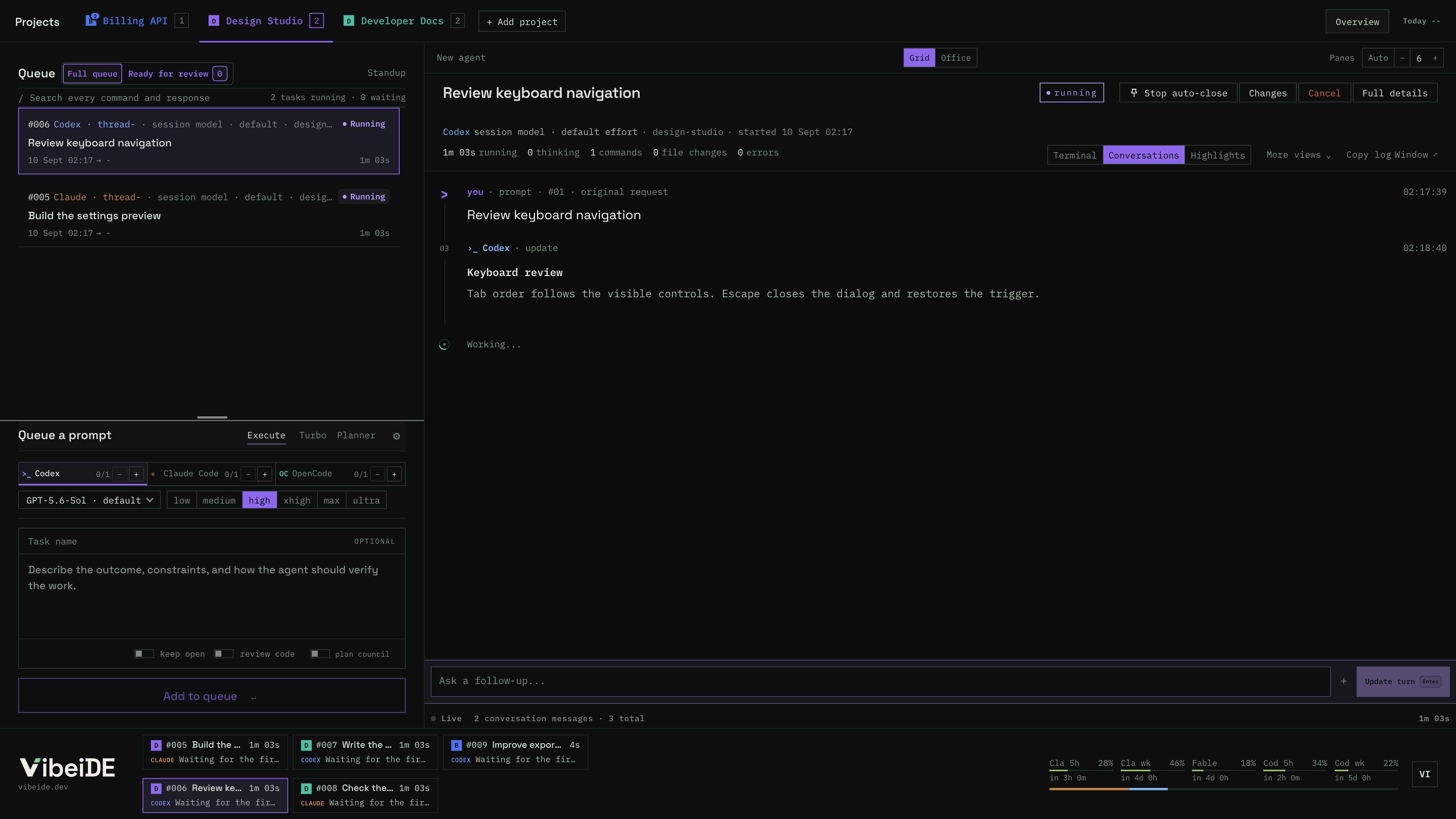
One task. One terminal. One thing to review.

For developers running Claude Code and Codex across several projects who are done losing track. Every request gets its own terminal, every result waits until you review it.

Download VibeiDEmacOS

14-day trial. No card required. $7.99 USD / month
For macOS and Windows. Linux in beta. Uses the Codex, Claude Code or OpenCode login you already have. VibeiDE never bills for tokens.

  • Codex
  • Claude Code
  • OpenCode
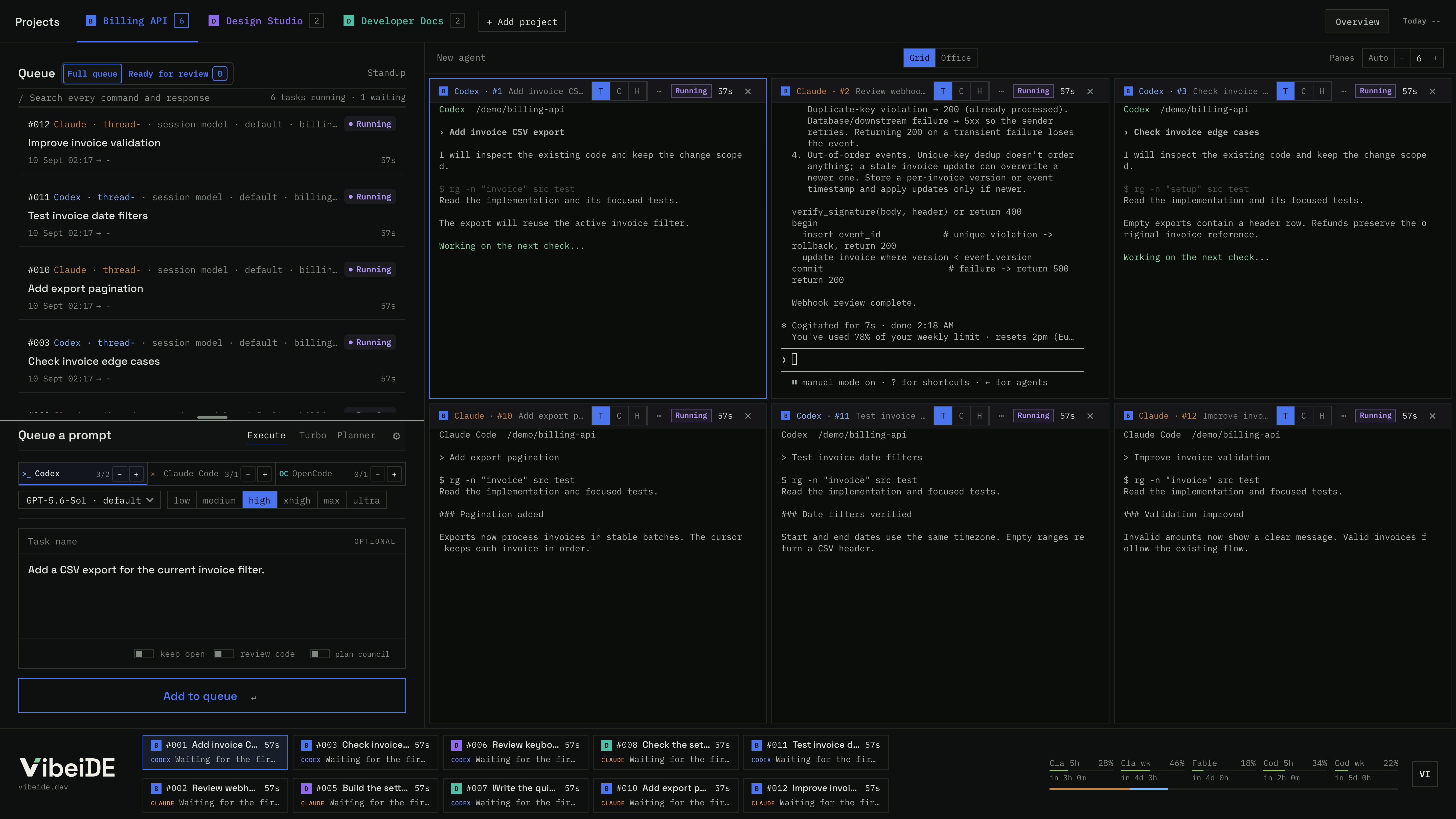
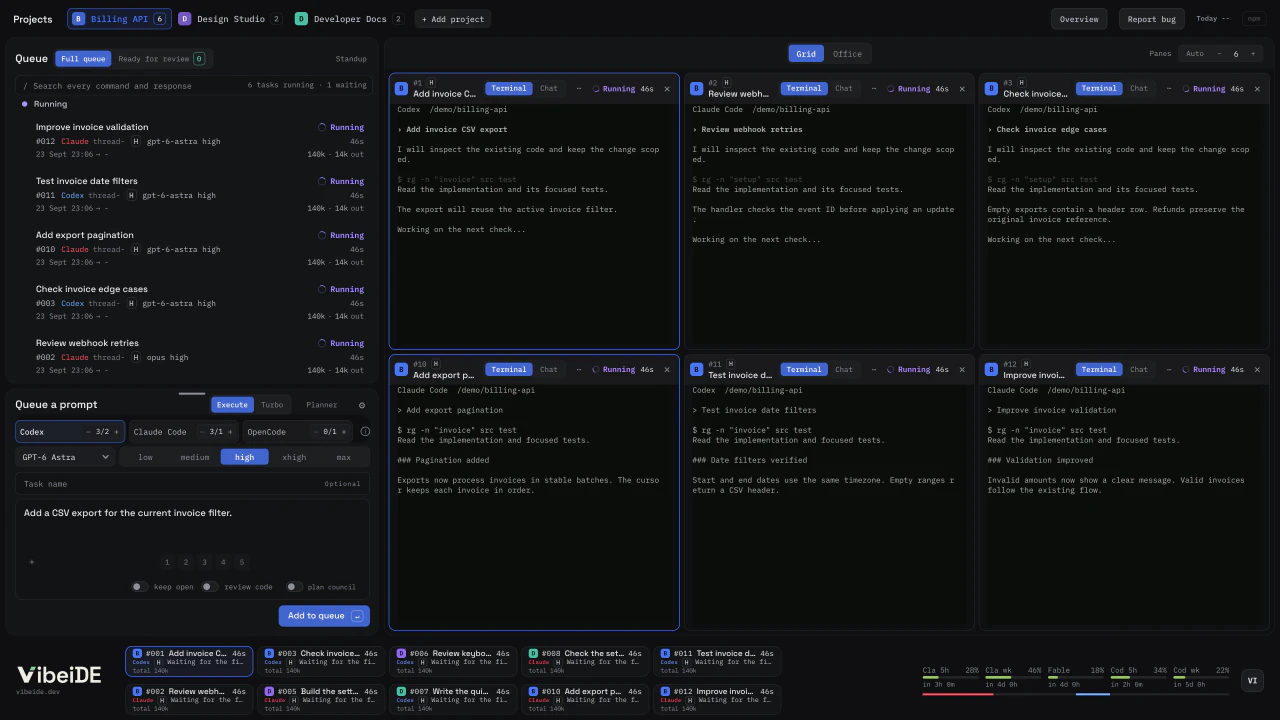
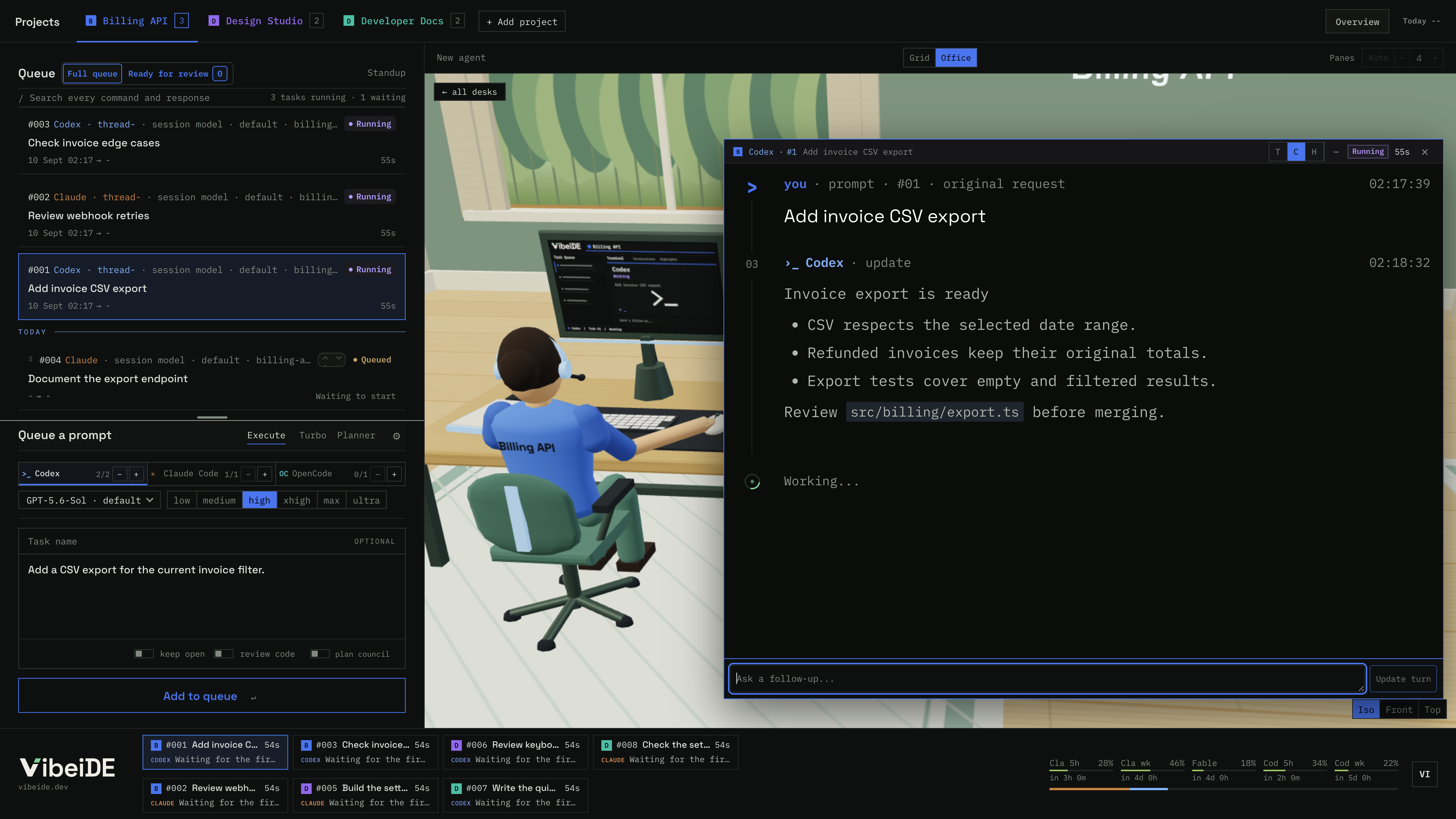
VibeiDE Office and Grid views An illustrated office for the Billing API project. Six coding agents work at their own desks with a live task card above each one. Switching to Grid lifts the camera until every desk becomes a terminal pane.

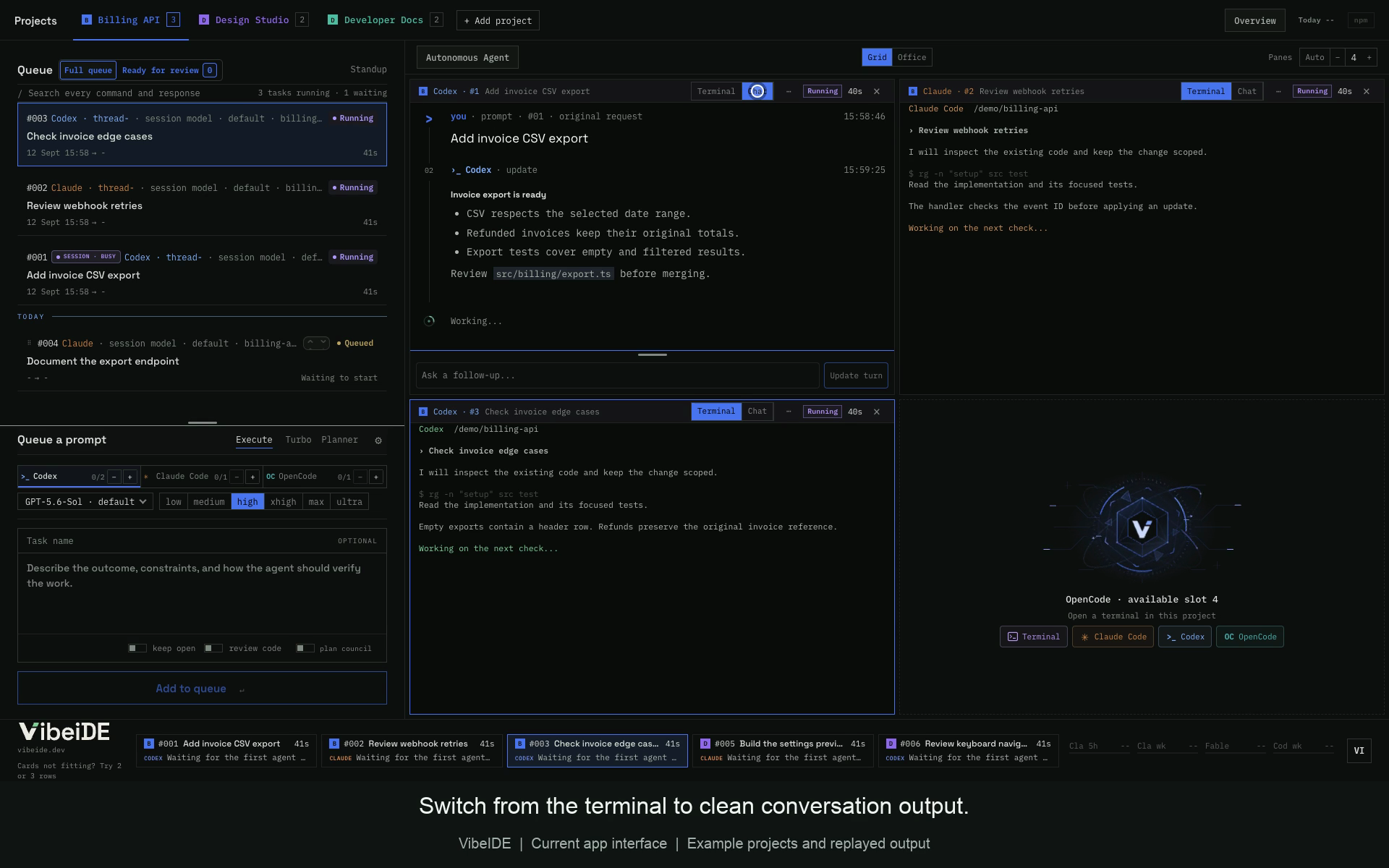
Office view: every task gets its own agent and desk. Click a desk, or queue your own task below.

01 / PROJECTS

Several projects, one screen.

Each repository has its own queue, color and provider limits. Reorder waiting work without interrupting running tasks.

  1. Billing API6 running, 3 waiting

  2. Design Studio6 running, 2 waiting

  3. Developer Docs6 running, 2 waiting

02 / OFFICE OR GRID

Watch the Office, or read the Grid.

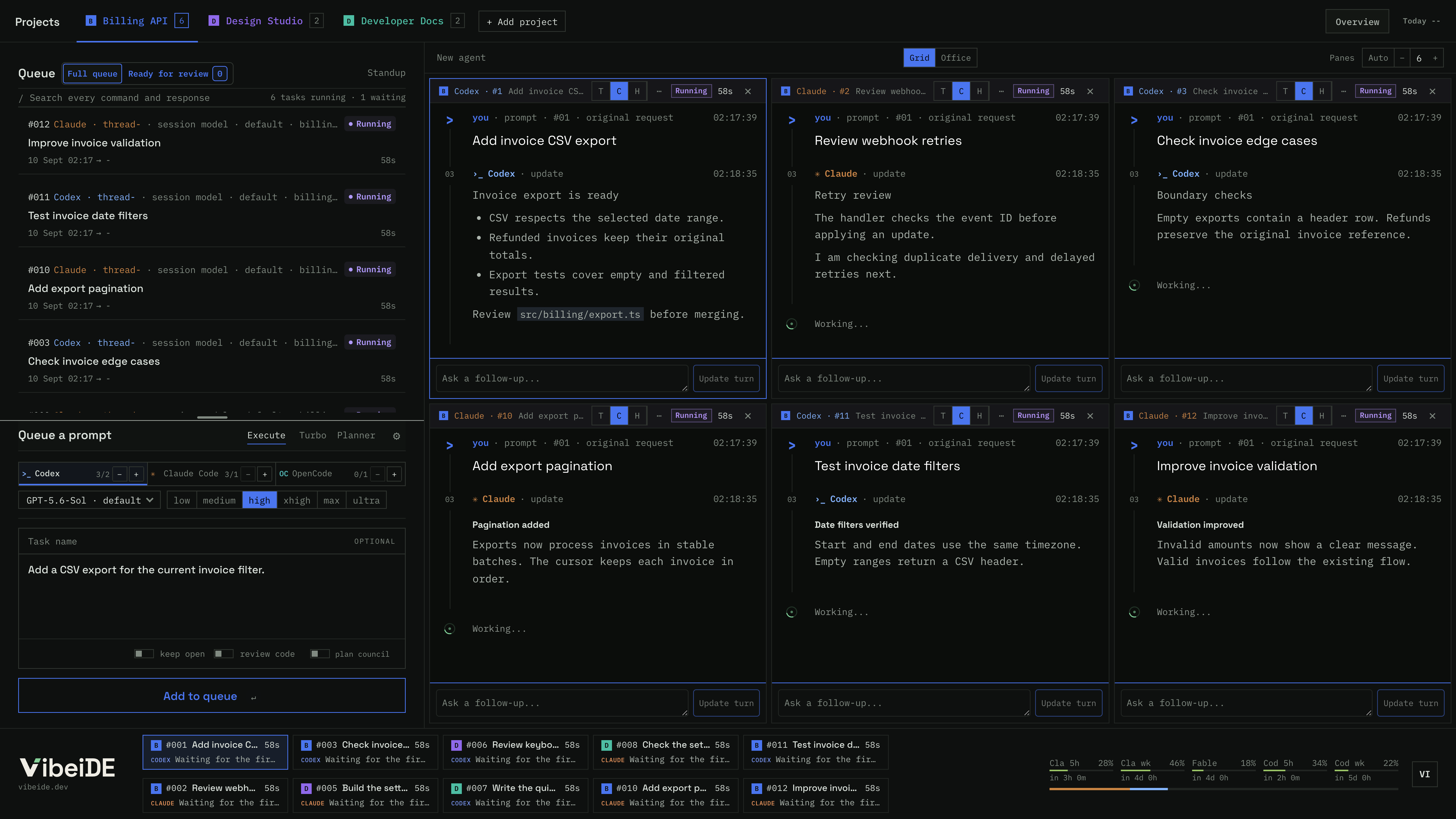
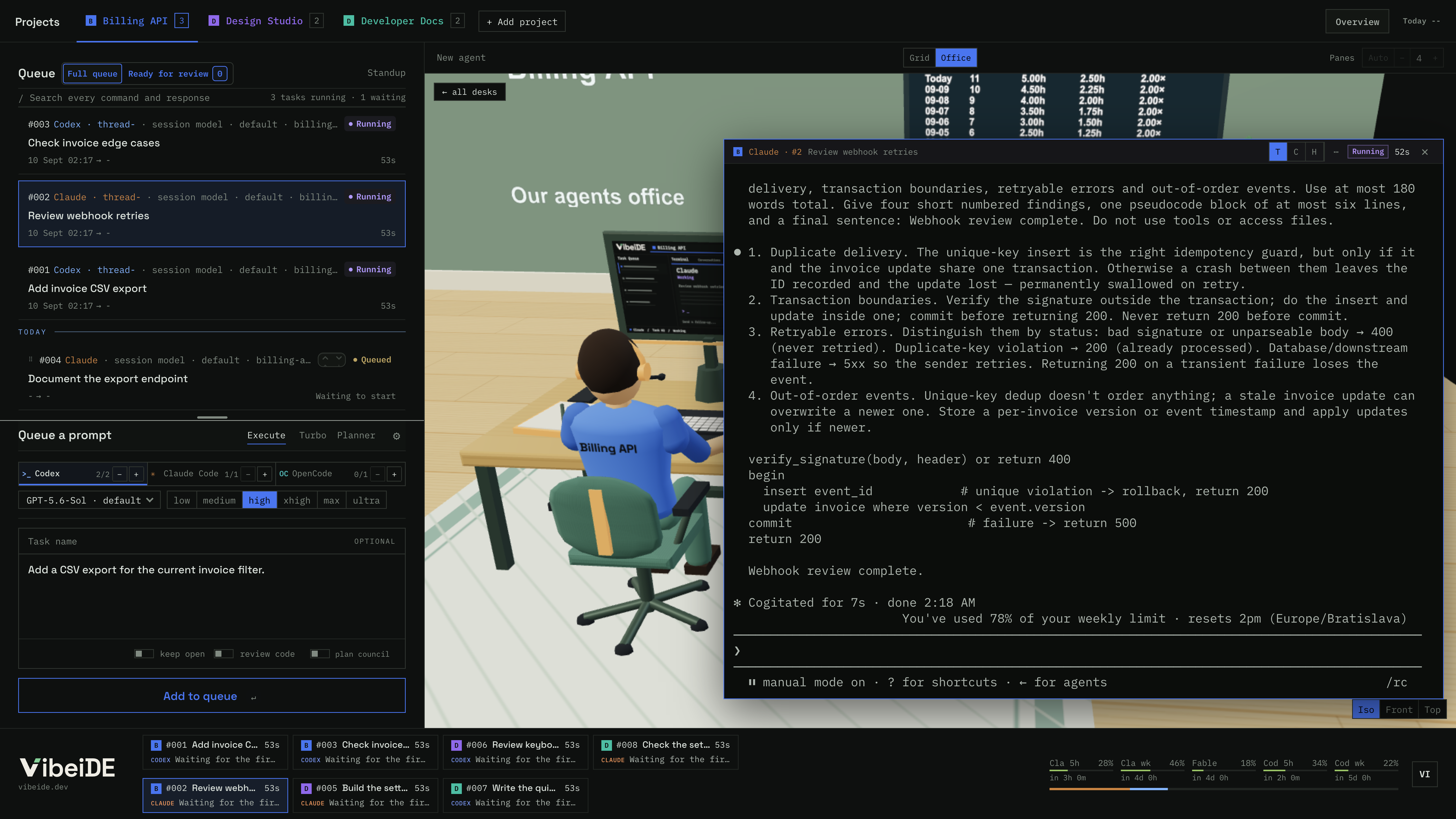
Switch to Grid and each desk becomes a live terminal, up to 20 at once. Read each one as a live terminal, or as a chat you can skim.

03 / SESSIONS

Every task starts clean and can be resumed.

A fresh session per task keeps context small, which helps reduce hallucinations and token cost. Resume any task later.

Context in one long session compared with one session per task In one long session, context and cost keep growing with every request. With one session per task, context starts from zero for each task, the conversation is saved when the terminal closes, and a saved conversation can be resumed later.
Illustration, not measured data.

04 / REVIEW

Finished work waits for your review.

In one crowded session, tasks can get skipped. Here each task gets its own terminal and history, so every result waits for you.

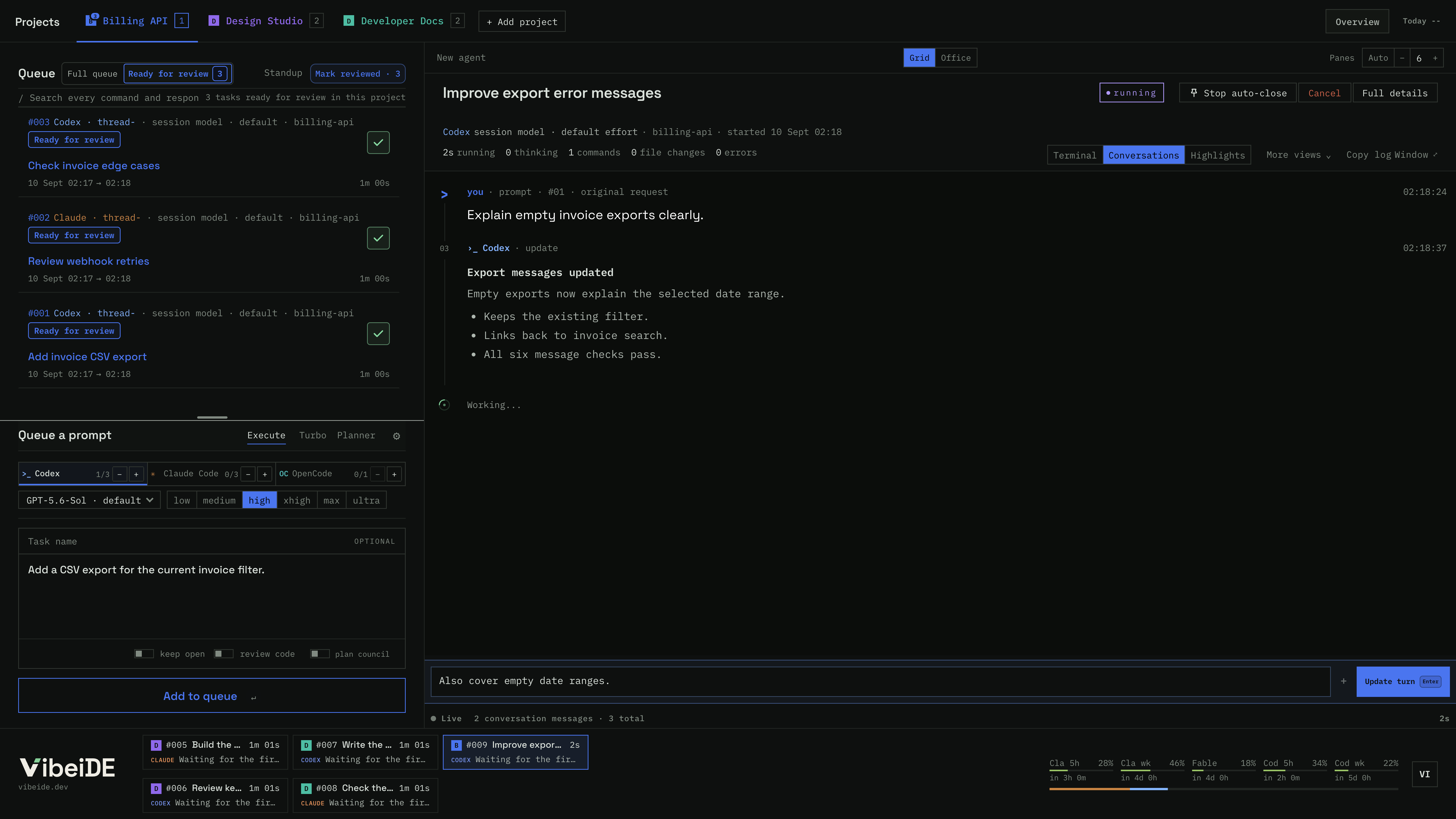
Reviewing finished tasks Four task terminals finish one after another and each result moves into Ready for review. The first result is opened, showing its summary, changed files and passing tests, and a follow-up is sent in the same conversation, so that task runs again. The other results are marked reviewed one by one. The first task returns as turn 2, is marked reviewed, and the list ends with all results reviewed.
Sample Billing API tasks.

05 / PLAN COUNCIL

Two agents check the plan before code exists.

One agent drafts, the other challenges, the author revises.

Starts with

Plan request: Add invoice CSV export

  1. Claude writes the plan
  2. Codex checks it
  3. Back to Claude
  4. You hand it off
Plan council room Two agents share a desk in front of a wall display. The first writes the plan and passes the sheet to the second, who checks it and marks three findings. The sheet goes back to the first, who fixes them in version two. A path is drawn to the execution desk, which waits for your handoff.
Sample plan.

06 / DAILY TOOLS

The tools around the queue.

Pick one, or let the tour cycle through them.

Your queue, in your pocket.

Pair with a QR code, then queue, watch and review from anywhere while your computer does the work.

  1. Scan the QR code
  2. Queue from your phone
  3. Your computer runs it
  4. Review from anywhere
Mobile control: pair a phone, queue a task and review it The computer shows a QR code and the phone scans it. The phone asks to connect and the computer enables access, so the computer connects out to vibeide.dev. On the phone a task is typed and added to the queue; it reaches the computer, where an agent sits down at a free desk in the Office and works on it while the phone shows the same Office. When the task finishes, the phone shows a notification without the prompt or the result. Opening it shows the task with the screenshot it captured, and the task is marked reviewed.
Optional, for projects you pick. Outbound HTTPS, no open port. Prompts, result excerpts, screenshots and project paths pass through the hosted service; notifications never include prompts or results. Needs VibeiDE running on an awake computer.

Turn finished work into a changelog.

Standup sorts finished tasks by category, ready to copy.

Completed tasks

  1. #104 PDF statement download
  2. #105 Invoice CSV export
  3. #98 Simplify date filters
  4. #106 Fix export rounding
  5. #107 Secure download access

billing-api Sep 4 to Sep 5, 2026

Added

Monthly PDF statement download #104

Invoice CSV export #105

Changed

Removed the legacy date-filter toggle #98

Fixed

Rounding errors in CSV totals #106

Security

Restricted statement downloads to account owners #107

Keep track of your provider usage.

Provider-reported 5 hour and weekly limits, with reset times.

Sample windows.

Claude, 5 hour window

42% used, resets in 2h 14m

Claude, weekly

61% used, resets in 3d 6h

Codex, 5 hour window

27% used, resets in 4h 02m

Codex, weekly

48% used, resets in 5d 12h

Keep parallel edits apart.

Two Git modes, chosen per project.

Finished work levels up your office.

Reviews, resumed tasks and plan councils earn XP. Levels upgrade the room, from a rug at level 3 to a neon sign at 12, a jukebox at 30 and a champion trophy at 50. Every level up throws a party.

Achievements0 of 9 unlocked

  • Coffee’s onStart the first task of a local day. Locked
  • Quick drawReview ten tasks within five minutes of finishing. Locked
  • DiplomatUse Plan council on ten tasks. Locked
  • JugglerRun tasks in three projects at once. Locked
  • Parallel universes IdeaRun three tasks in separate worktrees at once. Locked
  • ArchaeologistResume a task older than thirty days. Locked
  • Token miserEnd a day below ten million tokens with twenty reviews. Locked
  • Well rested IdeaTake a weekend off after a five day review streak. Locked
  • Rainbow IdeaRun tasks in seven projects at once, each in its own color. Locked
A Billing API desk leveling up An agent works at a desk. Reviews, resumed tasks and plan councils add XP. Each level reward appears in the room and the agent jumps up to cheer: a project rug, a project chair, a plant, a neon level sign, string lights, a dark wood desk, a second monitor, a jukebox, a gold crown and a champion trophy at level 50, which starts a dance party.
Billing API Level 1 0 / 100 XP ×1 0 day coffee streak

Level rewardsNext: Project rug at level 3

  1. Level 3: Project rug
  2. Level 6: Project chair
  3. Level 9: Growing plant
  4. Level 12: Neon level sign
  5. Level 15: String lights
  6. Level 20: Dark wood desk
  7. Level 25: Second monitor
  8. Level 30: Jukebox
  9. Level 40: Gold crowns
  10. Level 50: Champion trophy
A sample year, sped up. XP comes from task metadata only, never prompts, code or transcripts. Three of the nine achievements are proposals.

07 / DEMO

The real app, with example projects.

Screens from the current desktop app, with example output.

1 / SCREENSHOT

Office view with three AI agents beside the project queue, prompt composer and parallel limits
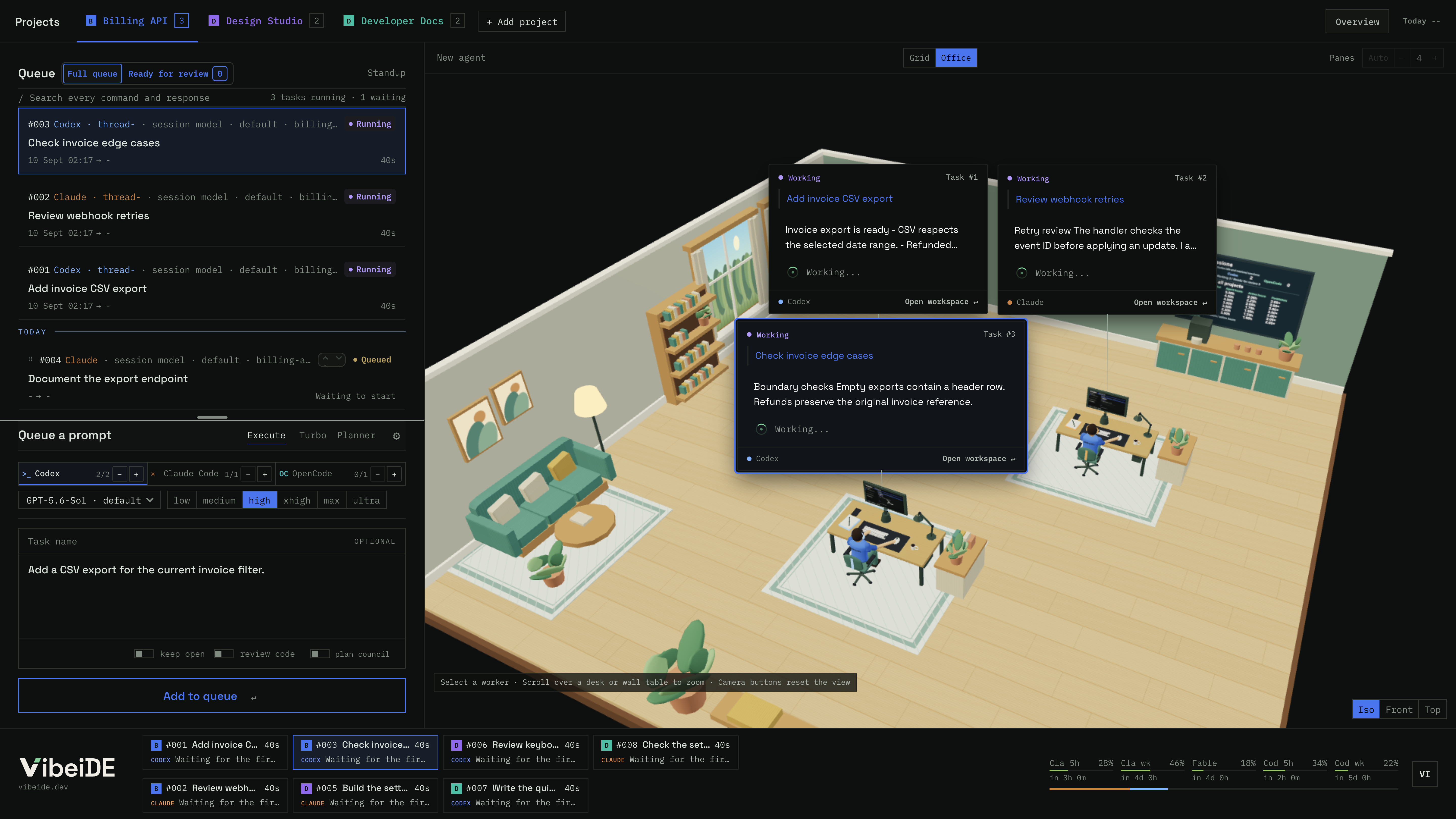
Office view with three AI agents beside the project queue, prompt composer and parallel limits
1 of 8Queue tasks per project and set how many run in parallel per provider.

Company mode Available now

Your team. Their agents. One company view.

  • Every teammate gets a room for their agents.
  • Ten people per floor. Add floors as you grow.
  • Room sharing starts enabled. Members can turn it off.
A company floor with one room per teammate Six rooms on one floor, each marked with its teammate's initial. Shared rooms show their agents at work; one room is not shared and shows no activity. A manager walks the corridor between rooms. The list below the floor gives each room's task states.

Stylized Office illustration with demo data. Managers see task names and metadata, not agent output.

Managers see

Elif's room, today
TaskStateStartedFinishedDuration
Add invoice PDF export Codex18 minRunning10:42−18 min
Fix login redirect loop Claude37 minReady for review09:1509:5237 min
Update pricing page copy Codex34 minFinished08:3009:0434 min

6 finished today31 this week

Task name, provider, state and timing only.

Room not shared. Managers only see that sharing is off.

Never shared

Stays on Elif's computer
  • Prompts
  • Code
  • Conversations
  • Agent output
  • Project paths
  • Live terminals
  • Credentials

Members choose whether to share their room and task names. Shared history lasts seven days.

Pricing

14 days free, no card. Cancel any time. Your saved work stays readable after the trial.

Prices are excl. VAT, VAT added at checkout based on your country. Bring your own Claude Code or Codex. VibeiDE never bills for tokens.

Monthly

$7.99 USD / month

Access and updates while subscribed.

Lifetime

$249 USD once

Pay once, keep it forever. All future updates included.

Licence and sale terms. One trial per machine. Referred new users get 30 days. Trial and referral details.

FAQ

Why not paste everything into one Claude Code session?

Unrelated work piles up in one context, raising the risk of mix-ups and hallucinations, and every message costs more. VibeiDE gives each task its own clean, saved session.

Why not just use tmux or separate terminals?

They work if you track everything yourself. VibeiDE adds project queues, provider limits, saved history and review, so no result gets lost in a tab.

Do I need new API keys?

No. VibeiDE runs the Codex and Claude Code CLIs already on your computer. Your logins, keys and credits stay with them.

Does VibeiDE include Claude Code or Codex usage?

No. VibeiDE runs the Codex, Claude Code or OpenCode you already use, with your own subscription or API key. Your provider bills its own usage and applies its own limits. One provider is enough to start.

Which computers does VibeiDE run on?

macOS and Windows. The Linux build is in beta. Get them from the download page.

Can I cancel?

Yes. Cancel any time in Billing. Your plan stops renewing and access continues until the end of the paid period. The trial needs no card, so nothing renews after it.

Can I keep a terminal open between turns?

Yes. Turn on Keep open when you queue a task, then finish it when you are done.

What happens to lifetime licences if VibeiDE is discontinued?

Your licence to the last supplied version remains. Updates and hosted services may stop. The app currently requires periodic online licence validation. If development or hosted licensing permanently ends, we will notify affected customers and explain the available continuation, migration and statutory remedies. See the licence and sale terms.

Where is my data stored?

Task records are stored on your computer; prompts and context go to your AI provider. Optional Mobile control relays prompts, voice recordings, result excerpts, screenshots and project paths through the hosted service. Voice recordings are transcribed on your computer, not by a speech service. Team sync shares only the listed metadata. See Privacy.
Find your workflow

Languages

Necessary cookies support sign-in, security, your language and this choice. Optional categories stay off until accepted.

First-party page views and acquisition measurement. Google Analytics remains disabled.

Remember referral credit for later. Links still work on the current page without this cookie.

Privacy · Cookie inventory