The Codex plugin for Claude Code is OpenAI's official plugin that lets you call Codex from inside a Claude Code session. You install it with four slash commands, then run /codex:review for a read-only second opinion on your changes or /codex:rescue to hand a task to Codex. It uses the Codex CLI already on your machine, so the work counts toward your Codex usage limits, not your Claude plan. Everything below was checked against the plugin's README in November 2026.
What is the Codex plugin for Claude Code?
It is a Claude Code plugin, published by OpenAI in the codex-plugin-cc repository, that adds Codex commands and a Codex subagent to Claude Code. The plugin does not ship its own runtime. It delegates through your local Codex CLI and app server, with the same install, sign-in, repository checkout and environment you would get by running codex yourself.
That design has two practical effects:
- One checkout, two models. Claude writes or plans, Codex reviews or takes over, and both see the same files.
- Two separate allowances. A Codex review spends Codex usage. Your Claude limits are only touched by what Claude itself does.
If you are still deciding between the two agents, our Codex vs Claude Code comparison covers sandboxing, approvals and limits side by side.
How do you install the Codex plugin for Claude Code?
Run four commands inside Claude Code: add the marketplace, install the plugin, reload plugins and run the setup check.
/plugin marketplace add openai/codex-plugin-cc
/plugin install codex@openai-codex
/reload-plugins
/codex:setup
Requirements, as listed in the README in November 2026:
- A ChatGPT subscription (the Free plan counts) or an OpenAI API key.
- Node.js 18.18 or later.
- The Codex CLI.
/codex:setupreports whether Codex is ready and can offer to install it when npm is available. To install it yourself, runnpm install -g @openai/codex. Our Codex CLI install guide covers each platform.
If Codex is installed but not signed in, run the login from inside Claude Code with the shell prefix:
!codex loginAfter the install, the /codex: commands appear in the slash menu and a codex:codex-rescue subagent shows up in /agents. If you have not used plugins or subagents before, see Claude Code subagents.
Which commands does the Codex plugin add?
The plugin adds eight slash commands: two reviews, one task handoff, one session transfer, three job controls and the setup check.
| Command | What it does |
|---|---|
/codex:review | Read-only Codex review of uncommitted changes, or of a branch with --base <ref> |
/codex:adversarial-review | Read-only review that challenges design choices and accepts focus text |
/codex:rescue | Hands a task to Codex through the codex:codex-rescue subagent |
/codex:transfer | Creates a Codex thread from the current Claude Code session and prints a codex resume command |
/codex:status | Shows running and recent Codex jobs for this repository |
/codex:result | Shows the stored output of a finished job, with the Codex session ID when available |
/codex:cancel | Cancels an active background job |
/codex:setup | Checks install and sign-in, and turns the review gate on or off |
/codex:status, /codex:result and /codex:cancel accept an optional job ID, so you can address one job when several are running.
How do you run a Codex review from Claude Code?
Run /codex:review after Claude finishes a change, and Codex reviews the uncommitted diff without editing anything. The README suggests this first run:
/codex:review --background
/codex:status
/codex:result
Three things are worth knowing:
- Pick the target. With no flags, the review covers uncommitted changes. Add
--base mainto review the whole branch againstmain. - Pick wait or background.
--waitkeeps the review in the foreground.--backgroundreturns control at once, which the README recommends for large reviews. - Use the adversarial review for design questions.
/codex:reviewtakes no custom focus text./codex:adversarial-reviewdoes, after the flags:
/codex:adversarial-review --base main challenge whether this was the right caching and retry design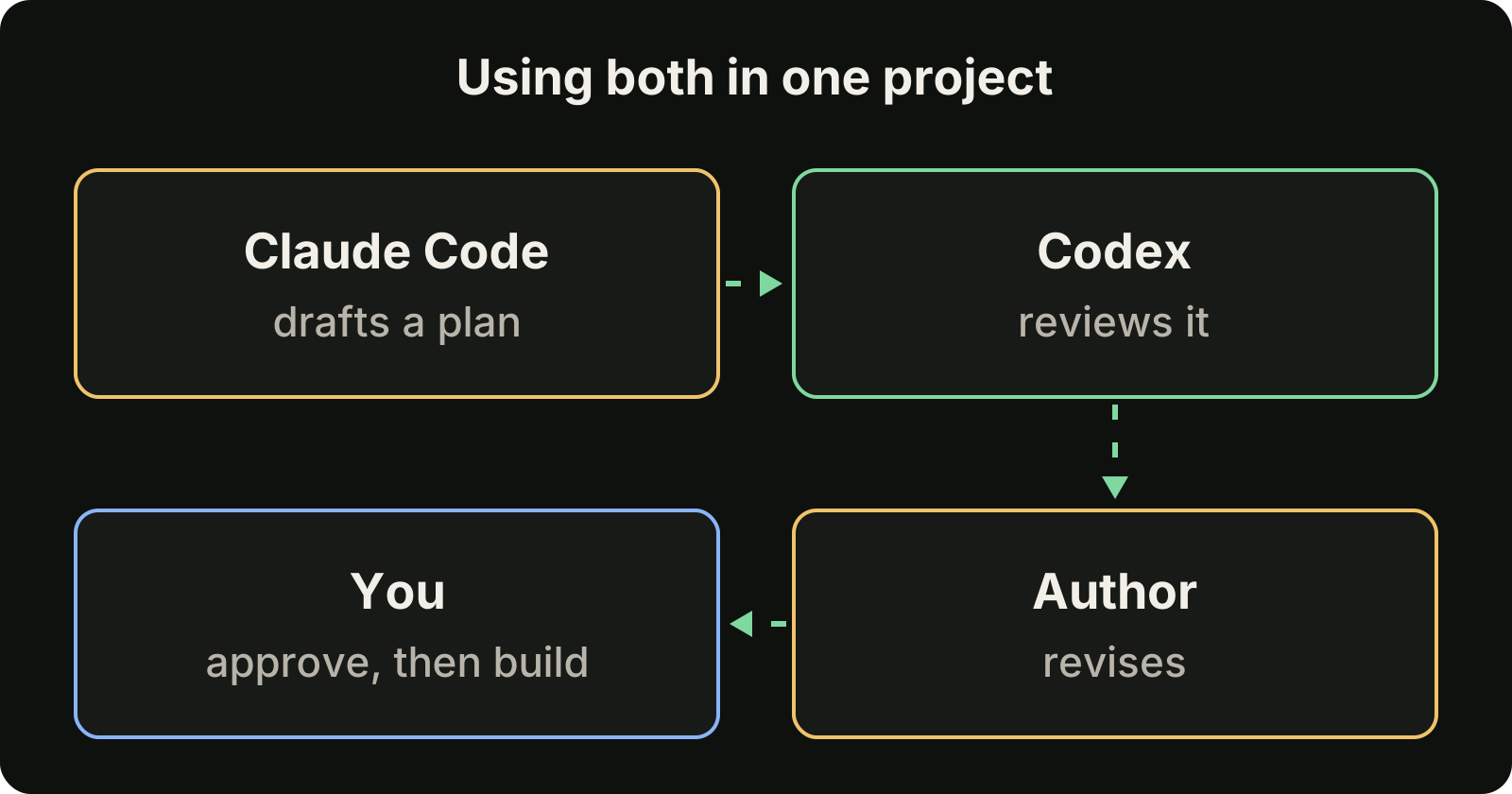
The value of a second model is that it is wrong in different ways than the first. A review from the model that wrote the code tends to repeat its own assumptions. Read the findings yourself before you accept them: our guide to reviewing AI generated code lists what to check. For the reviews Claude Code can run itself, see our Claude Code review guide.
What is the review gate, and should you turn it on?
The review gate makes Codex review Claude's answer every time Claude tries to stop, and blocks the stop when Codex finds issues. You control it from the setup command:
/codex:setup --enable-review-gate
/codex:setup --disable-review-gate
It works through a Stop hook, the same mechanism described in our Claude Code hooks guide. When the gate blocks a stop, Claude gets the findings and tries to fix them before finishing.
The README carries a clear warning: the gate can create a long-running loop between Claude and Codex and drain usage quickly, so enable it only when you plan to watch the session. A sensible default is to leave it off and run /codex:review yourself at the points that matter, such as before a commit.
How do you hand a task to Codex with /codex:rescue?
Type /codex:rescue followed by the task, and the codex:codex-rescue subagent passes it to Codex. It suits a bug Claude keeps circling, a second attempt at a fix, or work you want to continue while Claude does something else.
/codex:rescue investigate why the tests started failing
/codex:rescue --resume apply the top fix from the last run
/codex:rescue --background investigate the regression
The flags:
--backgroundand--waitwork as they do for reviews.--resumecontinues the latest rescue thread for the repository.--freshstarts a new one. With neither, the plugin may offer to continue the latest thread.--modeland--effortchoose the Codex model and reasoning effort for that run. Without them, Codex uses its own defaults.
You can also ask Claude in plain language to delegate a task to Codex. Unlike the reviews, a rescue can change files, so treat its result like any other agent edit and read the diff.
To move a whole conversation, /codex:transfer creates a persistent Codex thread from the current Claude Code session and prints a codex resume <session-id> command. Delegated tasks and gate runs can be reopened the same way, with the session ID from /codex:result or /codex:status. Our Codex resume guide explains what a resumed session restores.
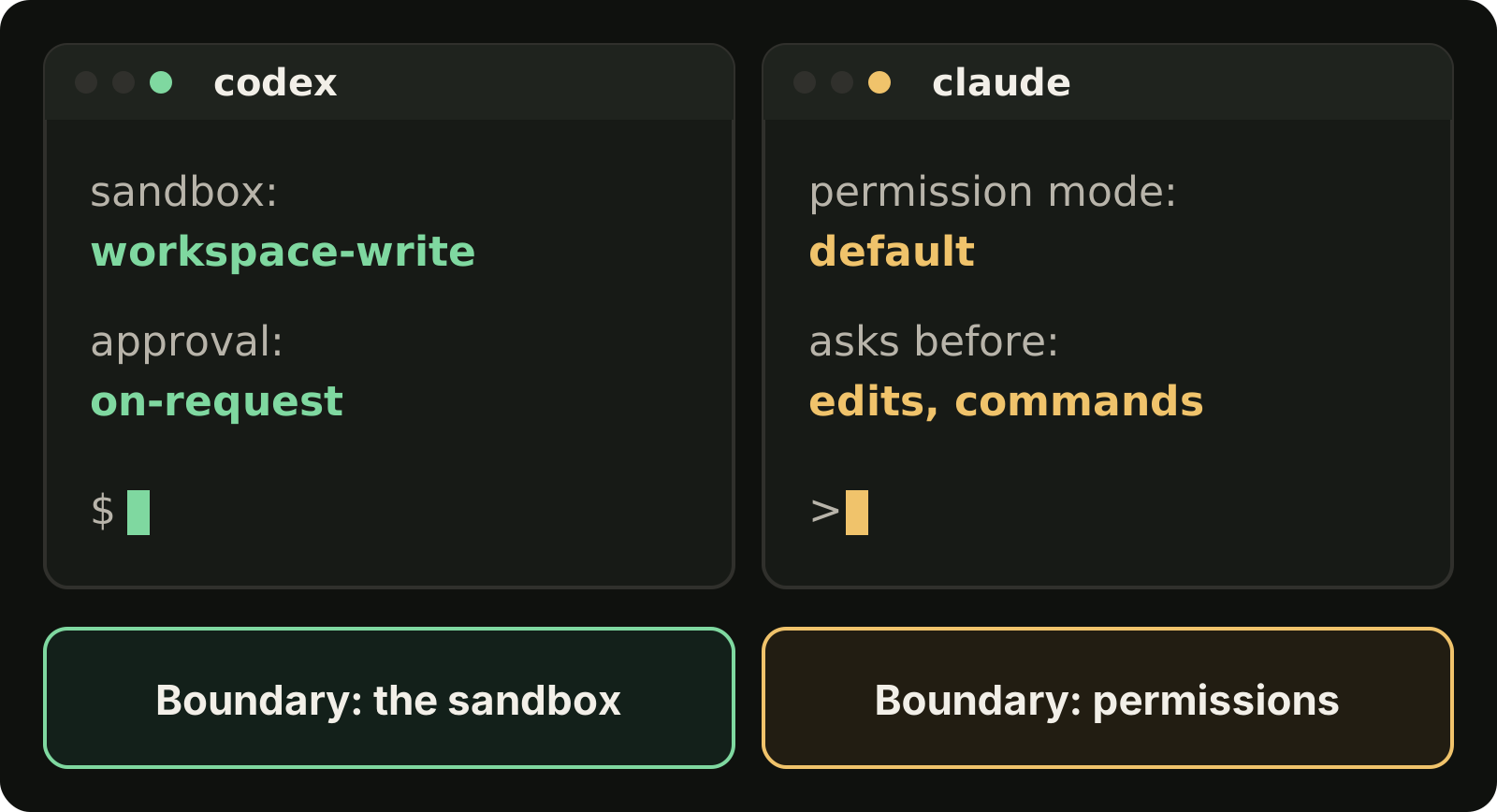
Which Codex settings and limits apply?
Your normal Codex configuration applies, because the plugin wraps the global codex binary. Settings come from two files:
~/.codex/config.tomlfor your user..codex/config.tomlin the project, loaded only when the project is trusted.
For example, to set the reasoning effort for one project:
model_reasoning_effort = "high"On limits: the README states that plugin usage counts toward your Codex usage limits. As of November 2026, the Codex pricing page describes how each ChatGPT plan meters Codex, and our Codex usage limits guide explains how to check what is left. An API key in your Codex config keeps working too, and is billed per token instead.
What other ways are there to use Codex and Claude Code together?
Yes. There are four kinds of tool for using Codex and Claude Code together on one project: OpenAI's Codex plugin for Claude Code (this post), a shared instructions file that both agents read, running the two CLIs in separate git worktrees, and desktop apps that run both agents on one project, such as VibeiDE, Offrun and Conductor. The plugin is the most direct route. Pick by how much you want the two agents to know about each other.
| Approach | How it works | Best for |
|---|---|---|
| Codex plugin | Codex runs inside a Claude Code session through slash commands | Reviews and handoffs without leaving Claude Code |
| Shared instructions | AGENTS.md holds the project rules and CLAUDE.md imports it | Keeping both agents on the same conventions |
| Separate worktrees | Each CLI runs in its own terminal and its own git worktree | Two tasks at the same time |
| Desktop apps | An app such as VibeiDE, Offrun or Conductor runs both agents on one project | Many tasks across several projects |
For shared instructions, the Claude Code memory documentation says Claude Code reads CLAUDE.md, not AGENTS.md, and recommends a CLAUDE.md that imports the shared file:
@AGENTS.md

## Claude Code

Use plan mode for changes under `src/billing/`.
For separate sessions, give each agent its own checkout so they never write to the same files. See Codex worktree and Claude Code worktree.
Desktop apps that run both agents on one project, as each tool's own site described it on 19 November 2026:
- VibeiDE runs Codex and Claude Code in embedded terminals with a task queue per project, and its plan council has one provider draft a plan while the other reviews it critically. The next section has the details.
- Offrun describes itself as a free app for running coding agents side by side, on Mac, with Windows and Linux in beta. Its site says each agent gets its own git worktree and branch, and one agent can review the other's diff.
- Conductor says it runs the Claude Code, Codex, Cursor and OpenCode agents from a macOS app, an iOS app and Conductor Cloud. Its site says Conductor is joining Meta and will keep working as normal. See VibeiDE vs Conductor.
One route to skip: older guides start Codex as an MCP server so that Claude Code can call it as a tool. As of November 2026, the Codex MCP server page says the codex mcp-server command and the standalone binary have been removed.
How does VibeiDE use both agents?
VibeiDE is a desktop app for macOS, Windows and Linux that coordinates the Codex, Claude Code and OpenCode CLIs you already installed. Codex and Claude Code run in embedded terminals that show the original CLI interface, and each user signs in to their own provider accounts. Its Plan council has one provider draft a plan, the other review it critically, and the author revise it before you decide to implement. Each project has its own task queue, the branch mode "New worktree per task" gives each task its own Git worktree, and finished tasks wait in Ready for review. There is more for Codex users and Claude Code users.
FAQ
Do I need a separate Codex account for the plugin?
No, if Codex is already signed in on the machine. The plugin uses your local Codex CLI authentication. Otherwise sign in with a ChatGPT account or an API key using codex login.
Does the Codex plugin use my Claude usage?
Codex work started by the plugin counts toward your Codex usage limits. Claude still spends its own usage on reading the results and acting on them, and the review gate adds extra Claude turns each time it blocks a stop.
Can Codex edit my files through the plugin?
The two review commands are read-only. /codex:rescue hands Codex a real task, which can include trying a fix, so review those changes like any other agent edit.
Takeaways
- Install with
/plugin marketplace add openai/codex-plugin-cc,/plugin install codex@openai-codex,/reload-pluginsand/codex:setup. - Use
/codex:reviewfor a read-only second opinion, and/codex:adversarial-reviewwhen you want to steer the critique. - Use
/codex:rescueto hand over a task, and/codex:status,/codex:resultand/codex:cancelto manage background jobs. - Leave the review gate off unless you are watching: it can loop and drain usage.
- Plugin work counts toward your Codex limits and follows your Codex
config.toml. - Skip the old MCP server route:
codex mcp-serverhas been removed.