Claude Code Enterprise is not a separate product: it is the Claude Enterprise plan, and every Enterprise seat includes Claude Code. As of November 2026 the plan costs $20 per seat per month, billed annually, with a 20 seat minimum, and all usage is billed on top at API rates. On top of the Team plan it adds SCIM, audit logs, a Compliance API, custom data retention, role-based access and network controls.
Every terminal in one Grid.Six agents typing at once, no tab juggling. VibeiDE Grid view.See the GridEvery price and feature below was read from the Claude pricing page, the Claude help center and the Claude Code documentation on November 26, 2026. Prices are in US dollars, exclude tax and can change, so check the official pages before you sign. This guide covers what the Enterprise plan means for a team that runs Claude Code. Seat types and allowances on the smaller plan are in Claude Code Team plan.
How much does Claude Code Enterprise cost?
Enterprise costs $20 per seat per month, billed annually, plus every token your developers use at standard API rates.
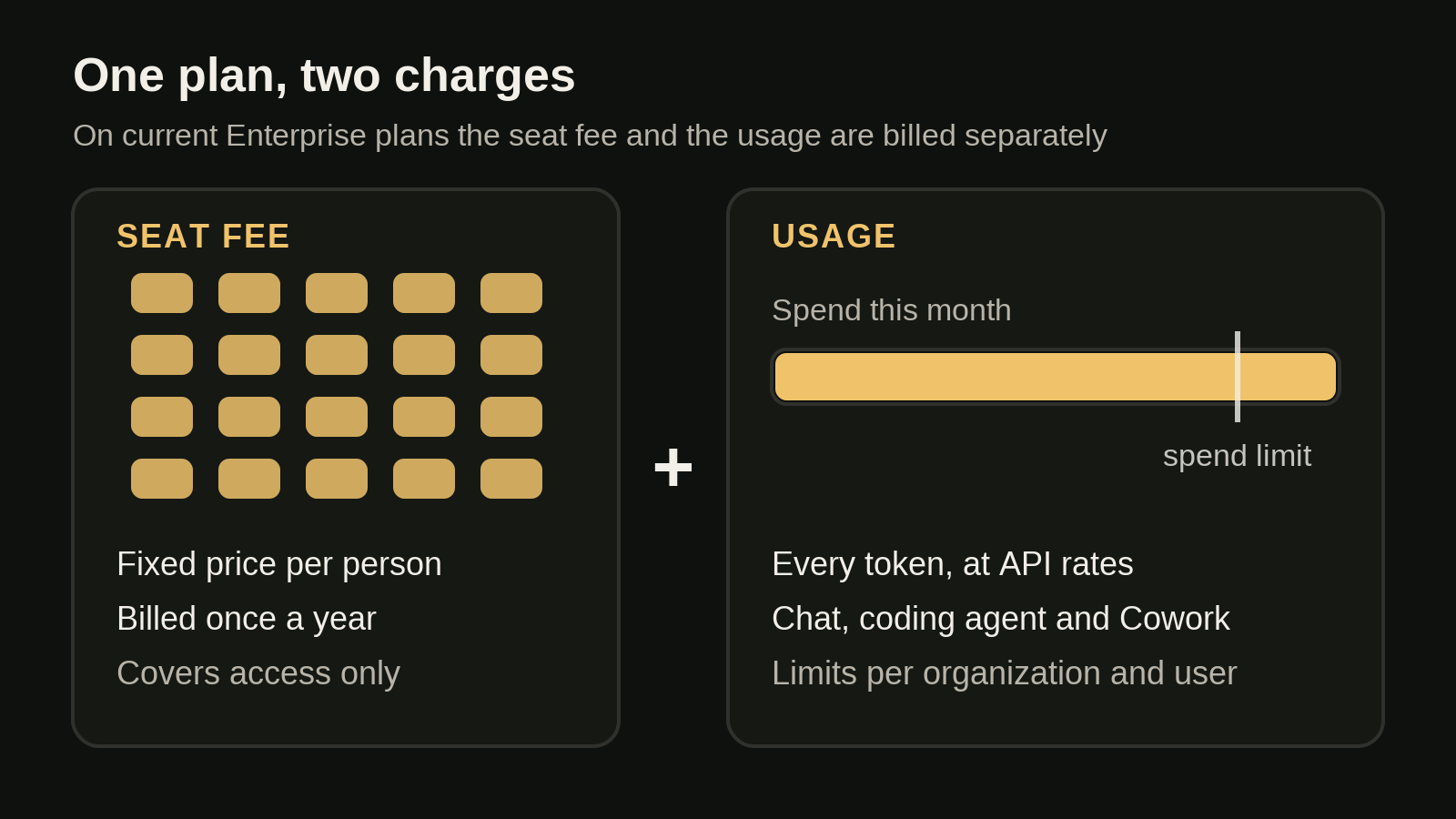
That second part is the big difference from other Claude plans. The help center article "What is the Enterprise plan?" says the seat fee "covers access only", and that every token in Chat, Claude Code or Cowork is billed at standard API rates on top of the seat cost. Current Enterprise plans have no per-seat usage limits and no included token allowance.
| Cost item | What you pay, as of November 2026 |
|---|---|
| Seat fee | $20 per seat per month, billed annually |
| Minimum seats | 20 when you buy online, 50 through the sales team |
| Usage | Every token at standard API rates, for Chat, Claude Code and Cowork |
| Usage allowance in the seat | None |
| Spend limits | Set by admins for the organization, for groups and for individual users |
Two worked numbers help with a budget. Twenty seats cost $4,800 a year in seat fees (20 x $20 x 12), paid at the start of the annual term. For usage, the Claude Code cost documentation reports an average of about $13 per developer per active day and $150 to $250 per developer per month across enterprise deployments, with 90% of users below $30 per active day. Your own number depends on models, codebase size and how many sessions people run, so start with a pilot group. Ways to lower the token bill are in Claude Code cost.
Older contracts can look different. Organizations still on Chat and Chat + Claude Code seats, or on Standard and Premium seats with a usage allowance, keep that setup until their next contract renewal and then move to the single Enterprise seat.
What does Enterprise add over the Team plan?
Enterprise includes every Team plan feature and adds identity, audit, compliance and network controls.
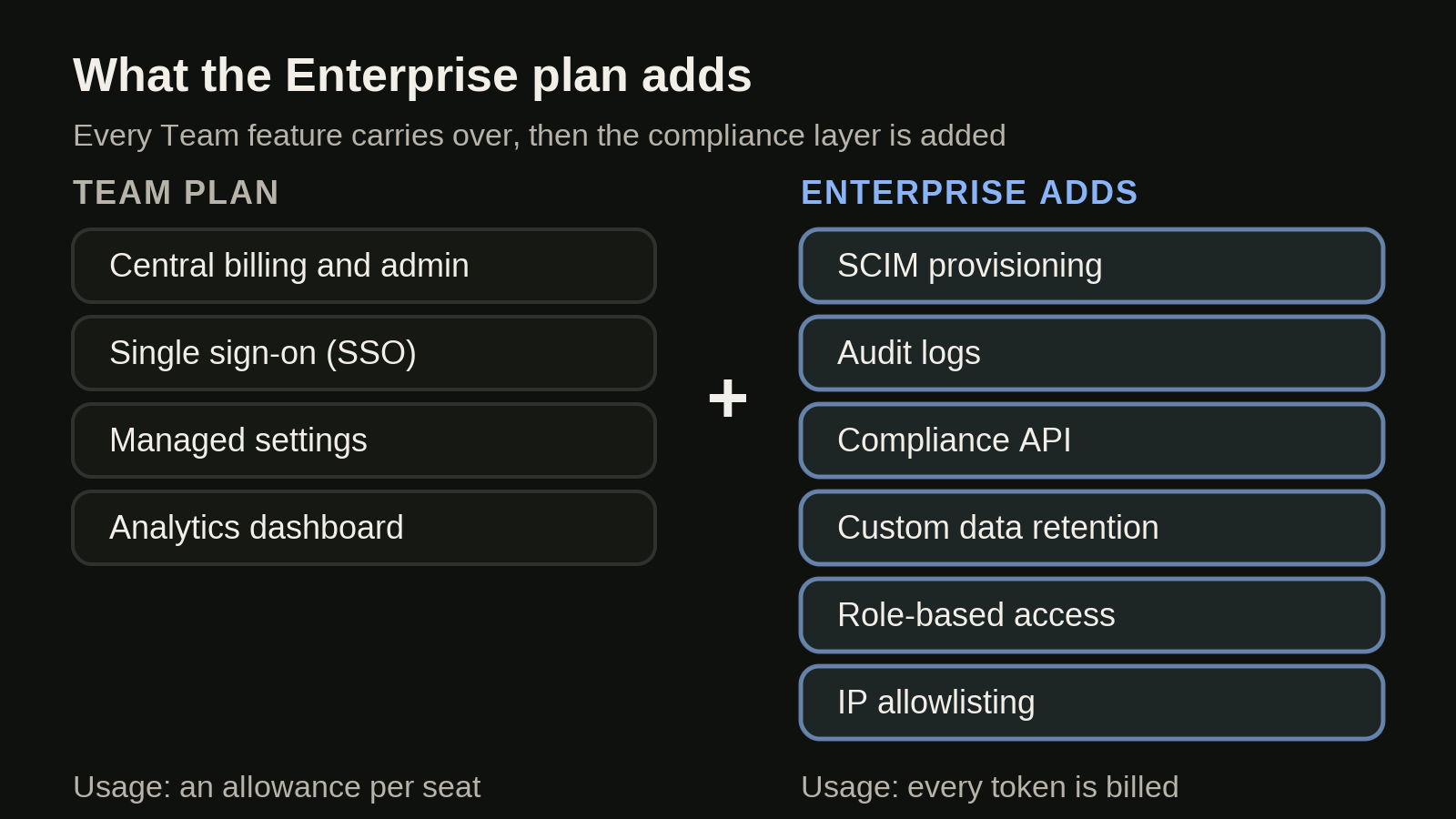
| Team | Enterprise | |
|---|---|---|
| Seat price, as of November 2026 | Standard $20 per month billed annually ($25 monthly), Premium $100 ($125 monthly) | $20 per month, billed annually |
| Seats | 2 to 150 | Minimum 20 online, 50 through sales |
| Usage | Allowance included in each seat | Every token billed at API rates |
| Claude Code | Included with every seat | Included with every seat |
| Single sign-on | Yes | Yes |
| SCIM provisioning | No | Yes |
| Audit logs and Compliance API | No | Yes |
| Custom data retention controls | No | Yes |
| Role-based access with custom roles | No | Yes |
| Network-level access control and IP allowlisting | No | Yes |
| HIPAA-ready offering | No | Available |
| Analytics API | No | Yes |
The pricing page also lists "No model training on your content by default" for Team, so Enterprise is not required for that. The help center adds customer-managed encryption keys and US-only inference to the Enterprise list.
How do SSO, SCIM and login control work for Claude Code?
They are configured on the Claude account, not inside Claude Code: developers sign in to Claude Code with the same organization account.
Each developer runs claude, picks the Claude account with subscription option and completes the browser sign-in. With SSO turned on, that sign-in goes through your identity provider. With SCIM, a provisioned user receives an Enterprise seat automatically when one is free. If none is free, provisioning waits until an Owner buys another seat.
One gap is worth closing. A developer can still sign in to Claude Code with a personal account. To require the company organization, deploy the forceLoginMethod and forceLoginOrgUUID keys through managed settings. The docs recommend device management for these keys, because settings delivered from the server only reach accounts that are already signed in to your organization.
What can Enterprise admins enforce and see in Claude Code?
Admins enforce policy with managed settings and see adoption, spend and audit events through the admin console and APIs.
- Policy. Managed settings sit above every user and project setting. Owners can paste them into the admin console on both Team and Enterprise plans. Delivery options and the keys admins usually lock are in Claude Code managed settings.
- Models. On an Enterprise plan, admins can also disable individual models, set the default model and cap effort levels per role from the organization's admin settings, with no file to deploy.
- Adoption. The analytics dashboard, for Admins and Owners on Team and Enterprise, shows lines of code accepted, suggestion accept rate, and daily active users and sessions. See Claude Code dashboard.
- Spend per user. The Enterprise Analytics API returns per-user engagement, usage and cost reports. A Primary Owner creates the key, and the API is not available on the Team plan.
- Audit. Changes to server-managed settings produce audit log events, available through the Compliance API or audit log export.
The admin setup guide maps these decisions in order: provider, settings delivery, enforcement, usage visibility and data handling.
How is your code and data handled on Enterprise?
Anthropic does not train models on code or prompts sent under commercial terms, and standard retention is 30 days.
- Training. The data usage page states this for Team and Enterprise plans, the API and cloud platforms, unless a customer opts in to share data.
- Retention. Commercial plans have a 30-day standard retention period. Enterprise adds custom data retention controls.
- Zero data retention. ZDR for Claude Code is available to qualified Enterprise accounts. It is not part of the standard plan and cannot be switched on in admin settings: the Anthropic account team enables it per organization. With ZDR on, features that store prompts are disabled, including cloud sessions, Remote Control and
/feedback, and the analytics dashboard shows usage metrics only. - Local files. Claude Code keeps session transcripts in plain text under
~/.claude/projects/on each machine for 30 days by default. Change the period withcleanupPeriodDays. - Certifications. The security page points to the Anthropic Trust Center for the SOC 2 Type 2 report and the ISO 27001 certificate.
How do you buy Claude Code Enterprise?
You buy it online with a card, or through the Anthropic sales team with invoicing.
| Self-serve | Sales-assisted | |
|---|---|---|
| Where | Online, at claude.ai/create/enterprise | Through the sales team |
| Minimum seats | 20 | 50 |
| Payment | Credit card or ACH, US dollars only | Credit card, ACH or invoicing, multi-currency |
| Usage billing | Credits bought up front | Billed monthly in arrears |
Both routes carry the same features and the same seat price. Two rules apply to self-serve plans in particular. Usage draws on prepaid credits shared by the organization, and when the credits run out, usage stops until someone buys more. Seats added during the year are prorated and charged at once, but seats cannot be removed before renewal.
A Team organization can upgrade in place and keep its chat history, projects and members. The help center warns that the self-serve upgrade is not reversible, and that several features are switched off by default on Enterprise until an admin enables them.
When does a small team not need Enterprise?
A team under 20 people cannot buy it, and a team under 150 often does not need it.
The Team plan already includes SSO, central billing, managed settings for Claude Code, the analytics dashboard and no training on your content by default. It also gives each seat a usage allowance, which makes the monthly bill predictable. Stay on Team when those cover your needs.
Move to Enterprise when one of these is true:
- You need more than 150 seats.
- Security asks for SCIM, audit logs, the Compliance API or IP allowlisting.
- You need custom retention, zero data retention or a HIPAA-ready setup.
- You prefer paying per token over buying a larger allowance for every person.
If your company already buys cloud services through Amazon Bedrock, Google Cloud's Agent Platform or Microsoft Foundry, Claude Code can run there and inherit that provider's compliance controls and billing. Some features need a claude.ai account, so check that before choosing. Plans, routes and repository setup are compared in Claude Code for teams.
Where does the Enterprise plan stop?
It stops at access: the plan decides who can use Claude Code, what the agent may do and what it costs, but not how the work is shared.
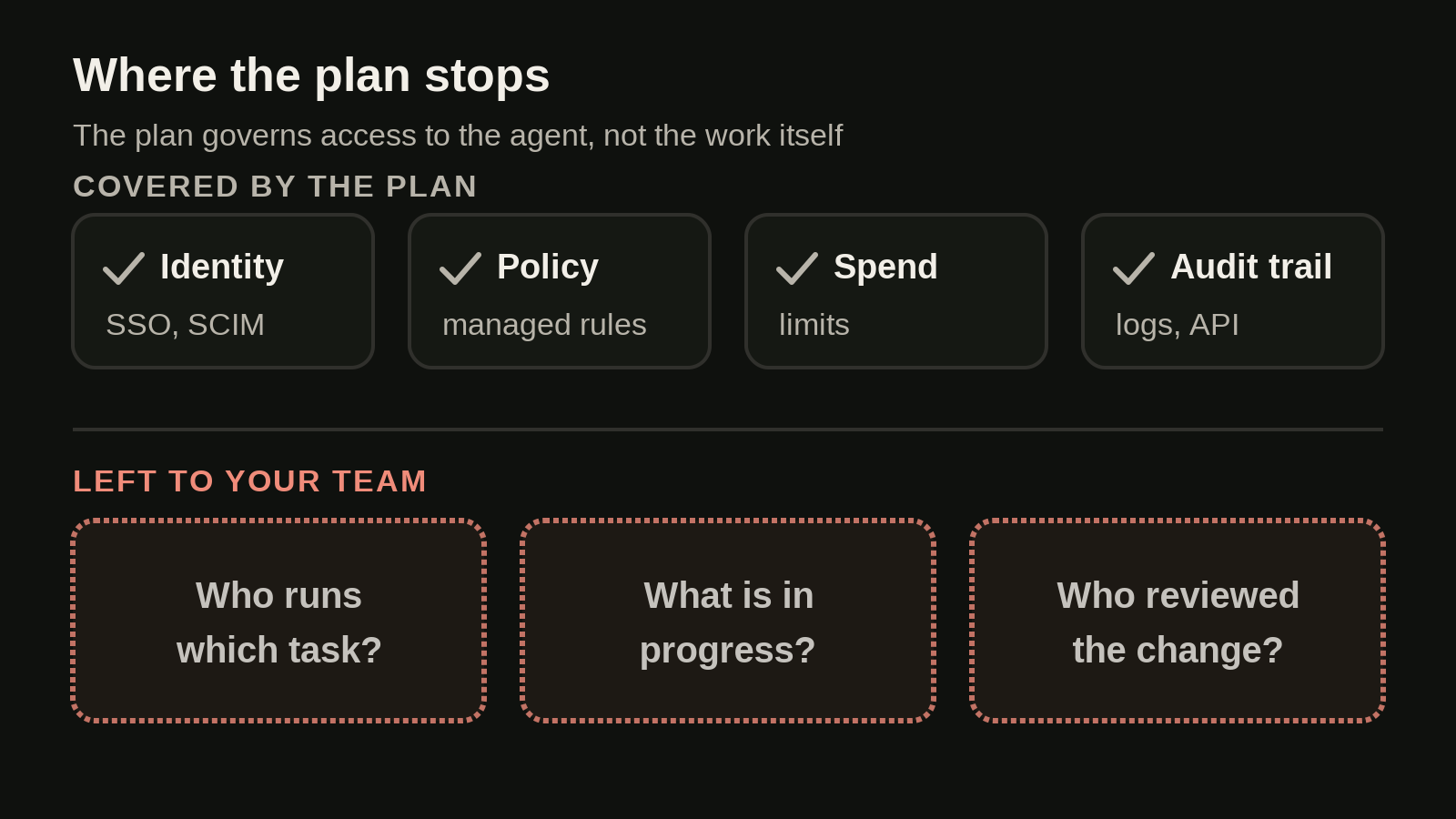
- Who runs which task. Seats and roles say who may use the agent. Nothing in the plan assigns a request to a person.
- What is in progress. Analytics count sessions, accepted lines and merged pull requests. They do not list open requests.
- Who reviewed the change. Audit logs capture user actions, system events and data access. They are not a review record for each code change an agent makes.
Most teams cover this with an issue tracker and pull request rules. That works, but prompts and results are copied between tools by hand.
Where does VibeiDE Teams fit?
VibeiDE is a desktop app for macOS, Windows and Linux that coordinates the Claude Code, Codex and OpenCode CLIs you already installed, and VibeiDE Teams is built around shared tasks, branches and proof before merge. Each project has its own task queue, where waiting prompts can be edited or reordered and a task starts when its provider has a free slot. The "New worktree per task" branch mode gives each task its own Git worktree and branch. Finished tasks wait in Ready for review, which is an unread completion state, not a code approval, and the Changes view shows the file diffs before you commit. Each user signs in to their own provider account, so an Enterprise seat, its usage and its spend limits stay separate from the VibeiDE license. Team seats cost $14.99 per seat per month for purchases before January 1, 2027, then $19.99 for new subscriptions (pricing).
FAQ
Is Claude Code included in the Enterprise plan?
Yes. As of November 2026 the help center says Claude Code is already included with every Enterprise seat on current plans.
Does Enterprise have usage limits like Pro or Team?
No. Current Enterprise plans have no per-seat usage limits. Usage is billed per token, and admins cap it with spend limits.
Can a team of 10 buy Enterprise?
Only by paying for 20 seats, the minimum for online purchase. For 10 developers the Team plan is the usual choice.
Is zero data retention part of Enterprise?
Not by default. It is available to qualified Enterprise accounts and is enabled per organization by the Anthropic account team.
Does SSO require Enterprise?
No. The pricing page lists single sign-on under the Team plan. SCIM provisioning is the Enterprise addition.
Takeaways
- Claude Code Enterprise means the Claude Enterprise plan: $20 per seat per month billed annually, 20 seats minimum, as of November 2026.
- The seat fee covers access only. Every token is billed at API rates, so set spend limits per organization and per user.
- Enterprise adds SCIM, audit logs, the Compliance API, custom retention, role-based access, IP allowlisting and an Analytics API.
- Team already has SSO, managed settings and the analytics dashboard, with usage included in the seat.
- The plan governs access, policy and spend. Who runs which task and who reviewed the result need a task layer on top.