
A team gets Claude Code through a Claude Team or Enterprise plan, where every Team seat includes it, or through the Claude Console with pay-as-you-go API billing. What makes it work for several developers is the repository: commit CLAUDE.md, .claude/settings.json, skills, subagents and .mcp.json so every clone behaves the same, and let an admin enforce the rest with managed settings. The native features share configuration and policy, but they do not track who asked for what or what was reviewed.
Everything below was checked against the official documentation as of November 2026. One note on wording: this guide is about people working together. The experimental feature where one session spawns teammate sessions is a different thing, covered in Claude Code agent teams.
Which plans give a team Claude Code?
Four routes give a team access: the Team plan, the Enterprise plan, the Claude Console and a cloud provider account. The official admin guide calls Team and Enterprise the default recommendation, because Claude Code and the Claude apps sit under one per-seat subscription.
| Route | Billing, as of November 2026 | Good to know |
|---|---|---|
| Claude Team plan | Standard seat $20 per month billed annually or $25 monthly; Premium seat $100 or $125; 2 to 150 people | Claude Code is included with every Team seat. Premium seats give 5x more usage than Standard |
| Claude Enterprise plan | $20 per seat per month billed annually, 20 seat minimum, plus usage at API rates | Adds advanced security and admin controls |
| Claude Console | Pay as you go at API rates | An admin invites users and assigns the Claude Code or Developer role |
| Amazon Bedrock, Google Cloud's Agent Platform, Microsoft Foundry | Through your cloud account | Inherits your existing cloud compliance and billing |
Prices come from the Claude pricing page, so check it before you buy. Two details matter for teams. Seat types can be mixed on the Team plan, so heavy users can sit on Premium seats while the rest stay on Standard. And some features need a claude.ai account: the admin guide says cloud sessions, Routines, Code Review and Remote Control are not available through Console API keys or cloud provider credentials alone. For what each plan's usage allowance means in practice, see Claude Code cost. Seat prices, usage per seat and how to buy seats are covered in Claude Code Team plan. What the Enterprise plan adds for Claude Code, and when a small team can skip it, is in Claude Code Enterprise.
What should a team commit to the repository?
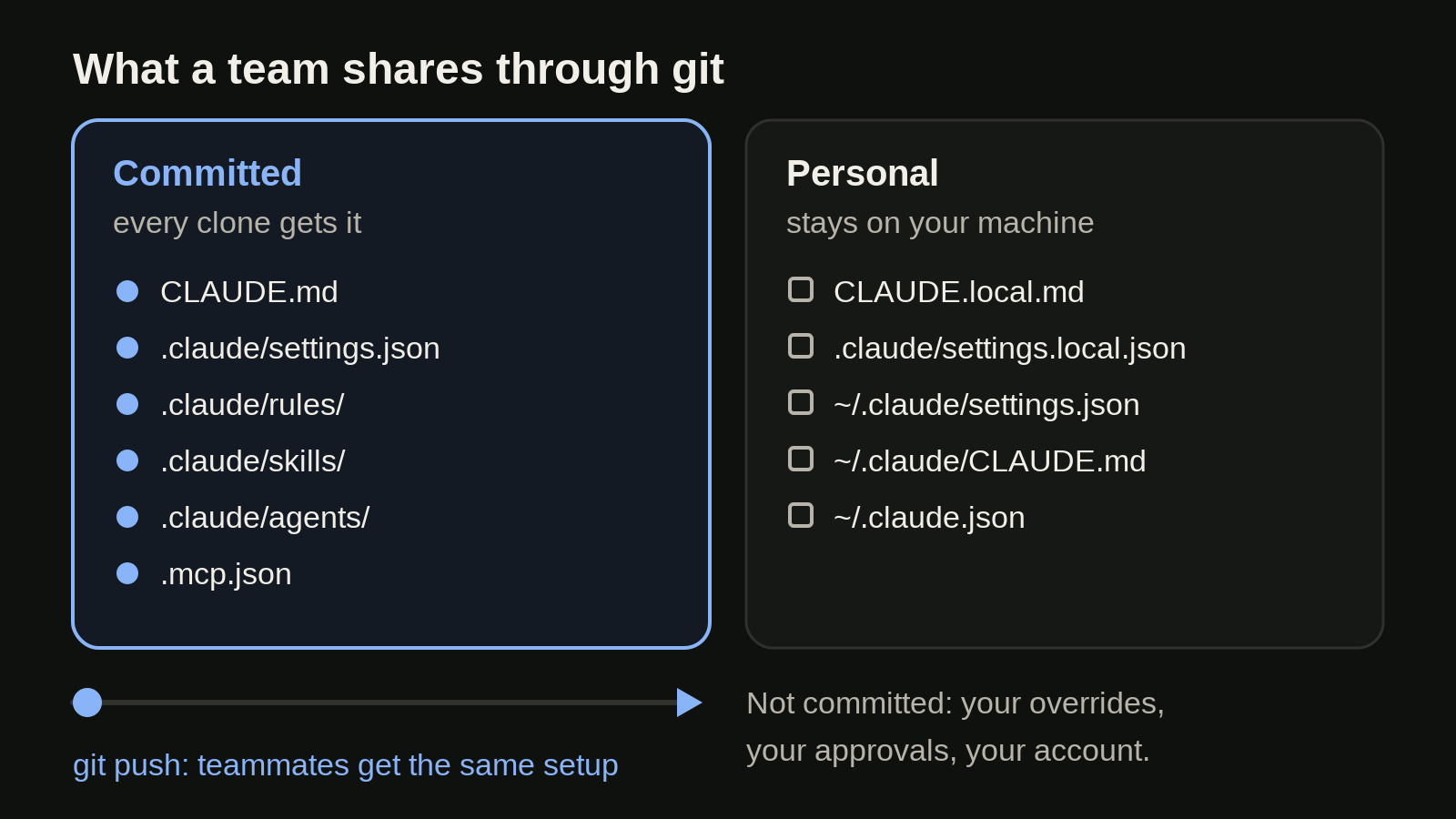
Commit everything that describes the project and keep everything that describes you out of git. Project files reach every teammate with the next pull, while files in your home folder and the local files stay on your machine.
| What to share | Where it lives | Who controls it |
|---|---|---|
| Project instructions | CLAUDE.md or .claude/CLAUDE.md, topic rules in .claude/rules/*.md | The team, through pull requests |
| Permissions, hooks, environment variables, plugins | .claude/settings.json | The team, through pull requests |
Reusable prompts you call with /name | .claude/skills/<name>/SKILL.md and .claude/commands/*.md | The team |
| Subagents | .claude/agents/*.md | The team |
| MCP servers | .mcp.json in the project root | The team |
| Personal overrides for one repository | .claude/settings.local.json, CLAUDE.local.md | You, never committed |
| Personal defaults for every repository | ~/.claude/settings.json, ~/.claude/CLAUDE.md | You |
| Organization policy | Managed settings from the admin console, MDM or a managed-settings.json file | Owners and IT |
A few rules from the docs keep this tidy:
- Keep each
CLAUDE.mdunder 200 lines. Longer files use more context and are followed less reliably. More on that in CLAUDE.md best practices. - If the repository already has an
AGENTS.md, the memory page recommends aCLAUDE.mdthat starts with@AGENTS.md, so both tools read one set of instructions. - Committed
permissions.allowrules and mostenvvalues apply only after each teammate trusts the folder.denyandaskrules apply right away. - Auto memory, the notes Claude writes for itself, is machine-local and not shared with teammates. Anything the team should know belongs in
CLAUDE.md.
The shared pieces each have their own guide: hooks, skills, subagents and MCP servers.
Which settings file wins when they disagree?
The highest level that sets a key wins: managed settings first, then a --settings flag for one session, then project local, shared project and user settings. Lists are the exception. Keys such as permissions.allow merge across files, so each level can add entries without removing another level's.
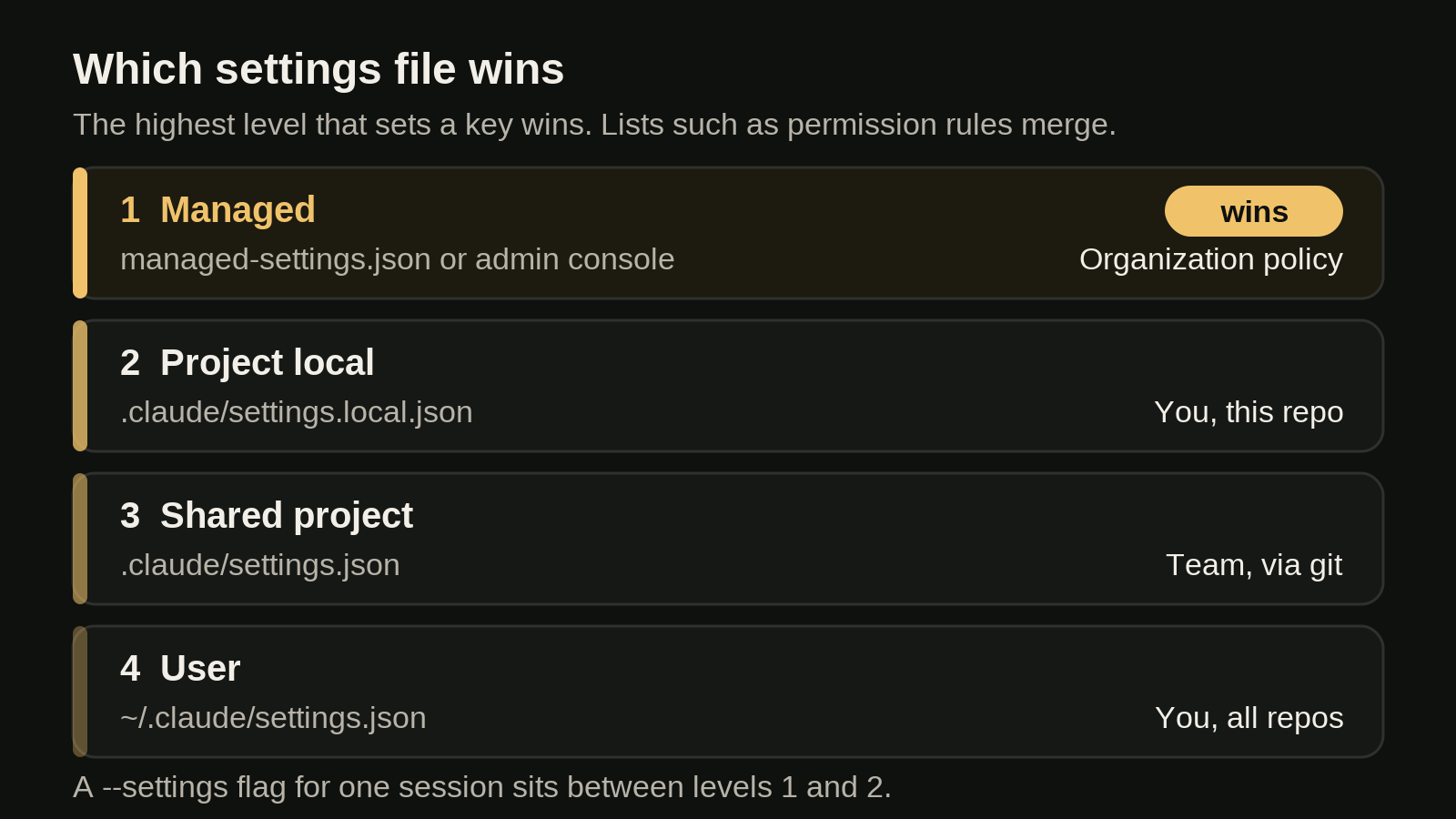
In practice this gives a team a clean pattern. The shared .claude/settings.json carries the team default, for example a model. A developer who wants something else puts the same key in .claude/settings.local.json, and only that developer's sessions change. Claude Code keeps the local file out of git when it creates the file itself. If you create it by hand, add it to .gitignore.
Run /status to see which files loaded: the Setting sources line lists them. The settings documentation has the full precedence rules, and Claude Code permissions explains the allow, ask and deny syntax.
How do admins enforce policy for everyone?
Admins use managed settings, which no user file, project file or --settings flag can override, apart from a few security keys where a stricter value still counts. The docs describe two approaches, server-managed and endpoint-managed, and four delivery mechanisms between them: the admin console, a macOS plist or Windows registry policy, a managed-settings.json file and the Windows user registry.
Server-managed settings. On Team and Enterprise plans, an Owner opens Organization settings, then Claude Code, then Managed settings in the claude.ai admin console and pastes JSON. Clients fetch it at startup and refresh it hourly, so no device management is needed. As of November 2026 the settings apply to every user in the organization: per-group configuration is not supported yet.
Endpoint-managed settings. IT deploys a policy to each machine: a macOS com.anthropic.claudecode plist, a Windows registry policy under HKLM\SOFTWARE\Policies\ClaudeCode, or a file:
- macOS:
/Library/Application Support/ClaudeCode/managed-settings.json - Linux and WSL:
/etc/claude-code/managed-settings.json - Windows:
C:\Program Files\ClaudeCode\managed-settings.json
The docs are candid about the limit: server-managed settings are a client-side control, not a security boundary, and endpoint-managed settings on enrolled devices give stronger guarantees. Source ranking, the keys admins usually lock and how to verify a rollout are covered in Claude Code managed settings.
How do admins see usage, and who reviews the code?
Admins and Owners on Team and Enterprise plans get an analytics dashboard, and Owners can turn on a managed Code Review service for GitHub pull requests.
The dashboard shows lines of code accepted, suggestion accept rate, daily active users and sessions, plus a leaderboard and CSV export. Contribution metrics (pull requests and lines shipped with Claude Code) need the Claude GitHub app and are in public beta. Console organizations get a separate dashboard with usage and spend. The details are in Claude Code dashboard.
Code Review posts inline findings on each pull request, and anyone with write access can comment @claude review to start one. The docs state that a review never approves or blocks the pull request, so the merge decision stays with your team. On any plan, a developer can also run /code-review locally. All options are compared in Claude Code review.
Where do the native team features stop?
They stop at the work itself: configuration, policy, analytics and review comments are shared, but the tasks are not.
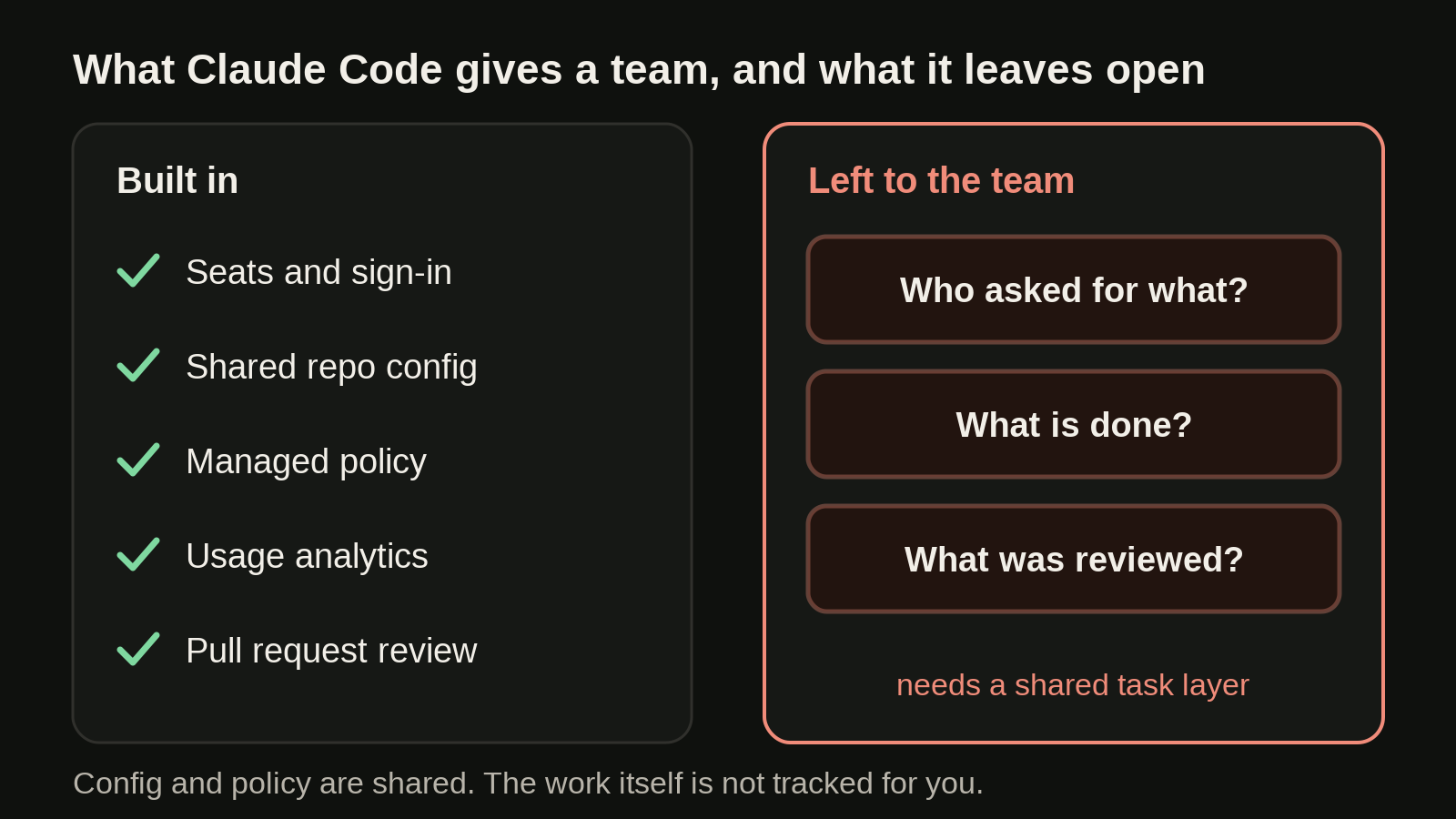
- Who asked for what. Session transcripts are stored on each developer's machine under
~/.claude/projects/. A teammate does not see what you asked an agent to do. - What is done. The analytics count accepted lines, sessions and merged pull requests. They do not say which request a change answers or which requests are still open.
- What was reviewed. Code Review comments on a pull request and leaves the decision to people. Whether someone checked an agent's change before it became a pull request is not something these features record.
Most teams close this gap with their issue tracker and pull request conventions. That works, but it means copying prompts and results between tools by hand. The alternative is a shared task layer that sits next to the agents.
Where does VibeiDE Teams fit?
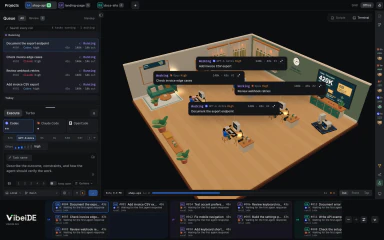
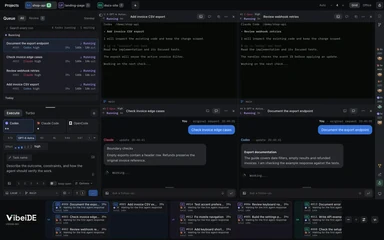
VibeiDE is a desktop app for macOS, Windows and Linux that coordinates the Claude Code, Codex and OpenCode CLIs you already installed, and VibeiDE Teams (Company mode, early access) adds a shared board on top. Members add tasks and managers set the order. Picking up a task assigns it to one person and starts work on their own local clone. When the agent finishes, the task moves to Review, and Done requires verified integration into the configured target branch. A separate reviewer checks the exact change, and you can see its findings and any tests it reports before you merge. The team can also share project rules, skills and approved notes, while the code itself travels through your Git. Team seats cost $14.99 per seat per month for purchases before January 1, 2027, then $19.99 for new subscriptions (pricing). Each person signs in to their own provider account: Claude subscriptions, usage and limits stay separate from the VibeiDE license.
How to set up Claude Code for a team
Seven steps take a team from a plan to a verified shared setup.
- Get access. Subscribe to the Team plan and invite members from the admin dashboard. Each developer installs Claude Code, runs
claudeand picks "Claude account with subscription". A developer who is signed in with another account runs/loginto switch. - Write shared instructions. Run
/initin the repository. It generates a startingCLAUDE.mdwith build commands, test instructions and conventions. Trim it and commit it. - Commit shared settings. Create
.claude/settings.json:
{
  "$schema": "https://json.schemastore.org/claude-code-settings.json",
  "permissions": {
    "allow": ["Bash(npm run lint)", "Bash(npm run test *)"],
    "deny": ["Read(./.env)", "Read(./.env.*)"]
  }
}- Add shared tools. Put team skills in
.claude/skills/<name>/SKILL.md, subagents in.claude/agents/and MCP servers in.mcp.json, then commit them. - Keep personal files out. Add
CLAUDE.local.mdand.claude/settings.local.jsonto.gitignore. - Add organization policy. An Owner pastes managed settings into the admin console, for example:
{
  "permissions": {
    "deny": ["Read(./.env)", "Read(./secrets/**)"],
    "disableBypassPermissionsMode": "disable"
  }
}- Verify. Each developer runs
/statusand reads theSetting sourcesline.claude doctorlists entries Claude Code rejected.
FAQ
Is Claude Code included in the Claude Team plan?
Yes. As of November 2026 the help center says Claude Code is included with every Team plan seat, and Premium seats give heavier users more usage.
Can a team use Claude Code with API billing instead of seats?
Yes. An admin invites developers in the Claude Console and gives them the Claude Code or Developer role, and usage is billed at API rates. Features that need a claude.ai account, such as Code Review and Remote Control, are not available this way.
Does .claude/settings.local.json get committed?
No. It holds your personal overrides and approvals for one repository. Claude Code keeps it out of git when it creates the file. If you create it by hand, add it to .gitignore.
Is "Claude Code for teams" the same as agent teams?
No. Agent teams are an experimental feature in which one session coordinates several teammate sessions. A team of developers needs plans, shared configuration and a way to track work.
Takeaways
- Team plan seats include Claude Code. The Console and cloud providers work too, with fewer features.
- Commit
CLAUDE.md,.claude/settings.json, skills, subagents and.mcp.json. Keep local and user files personal. - Managed settings sit above every other level. Deliver them from the admin console or through device management.
- Analytics and Code Review show adoption and findings. They do not track requests, status or who reviewed what.
- Add a shared task layer, in your tracker or in a tool such as VibeiDE Teams, so every request has an owner and a reviewed result.