Claude Code tasks are the to-do checklist Claude writes for itself while it works on a multi-step request: each item shows as pending, in progress or complete, and you toggle the list with Ctrl+T. As of November 2026 the checklist fills by default only on Opus 4.7, Sonnet 4.6, Haiku 4.5 and earlier models; on newer models you opt in with CLAUDE_CODE_ENABLE_TODO_TOOLS=1. To share one list between sessions, start Claude Code with CLAUDE_CODE_TASK_LIST_ID=<name>.
People also say "tasks" for two other things in Claude Code: background shell commands and subagents (the /tasks view), and whole pieces of work you hand to separate sessions. This guide covers all three, with the commands and settings checked against the official interactive mode reference and tools reference on 15 November 2026. Versions move fast, so treat those pages as the source of truth.
What are tasks in Claude Code?
There are three different things behind the word, and they live in different places.
| Name | What it is | How you see it |
|---|---|---|
| Task list | Claude's own checklist for the current request, written with the TaskCreate and TaskUpdate tools | Ctrl+T toggles it in the status area |
| Background tasks | Shell commands and subagents running asynchronously in the session | /tasks |
| Separate sessions | One whole task per Claude Code session | claude agents (agent view) |
The task list is planning. Background tasks are processes. Separate sessions are how you run several independent jobs at once. Mixing them up is the main reason people search for "Claude Code tasks" and land on the wrong setting.
How does the Claude Code task list work?
When Claude gets a request with several steps, it can break the work into checklist items and update them as it goes. The official docs describe the behavior like this (as of November 2026):
- Press
Ctrl+Tto show or hide the list. It shows up to five tasks at a time. If Claude has not created any items yet, the toggle has no visible effect. - If you leave the list expanded, Claude Code restores the expanded view the next time you open a session that still has tasks, for example with
--resumeor--continue. - To see every task or to clear the list, ask Claude in plain words: "show me all tasks" or "clear all tasks".
- Tasks survive context compaction, so a long session keeps its plan after
/compactor an automatic compaction.
The tools behind the list are TaskCreate, TaskGet, TaskList and TaskUpdate. The older single tool, TodoWrite, is disabled by default in favor of those four; setting CLAUDE_CODE_ENABLE_TASKS=0 brings it back in sessions that have the task-tracking tools at all.
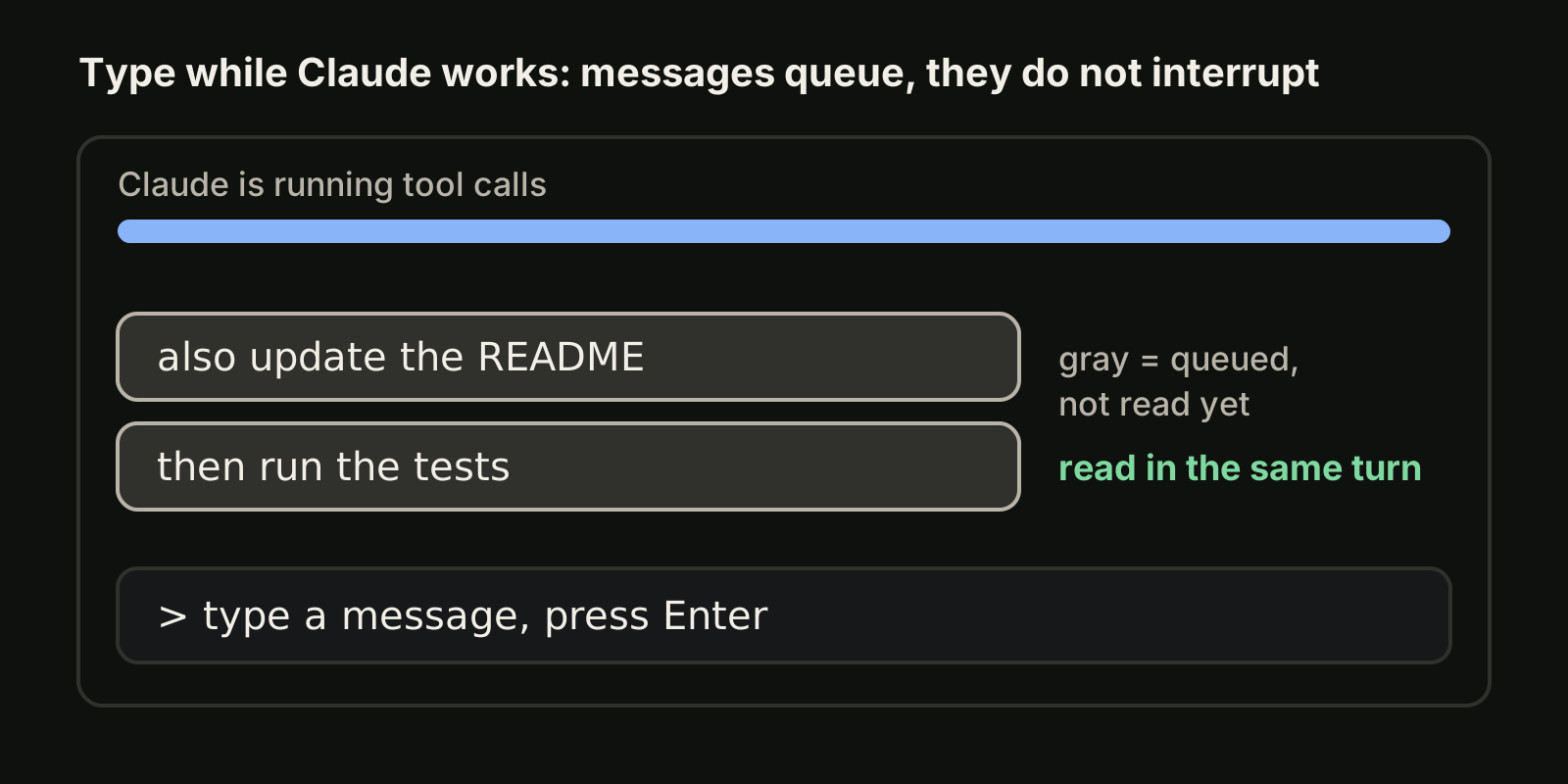
The checklist is not a queue you fill yourself. You cannot type an item into it the way you add a message to the Claude Code queue. If you want Claude to plan in a certain order, say so in the prompt ("make a task list first, then work through it") and check the list with Ctrl+T.
Why is my Claude Code task list empty?
The most common cause in November 2026 is the model. The tools reference says the task-tracking tools are provided by default only on Opus 4.7, Sonnet 4.6, Haiku 4.5 and earlier models, in Claude Code v2.1.268 and later. On any other model, including a custom model ID served through an LLM gateway, Claude Code leaves the tools out, so Claude adds nothing to the list. The docs give the reason: newer models keep track of multi-step work without a written checklist, and the tool definitions take up context.
If you want the checklist anyway, opt in one of these ways:
# turn the tools on for every model and provider
CLAUDE_CODE_ENABLE_TODO_TOOLS=1 claude

# or name one of the tools in the allowed tools
claude --allowedTools TaskCreate
A third option is --tools, which restricts the session's built-in tools to the ones you list, so include the task tools next to everything else you use. In background sessions started from agent view and in cloud sessions, Claude Code provides the tools on every model whether you list them or not. If you switch models often, our guide to Claude Code models explains how to check which one a session runs.
Two smaller causes: the request had a single step, so Claude never made a list; or the list is collapsed and you only need Ctrl+T.
How do I share a task list across sessions?
By default each session keeps its own list. To let several sessions read and update the same checklist, give it a name:
CLAUDE_CODE_TASK_LIST_ID=billing-refactor claudeClaude Code then stores the list in a named directory under ~/.claude/tasks/. Start a second session in another terminal with the same variable and both see the same items. This is useful when one session plans and another implements, or when you come back to a long piece of work on another day.
Keep two limits in mind. Subagents only get the task tools when your session has them, whatever model the subagent runs. And split-pane agent team teammates are separate processes that do not inherit an exported CLAUDE_CODE_ENABLE_TODO_TOOLS; the docs suggest starting with claude --settings '{"env":{"CLAUDE_CODE_ENABLE_TODO_TOOLS":"1"}}' so teammates get it too. Our Claude Code subagents guide covers how subagents inherit tools in general.
What does /tasks show?
/tasks is a different view: it lists the shell commands and subagents running in the background of the current session, not the checklist. Commands land there when you ask Claude to run something in the background, when you press Ctrl+B on a running Bash call (twice inside tmux), or when a command reaches its timeout and Claude Code moves it to the background instead of stopping it.
Each background task gets an ID and writes its output to a file that Claude reads with the Read tool (the old TaskOutput tool was removed in v2.1.277). TaskStop stops a task by ID, and stopping it from /tasks also stops processes that detached from its shell on macOS and Linux. Background tasks end when Claude Code exits, unless you background the whole session instead of quitting it.
How do I run several Claude Code tasks at once?
A checklist and background shells still live inside one conversation with one context window. For separate jobs, run separate sessions:
claude --bg --name "flaky-test" "find out why SettingsChangeDetector fails on CI"
claude --bg --name "docs" "update the README for the new config flags"
claude agents
Agent view shows which sessions are running, which wait for your input and which are done. Our Claude Code session manager guide explains its keys and limits.
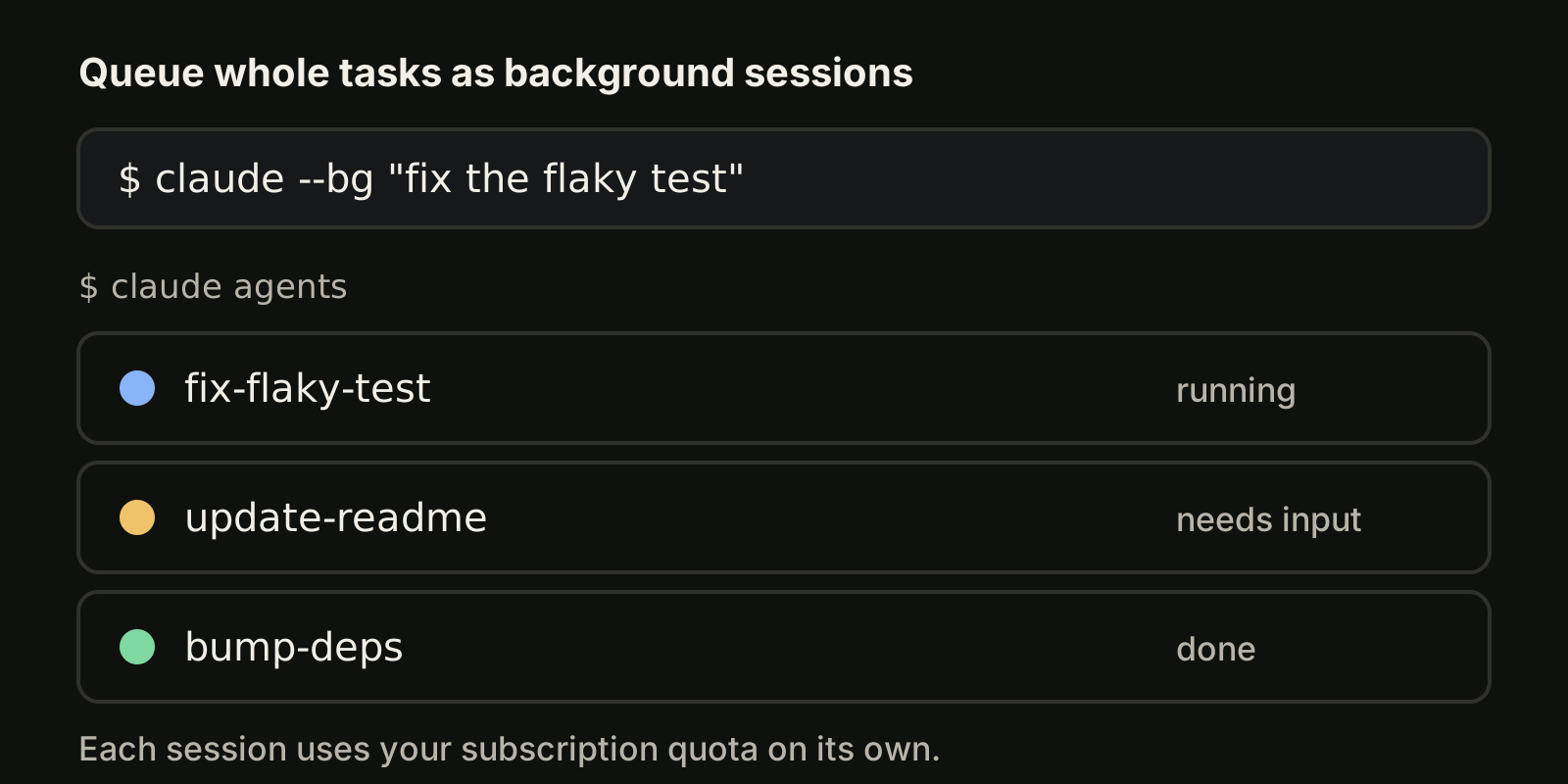
Parallel sessions in one checkout still edit the same files, so give each task its own Git worktree, as described in our Claude Code worktree guide. Every session also counts against your plan on its own, so ten parallel tasks use your allowance about ten times as fast as one.
Tracking tasks across projects and agents
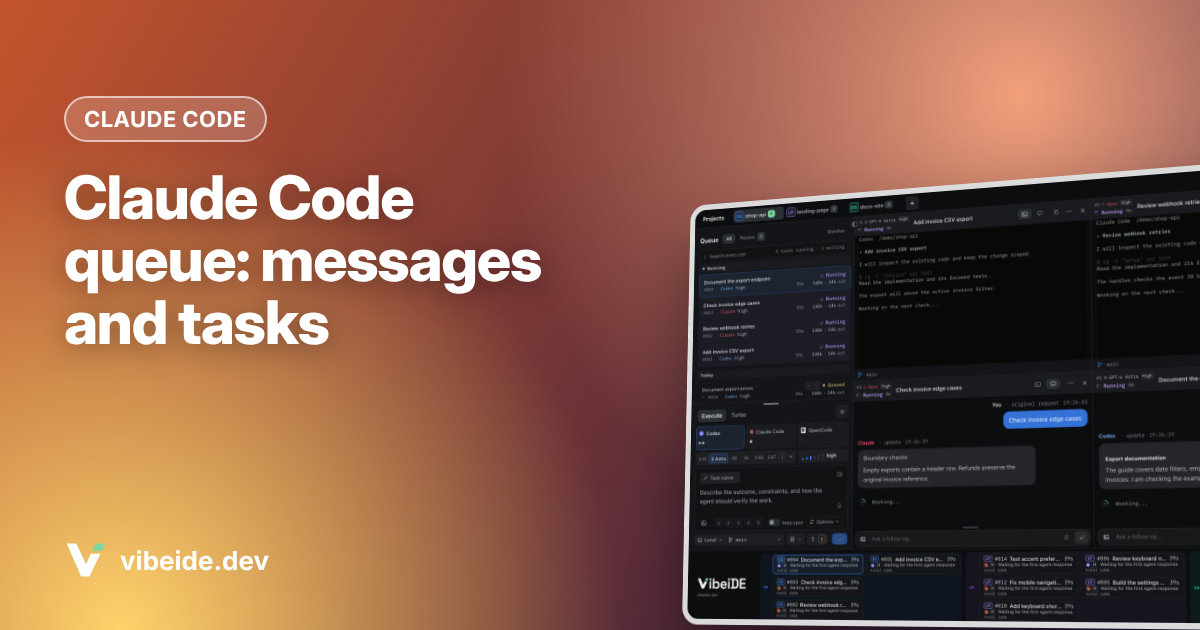
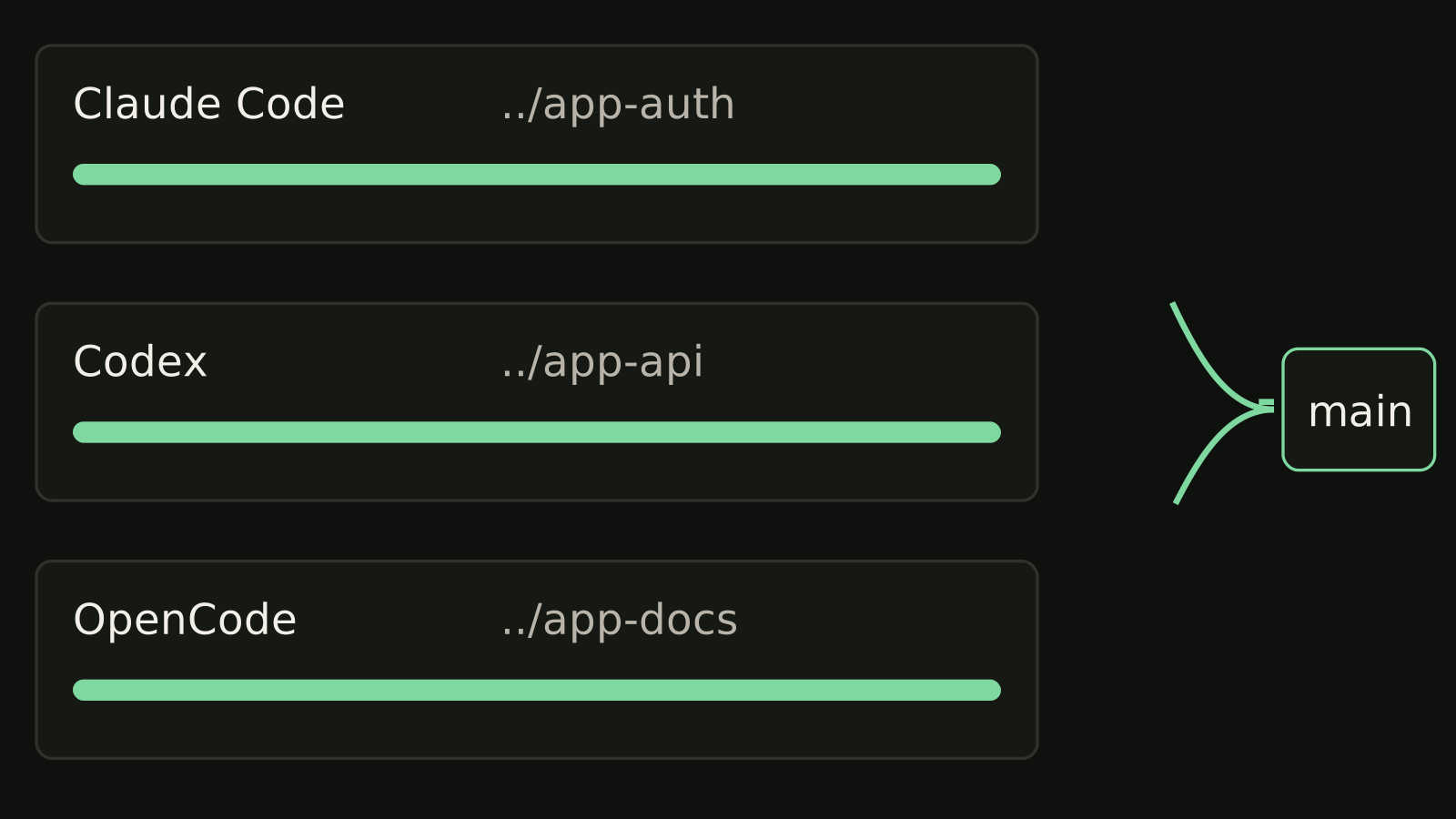
The built-in features track work inside one machine's Claude Code. They do not keep a queue per project, and they do not cover Codex or OpenCode tasks next to Claude Code ones. VibeiDE is a desktop app for macOS, Windows and Linux that coordinates the Codex, Claude Code and OpenCode CLIs you already installed. Each project has its own task queue, waiting prompts can be edited or reordered, and a task starts when its provider has a free slot; the composer mode "New worktree per task" gives each task its own Git worktree and branch, and finished tasks wait in Ready for review. See the AI agent task queue.
FAQ
How do I turn on tasks in Claude Code?
On Opus 4.7, Sonnet 4.6, Haiku 4.5 and earlier models they are on by default. On other models, start Claude Code with CLAUDE_CODE_ENABLE_TODO_TOOLS=1 or name a task tool in --allowedTools.
Where does Claude Code store tasks?
A shared list set with CLAUDE_CODE_TASK_LIST_ID lives in a named directory under ~/.claude/tasks/.
How do I clear the Claude Code task list?
Ask Claude "clear all tasks". There is no separate key for it.
Is the task list the same as /tasks?
No. Ctrl+T shows Claude's checklist; /tasks shows background shell commands and subagents.
Takeaways
- Claude Code tasks are Claude's own checklist; toggle it with
Ctrl+T, which shows up to five items. - As of November 2026 the list fills by default only on Opus 4.7, Sonnet 4.6, Haiku 4.5 and earlier; opt in with
CLAUDE_CODE_ENABLE_TODO_TOOLS=1. - Share one list between sessions with
CLAUDE_CODE_TASK_LIST_ID=<name>. /tasksis the background view for shells and subagents, not the checklist.- For several independent tasks, run separate sessions with
claude --bg, one worktree each.