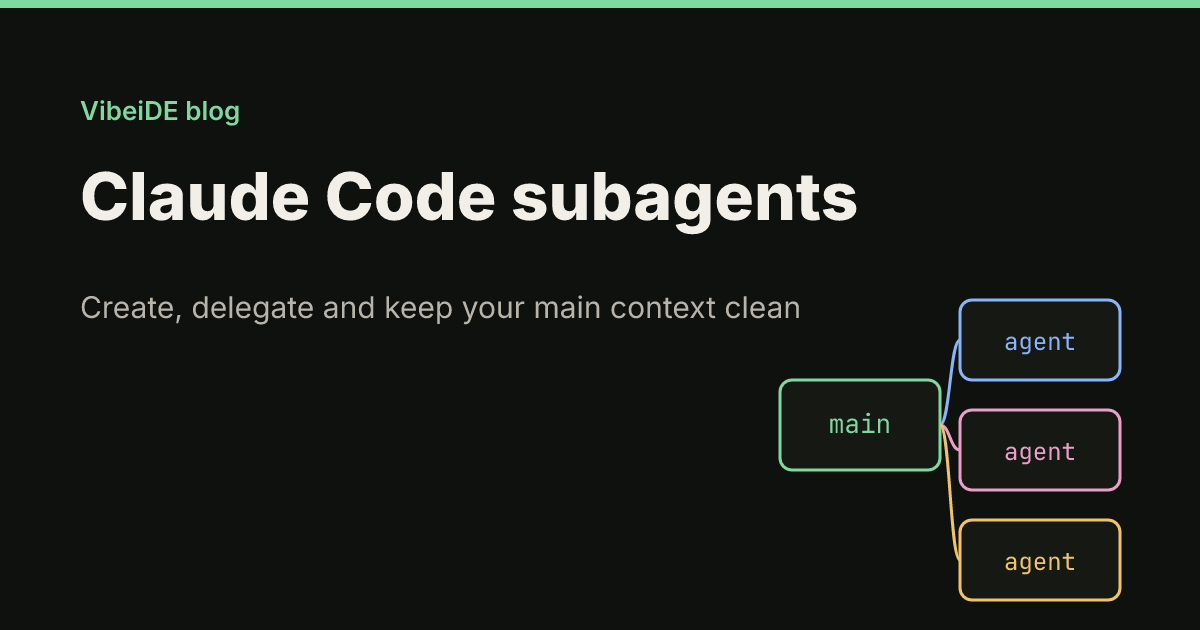
Long Claude Code sessions have a quiet failure mode. Every file Claude reads, every test log and every search result lands in the same context window as your actual request. After an hour of exploration the instructions you gave at the start are buried under thousands of lines of output, and the agent starts skipping things you asked for. Subagents are the built-in fix: they do the noisy work in a separate context window and hand back only the result.
This guide explains how Claude Code subagents work, which ones ship with Claude Code, how to write your own, how to call them on purpose, and when a subagent is the wrong tool. Everything was checked against the Claude Code subagents documentation as of September 2026.
What a subagent is
A subagent is a specialized assistant that Claude hands a task to. Each one runs with:
- its own fresh context window
- its own system prompt
- its own tool access and permission mode
- optionally its own model
The main conversation writes a short delegation message, the subagent works through the task, and only its final answer comes back. The dozens of file reads and command outputs it produced along the way never enter your main context.
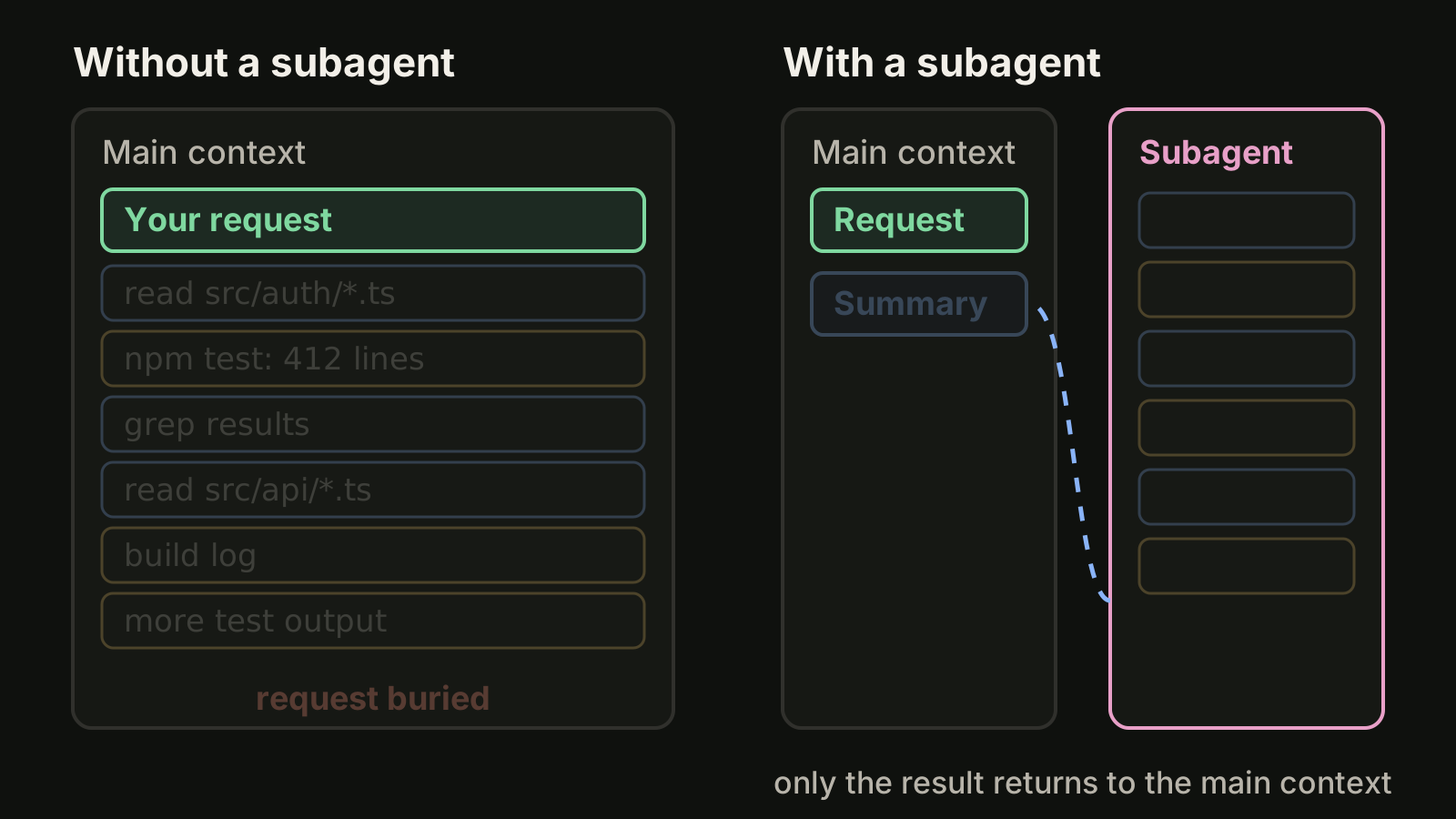
That is the whole point. A subagent does not make Claude smarter. It keeps the main conversation small enough that Claude keeps following the instructions that matter.
The built-in subagents
Claude Code ships with several subagents that Claude uses on its own when they fit.
| Subagent | Tools | Used for |
|---|---|---|
| Explore | Read-only, Write and Edit denied | Searching and understanding a codebase without changing it |
| Plan | Read-only, Write and Edit denied | Gathering context while you are in plan mode |
| General-purpose | Every tool available to subagents | Multi-step tasks that need both exploration and edits |
When Claude calls Explore it also picks a thoroughness level: quick for a targeted lookup, medium, or very thorough. There are also small helpers such as statusline-setup, which runs when you use /statusline, and claude-code-guide, which answers questions about Claude Code itself.
Explore and Plan skip your CLAUDE.md files and the git status snapshot to stay fast. General-purpose and your own subagents load the same CLAUDE.md hierarchy as the main session, including AGENTS.md files loaded as project instructions.
Create a custom subagent
A custom subagent is a Markdown file with YAML frontmatter. The body becomes its system prompt.
Step 1: pick a scope
| Location | Path | Scope |
|---|---|---|
| Project | .claude/agents/<name>.md | This repository; commit it to share with the team |
| User | ~/.claude/agents/<name>.md | All your projects on this machine |
| CLI flag | claude --agents '{...}' | The current session only |
| Plugin | the plugin's agents/ folder | Everyone who enables the plugin |
| Managed | managed settings directory | The whole organization |
When two definitions share a name, managed settings win, then the --agents flag, then the project, then your user folder, then plugins.
Step 2: write the file
Save this as .claude/agents/test-runner.md:
---
name: test-runner
description: Runs the test suite and reports only failing tests with file, test name and the first relevant error line. Use proactively after code changes.
tools: Read, Grep, Glob, Bash
model: sonnet
---

You run tests and report results. Run `npm test`. If everything passes,
say so in one line. If tests fail, list each failing test with its file,
the assertion that failed and the most likely cause. Do not edit files.
Do not paste full logs.
The description is what Claude matches against when it decides whether to delegate, so write it like a trigger: what the agent does and when to use it. The docs recommend phrases like "use proactively" to encourage automatic delegation.
Step 3: reload and use it
Claude Code watches .claude/agents/ and ~/.claude/agents/ and picks up changes within seconds, so there is nothing to restart once the folder exists. As of v2.1.198 the /agents command no longer opens a creation wizard; you can ask Claude to write the file for you, or edit it yourself.
Frontmatter fields worth knowing
Only name and description are required.
| Field | What it controls |
|---|---|
tools | Allowlist of tools. If omitted, the subagent inherits every tool available to subagents |
disallowedTools | Denylist, applied before tools, for example Write, Edit |
model | sonnet, opus, haiku, a full model ID, or inherit |
permissionMode | For example default, acceptEdits, plan or dontAsk |
skills | Skills whose full content is injected at startup |
memory | user, project or local for notes that persist across sessions |
maxTurns | A cap on agentic turns before it stops |
isolation | worktree to run the subagent in a temporary git worktree, removed if it makes no changes |
hooks | Hooks that apply only while this subagent runs |
Two of these deserve a comment. tools is the simplest safety lever you have: a reviewer that cannot edit files cannot quietly "fix" what it was asked to review. And isolation: worktree matters as soon as a subagent writes code, because it keeps its edits out of the checkout you are working in.
Call a subagent on purpose
Automatic delegation works when your request clearly matches a description. When you want a specific subagent, you have three levels of control.
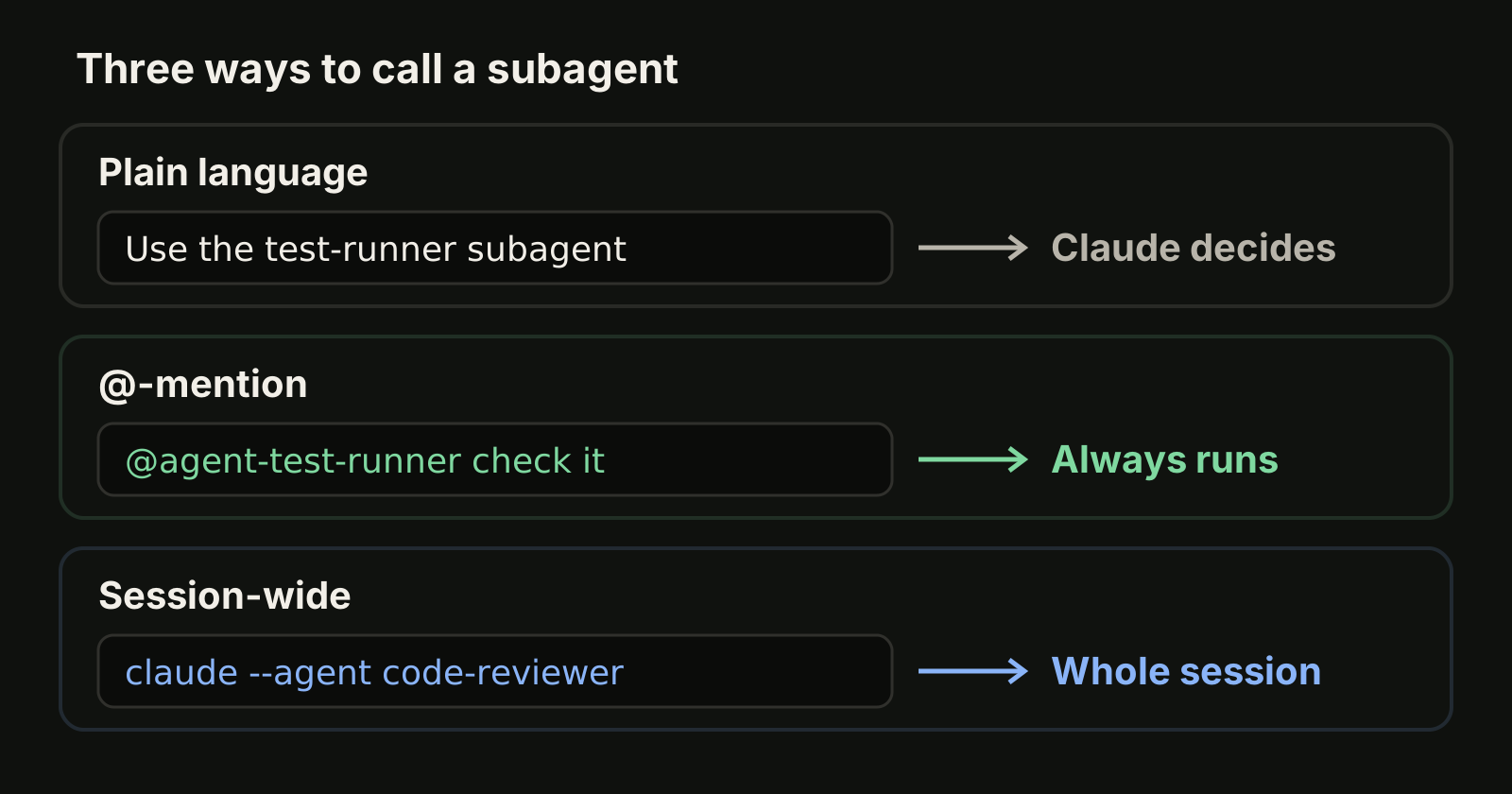
Name it in plain language. Claude usually delegates:
Use the test-runner subagent to check the parser changes@-mention it to guarantee that subagent runs for this task. Type @ and pick it from the list, or type the mention yourself:
@agent-test-runner check the parser changesRun the whole session as that agent when you want its tools, model and prompt for everything:
claude --agent code-reviewerA custom agent's system prompt replaces the default Claude Code system prompt in that mode, so use it for focused sessions such as a review pass, not for general work.
Forks: a subagent that keeps the history
A normal subagent starts fresh and only sees the delegation message. Sometimes that is too little context. A fork inherits the whole conversation so far, runs the side task, and still returns only its result. Start one with /subtask followed by the task:
/subtask draft unit tests for the parser changes so farOn versions v2.1.161 through v2.1.211 the command is /fork.
Foreground, background and nesting
In an interactive session, fork mode is on by default and subagents run in the background while you keep working. When a background subagent needs a permission, the prompt appears in your main session with the subagent's name, and Esc denies that one tool call without stopping it. In non-interactive runs with claude -p, Claude runs a subagent in the foreground when it needs the result before continuing.
A subagent can spawn subagents of its own, up to three layers below the main conversation. Set CLAUDE_CODE_MAX_SUBAGENT_SPAWN_DEPTH to 1 in your settings env block if you want to turn nesting off.
Patterns that work
These are the jobs where a separate context window pays off most.
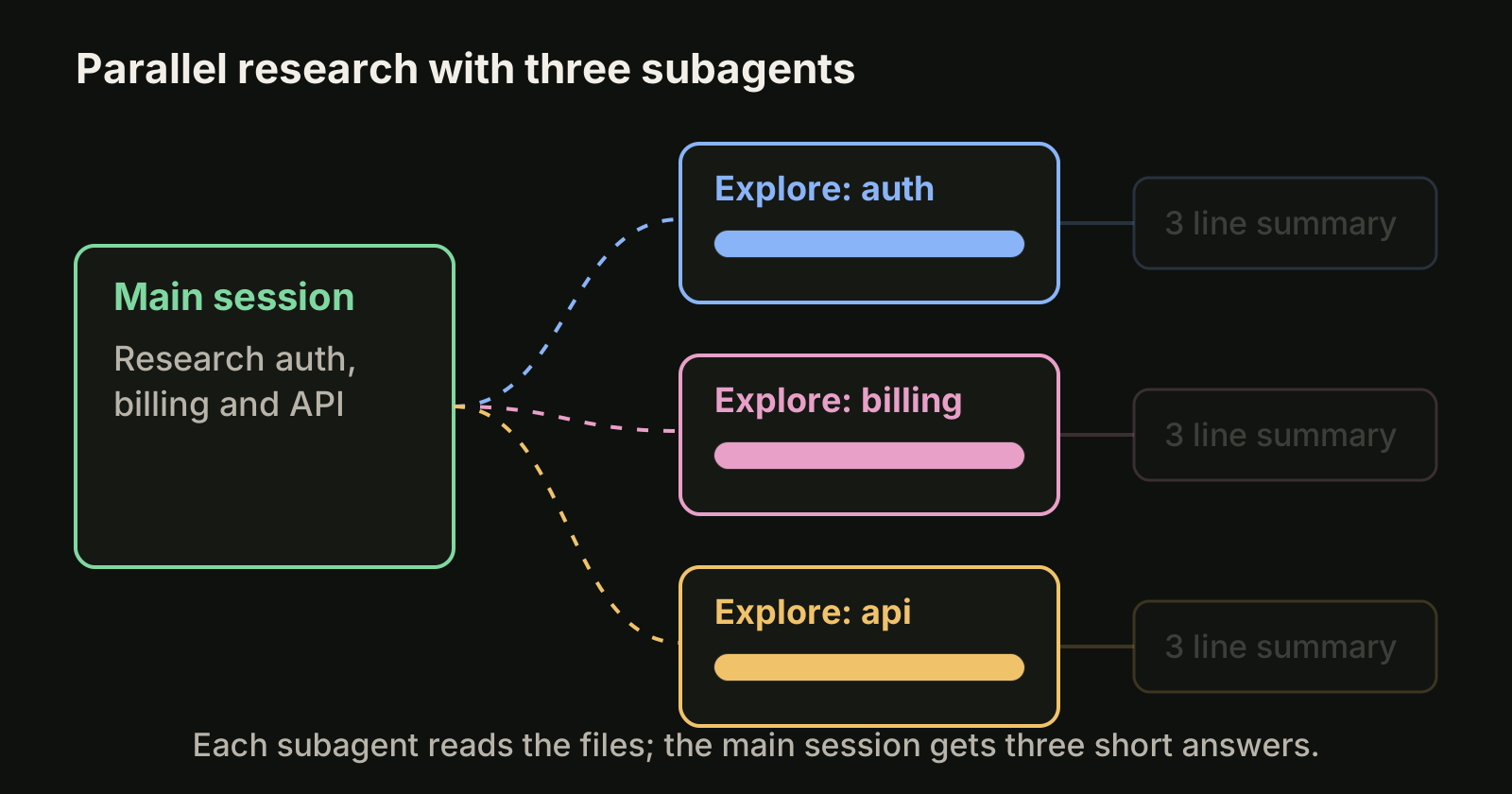
- Noisy commands. Test suites, builds and log searches produce long output. A subagent reads it and returns the three lines you need.
- Parallel research. "Research the auth, billing and API modules in parallel using separate subagents" gives you three summaries without three explorations in your context.
- Review with fewer tools. A reviewer with
tools: Read, Grep, Globreads the diff with fresh eyes and cannot change it. - Chained steps. Let one subagent find the problems and a second one fix them, so the fixer starts from a clean list instead of a long investigation.
When not to use a subagent
Subagents are not free. Each one starts cold, reads files again and spends its own tokens against the same plan allowance. They are a poor fit when:
- the task needs the back and forth you just had, which a fresh subagent never saw (use a fork, or stay in the main session)
- the task is small enough that the delegation message is longer than the work
- two subagents would edit the same files at the same time without separate worktrees
For recurring instructions that the main session should simply follow, a Claude Code skill or your CLAUDE.md is usually the better home. For rules that must hold every time, use hooks. If what you really want is several independent tasks running side by side, separate sessions in separate worktrees are simpler than one session full of subagents; our guide to running multiple Claude Code sessions shows the setup.
Where VibeiDE fits
Subagents keep one conversation clean. VibeiDE works one level up, on the principle of one task, one terminal, one fresh session. VibeiDE is a desktop app that coordinates the Codex, Claude Code and OpenCode CLIs you already installed, and Claude Code runs in an embedded terminal that shows the original CLI interface, so your subagents work there unchanged. Each project has its own task queue, the composer's "New worktree per task" mode gives each task its own Git worktree and branch, and finished tasks wait in Ready for review until you read them. More on Claude Code in VibeiDE.
Takeaways
- A subagent runs a task in its own context window and returns only the result, which keeps long sessions focused on your instructions.
- Explore, Plan and General-purpose are built in; Explore and Plan are read-only.
- Custom subagents are Markdown files in
.claude/agents/or~/.claude/agents/with aname, a trigger-styledescriptionand an optionaltoolsallowlist. - Name a subagent, @-mention it, or run
claude --agent <name>to control when it runs; use/subtaskwhen the side task needs the conversation history. - Restrict tools for reviewers and use
isolation: worktreefor subagents that write code.