Two Claude Code sessions in one checkout will eventually edit the same file, and one of them will lose. A Claude Code worktree fixes that by giving each session its own folder and branch while both share the same repository history. This guide covers the --worktree flag, where the folders go, how to carry .env files across, what happens when you exit, and how to run subagents in worktrees, all checked against the official Claude Code documentation as of October 2026.
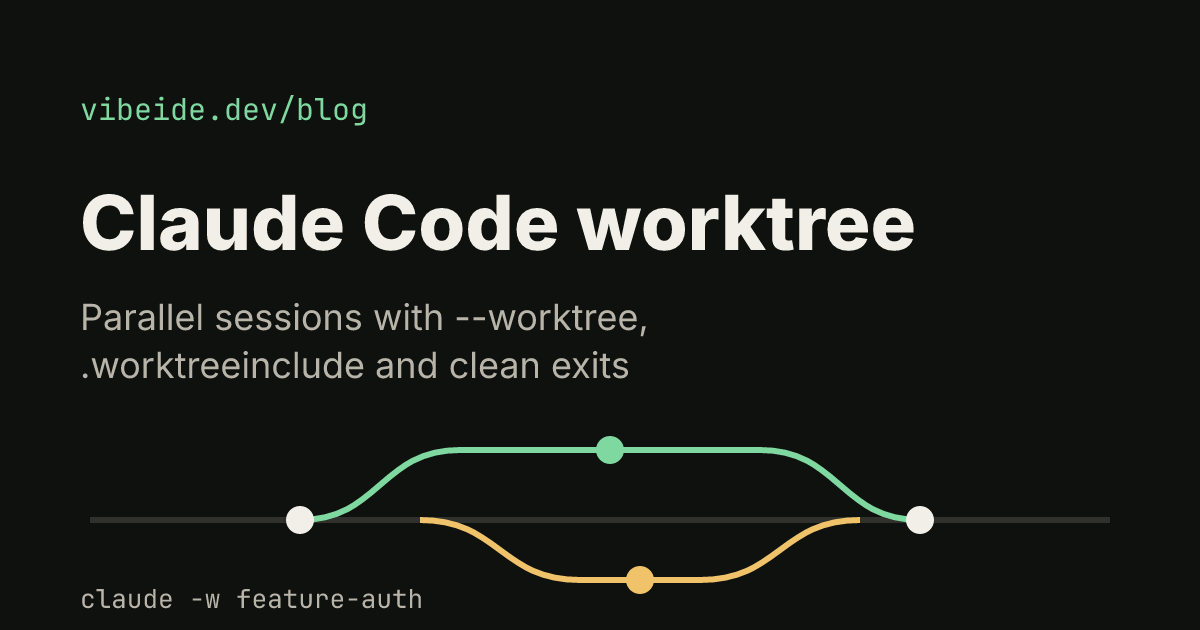
Quick answer: run claude --worktree feature-auth (or claude -w feature-auth). Claude Code creates .claude/worktrees/feature-auth/ at your repository root on a new branch named worktree-feature-auth and starts the session there. Run it again with another name in a second terminal for a second isolated session.
What a worktree gives a Claude Code session
A git worktree is an extra working directory attached to the same repository. It has its own files and its own checked-out branch, but it shares the .git history and the remote with your main checkout. Commits made in a worktree land in the same repository, so you can merge, rebase or open a pull request from them as usual.
For coding agents this matters because file edits are the thing that collides. Two sessions in one folder see each other's half-finished changes, run tests against code the other session is rewriting, and can overwrite the same file. In separate worktrees each session edits its own copy, and the only place their work meets is a merge you control.
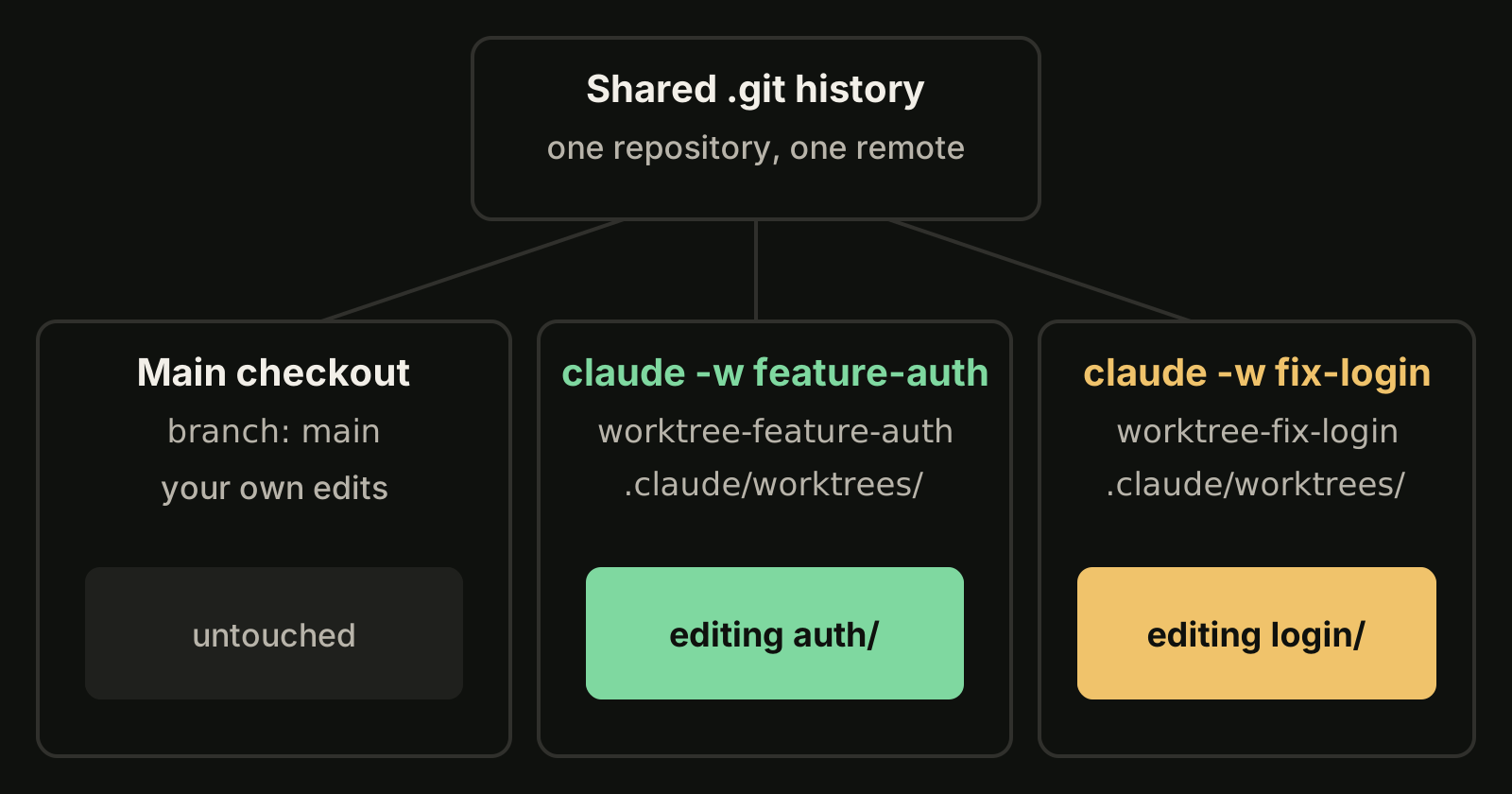
Worktrees isolate files only. They do not split your provider usage, and two sessions still draw from the same account allowance. For that side of parallel work, see Claude Code usage limits.
Start Claude Code in a worktree
The repository needs at least one commit, because a worktree is created from an existing commit. Then:
claude --worktree feature-authIn a second terminal:
claude -w fix-loginIf you leave out the name, Claude Code generates one, such as bright-running-fox. Three details from the worktrees documentation are worth knowing before the first run:
- Workspace trust. An interactive
--worktreerun needs the folder to be trusted. If you have never runclaudein that repository, run it once and accept the trust dialog first, or the command exits with an error. Non-interactive runs with-pskip that check. - Gitignore the folder. Add
.claude/worktrees/to.gitignoreso worktree contents do not show up as untracked files in your main checkout. - Empty repositories fail. In a repository with no commits the command stops with
Failed to resolve base branch "HEAD".
You can also ask for one mid-session ("work in a worktree"). Claude then uses its EnterWorktree tool, and Claude Code asks for your approval when the target is outside .claude/worktrees/.
Choose what the worktree branches from
By default a new worktree branches from the repository's default branch on the remote, usually main. If the repository has not been fetched in the last 24 hours, Claude Code fetches the default branch first. That gives each session a clean starting point that matches the remote.
When a session needs your unpushed work, set worktree.baseRef to "head" in settings:
{
  "worktree": {
    "baseRef": "head"
  }
}
The setting takes only "fresh" (the default) or "head", not a branch name. To start from a specific existing branch, create the worktree with git yourself and launch Claude inside it:
git worktree add ../project-bugfix fix-issue-456
cd ../project-bugfix
claude
To review or continue a pull request in isolation, pass its number with a # and quote it so your shell does not treat it as a comment:
claude --worktree "#1234"Claude Code fetches that change from origin and creates .claude/worktrees/pr-1234.
Carry .env files across with .worktreeinclude
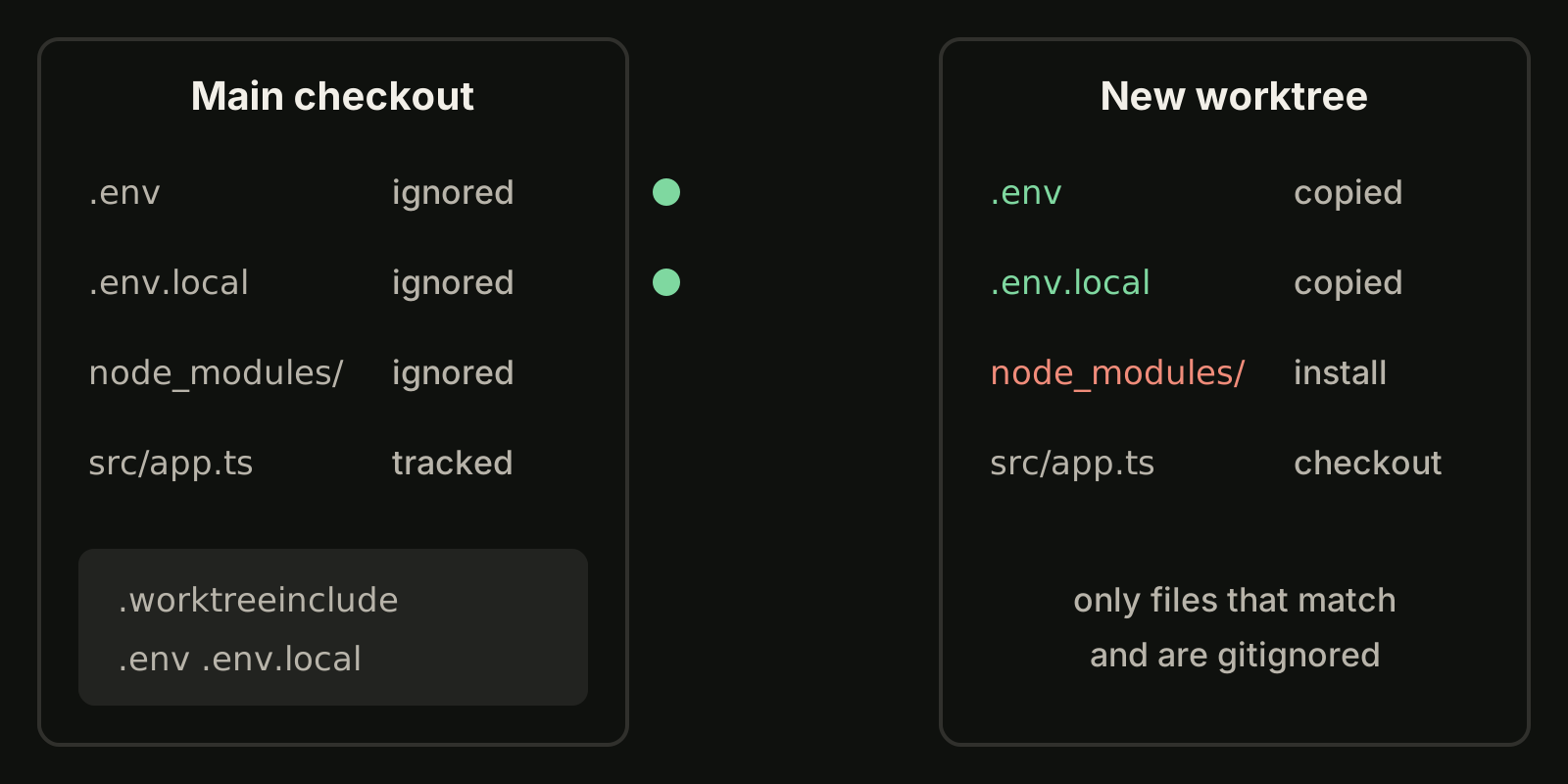
A worktree is a fresh checkout, so anything gitignored stays behind: .env, local config, build output and node_modules. Dependencies you install in the worktree (ask Claude to do it, or run your setup script there). Secrets and local config can be copied automatically with a .worktreeinclude file in the project root:
.env
.env.local
config/secrets.json
The file uses .gitignore syntax, and a file is copied only when it matches a pattern and is also gitignored, so tracked files are never duplicated. It applies to every worktree Claude Code creates with git, including subagent worktrees.
What happens when you exit
When an interactive worktree session ends, Claude Code checks the worktree for work that removal would delete: changed or untracked files, new commits, and uncommitted work in submodules.
| Worktree state | What Claude Code does |
|---|---|
| Clean, unnamed session | Removes the worktree and its branch |
| Clean, named session | Asks before removing, so you can keep it |
| Has changes or new commits | Asks keep or remove; keep prints a resume command |
| State cannot be verified | Asks instead of removing |
Created by claude -p | No prompt; stays on disk and locked |
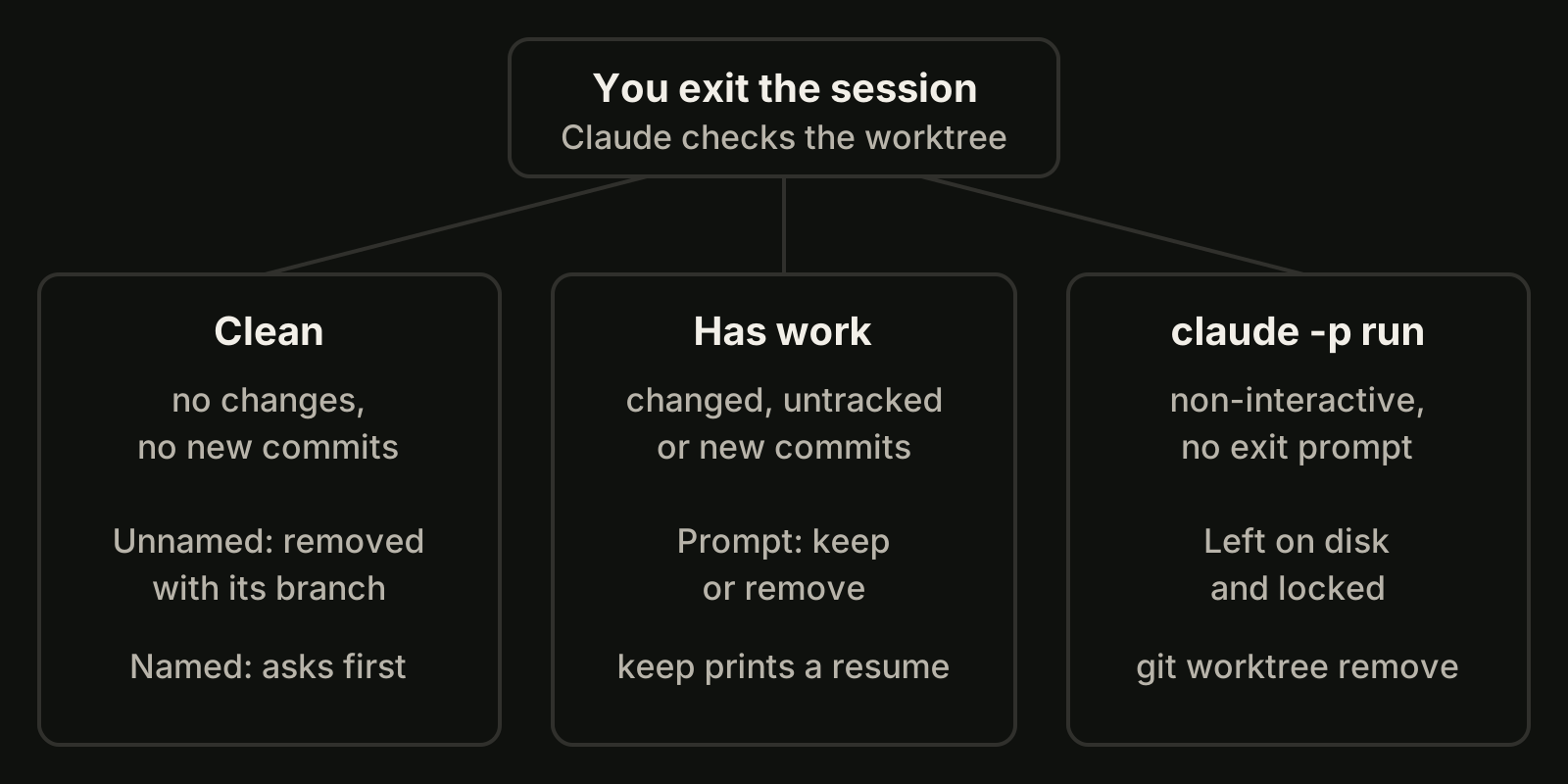
Keeping a worktree preserves the directory and branch. To return later, run the command Claude Code prints on exit, which has the form:
claude --worktree feature-auth --resumePassing an existing name to --worktree reopens that worktree instead of creating a new one. For worktrees left by scripts, clean up with git:
git worktree list
git worktree unlock .claude/worktrees/feature-auth
git worktree remove .claude/worktrees/feature-auth
Add --force to git worktree remove only when you are sure the uncommitted changes in it can go.
Run subagents in their own worktrees
Worktrees also work one level down. Ask Claude to "use worktrees for your agents", or make it permanent for a custom subagent with isolation: worktree in its frontmatter:
---
name: refactorer
description: Applies mechanical refactors across many files
isolation: worktree
---

Apply the requested refactor across every affected file, then run the tests
and report the results.
Each such subagent gets a temporary worktree that is removed when it finishes without changes. Worktrees with changes stay until a periodic sweep can remove them safely. For when to split work into subagents at all, see Claude Code subagents.
Common problems
- Hooks run from the main checkout.
${CLAUDE_PROJECT_DIR}keeps pointing at the project root where the session started. A hook that needs the worktree path should read thecwdfield from its input JSON. More in Claude Code hooks. - Git LFS files are pointers. If you set up LFS with
git lfs install --local, rungit lfs pullinside the worktree. - Not using git. For SVN, Perforce or Mercurial, a
WorktreeCreatehook replaces the git logic and.worktreeincludeis not processed. - Approvals carry over. "Yes, and don't ask again" in a worktree is saved to the main checkout's
.claude/settings.local.json, so it applies to every worktree of the repository.
Worktrees across many tasks and projects
Worktrees solve file collisions, but with five or six sessions you still have to remember which terminal holds which request and what is ready to review. In VibeiDE, each project has its own task queue, and the composer's "New worktree per task" branch mode gives each task its own Git worktree and branch from a chosen source, so tasks run side by side. Finished tasks wait in Ready for review instead of being treated as approved. Queues alone do not isolate files, which is why the worktree mode exists. See parallel AI coding agents or the Claude Code page; the same idea for Codex is in Codex worktree, and the bigger picture is in run multiple Claude Code sessions.
If you would rather click than type, our Claude Code GUI guide covers the desktop app's built-in worktree sessions, and Conductor alternatives compares the apps that manage several agents at once.
Takeaways
claude -w <name>creates.claude/worktrees/<name>/on branchworktree-<name>and starts an isolated session there.- Commit once and trust the folder before the first run, and gitignore
.claude/worktrees/. - New worktrees branch from the remote default branch; set
worktree.baseRefto"head"to carry unpushed work. - List gitignored essentials like
.envin.worktreeinclude; install dependencies per worktree. - Clean unnamed worktrees vanish on exit; anything with work in it asks first, and
-pruns needgit worktree remove. - Add
isolation: worktreeto subagents that edit many files in parallel.