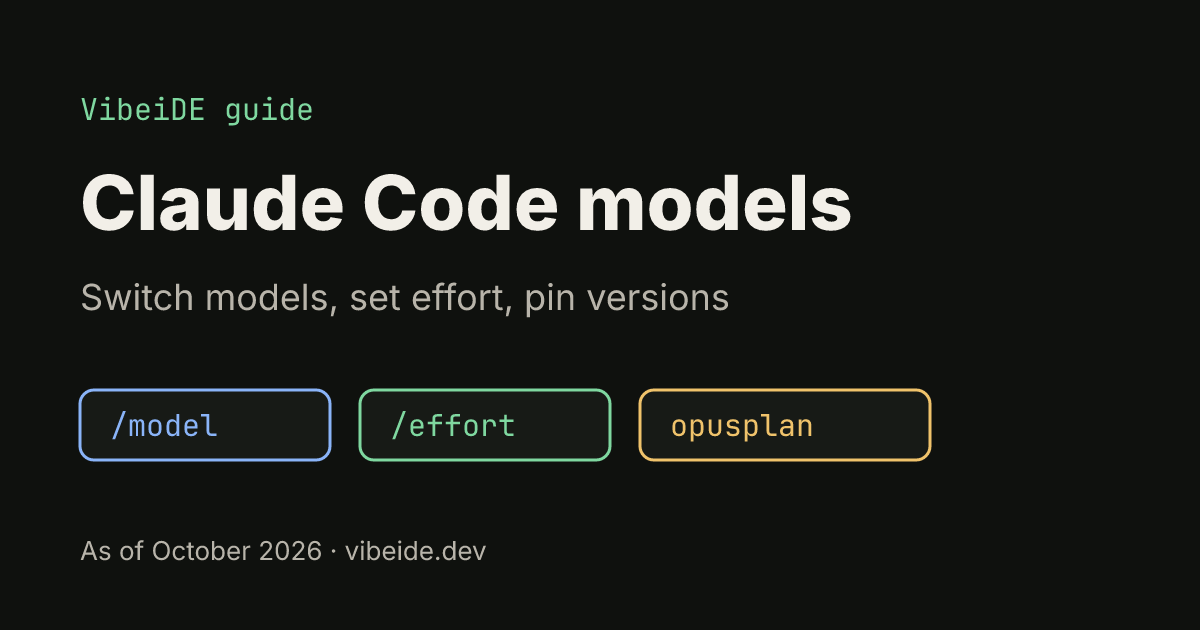
Claude Code lets you choose which Claude model answers each session, and that one setting changes a lot: how deeply the agent reasons, how fast it replies and how quickly a session uses your plan allowance. Most people never touch it and run on the default. That is fine until a hard refactor needs more depth, a long batch of small edits needs more speed, or a teammate's results differ from yours because their setup picks a different model.
 VibeiDEAll your agents. One Grid.Battery friendly, no 3D. 14 days free, no card.Download
 This guide covers the Claude Code model aliases, every way to switch models, which setting wins when several are set, how effort levels work, the opusplan hybrid, 1M context and how teams pin or restrict models. Everything was checked against the official model configuration docs in October 2026. Model names change often, so treat that page as the source of truth.
The Claude Code model aliases
You rarely need a full model ID. Claude Code accepts aliases that always point at the current version of a model family. As of October 2026 the docs list:
| Alias | What it does |
|---|---|
default | Clears any override and returns to the default for your account |
best | The Fable model where it is available, otherwise the same as opus |
fable | Fable, for the hardest and longest-running tasks |
opus | Latest Opus, for complex reasoning |
sonnet | Latest Sonnet, for daily coding tasks |
haiku | Fast, efficient Haiku for simple tasks |
opus[1m], sonnet[1m] | The same models with a 1M token context window |
opusplan | Opus in plan mode, then Sonnet for execution |
On the Anthropic API, opus, sonnet and haiku resolve to Opus 5.5, Sonnet 5.5 and Haiku 5.5 as of October 2026. Other providers such as Amazon Bedrock, Google Cloud or Microsoft Foundry can resolve the same alias to a different version, which can explain why two machines behave differently with the "same" model.
If you set nothing, the default for Pro, Max, Team, Enterprise and Anthropic API accounts is Opus 5.5, according to the same page. Microsoft Foundry defaults to Sonnet 4.5.
How to change the model in Claude Code
There are five places the model can come from. The docs rank them, highest priority first:
- In a session:
/model sonnet, or/modelalone to open the picker. - At startup:
claude --model opus. - Environment variable:
ANTHROPIC_MODEL=opus. - Settings: the
modelfield in a settings file. - Default for new sessions:
ANTHROPIC_DEFAULT_MODEL(Claude Code v2.1.236 or later).
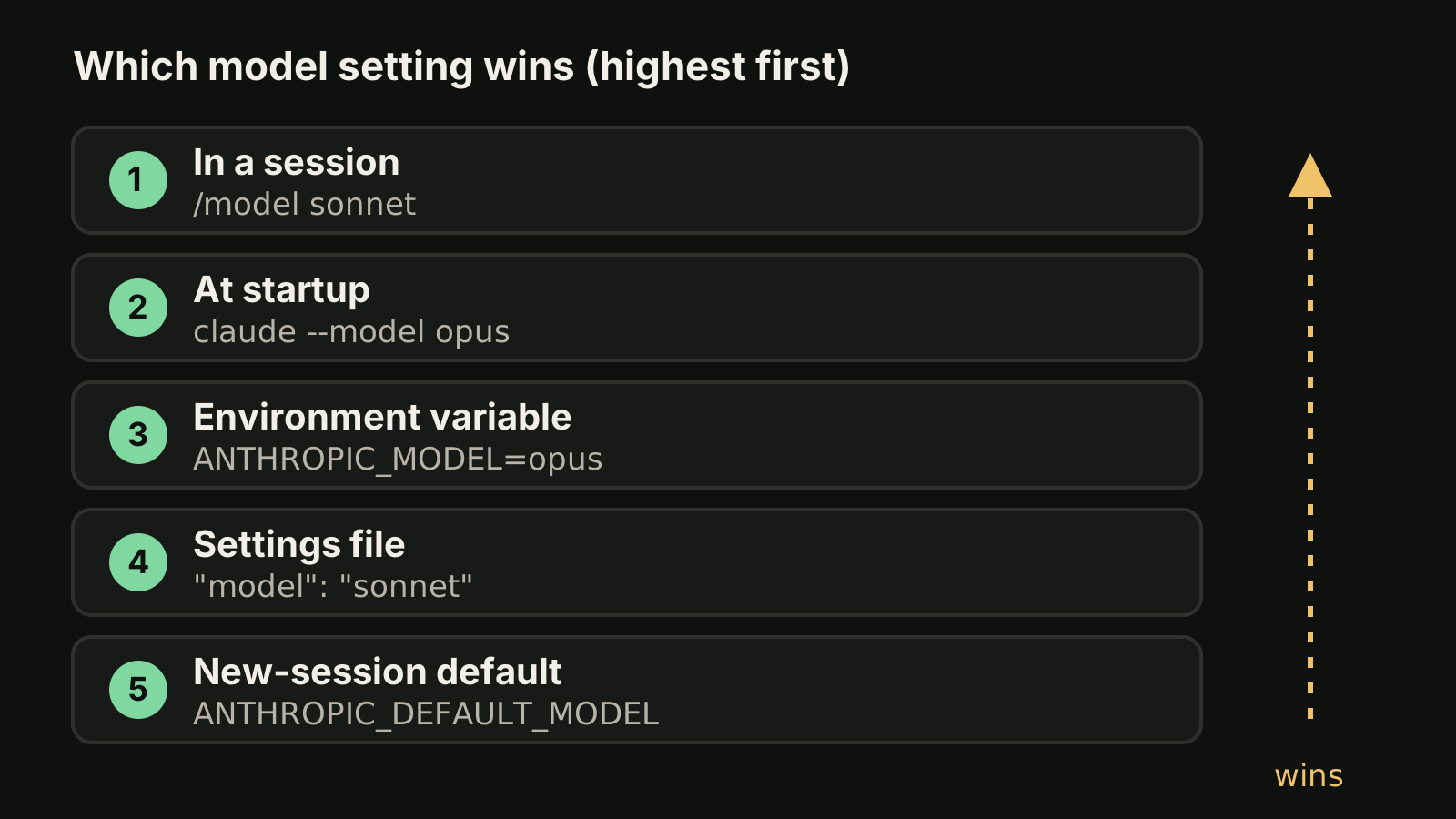
The picker has one detail worth knowing. Pressing Enter switches the model and saves it as your default in ~/.claude/settings.json. Pressing s switches for the current session only. If you keep "losing" a model choice, or a quick experiment became your permanent default, this is usually why.
# one session on Opus, nothing saved
claude --model opus

# one scripted run on Sonnet
ANTHROPIC_MODEL=sonnet claude -p "Summarize the open TODOs in src/"
The --model flag and ANTHROPIC_MODEL apply only to the session you launch with them. To make a model the default for one project, put it in the project settings instead:
{
  "model": "sonnet"
}
Settings files have their own order: managed settings first, then claude --settings on the command line, then .claude/settings.local.json, then the shared .claude/settings.json, then your user file ~/.claude/settings.json. A model in a shared project file therefore beats your personal default, and your local project file beats both. See the settings docs for the full rules.
To check what is active right now, run /status. It shows the current model together with your account details. Our Claude Code commands cheat sheet lists the other slash commands and flags.
opusplan: plan with Opus, build with Sonnet
opusplan is a hybrid alias. In plan mode it uses opus for reasoning and architecture. When you leave plan mode to implement, it switches to sonnet.
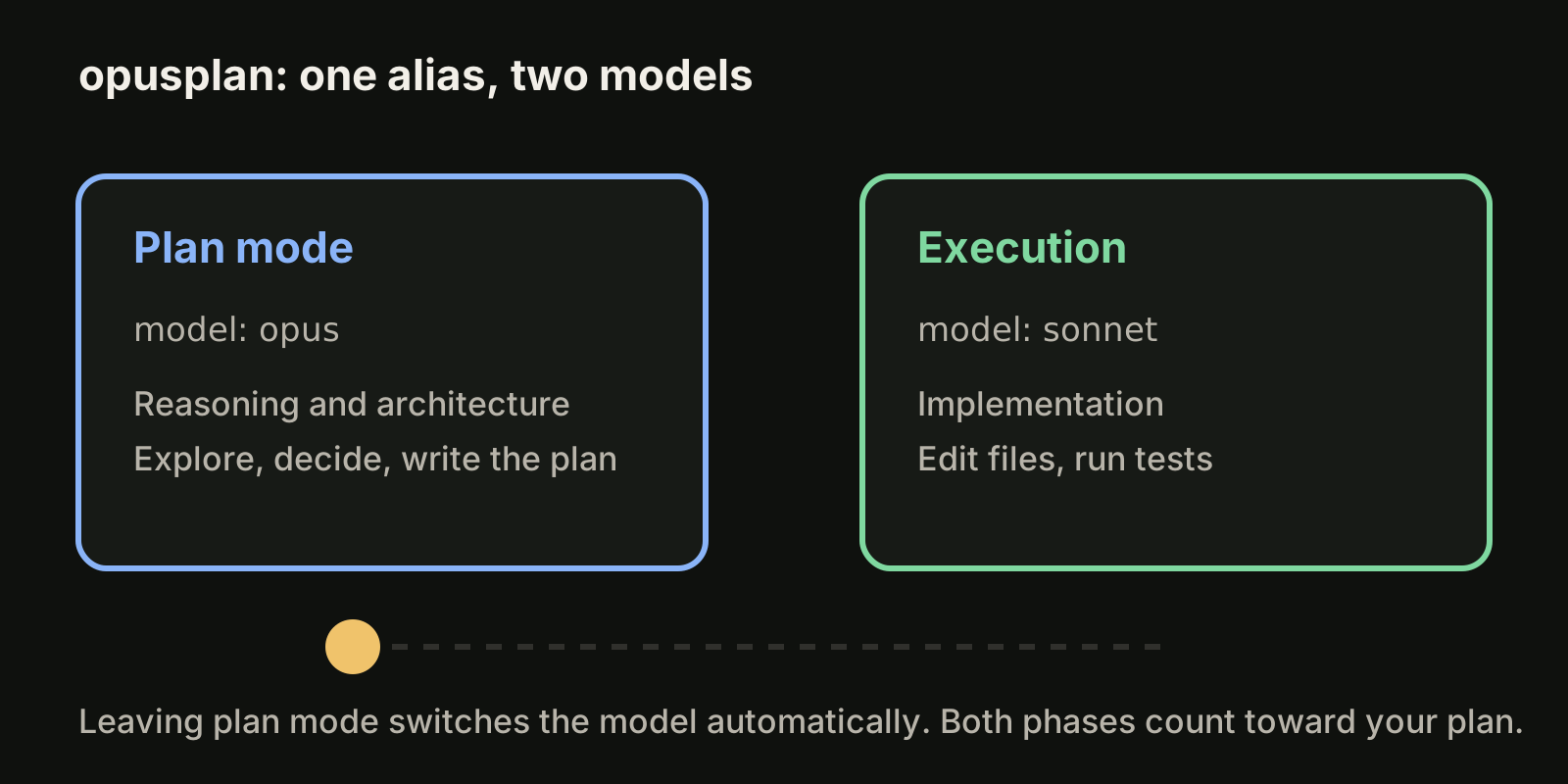
It suits work where the hard part is deciding what to do, such as a migration plan or an unfamiliar codebase, and the implementation is mostly mechanical. It is not a way around limits: both phases still count against your plan, as described in our guide to Claude Code usage limits. If you want 1M context in both phases where the models do not use it by default, the docs offer opusplan[1m] (setting it with /model needs v2.1.265 or later).
Effort levels: the second dial
The model decides who answers. Effort decides how long it thinks first. As of October 2026, current models such as Opus 5.5, Sonnet 5.5, Haiku 5.5 and Fable support low, medium, high, xhigh and max. Older Opus 4.6 and Sonnet 4.6 support low, medium, high and max. If you ask for a level a model does not support, Claude Code uses the highest supported level at or below it.
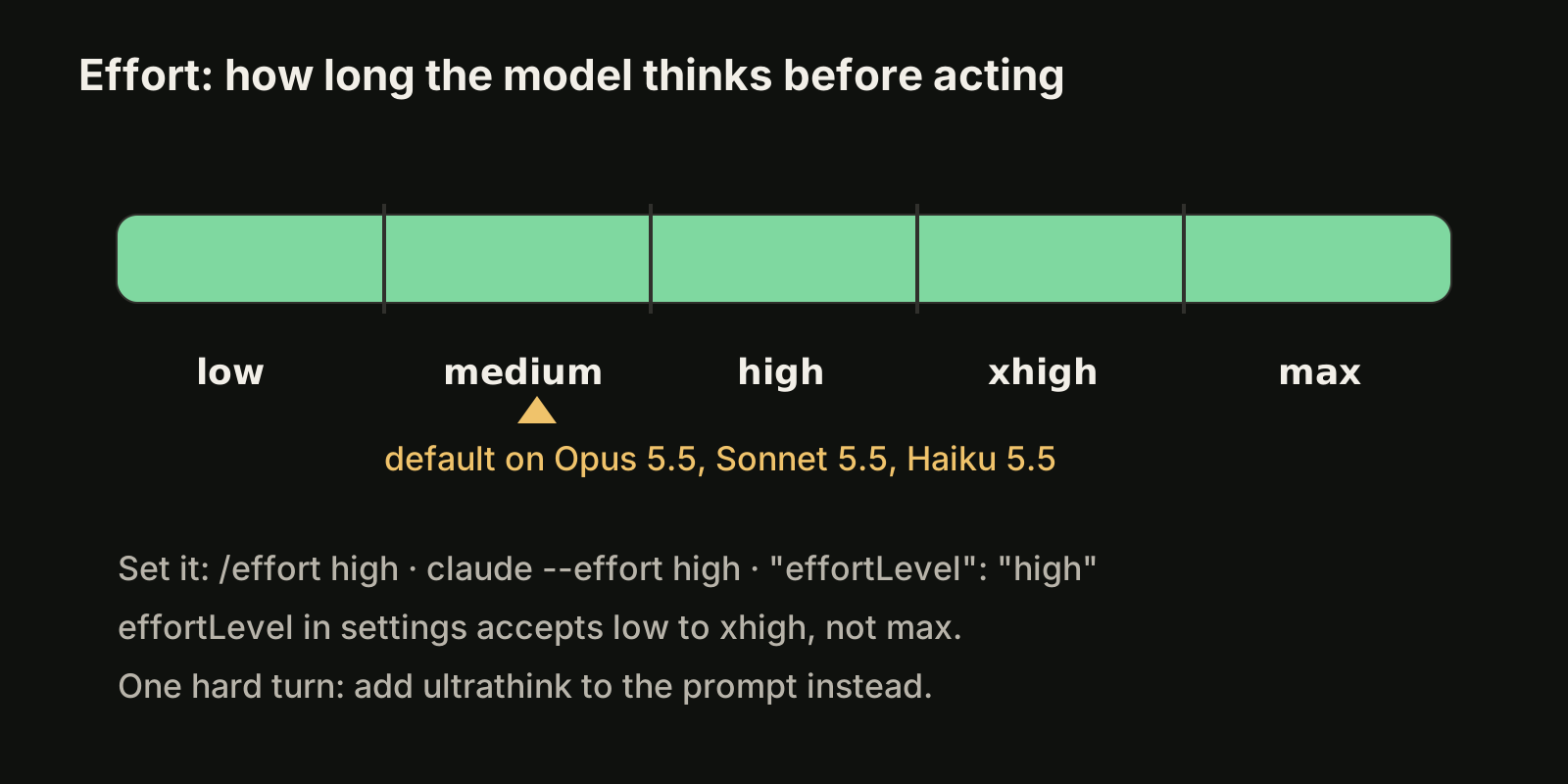
Set it in any of these ways:
/effort          # interactive slider
/effort high     # set directly
/effort auto     # clear the saved level for the active model
claude --effort high
export CLAUDE_CODE_EFFORT_LEVEL=highIn settings, the key is effortLevel. It accepts low, medium, high or xhigh, but not max. If you leave effort alone, the default is medium on Opus 5.5, Sonnet 5.5 and Haiku 5.5, and high on most other models.
For a single hard question, you do not need to change the setting at all: include ultrathink in the prompt to request deeper reasoning for that turn only.
A practical rule: change effort before you change model. A routine task on Opus at low can be a better trade than dropping to a smaller model, and a stubborn bug on Sonnet at high may not need Opus.
1M context and long sessions
As of October 2026, Fable, Sonnet 5 and later, Haiku 5.5, and Opus 4.7 and later have a native 1M token context window, so no suffix is needed. Opus 4.6 and Sonnet 4.6 reach 1M only through the [1m] variant, and access depends on your plan. To force a 200K window, set CLAUDE_CODE_DISABLE_1M_CONTEXT=1.
A larger window is not free attention. Long sessions still collect stale context that the model has to read on every turn. Our guide to the Claude Code context window covers /compact, /clear and when a fresh session is the better tool.
Subagents and the model they use
Subagents inherit the main conversation's model when Claude starts them, so a /model switch also changes subagents that inherit. To keep a custom subagent on a fixed model, for example a cheap haiku reviewer for lint-style checks, set model in that subagent's definition. CLAUDE_CODE_SUBAGENT_MODEL sets a default model for subagents.
Pin and restrict models for a team
Aliases move when Anthropic ships a new version. For reproducible CI runs or a team that wants the same behavior everywhere, pin the alias to a full model name with environment variables:
| Variable | Controls |
|---|---|
ANTHROPIC_DEFAULT_OPUS_MODEL | opus, and opusplan in plan mode |
ANTHROPIC_DEFAULT_SONNET_MODEL | sonnet, and opusplan outside plan mode |
ANTHROPIC_DEFAULT_HAIKU_MODEL | haiku and background functionality |
ANTHROPIC_DEFAULT_FABLE_MODEL | fable |
Administrators can also limit what people can pick. In managed settings, availableModels is an allowlist of families, version prefixes or full IDs, and enforceAvailableModels: true applies it to the Default option too:
{
  "availableModels": ["sonnet", "haiku"],
  "enforceAvailableModels": true
}
One caution from the docs: ANTHROPIC_BASE_URL changes where requests go, not which model answers them.
A simple model routine
- Routine edits, renames, tests:
sonnetatlowormedium. - Design decisions and unfamiliar code:
opusplan, oropusin plan mode, then implement. - The hardest multi-step work:
opusorbestathigh, withultrathinkfor the one turn that needs it. - CI and scripts: pin with
--modeland theANTHROPIC_DEFAULT_*variables so a new release does not change results silently.
If you also run Codex, the same ideas apply there with different names; see our guide to Codex models. For a weekly side-by-side of Claude and GPT models on one fixed task, see the VibeiDE model benchmark.
Where VibeiDE fits
VibeiDE is a desktop app that coordinates the Codex, Claude Code and OpenCode CLIs you already installed. Claude Code runs in an embedded terminal that shows the original CLI interface. Each user signs in to their own provider accounts, so subscriptions, usage and costs stay separate from the VibeiDE license, and each project has its own task queue with its own parallel limit per provider. See VibeiDE for Claude Code.
Takeaways
- Use aliases (
opus,sonnet,haiku,best,opusplan) and let them track the latest version, unless you need pinned results. - Priority, highest first:
/model,--model,ANTHROPIC_MODEL, themodelsetting, thenANTHROPIC_DEFAULT_MODEL. - In the
/modelpicker,Entersaves a new default andschanges only this session. - Effort is a second dial: set it with
/effort,--effortoreffortLevel, and useultrathinkfor one hard turn. - Pin aliases with
ANTHROPIC_DEFAULT_*variables for CI, and restrict choices withavailableModelsfor a team.