A Claude Code session manager is one screen that lists every session you have running, shows which ones need your input or are finished, and lets you jump into any of them. As of November 2026, Claude Code ships its own: agent view, opened with claude agents (a research preview). If you also run Codex or OpenCode, or work across several repositories every day, a tmux-based tool or a desktop app covers what agent view does not.
 VibeiDEAll your agents. One Grid.Battery friendly, no 3D. 14 days free, no card.Download
What does a Claude Code session manager do?
It answers three questions without making you click through terminal tabs: what is running, what is waiting on me, and what is done. A good one also keeps each session's work apart, so two agents never edit the same files at once.
| Need | Why it matters |
|---|---|
| One list of sessions | No more hunting through tabs to find the one that asked a question |
| State per session | Working, needs input, done and failed at a glance |
| Names | "flaky-test-fix" is easier to find than a session ID |
| Isolation | Each session in its own git worktree or branch |
| Notifications | You hear about a finished or blocked session without watching it |
| Attach and detach | Jump into the full conversation, then leave it running |
Option 1: agent view, the built-in session manager
Agent view is a single terminal screen that lists all your background Claude Code sessions. Each background session is a full Claude Code conversation that keeps running without a terminal attached, on your own machine. Open it with:
claude agents
claude agents --cwd ~/projects/my-app    # only sessions started in that directory
claude agents --json                     # print active sessions as JSON and exit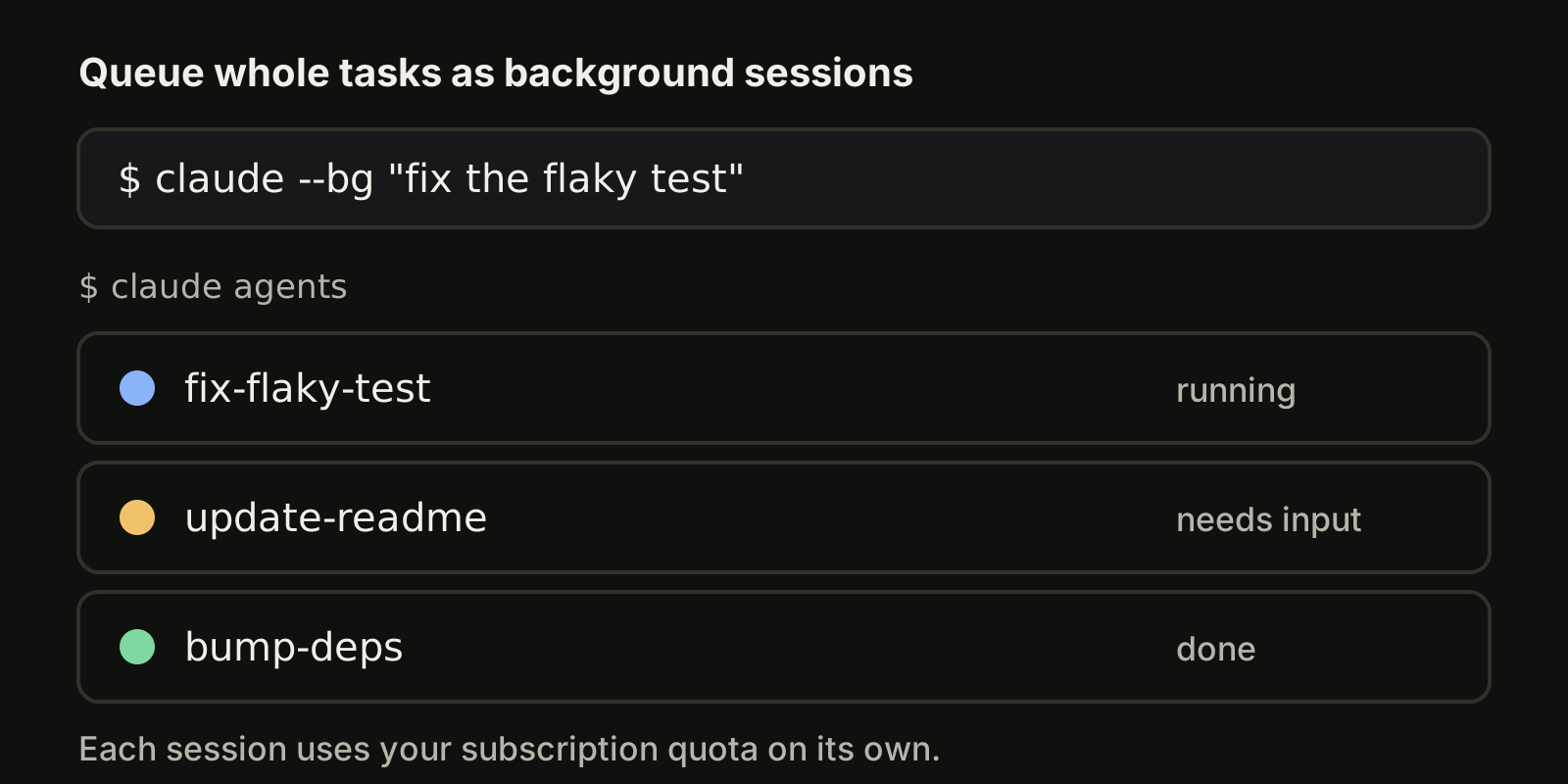
Sessions are grouped as Pinned, Ready for review, Needs input, Working and Completed (Completed includes finished, failed and stopped sessions). Names are generated from your prompt, and you can change them with Ctrl+R or /rename. Each row carries a short summary of what the session is doing.
Start named sessions from the shell
You do not need to open the view to start work. --bg dispatches a background session and returns your prompt:
claude --bg --name "flaky-test-fix" "investigate the flaky SettingsChangeDetector test"
claude --agent code-reviewer --bg "address review comments on PR 1234"
claude --resume <session-id> --bg "pick up where you left off"
--bg cannot be combined with -p or --print. You can also send the session you are in to the background with /bg, or press ← on an empty prompt.
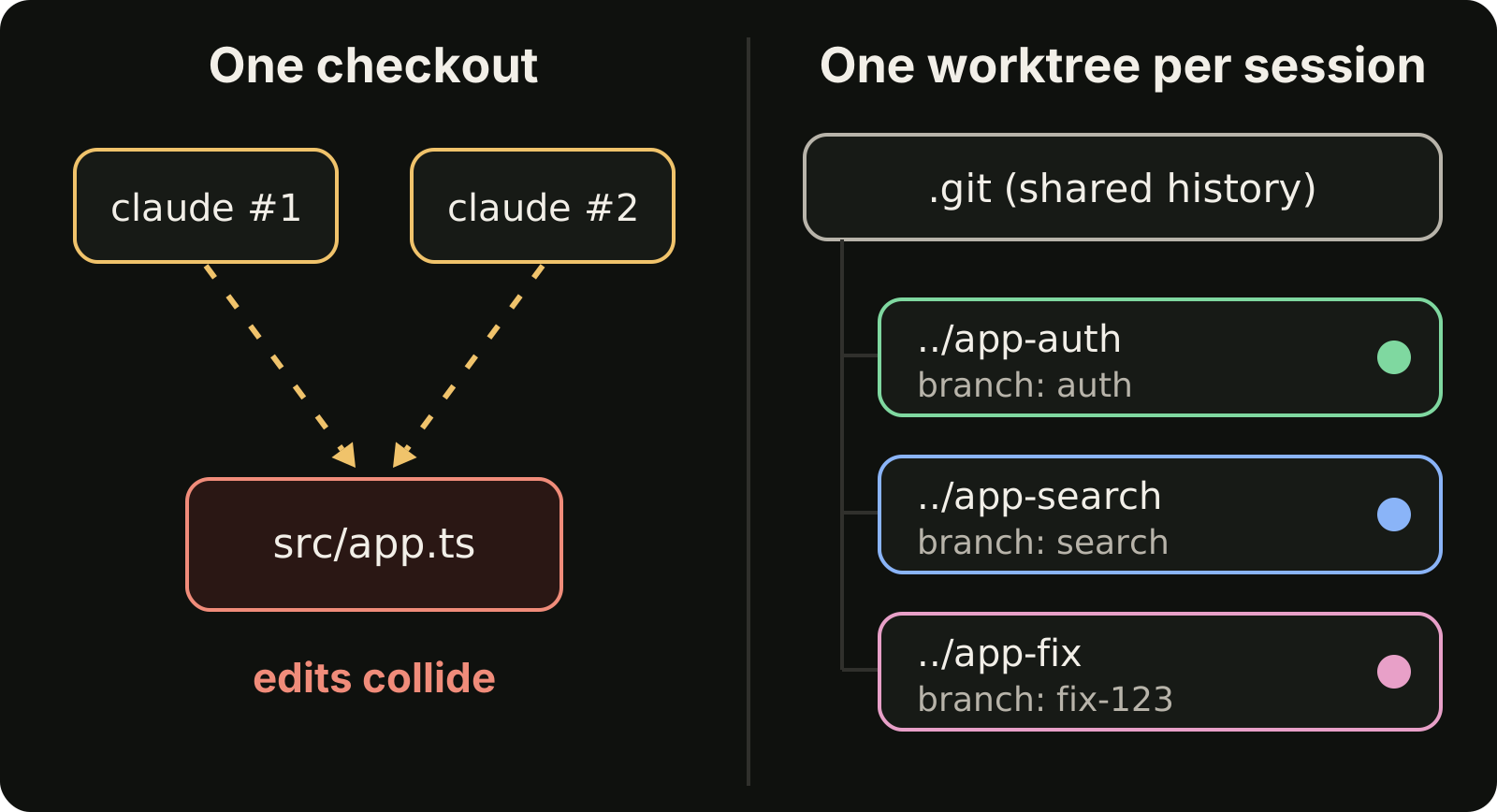
Before a background session edits files, Claude Code moves it into its own git worktree under .claude/worktrees/, so parallel sessions do not overwrite each other. Commit before you delete a session that edited files: deleting it in agent view also deletes the worktree Claude created.
The keys and commands you use daily
| Key or command | What it does |
|---|---|
↑ / ↓ | Move between sessions |
Space | Peek at the latest output or the question it is waiting on |
Enter or → | Attach to the full conversation |
← on an empty prompt | Detach (the session keeps running) |
Ctrl+R | Rename |
Ctrl+S | Group by state or by directory |
Ctrl+X | Stop; press again within two seconds to delete |
claude attach <id or name> | Attach from any terminal |
claude logs <id or name> | Print recent output |
claude stop <id> | Stop a session |
While agent view is open, Claude Code sends a notification through your terminal notification channel when a background session needs input, finishes or fails. The terminal tab title also shows how many sessions are waiting on you. For the notification setup itself, see Claude Code notifications.
Limits to know
Agent view is a research preview, so keys and behavior can change between versions; check the agent view documentation for your version. Every background session uses your subscription the same way an interactive one does: ten sessions in parallel use quota roughly ten times as fast. Sessions run locally and stop if the machine shuts down. If you plan a busy week, read how the Claude Code weekly limit works first.
Option 2: tmux and Claude Squad
If you want one terminal manager for several agent CLIs, Claude Squad is an open source terminal app (AGPL-3.0) that manages Claude Code, Codex, Gemini, Aider and other agents in separate workspaces. It gives each agent its own tmux session and uses git worktrees so each session works on its own branch. It needs tmux and the GitHub CLI (gh).
brew install claude-squadInside it, n starts a session, N starts one with a prompt, ↵ attaches, ctrl-q detaches, tab switches between preview and diff, and s commits and pushes. It suits people who live in the terminal and are happy with tmux.
Option 3: a desktop app across projects and CLIs
Agent view manages Claude Code sessions on one machine. When your day spans several repositories and more than one agent CLI, the hard part is remembering what you asked in which project, and reviewing each result before it counts as done.
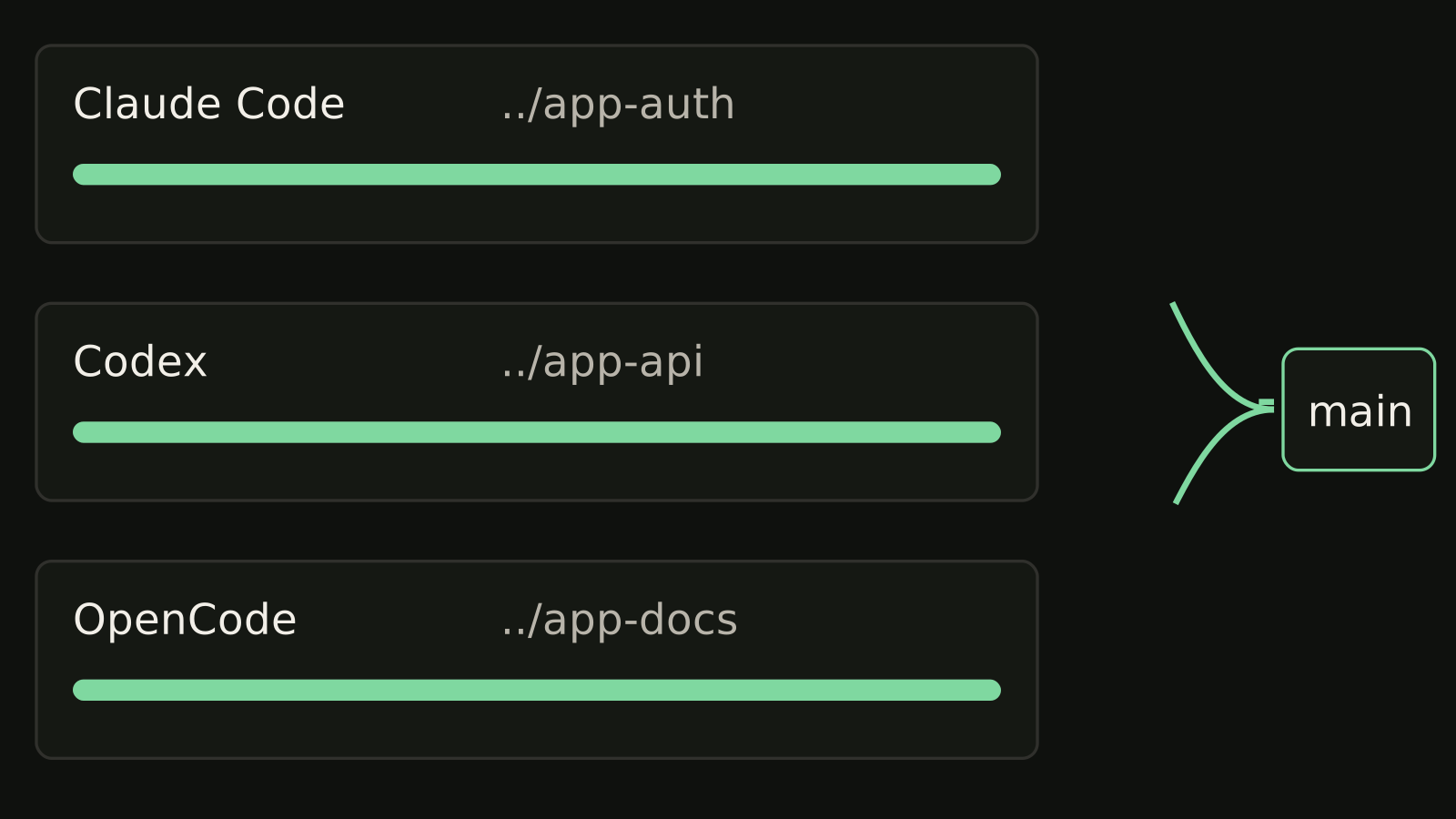
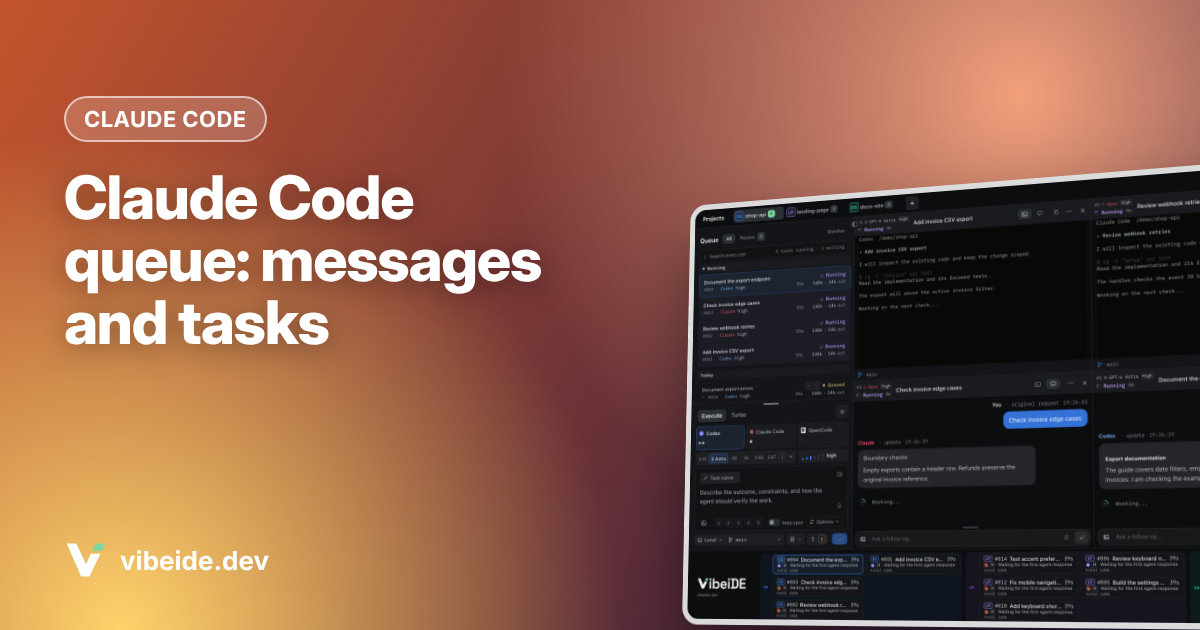
VibeiDE is a desktop app for macOS, Windows and Linux that coordinates the Codex, Claude Code and OpenCode CLIs you already installed. Codex and Claude Code run in embedded terminals that show the original CLI. Each project has its own task queue: waiting prompts can be edited or reordered, and a task starts when its provider has a free slot. The "New worktree per task" branch mode gives each task its own git worktree and branch, finished tasks wait in Ready for review (an unread completion state, not an approval), and each task keeps its saved provider conversation for follow-ups. A 14-day trial starts at first sign-in without a card. See VibeiDE for Claude Code.
Which session manager fits which setup?
Facts as of November 2026, from each project's own documentation.
| Tool | Agents | Isolation | Interface | Best for |
|---|---|---|---|---|
| Claude Code agent view | Claude Code | Worktree per background session | Terminal (claude agents) | Claude Code users on one machine |
| Claude Squad | Claude Code, Codex, Gemini, Aider and more | tmux session plus git worktree | Terminal (tmux) | Terminal users mixing agents |
| VibeiDE | Claude Code, Codex, OpenCode | Optional worktree per task | Desktop app | Several projects, queued tasks, review step |
For a wider list of tools checked one by one, see the best tools to run multiple AI coding agents in parallel.
How to keep track of tasks across many sessions
Whatever tool you use, the same habits keep a dozen sessions readable:
- One task per session. A session that fixes a bug and then refactors a module is hard to review. Start a fresh one for the second job.
- Name every session. Use
--nameor/renamewith the task, not the repo: "fix-login-redirect" beats "api-2". - Give each session its own worktree. Agent view does it for you; elsewhere use
claude --worktree(see Claude Code worktree) or plaingit worktree add. - Queue instead of interrupting. Type the next message while Claude works, or line up whole tasks. The Claude Code queue guide shows both.
- Review before closing. Treat "finished" as "ready to read", read the diff, then close it.
- Resume, do not restart.
claude --continueandclaude --resumebring back the saved conversation; see continue vs resume.
FAQ
Does Claude Code have a built-in session manager?
Yes. Agent view (claude agents) lists every background session, groups them by state and lets you peek, reply, attach, rename and stop them. It is a research preview as of November 2026.
How do I see all my Claude Code sessions?
Run claude agents for the interactive list, or claude agents --json to print active sessions as JSON. Add --all to the JSON command to include completed background sessions.
Can I get a notification when a Claude Code session is done?
Yes. While agent view is open, Claude Code notifies you through your terminal notification channel when a background session needs input, finishes or fails, and the Notification hook fires for those events.
Do parallel sessions share my usage limit?
Yes. Each background session uses your subscription the same as an interactive one, so several sessions drain the same allowance faster.
Takeaways
- Claude Code's own session manager is agent view:
claude agentsto see everything,claude --bg --nameto start named sessions. - Each background session gets its own worktree, and notifications tell you when one needs you.
- Claude Squad adds tmux-based management across several agent CLIs.
- For several projects and agents with a review step, a per-project queue such as parallel AI coding agents in VibeiDE keeps track of what was asked where.