Codex starts every run knowing nothing about your project except what you tell it. AGENTS.md is how you tell it once instead of in every prompt: the build command, the test command, the folder nobody should touch, the way your team names things.
This guide explains how Codex discovers AGENTS.md files, how it combines them, what to write in them, and how to keep one file that both Codex and Claude Code read. Details are based on the official AGENTS.md guide for Codex as of September 2026.
How Codex finds AGENTS.md
Codex builds its instructions from two scopes every time it runs.
Global scope. Codex looks in your Codex home directory, ~/.codex by default or whatever CODEX_HOME points to. It checks AGENTS.override.md first, then AGENTS.md, and uses the first non-empty file. This is the place for personal preferences that apply to every repository.
Project scope. Codex then walks from the root of your git repository down to your current working directory. In each directory on that path it looks for an instruction file, so a monorepo can have a root AGENTS.md plus more specific ones in api/, web/ or infra/.
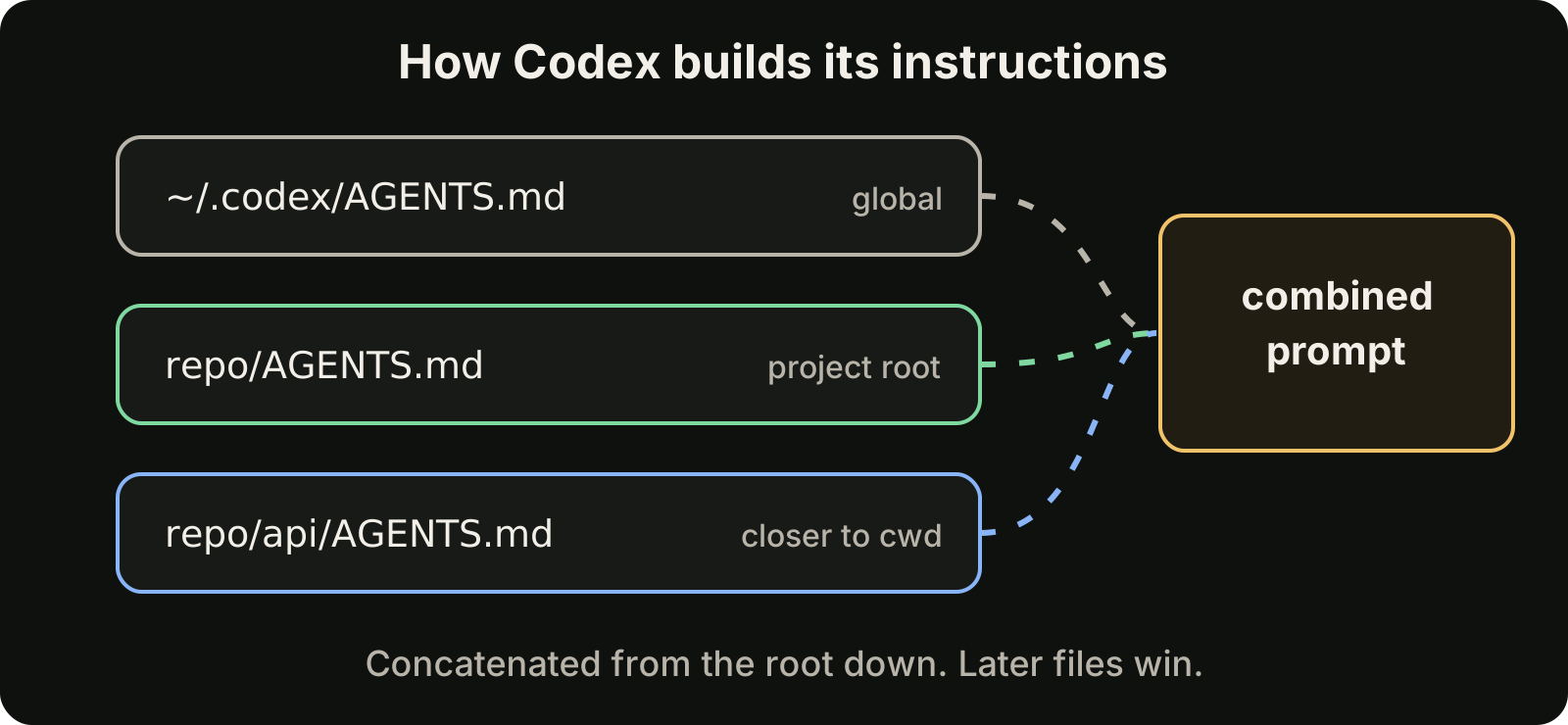
All the files found are concatenated from the root down. Files closer to your working directory appear later in the combined prompt, so their guidance overrides the more general files above them. If the root file says "use Jest" and api/AGENTS.md says "use Vitest in this package", a run started inside api/ gets both, with the Vitest rule last.
Codex rebuilds this chain on every run. Edit a file and the next run picks it up; there is no cache to clear.
One file per directory
Within a single directory, Codex does not merge several files. It checks names in a fixed order and takes the first one it finds:
AGENTS.override.mdAGENTS.md- Any fallback names you configured
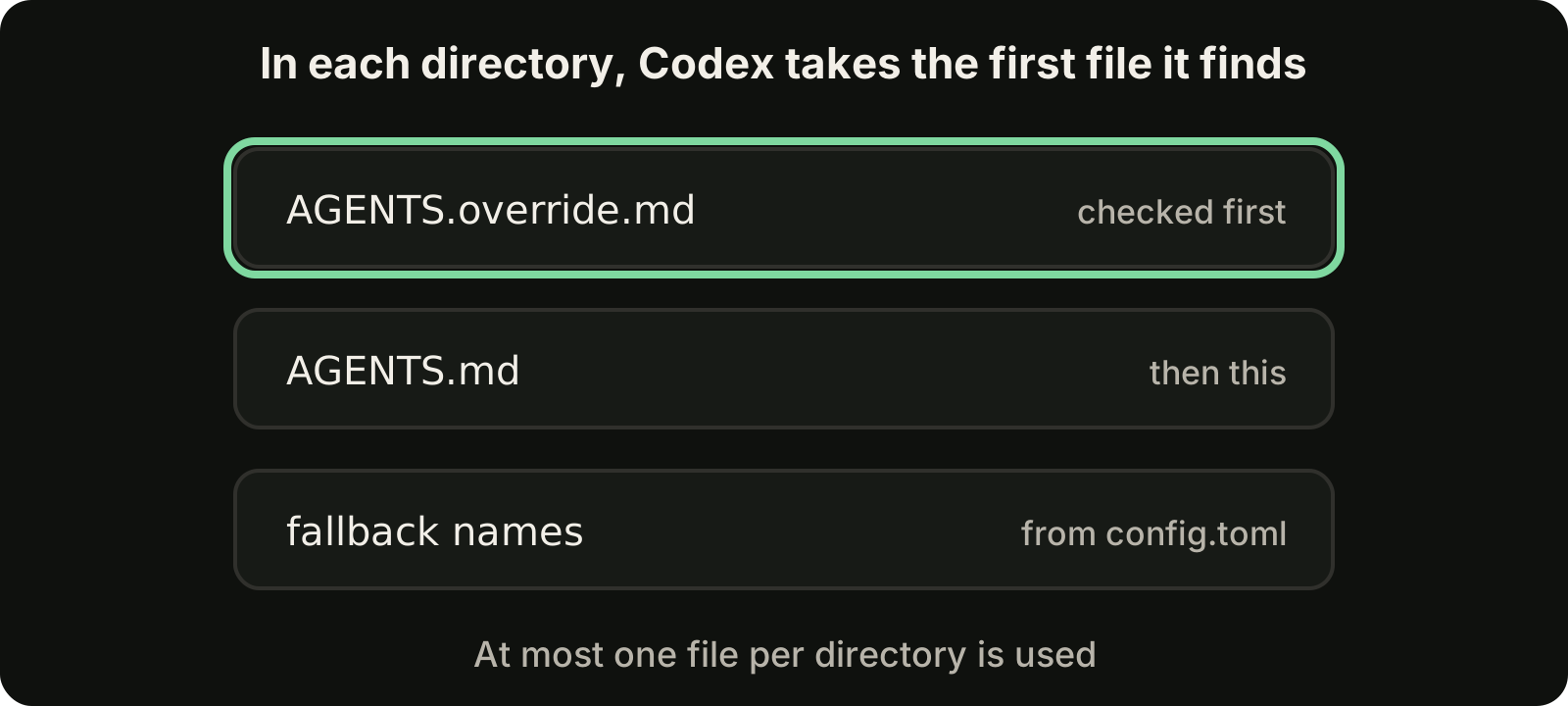
The override file is useful for temporary changes. Drop an AGENTS.override.md next to the regular file during a migration or an incident, and it replaces that directory's AGENTS.md without editing the shared file. Delete it when you are done. Add it to .gitignore if it is only for you.
Fallback names help when a repository already has an instruction file under another name. Configure them in ~/.codex/config.toml:
project_doc_fallback_filenames = ["TEAM_GUIDE.md", ".agents.md"]Codex then treats those names as a third choice in every directory, after the override and the regular AGENTS.md.
Mind the size limit
The combined project instructions are capped by project_doc_max_bytes, which defaults to 32 KiB. Content past the limit is not included, so a sprawling root file can crowd out the specific file in the directory you are actually working in. You can raise the limit in config.toml:
project_doc_max_bytes = 65536Raising it is rarely the right fix, though. Every byte of instructions is context the model reads on every run. A focused file works better than a long one.
What to write in AGENTS.md
Good AGENTS.md files are short, concrete and about this repository. Include what Codex would otherwise have to guess or discover by trial and error:
# Agent notes

## Setup and checks
- Install with `pnpm install`
- Run `pnpm test` and `pnpm lint` before finishing any task
- Type check with `pnpm tsc --noEmit`

## Layout
- API handlers live in `src/api/handlers/`
- `src/generated/` is produced by `pnpm codegen`; never edit it by hand

## Conventions
- Use 2-space indentation
- Prefer small functions and early returns
- Every new endpoint needs a test in `tests/api/`

## Delivery
- Keep changes focused on the task; do not refactor unrelated code
- Summarize what changed and how you tested it
A few rules make the difference between instructions that are followed and ones that are ignored:
- Exact commands beat descriptions. "Run
pnpm test" is actionable. "Make sure tests pass" leaves Codex to find out how. - Explain surprising rules. "Never edit
src/generated/, it is overwritten by codegen" stops Codex from fixing a bug in the wrong place. - Put local rules in local files. Package-specific commands belong in that package's AGENTS.md, not in a growing root file.
- Remove what is stale. Old rules about removed tools compete with the rules that matter.
The "Delivery" section matters more than it looks. Telling Codex how to finish a task, with checks run and a short summary, makes its output faster to review.
Check what Codex actually loaded
When instructions seem to be ignored, the first question is whether Codex loaded them at all. Ask it directly from the directory you work in:
codex --ask-for-approval never "Summarize the current instructions."Run it from the repository root and from a subdirectory to see how the chain changes. If a rule is missing, look for an override file shadowing it, a file outside the path from the git root to your working directory, or a combined size over the byte limit.
One AGENTS.md for Codex and Claude Code
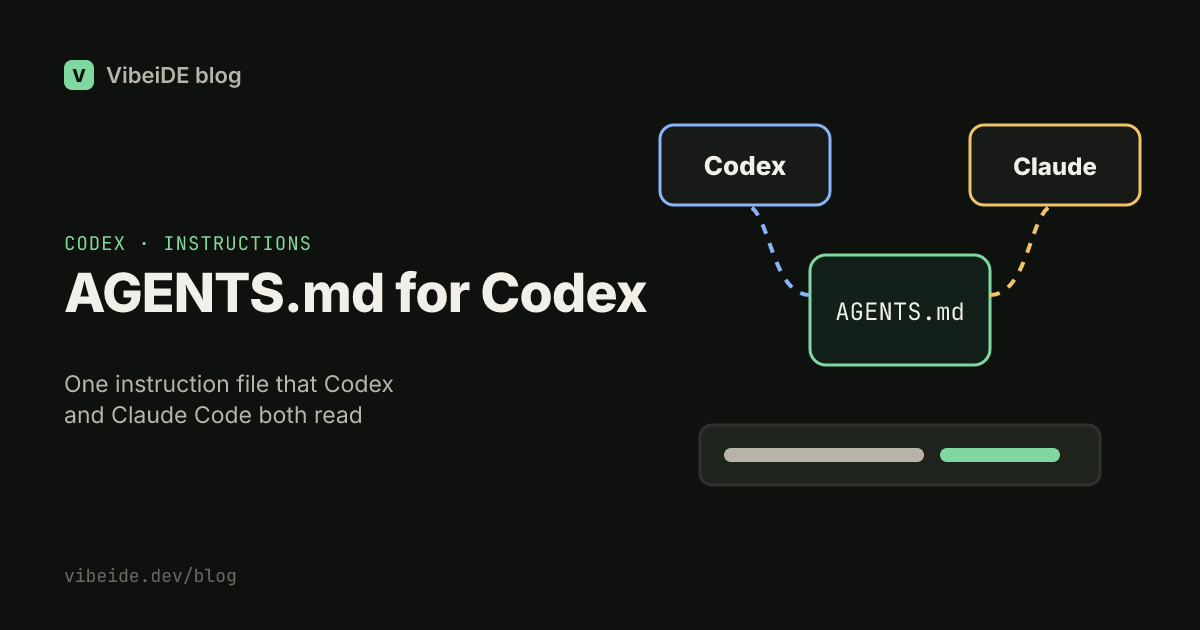
Many developers run both tools, and keeping two instruction files in sync by hand does not last. AGENTS.md can be the single source of truth.
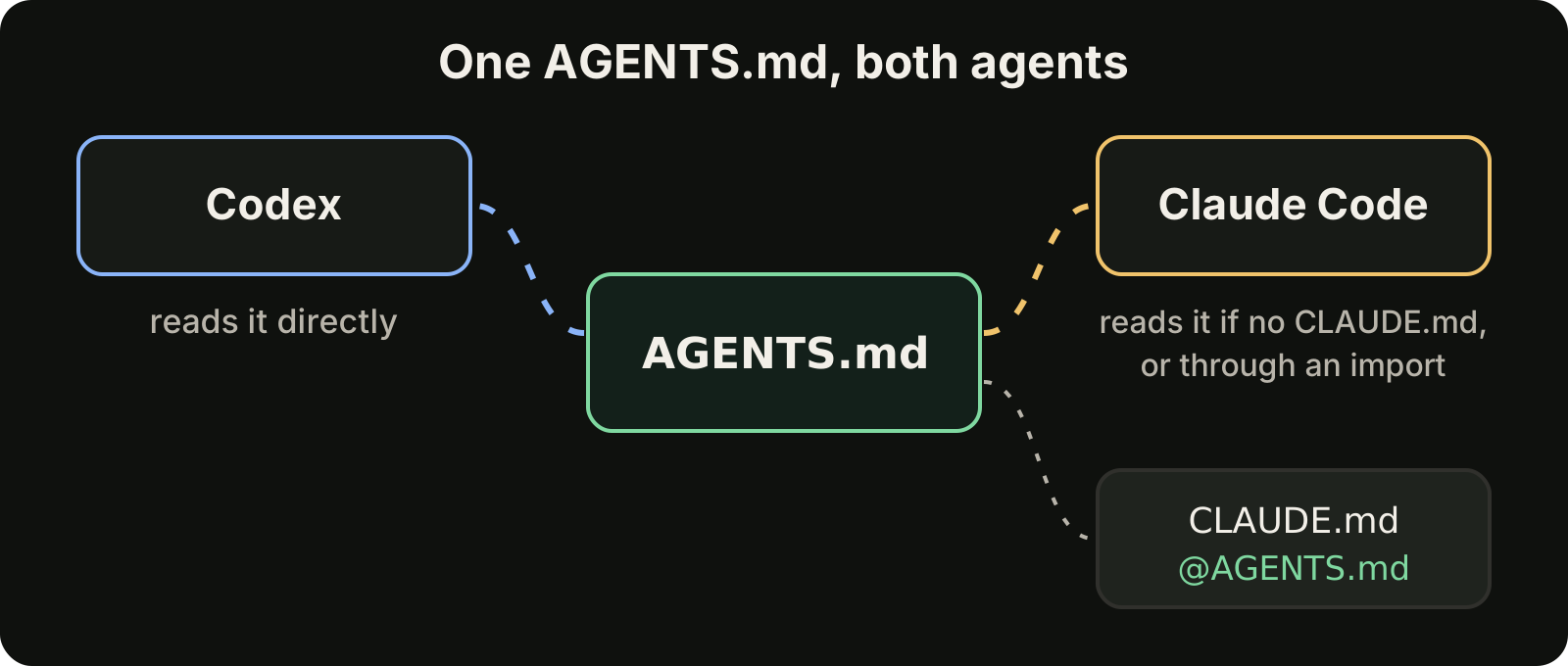
Claude Code reads AGENTS.md directly when a project has no CLAUDE.md or CLAUDE.local.md, and the Project instructions option in its /config controls which files it uses. If you also want a CLAUDE.md for Claude-specific notes, import the shared file with a single line at the top:
@AGENTS.md

## Claude Code only
- Use plan mode for changes that touch more than three files
Both tools now follow the same commands and conventions, and the tool-specific parts stay small. For more on the Claude side, see our guide to CLAUDE.md best practices. For where the tools differ beyond instructions, read Codex vs Claude Code.
Instructions are guidance, not enforcement, in both tools. For rules that must never be broken, Claude Code has hooks, covered in our guide to Claude Code hooks. In Codex, sandbox modes and approval policies limit what a run can do regardless of what the model decides.
Where VibeiDE fits
VibeiDE is a desktop app that coordinates the Codex, Claude Code and OpenCode CLIs you already installed, with your own provider accounts. Each CLI runs in an embedded terminal with its original interface, so Codex reads your AGENTS.md exactly as it does anywhere else. Every request gets its own terminal and a fresh session, tasks queue per project, and finished work waits in Ready for review, which makes a shared AGENTS.md pay off when you switch between Codex and Claude Code on the same repository. Set it up in about three minutes with a 14-day trial and no card.
Takeaways
- Codex reads a global file from
~/.codex, then one file per directory from the git root down to your working directory. - Files are concatenated root down, so closer files override broader ones.
- In each directory,
AGENTS.override.mdwins overAGENTS.md, which wins over fallback names fromconfig.toml. - Combined project instructions are capped at 32 KiB by default; keep files short and local.
- Verify what loaded with
codex --ask-for-approval never "Summarize the current instructions.". - Share one AGENTS.md with Claude Code directly or with an
@AGENTS.mdimport.