Codex and Claude Code are the two coding agents most developers end up comparing. Both run in your terminal, both read and edit your repository, both run commands and tests, and both are included in a consumer subscription. On a feature list they look almost identical. The differences show up in how each one decides what it is allowed to do, how it reads your project instructions, and how its usage is metered.
This guide compares Codex vs Claude Code on the things that change your daily work, and ends with a practical answer to the question most people actually have: do I need to pick one?
What each CLI is
Codex is OpenAI's coding agent. It runs as a CLI, an IDE extension, a desktop app and a cloud agent in ChatGPT, and you sign in with your ChatGPT plan or an API key. The Codex CLI documentation covers installation and the interactive and non-interactive modes.
Claude Code is Anthropic's coding agent. It runs in the terminal, in VS Code and JetBrains, in a desktop app and on the web, and you sign in with a Claude subscription or a Console API key. The Claude Code overview lists the surfaces and the features built on top: memory files, skills, hooks, subagents and a headless mode (claude -p) for scripts.
Both are agents in the full sense. You describe an outcome, and they plan, read files, edit, run commands and report back. Neither is an autocomplete tool.
Approvals and sandboxing
This is the biggest practical difference, and it decides how much you have to babysit each one.
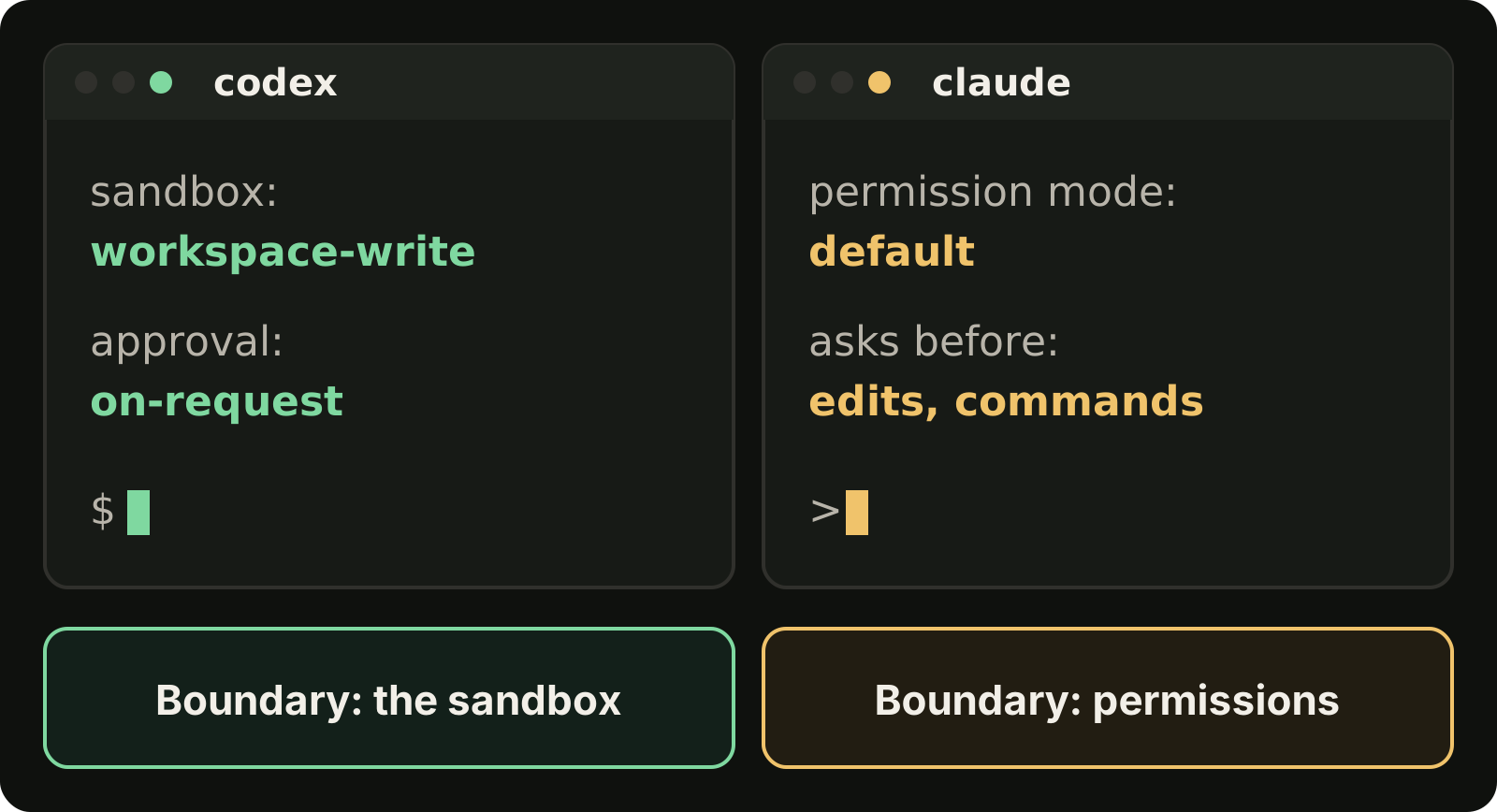
Codex: the sandbox is the boundary
Codex separates two questions: what the agent can technically touch (the sandbox) and when it has to ask you (the approval policy). As of September 2026 the sandboxing documentation lists three sandbox modes:
read-only: the agent can inspect files but cannot edit or run commands without approvalworkspace-write: the agent can edit inside the workspace and run routine local commands there (the default)danger-full-access: no filesystem or network boundary
The approval policies are on-request, where the agent works inside the sandbox and asks when it needs to go beyond it, and never. You set both from the command line:
codex --sandbox workspace-write --ask-for-approval on-requestThe effect is that Codex, by default, edits and tests inside your project without stopping, and only interrupts you at the edge of the box.
Claude Code: permissions are the boundary
Claude Code works through permission modes. In the default mode it asks before editing files and before running shell commands, and you can answer once or allow a kind of action for the rest of the session. Allow and deny rules in settings let you pre-approve safe commands, such as your test runner, and block risky ones. Plan mode, which you enter with Shift+Tab or claude --permission-mode plan, keeps the session read-only until you approve a plan. The permission modes documentation covers each mode.
The effect is the opposite default: Claude Code checks in more often out of the box, and you loosen it as you learn which actions you trust.
What this means in practice
Neither default is better. Codex's sandbox suits long mechanical work you want to leave alone. Claude Code's prompts suit work where you want to watch the approach as it forms. Both can be tuned toward the other: Codex can run read-only, and Claude Code can pre-approve most actions.
Project instructions: AGENTS.md and CLAUDE.md
Both agents read a Markdown file of project instructions at the start of a session: build commands, conventions, directories to avoid.
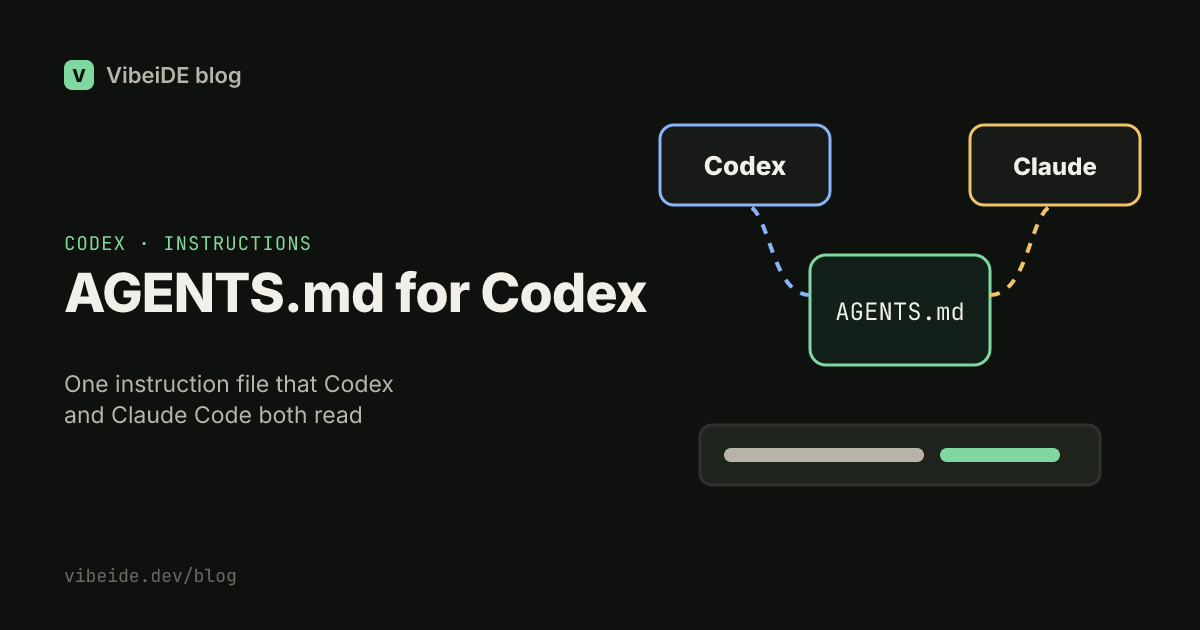
- Codex reads AGENTS.md, a format also used by other agents.
- Claude Code reads CLAUDE.md files, described in its memory documentation, and can also pick up AGENTS.md.
If you use both, keep the shared rules in one place. A common pattern is to put everything in AGENTS.md and keep CLAUDE.md short, pointing at it, so the two agents never follow different instructions for the same repository.
Good instruction files are short and concrete. "Run pnpm test before finishing" is useful. A page of style philosophy mostly costs context.
Limits and billing, dated
Both tools are included in consumer plans, and both meter usage in rolling windows rather than by a fixed message count.
As of September 2026, according to the Claude pricing page, Claude Code is included in the Pro and Max plans and in Team and Enterprise seats. Every plan has usage limits that reset on a rolling five-hour window, and paid plans add weekly limits. How far a window goes depends on conversation length, the model and the features you use.
As of September 2026, the Codex pricing page lists Codex in every ChatGPT plan, from Free through Plus, Pro, Business and Enterprise. Local and cloud tasks share the plan's allowance, Plus and standard Business usage is measured in five-hour windows, some features also have weekly limits, and Pro has no five-hour limit.
Both also accept an API key, which switches you to pay per token at API rates. That is the usual choice for CI pipelines and shared automation. On the Codex side, our guides to codex exec and codex resume cover scripted runs and picking up saved sessions.
Limits change often, so check the official pages before you plan around a number. If you hit them regularly, our pages on Claude Code rate limits and Codex rate limits cover how to plan work around the windows.
Which fits which task
People who use both tend to settle into a split like this. Treat it as a starting point and test it on your own codebase, because models and defaults change every few months.
| Task | Reasonable first choice | Why |
|---|---|---|
| Long, well specified change you want to leave running | Codex | The workspace sandbox lets it edit and test without constant prompts |
| Exploring an unfamiliar codebase | Claude Code | Plan mode and permission prompts let you steer while it reads |
| Risky change (auth, payments, migrations) | Either, plan first | Review a written plan before any edit |
| Scripted or CI use | Either | codex exec and claude -p both run non-interactively |
| Second opinion on a plan or diff | The other one | A different model catches different mistakes |
The last row matters more than it looks. The strongest reason to have both is not that one is better. It is that they are wrong in different ways. If OpenCode is also on your list, our OpenCode vs Codex comparison covers model access and sandboxing from that side.
Using both in one project
Running both agents on the same repository works well if you give them clear roles.
Cross review the plan
Let one agent write the plan and the other critique it before any code exists:
- Ask Claude Code in plan mode for a plan covering files, steps, tests and risks.
- Give that plan to Codex in
read-onlysandbox and ask it to find gaps, wrong assumptions and missing tests. - Send the critique back to the first agent and let it revise.
- Approve the revised plan and let one agent implement it.
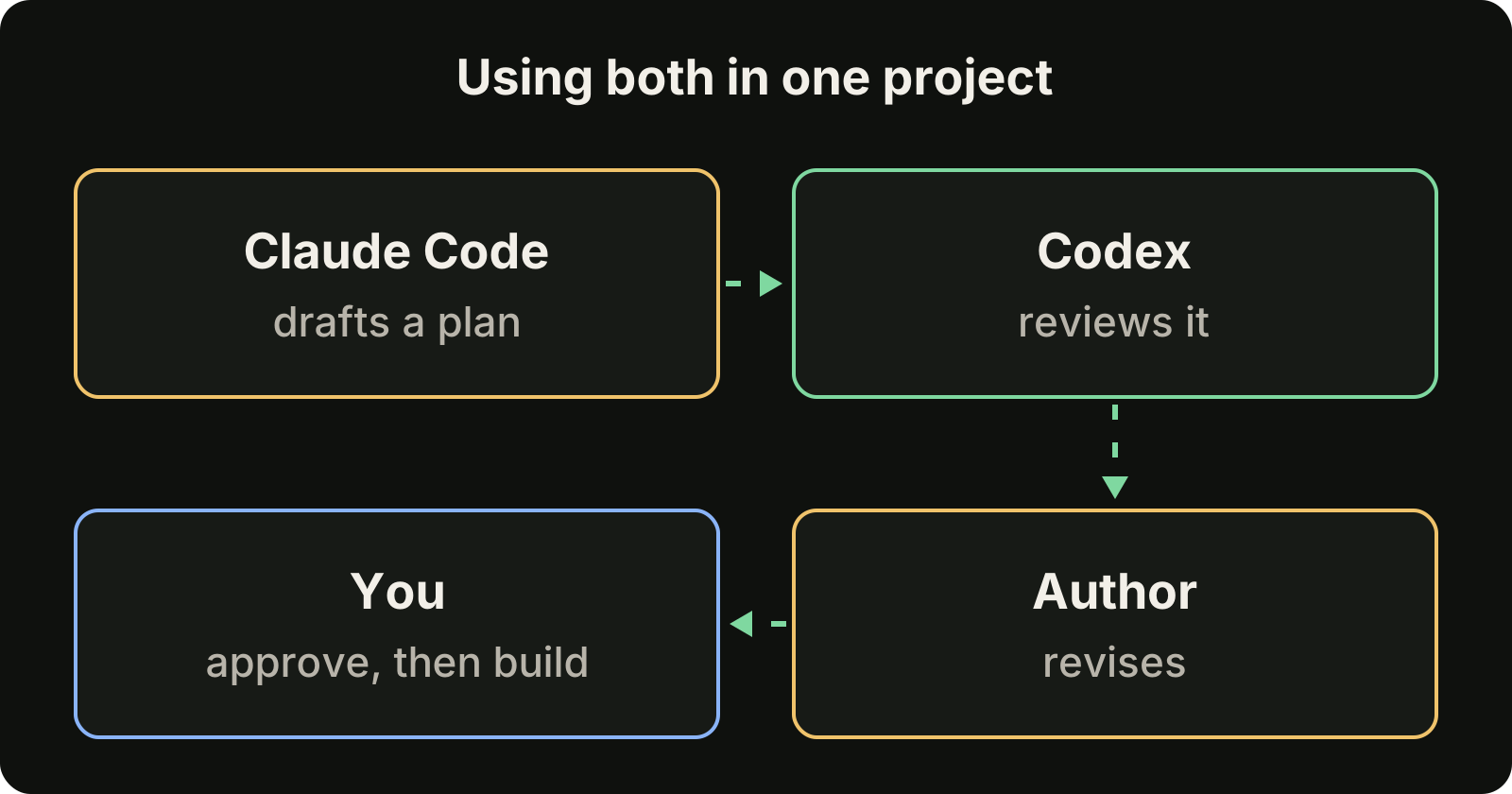
This takes a few minutes and catches the most expensive class of mistake: a wrong approach that would otherwise be discovered after the code is written. For how to read a plan critically, see our guide on reviewing AI generated code and our walkthrough of Claude Code plan mode.
Split by task, not by file
When both agents work at the same time, give each its own task and, ideally, its own git worktree, so they never edit the same checkout. Two agents writing to one working directory will eventually collide. Our guide to running multiple Claude Code sessions shows the setup.
Route by remaining allowance
Because the limits are separate, running out on one provider does not have to stop your day. Queue mechanical work on whichever provider has room, and keep the other for planning and review.
Where VibeiDE fits
VibeiDE is a desktop app that coordinates the Codex, Claude Code and OpenCode CLIs you already installed. Codex and Claude Code run in embedded terminals that show the original CLI interface, and each user signs in to their own provider accounts, so subscriptions and usage stay separate from the VibeiDE license. Its Plan council automates the cross review above: one provider drafts a plan, the other reviews it critically, and the author revises it before you decide to implement. There are more details for Codex users and Claude Code users.
The short answer
- Codex defaults to working inside a sandbox without asking. Claude Code defaults to asking before edits and commands.
- Codex reads AGENTS.md. Claude Code reads CLAUDE.md and can also read AGENTS.md, so one shared file keeps them consistent.
- Both are in consumer plans with rolling usage windows as of September 2026, and both accept API keys for automation.
- You do not have to choose. Use one to plan and the other to review, and give each its own task when they run side by side.