Most developers find Claude Code skills the same way: they notice they keep pasting the same checklist into chat, or their CLAUDE.md has grown a sixty line release procedure that costs context in every session. A skill packages those instructions in a SKILL.md file. Claude sees a one line description of each skill, loads the full instructions only when they are relevant, and you can run any skill yourself as a slash command.
This guide covers where skills live, how to write one, the frontmatter fields that matter, arguments, and how to choose between a skill, CLAUDE.md, a hook and a subagent. Everything here was checked against the Claude Code skills documentation as of September 2026.
What a Claude Code skill is
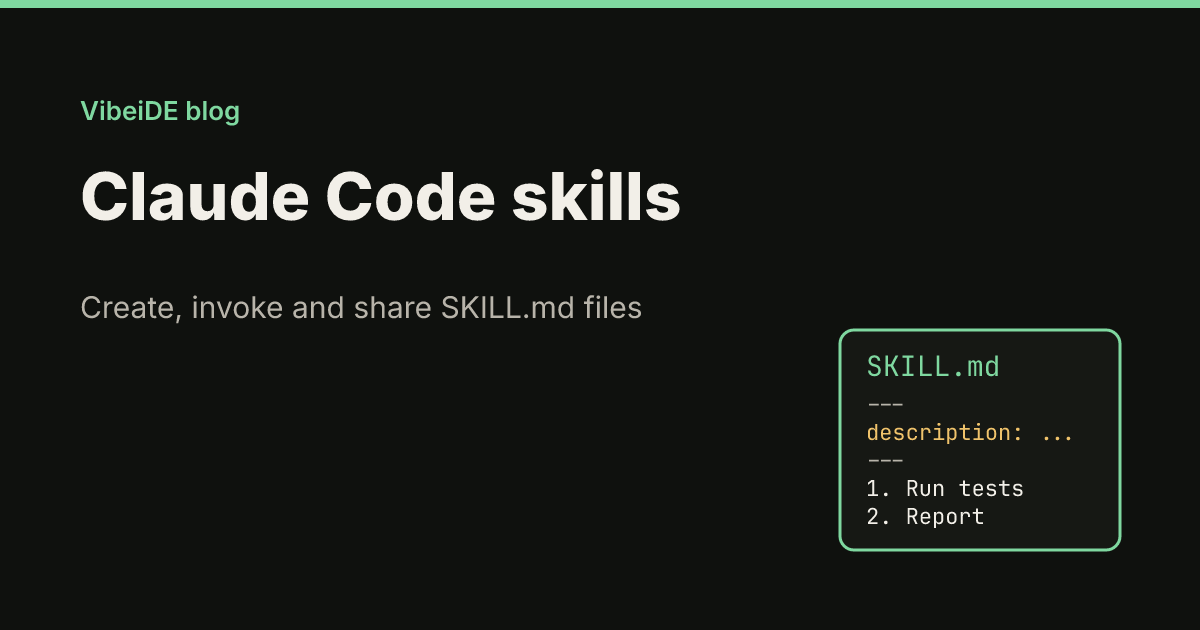
A skill is a folder with a SKILL.md file inside. The file has two parts: YAML frontmatter between --- markers that says what the skill is for, and Markdown instructions that Claude follows when the skill runs.
Two things make a skill different from pasting instructions or adding them to CLAUDE.md:
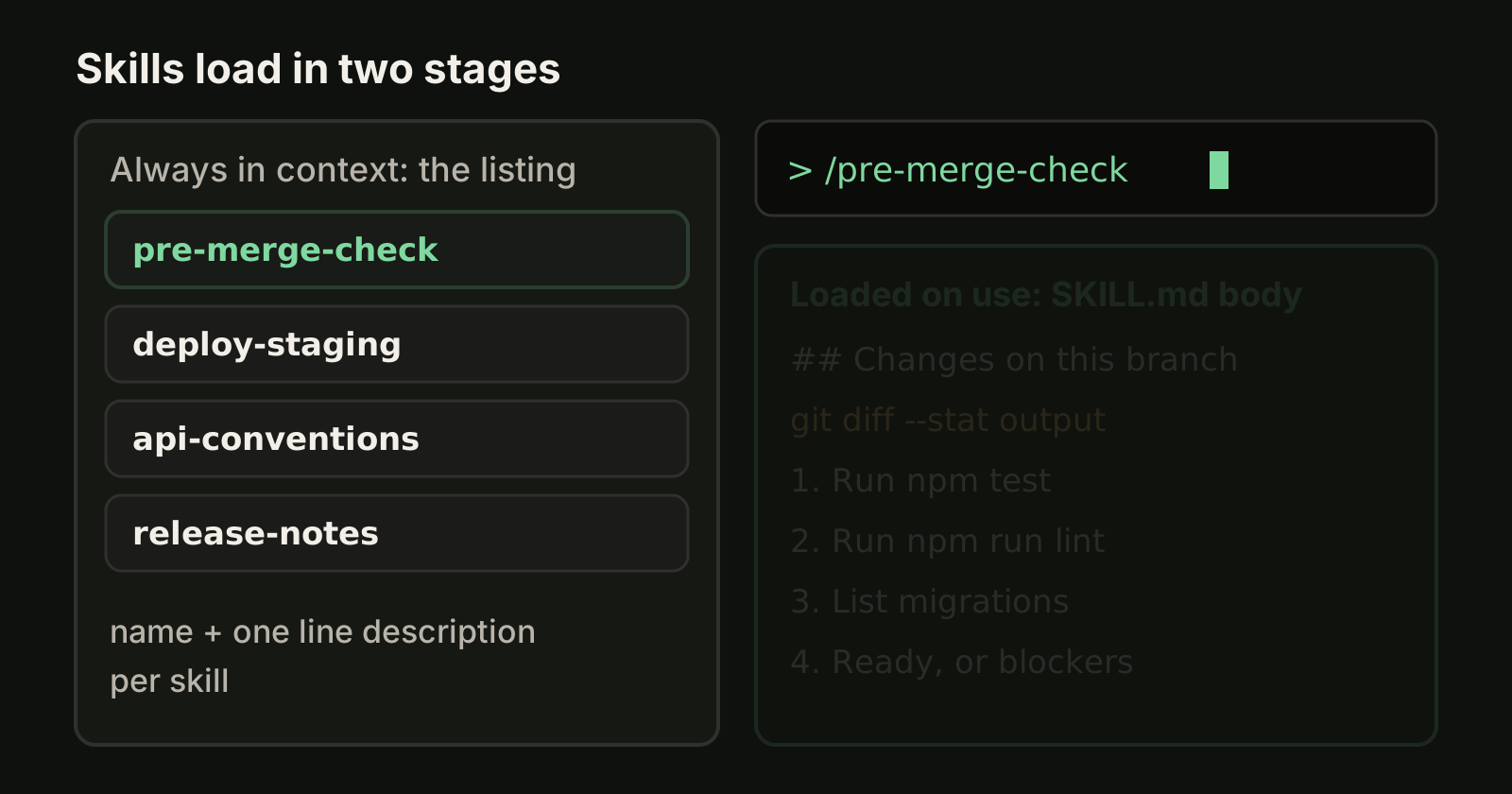
- It loads in two stages. In a normal session only the skill's name and description sit in context. The body loads when you or Claude invoke the skill, so a long reference costs almost nothing until it is needed.
- There are two ways in. Claude can pick a skill on its own when your request matches the description, or you can run it directly as
/skill-name.
Custom slash commands have been merged into skills. A file at .claude/commands/deploy.md and a skill at .claude/skills/deploy/SKILL.md both create /deploy, and existing command files keep working. Skills add a folder for supporting files and frontmatter that controls who can invoke them. Claude Code skills also follow the open Agent Skills format, and Anthropic publishes example skills in the anthropics/skills repository.
Where skills live
Where you save a skill decides which sessions see it.
| Scope | Path | Who gets it |
|---|---|---|
| Personal | ~/.claude/skills/<name>/SKILL.md | You, in every project on this machine |
| Project | .claude/skills/<name>/SKILL.md | Everyone working in the repository, once committed |
| Nested | <subdir>/.claude/skills/<name>/SKILL.md | Sessions working in that part of a monorepo |
| Enterprise | .claude/skills/ in the managed settings directory | Everyone on machines where the organization deploys it |
When two skills share a name, enterprise wins over personal and personal wins over project. Project skills are found in the directory where you start Claude Code and in every parent up to the repository root, so starting in packages/frontend/ still picks up skills defined at the root. Skills in a subdirectory below your start directory load the first time Claude reads or edits a file there. Plugins can ship skills too.
Claude Code watches these folders, so a new or edited skill is picked up in the session that is already running.
Create your first skill
This example gives a repository a pre-merge checklist that both you and Claude can run.
Step 1: create the folder
mkdir -p .claude/skills/pre-merge-checkStep 2: write SKILL.md
Save this as .claude/skills/pre-merge-check/SKILL.md:
---
description: Runs the pre-merge checklist for this repository. Use when the user asks whether a branch is ready to merge, wants a final check, or is about to open a pull request.
---

## Changes on this branch

!`git diff --stat main...HEAD`

## Checklist

1. Run `npm test` and list failures by file.
2. Run `npm run lint` and fix lint errors only in changed files.
3. List new environment variables or migrations in the diff.
4. End with one line: ready to merge, or the blocking items.
The line that starts with an exclamation mark is dynamic context injection: Claude Code runs the command before Claude sees the skill and replaces the line with its output, so the checklist arrives with the real diff already inlined. A command that fails aborts the whole invocation, so append || true to commands that can exit with an error on purpose.
Step 3: test it
Start claude in the repository and either ask something that matches the description ("is this branch ready to merge?") or run /pre-merge-check directly. If Claude does not use it, ask "What skills are available?" to confirm it loaded.
The frontmatter fields that matter
Every field is optional, but you should always write a description. Field names must match exactly: Claude Code ignores unknown fields without an error, and it only reads frontmatter when the opening --- is the first line of the file.
| Field | What it does |
|---|---|
name | The command name; defaults to the folder name |
description | What the skill does and when to use it. Claude matches your request against it |
when_to_use | Extra trigger phrases, appended to the description |
argument-hint | Autocomplete hint such as [issue-number] |
disable-model-invocation | true means only you can run the skill |
user-invocable | false hides it from the / menu so only Claude uses it |
allowed-tools | Tools Claude may use without asking during the turn that invokes the skill |
context and agent | context: fork runs the skill in a subagent of the given type |
paths | Glob patterns; Claude loads the skill automatically only for matching files |
model and effort | Overrides for the turn that uses the skill |
Put the main use case first in the description. The description and when_to_use together are cut at 1,536 characters in the skill listing.
Decide who can invoke a skill
By default both you and Claude can run a skill. Two fields change that, and they are the most important decision you make when writing one.
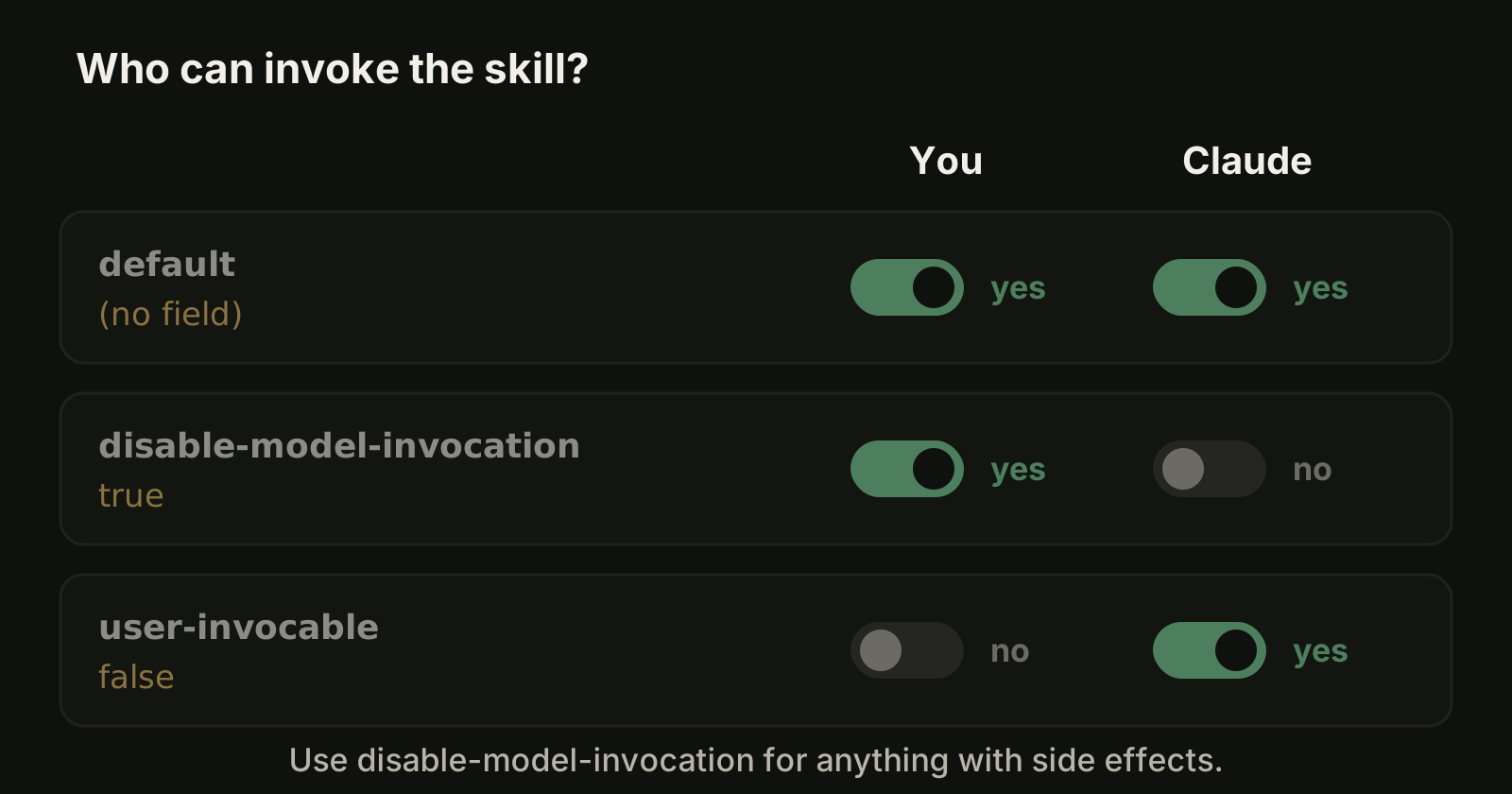
disable-model-invocation: truefor anything with side effects: deploying, committing, posting messages. You do not want Claude deciding to deploy because the code looks ready. With this setting the description is not even in Claude's context; the skill loads only when you type its command.- **
user-invocable: false** for background knowledge that is not an action, such as how a legacy billing system works. Claude loads it when relevant, and it stays out of your/menu.
A manual-only deploy skill with pre-approved commands looks like this:
---
name: deploy-staging
description: Deploy a branch to staging
disable-model-invocation: true
argument-hint: "[branch]"
allowed-tools: Bash(npm run build) Bash(./scripts/deploy-staging.sh *)
---

Deploy $ARGUMENTS to staging:

1. Run `npm run build` and stop on any error.
2. Run `./scripts/deploy-staging.sh $ARGUMENTS`.
3. Report the URL the script prints.
The allowed-tools grant lasts only for the turn that invoked the skill and clears when you send your next message. It is not gated by workspace trust, so read the allowed-tools line of any skill that arrives in a repository you clone.
Pass arguments to a skill
Whatever you type after the command becomes $ARGUMENTS. /deploy-staging feature/login replaces $ARGUMENTS with feature/login. For several values, use positions: $0 or $ARGUMENTS[0] for the first, $1 for the second, and wrap multi-word values in quotes. If the skill has no placeholder, Claude Code appends ARGUMENTS: <what you typed> so Claude still sees it.
Keep SKILL.md short with supporting files
A skill folder can hold more than one file. Keep SKILL.md to the essentials (the docs suggest under 500 lines) and move long material next to it:
release/
  SKILL.md
  reference.md
  examples.md
  scripts/check-version.sh
Mention each file in SKILL.md and say when to read it, for example "for the changelog format, see reference.md". Claude reads those files only when it needs them, and scripts are executed rather than loaded into context. Use ${CLAUDE_SKILL_DIR} in commands so a script path resolves no matter where the session started.
Run a skill in a subagent
Add context: fork to run a skill in a separate subagent, and agent to choose the type, for example agent: Explore for read-only research. The subagent does not see your conversation, so this only works for skills with a complete, explicit task, not for guidelines. Forked skills run in the background by default; set background: false to wait for the result. Our guide to Claude Code subagents explains how that context isolation works.
Skill, CLAUDE.md, hook or subagent?
These four features overlap, and choosing the wrong one is the usual reason a setup feels unreliable.
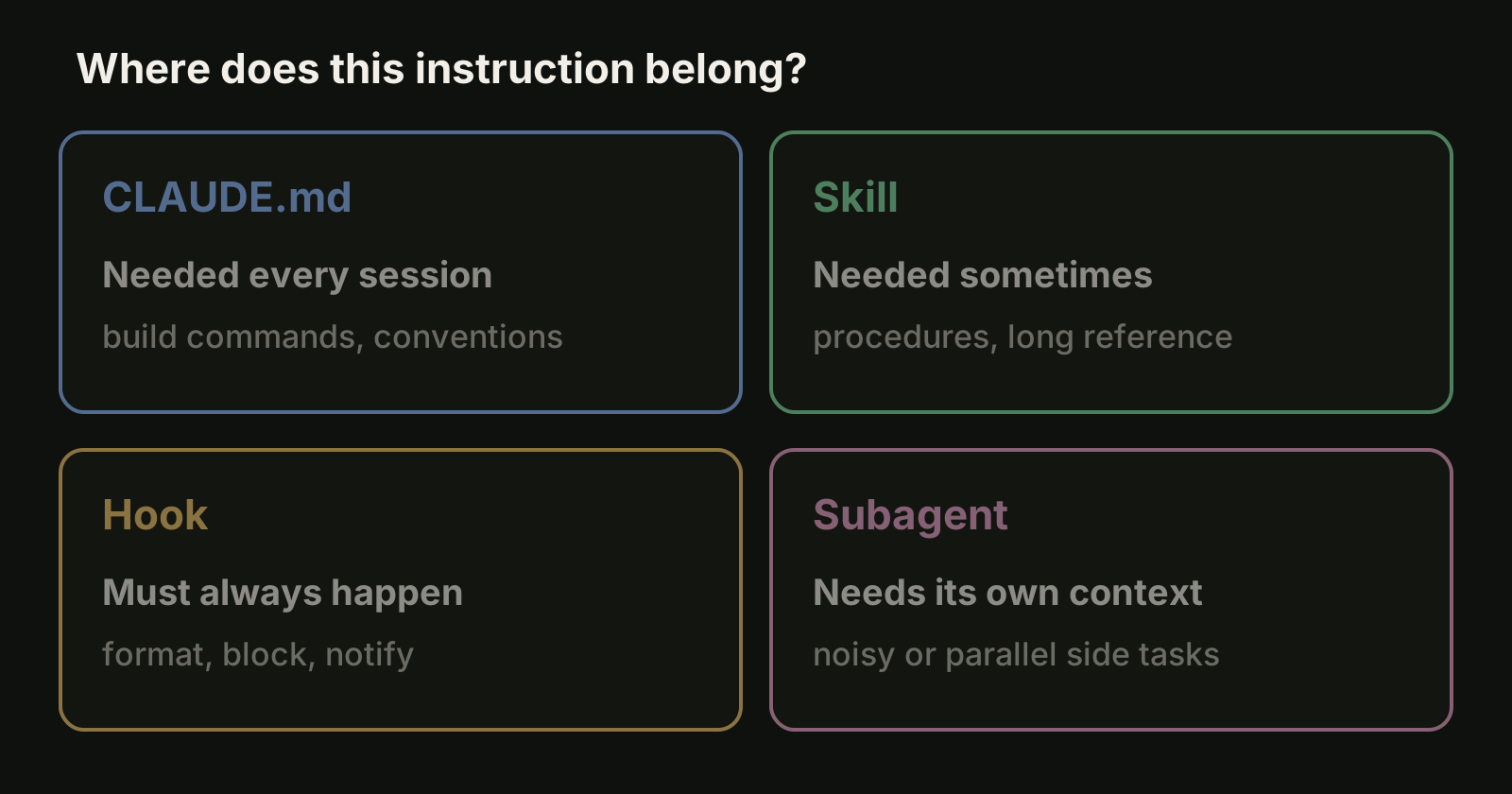
| You want | Use |
|---|---|
| Facts Claude needs in every session: build commands, conventions | CLAUDE.md |
| A procedure or reference Claude needs sometimes | A skill |
| Something that must happen every time, with no exceptions | A hook |
| A side task done in its own context window, with its own tools | A subagent |
A good test: if a section of your CLAUDE.md reads like a procedure rather than a fact, it probably belongs in a skill. Our CLAUDE.md best practices cover what should stay, and the Claude Code hooks guide covers rules that must not depend on the model remembering them.
When a skill does not trigger
Work through these in order:
- Make sure the description contains the words people actually use when they ask for this job.
- Ask "What skills are available?" and check that the skill is listed.
- If the frontmatter YAML is malformed, the skill loads with no description, so
/namestill works but Claude cannot match it. Runclaude --debugto see the parse error. - With many skills installed, Claude Code drops some descriptions to stay within a listing budget of 1% of the context window, starting with the skills you use least. Run
/doctorto see the cost, and/skill-doctorto find skills worth turning off.
If a skill triggers too often, make the description more specific or set disable-model-invocation: true.
Where VibeiDE fits
Skills make one Claude Code session better at a repeatable job. The harder part, once you run several sessions across several projects, is keeping track of which request went where. VibeiDE is a desktop app that coordinates the Codex, Claude Code and OpenCode CLIs you already installed. Claude Code runs in an embedded terminal that shows the original CLI interface, so your personal and project skills work there unchanged. Each project has its own task queue, and each task keeps its saved provider conversation, so a follow-up continues that conversation instead of re-explaining the context. More on Claude Code in VibeiDE.
Takeaways
- A skill is a folder with a
SKILL.md; only its description stays in context until it is used. - Put team skills in
.claude/skills/and commit them; put personal ones in~/.claude/skills/. - Write the description as a trigger: what the skill does and the words people use to ask for it.
- Use
disable-model-invocation: truefor anything with side effects, and reviewallowed-toolsin skills you did not write. - Move procedures out of CLAUDE.md into skills, rules that must always hold into hooks, and noisy side tasks into subagents.