OpenCode does not ship with one model. It talks to dozens of providers through the AI SDK and the Models.dev catalog, and it can run local models too. That flexibility is the main reason people pick it, but it also means you have to answer three questions yourself: which providers are connected, which model is the default, and which model each agent uses.
This guide walks through all three with the commands and config keys from the official OpenCode models docs, checked in October 2026. If OpenCode is not installed yet, start with how to install OpenCode.
How OpenCode names models
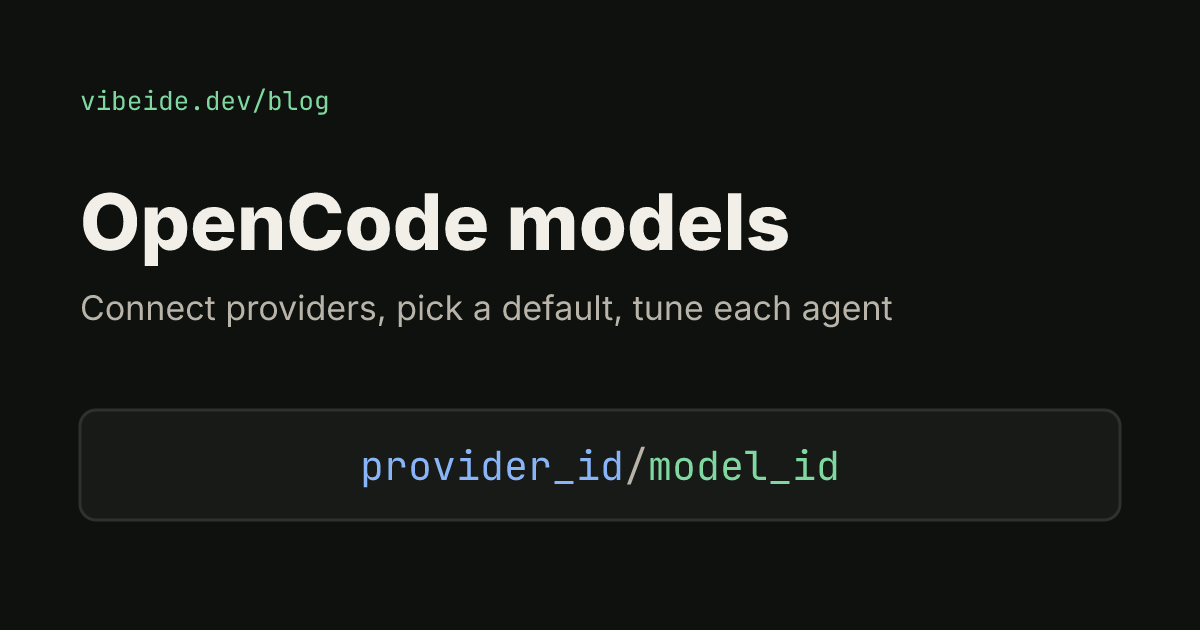
Every model has a two-part ID: provider_id/model_id. The provider part is the key OpenCode uses for the provider, and the model part is that provider's model key.
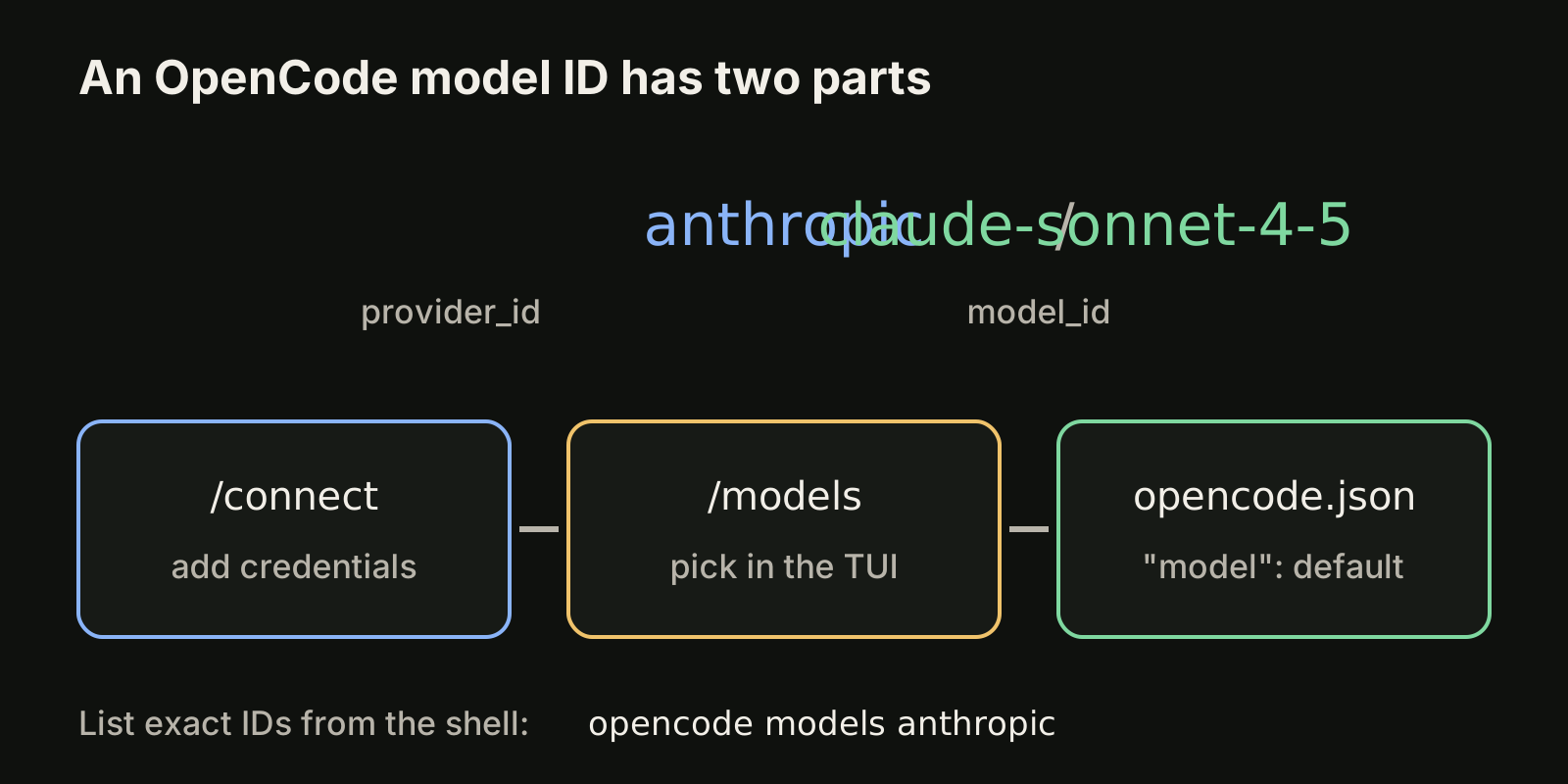
A few examples of the format:
| ID | Provider part | Model part |
|---|---|---|
anthropic/claude-sonnet-4-5 | anthropic | claude-sonnet-4-5 |
opencode/gpt-5.1-codex | opencode (OpenCode Zen) | gpt-5.1-codex |
lmstudio/google/gemma-3n-e4b | lmstudio | google/gemma-3n-e4b |
The last row shows that the model part can itself contain a slash. For a custom provider you define in config, the provider part is the key you gave it under provider, and the model part is the key under its models.
You rarely need to guess an ID. The CLI prints the exact strings for everything you have connected:
opencode models              # every model from configured providers
opencode models anthropic    # only one provider
opencode models --refresh    # refresh the cached list from models.dev
opencode models --verbose    # include metadata such as costs
Use --refresh when a provider has just released a model and it does not show up yet.
Connect a provider first
A model only appears once its provider has credentials. In the TUI, run /connect, search for the provider and follow the prompts. From the shell, opencode auth login does the same, and opencode auth list shows what is connected. Credentials are stored in ~/.local/share/opencode/auth.json.
As of October 2026, the providers page highlights a few options:
- OpenCode Zen: a list of models the OpenCode team has tested with OpenCode. You create an API key at opencode.ai/auth and paste it into
/connect. The docs recommend it if you are new. - OpenAI: sign in with ChatGPT Plus or Pro in the browser, or enter an API key.
- GitHub Copilot: connect through GitHub's device code flow and use the models your Copilot subscription includes.
- Anthropic: the providers page warns that plugins which use Claude Pro or Max subscriptions inside OpenCode are explicitly prohibited by Anthropic, and OpenCode stopped bundling them in version 1.3.0. An Anthropic API key is the supported path.
Other supported providers include Azure OpenAI, Google Vertex AI, Groq, DeepSeek and Together AI, plus anything OpenAI-compatible. If you want the full picture of what changes with each subscription, our OpenCode vs Claude Code comparison goes deeper.
Pick a model and set a default
Inside the TUI, type /models and choose from the list. That choice sticks: OpenCode remembers the last used model.
To make the choice explicit, set model in your config. The global file is ~/.config/opencode/opencode.json, and an opencode.json in the project root overrides it for that project:
{
  "$schema": "https://opencode.ai/config.json",
  "model": "anthropic/claude-sonnet-4-5",
  "small_model": "anthropic/claude-haiku-4-5"
}
small_model is a separate model for lightweight jobs such as generating session titles. If you leave it out, OpenCode tries a cheaper model from the same provider and otherwise falls back to your main model.
For a single run, pass the model on the command line. This is the form to use in scripts:
opencode --model anthropic/claude-sonnet-4-5
opencode run -m opencode/gpt-5.1-codex "Summarize the failing tests"
Which model wins at startup
When OpenCode starts, it checks these sources in order and uses the first one that has a model:
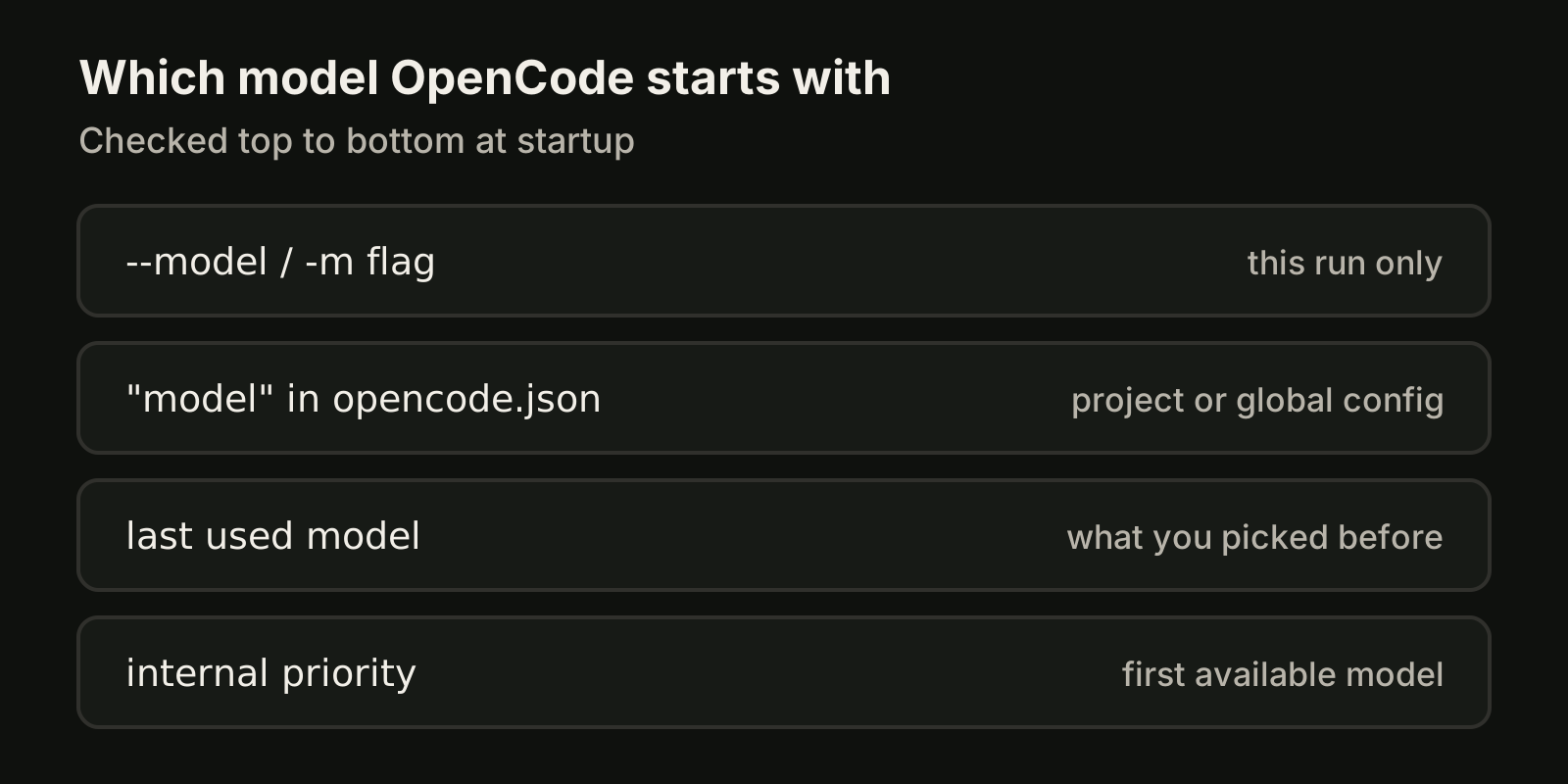
- The
--modelor-mflag - The
modelkey in your OpenCode config - The last model you used
- The first model by an internal priority
So if a project keeps opening with an unexpected model, check for a project opencode.json first, then whether you started OpenCode with a flag from an alias or script.
Tune a model with options and variants
You can set provider options per model under provider.<id>.models.<model>.options. The docs show reasoning effort for an OpenAI model and a thinking budget for an Anthropic model:
{
  "$schema": "https://opencode.ai/config.json",
  "provider": {
    "openai": {
      "models": {
        "gpt-5": {
          "options": { "reasoningEffort": "high", "textVerbosity": "low" }
        }
      }
    },
    "anthropic": {
      "models": {
        "claude-sonnet-4-5-20250929": {
          "options": { "thinking": { "type": "enabled", "budgetTokens": 16000 } }
        }
      }
    }
  }
}
textVerbosity: "low" is worth trying if agent replies are longer than you want to read.
Variants are the lighter way to switch between settings for the same model without duplicating entries. As of October 2026, OpenCode ships built-in variants for popular providers:
| Provider | Built-in variants |
|---|---|
| Anthropic | high (default), max |
| OpenAI | roughly none, minimal, low, medium, high, xhigh, depending on the model |
low, high |
You can add your own or disable one under a model's variants key, cycle between them with the variant_cycle keybind, and pick one for a scripted run with opencode run --variant.
Give each agent its own model
OpenCode agents can override the model, which is where the provider flexibility pays off. A planning agent can run on a faster, cheaper model while the build agent uses your strongest one. According to the agents docs, a primary agent without a model uses the globally configured model, and a subagent without one uses the model of the primary agent that invoked it.
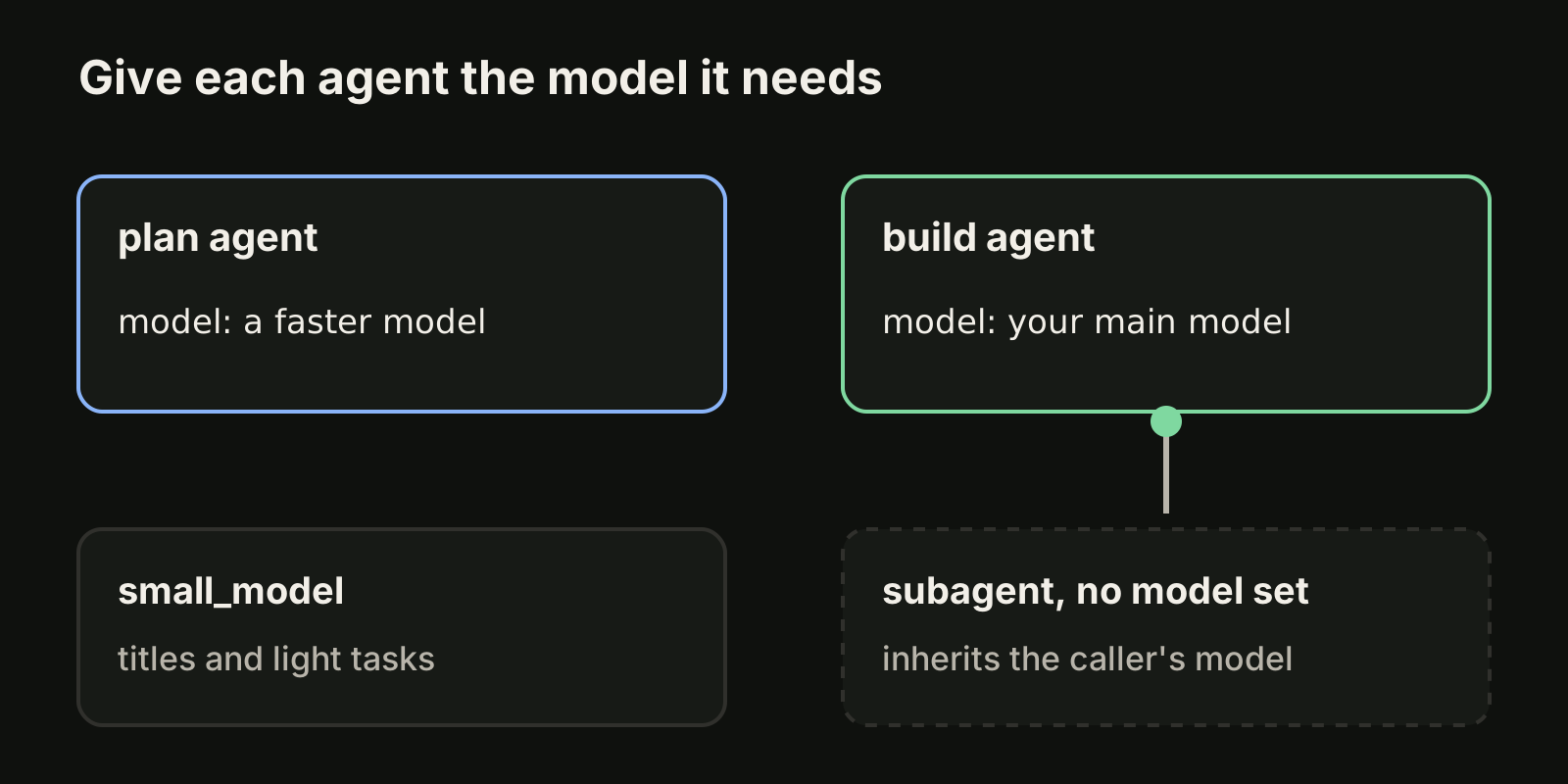
In opencode.json:
{
  "agent": {
    "plan": { "model": "anthropic/claude-haiku-4-20250514" }
  }
}
Or in a Markdown agent file, in the frontmatter:
---
description: Reviews code for quality and best practices
mode: subagent
model: anthropic/claude-sonnet-4-20250514
temperature: 0.1
---
Agent-level options also override the global model options above, so a review agent can run the same model at a different reasoning effort.
Local models with Ollama or LM Studio
Any OpenAI-compatible server works as a provider. For Ollama, point the @ai-sdk/openai-compatible package at the local endpoint and list the models you pulled:
{
  "$schema": "https://opencode.ai/config.json",
  "provider": {
    "ollama": {
      "npm": "@ai-sdk/openai-compatible",
      "name": "Ollama (local)",
      "options": { "baseURL": "http://localhost:11434/v1" },
      "models": { "llama2": { "name": "Llama 2" } }
    }
  }
}
LM Studio is the same shape with "baseURL": "http://127.0.0.1:1234/v1". The model is then addressed as ollama/llama2. The docs note that only a few models are good at both generating code and calling tools, so test a local model on a real task before you make it the default. Two related config keys help on shared machines: enabled_providers limits OpenCode to a list, and disabled_providers blocks specific ones.
Common questions
Why does a model I just connected not show up? Run opencode models --refresh to update the cached list from Models.dev, then run opencode auth list to confirm the provider has credentials.
Can a script use a different model without touching my config? Yes. opencode run -m provider/model "your prompt" uses that model for the run, because the flag outranks the model key.
How do I see what a model costs before I pick it? opencode models --verbose adds metadata such as costs to the list. Your provider's own pricing page stays the source of truth for billing.
Do I need a separate config per project? Only if the project needs a different default. A project opencode.json overrides your global file, so keep shared settings global and put the exceptions in the repository.
Where VibeiDE fits
VibeiDE is a desktop app that coordinates the Codex, Claude Code and OpenCode CLIs you already installed. OpenCode runs headless with recorded activity, and each user signs in to their own provider accounts, so provider subscriptions, usage and costs stay separate from the VibeiDE license. Each project has its own task queue and its own parallel limit per provider, which helps when OpenCode, Codex and Claude Code tasks share one repository. See VibeiDE for OpenCode.
Takeaways
- OpenCode model IDs are
provider_id/model_id;opencode modelsprints the exact strings. - Connect providers with
/connectoropencode auth loginbefore their models appear. - Set
modelandsmall_modelinopencode.json; the--modelflag wins for a single run. - Use options and variants to change reasoning effort without duplicating models.
- Give agents their own models, and remember that subagents inherit the caller's model unless you set one.
- As of October 2026, the OpenCode docs say Anthropic prohibits using Claude Pro or Max subscriptions in OpenCode through plugins; use an API key.
Comparing tools rather than models? Read OpenCode vs Codex or, on the Codex side, how Codex models are chosen and configured.