Codex lets you pick which OpenAI model runs your task, and the choice matters more than it looks: it changes how deep the agent reasons, how fast it answers and how much of your plan allowance a task uses. The model list also moves quickly. As of October 2026 OpenAI is retiring GPT-5.5 from Codex with ChatGPT sign-in, so saved configs and scripts that name it will need an update.
This guide covers the current Codex models, how to switch between them in the CLI, where Codex reads the model setting from, how reasoning effort works, and a short checklist for moving off a retired model. Everything below was checked against the official Codex models page in October 2026. Model names and plan access change, so treat that page as the source of truth.
Which Codex models are available
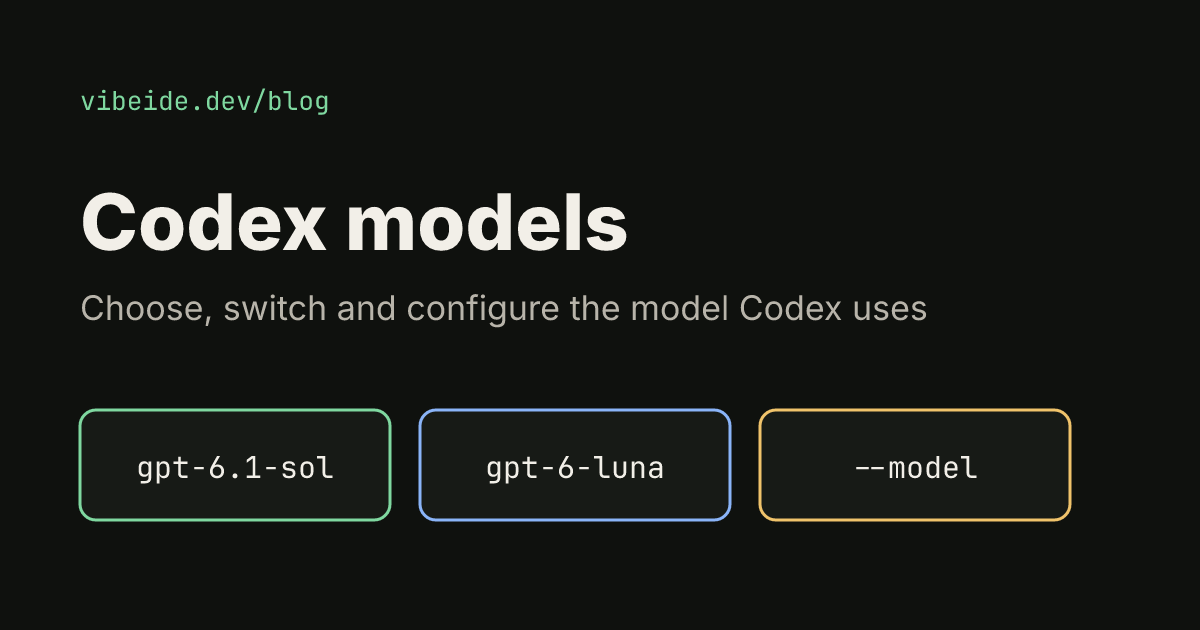
As of October 2026, the models page lists three recommended models for Codex when you sign in with ChatGPT:
| Model | ID | What OpenAI recommends it for |
|---|---|---|
| Astra | gpt-6-astra | The hardest end-to-end work that needs sustained reasoning and judgment |
| GPT-6.1 Sol | gpt-6.1-sol | Complex coding and repeated, long-running work when cost matters |
| GPT-6 Luna | gpt-6-luna | Focused, high-volume tasks such as extraction, transformation and focused coding |
OpenAI's short version: use GPT-6.1 Sol for complex coding and agentic work when it is available to your account and client, Luna for clear, repeatable tasks, and Astra when a task needs the strongest capability across steps and tools. GPT-6.1 Sol is described as near-Astra performance at a lower cost than Astra.
Availability depends on your plan, sign-in method and client. As of October 2026, the GPT-6.1 Sol rollout covers Plus, Pro, Business, Enterprise and Edu in the desktop app and CLI, Enterprise and Edu keep it off until an administrator enables it, and Free and Go are not included at launch. The older GPT-5.6 Sol, Terra and Luna models remain available during that rollout. Check the pricing page for plan access and credit usage.
If you do not set a model at all, the Codex CLI, IDE extension and desktop app use a recommended model for you. For many people that default is fine. You set a model when you want something cheaper for routine work, something stronger for a hard task, or the same model on every machine and in CI.
Switch models in the Codex CLI
There are three ways to choose a model, from most temporary to most permanent.
Inside a session. Type /model in an interactive Codex session. It lets you switch the model or adjust reasoning effort for the current chat. Choose More reasoning… to see the Max or Ultra options a model supports.
For one run. Pass --model or its short alias -m when you start Codex. It works the same for interactive and non-interactive runs:
codex --model gpt-6.1-sol
codex exec -m gpt-6.1-sol "Review the current changes"
If you script Codex, the second form is the one to remember. Our codex exec guide covers the rest of the non-interactive flags.
As your default. Add a model line to ~/.codex/config.toml. The CLI, IDE extension and desktop app share this file:
model = "gpt-6.1-sol"
model_reasoning_effort = "medium"
You can also override any config key for a single run with -c or --config. The value is parsed as TOML, so strings need inner quotes:
codex --config model='"gpt-6.1-sol"'Prefer the dedicated --model flag when it exists; --config is for keys without their own flag.
Where Codex reads the model from
When the same key is set in several places, Codex uses the highest layer that sets it. As of October 2026 the order, highest first, is:
- CLI flags and
--configoverrides - Project
.codex/config.tomlfiles, closest to your working directory wins (trusted projects only) - A profile file selected with
--profile NAME, stored as~/.codex/NAME.config.toml - Your user config,
~/.codex/config.toml - Cloud-managed defaults, a system config such as
/etc/codex/config.toml, then built-in defaults
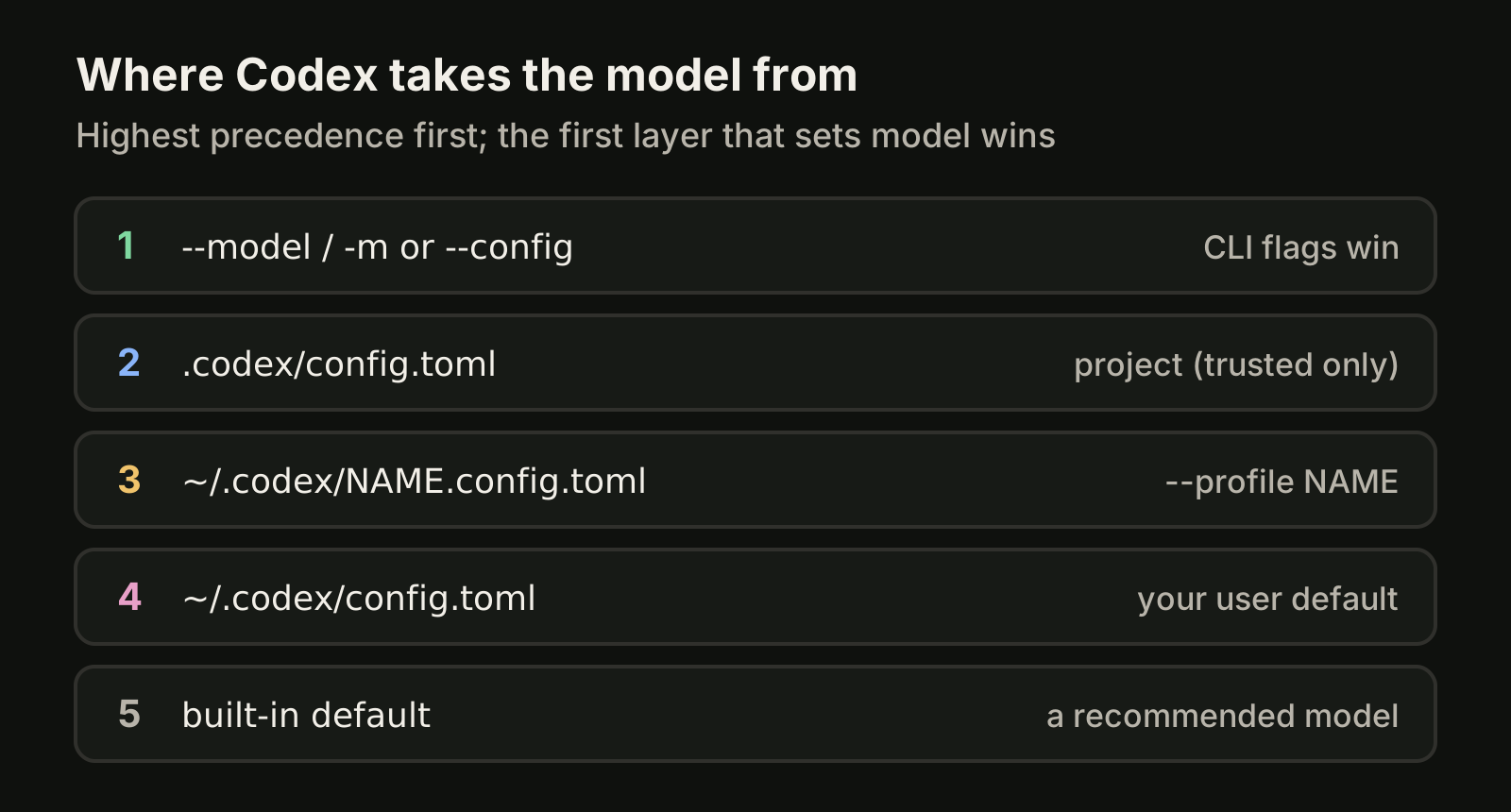
Two practical consequences. First, a project can pin its own model in .codex/config.toml, which is useful when a repository needs a stronger model than your personal default. Codex only loads project config for projects you trust. Second, if a model change "does nothing", look for a higher layer that still sets the old value, often a project file or a flag in a shell alias.
Profiles for different kinds of work
Profiles are separate files next to config.toml. Since Codex 0.134.0, --profile reads ~/.codex/NAME.config.toml and no longer reads [profiles.NAME] tables inside config.toml, so older setups need to be moved. A profile only needs the keys that differ from your base config:
# ~/.codex/deep-review.config.toml
model = "gpt-6.1-sol"
model_reasoning_effort = "medium"
approval_policy = "on-request"
codex --profile deep-review
codex exec --profile deep-review "review this change"A common split is a fast profile with Luna for chores such as renames, extraction and test scaffolding, and a deep profile with Sol or Astra for design changes and debugging.
Pick a reasoning effort
The model is only half of the setting. model_reasoning_effort decides how long the model thinks before it acts. The config reference lists values such as low, medium, high, xhigh, max and ultra; which ones you get depends on the model and the client.
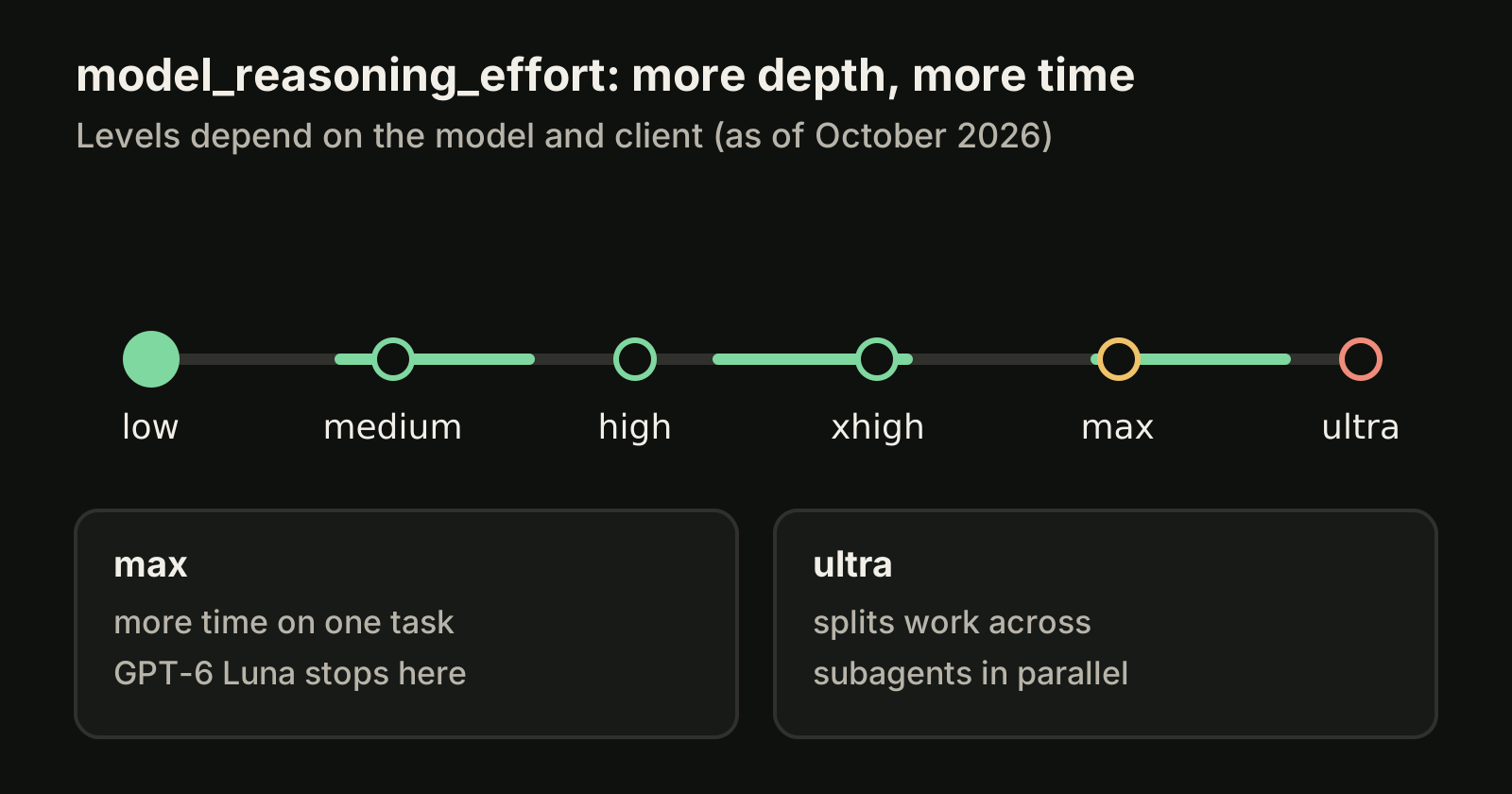
- low (shown as Light in the app and IDE) suits quick, well-scoped tasks.
- medium balances speed and depth for tasks that need some planning.
- high and xhigh suit difficult work with several steps, sources or tradeoffs.
- max gives the model more time on a single task. OpenAI suggests it for the hardest problems, when depth matters more than speed or usage.
- ultra goes beyond a single agent and uses subagents to work on separate parts of a task in parallel. GPT-6 Luna supports efforts up to Max but not Ultra.
OpenAI's starting points: the default effort for GPT-6.1 Sol, High for Luna and Light for Astra. Efforts do not map exactly between model generations, so rerun a familiar task at a lower setting before assuming you need more. Most tasks need neither Max nor Ultra, and higher effort uses more of your allowance. If you hit limits often, see Codex rate limits.
Two related keys are worth knowing. plan_mode_reasoning_effort sets a separate effort for plan mode, and review_model sets the model that /review uses, which otherwise defaults to the session model. If agent replies feel too long, model_verbosity = "low" asks for shorter responses on providers that use the Responses API.
Move off a retired model
OpenAI retires older Codex models on fixed dates. As of October 2026 the models page lists:
| Model | Status in Codex with ChatGPT sign-in |
|---|---|
gpt-5.5 | Retires October 14, 2026 |
gpt-5.3-codex-spark | Retired September 14, 2026 |
gpt-5.4, gpt-5.4-mini | Retired August 31, 2026 |
gpt-5.2, gpt-5.3-codex | Deprecated |
For GPT-5.5, the suggested replacement is GPT-6 Sol (gpt-6-sol) on Plus, Pro, Business, Enterprise and Edu, and GPT-6 Luna (gpt-6-luna) in the desktop app on Free and Go, when available. The retirement does not apply to the OpenAI API. If you run Codex with your own API key, check the API models page for current availability.
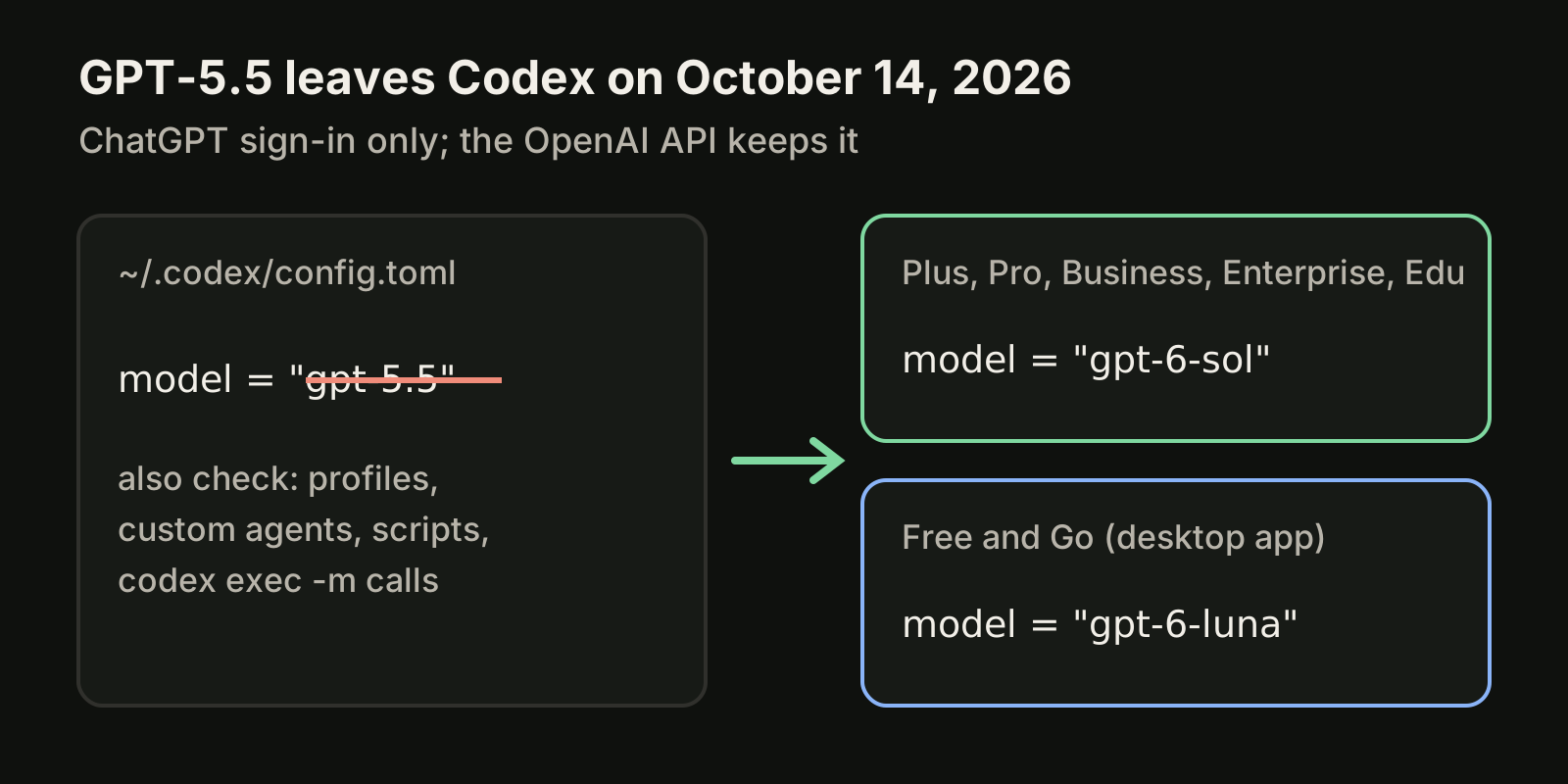
A quick migration checklist:
- Search your configs:
grep -rn "gpt-5" ~/.codex/ .codex/ 2>/dev/null - Update
modelin~/.codex/config.toml, every profile file and project config. - Update custom agents and scheduled tasks that select a model.
- Update scripts and CI jobs that call
codex exec -mor--modelwith an old ID. - Run one known task with the new model and compare effort settings, since efforts do not map one to one.
Local and custom providers
Codex is not limited to OpenAI-hosted models. Pass --oss to run against a local provider such as Ollama or LM Studio, choose one per run with --local-provider, or set a default:
oss_provider = "ollama" # or "lmstudio"If neither is set, the interactive CLI asks you to choose and codex exec exits with an error. For a gateway or another hosted provider, define it under [model_providers.<id>] and select it with model_provider. As of October 2026, current Codex releases require a Responses API endpoint and do not support wire_api = "chat". If you want a CLI built around many providers from the start, our OpenCode vs Codex comparison covers the tradeoffs.
Where VibeiDE fits
VibeiDE is a desktop app that coordinates the Codex, Claude Code and OpenCode CLIs you already installed. Codex runs in an embedded terminal that shows the original CLI interface, and each user signs in to their own provider accounts, so provider subscriptions, usage and costs stay separate from the VibeiDE license. Each project has its own task queue and its own parallel limit per provider, and plan council has one provider draft a plan and the other review it before you decide to implement. See VibeiDE for Codex.
Takeaways
- As of October 2026, the recommended Codex models are GPT-6.1 Sol for complex work, GPT-6 Luna for focused repeatable tasks and Astra for the hardest end-to-end work.
- Switch with
/modelin a session,--modelor-mfor one run, ormodelin~/.codex/config.tomlas a default. - Flags beat project config, which beats profiles, which beat your user config.
- Treat
model_reasoning_effortas a second dial; start low and raise it only when a task needs it. - GPT-5.5 retires from Codex with ChatGPT sign-in on October 14, 2026. Update configs, profiles, agents and scripts now.
New to Codex? Start with installing the Codex CLI, then read how the Codex sandbox controls what the model can touch.