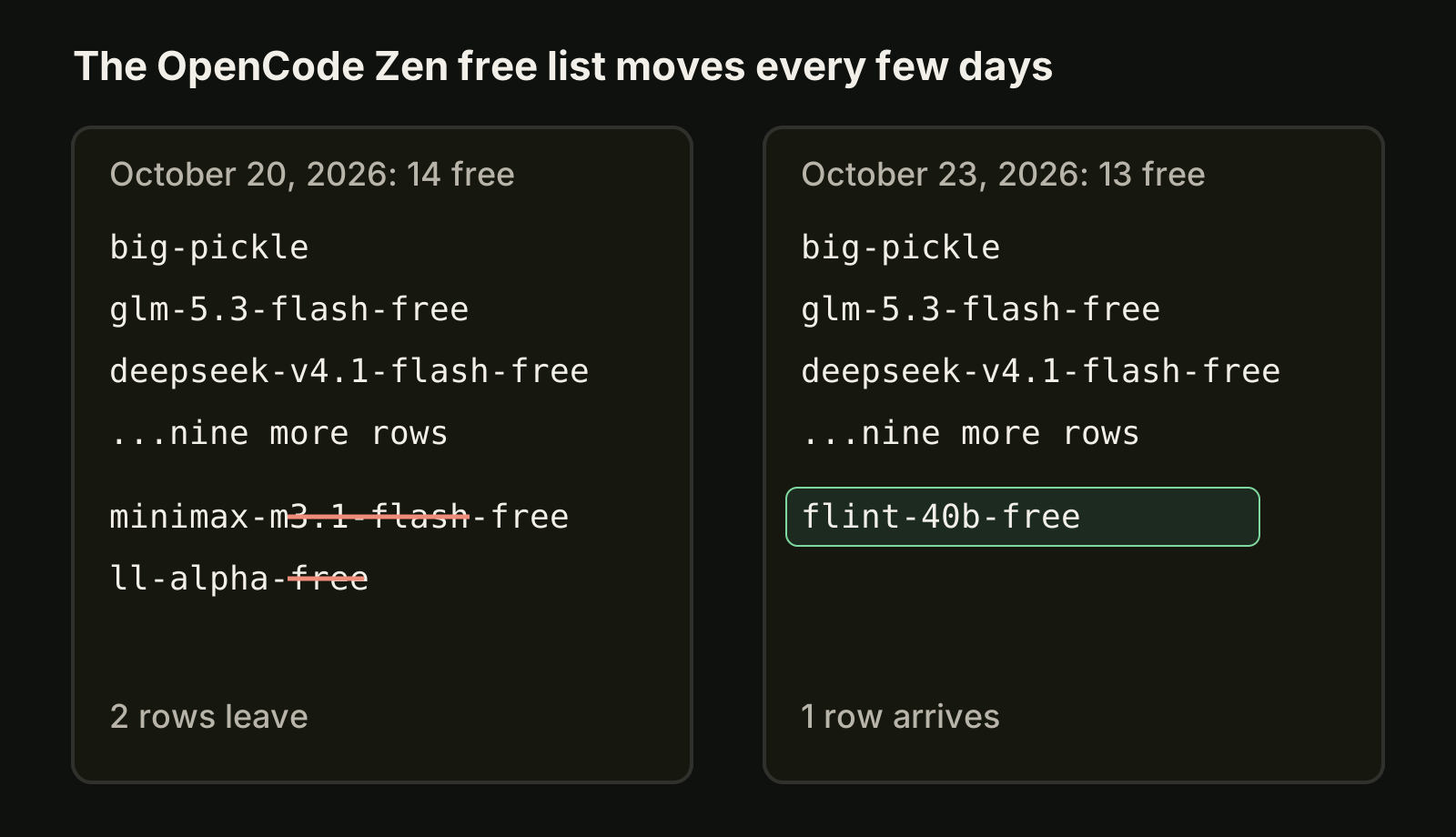
OpenCode almost always has something free to run. On October 25, 2026 the OpenCode Zen model list showed 10 models priced Free, from the stealth model Big Pickle to GLM-5.3-Flash Free and DeepSeek V4.1 Flash Free. On October 20 it showed 14, on October 23 it showed 13 and on October 24 it showed 11; since then LongCat 2.5 Preview Free has left too. Every free row is free "for a limited time", so treat the list as something you check, not something you remember.
 VibeiDEAll your agents. One Grid.Battery friendly, no 3D. 14 days free, no card.Download
 This guide covers which OpenCode free models exist right now, how to connect and pick one, what each one does with your data, and how to set things up so a model leaving the free list does not break your day.
Which OpenCode models are free right now?
These are the free rows in the OpenCode Zen docs, checked October 25, 2026. In config and on the command line, each one is used as opencode/<model-id>.
| Model ID | Data note in the docs |
|---|---|
big-pickle | Stealth model; collected data may be used to improve the model while it is free |
glm-5.3-flash-free | Zero retention, no training |
deepseek-v4.1-flash-free | Zero retention, no training |
beam-free | No training, kept 30 days for safety |
flint-40b-free | Data may be used while free, kept 30 days |
mimo-v2.6-flash-free | Data may be used while free |
nemotron-3-ultra-free | Trial use only; no personal or confidential data |
nemotron-3.5-lightning-free | Trial use only; no personal or confidential data |
nemotron-3.5-super-vl-free | Trial use only; no personal or confidential data |
jev-1.13-free | Free for a limited time; no data note listed |
The docs give no end dates. Check the page before you plan a week of work on one model. OpenRouter keeps its own free list as well: see OpenRouter free models. MiniMax M3.1 Flash is still free there, even though it left the Zen free list.
How do I connect OpenCode Zen and pick a free model?
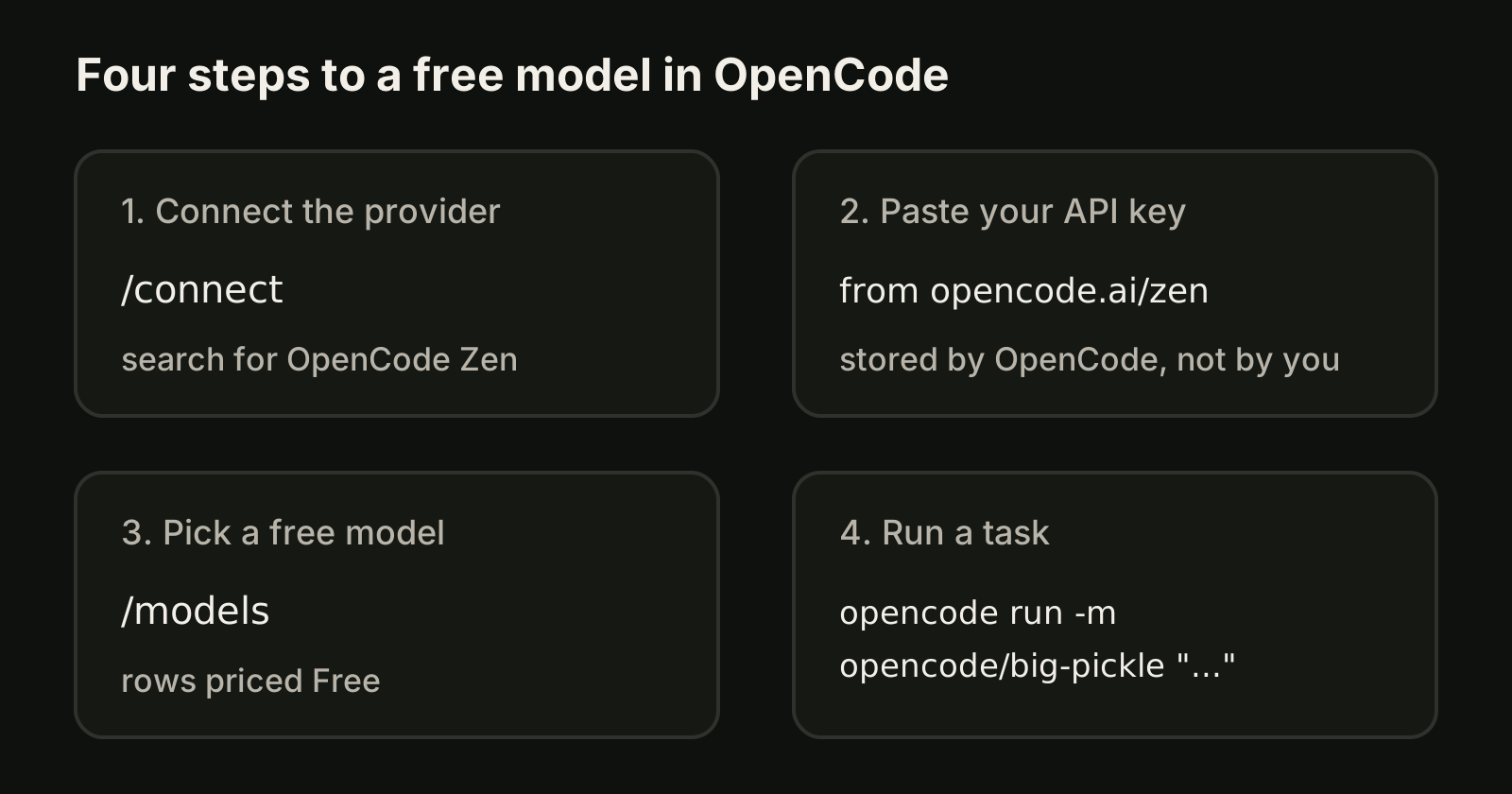
Free models come through the OpenCode Zen provider, so you connect it once like any other provider. The steps from the providers docs:
- Start OpenCode in your project and run
/connect. - Search for OpenCode Zen, sign in at opencode.ai/zen, create an API key and paste it at the prompt.
- Run
/modelsand pick one of the rows priced Free.
If OpenCode is not installed yet, start with how to install OpenCode, or OpenCode on Windows if you are on a Windows machine. From the shell, the same connection works with opencode auth login, and opencode auth list shows which providers have credentials.
Run a task on a free model
You do not have to change your default model to try a free one. The CLI docs take a model in the provider/model form on both the TUI and opencode run:
# open the TUI with a free model for this session
opencode -m opencode/glm-5.3-flash-free

# one non-interactive task on Big Pickle
opencode run -m opencode/big-pickle "Add a unit test for the date parser in src/utils/date.ts"
To make a free model the default for one project, set it in that project's opencode.json:
{
  "$schema": "https://opencode.ai/config.json",
  "model": "opencode/deepseek-v4.1-flash-free"
}
Our guide to OpenCode models explains which setting wins when the CLI flag, the project config and your global config disagree.
Plan for a list that changes
OpenCode always has something free, but not always the same thing. In the five days between October 20 and 25, 2026, five models left the free list and one arrived. Three habits keep that from costing you time:
- Pin the model per project, not globally. If a free model disappears, only the projects that use it need a one-line change.
- Refresh before you blame the model.
opencode models --refreshreloads the model list, andopencode models opencodeprints only the Zen models you can use right now. - Keep a paid or local fallback connected. A second provider in
/connectmeans a task can move to another model the moment a free one is gone or overloaded.
Are OpenCode free models private?
Not all of them. Two free models are listed with zero retention and no training: GLM-5.3-Flash Free and DeepSeek V4.1 Flash Free. Big Pickle, Flint 40B Free and MiMo-V2.6-Flash Free say collected data may be used to improve the model during the free period. Beam Free is not used for training but is kept 30 days, the Nemotron models are for trial use only, with no personal or confidential data, and Jev 1.13 Free has no specific note.
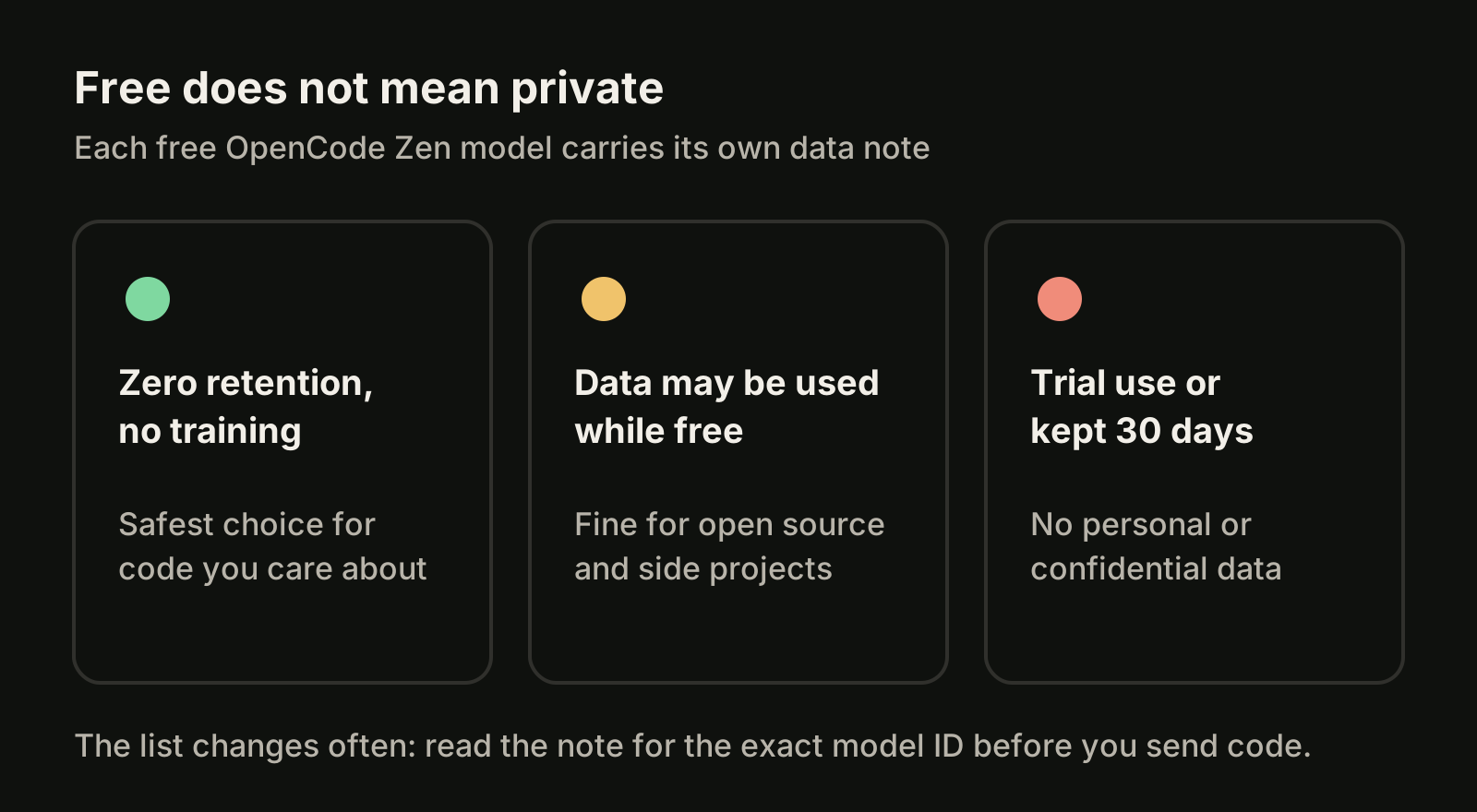
A simple rule works: open source code, side projects and throwaway experiments can go anywhere on the list. Client code, secrets and anything under an NDA should only go to a model whose note fits your rules, or to a provider you already trust. When in doubt, read the note for that exact model ID on the Zen page, because the notes change with the list.
What free models are good at
Free models are a good fit for work that is easy to check:
- Writing or extending tests, where the test run tells you if it worked.
- Small refactors with a clear before and after, such as renaming or extracting a function.
- Explaining unfamiliar code or a stack trace before you touch it.
- Drafting docs, commit messages and changelogs that you will edit anyway.
They are a weaker fit for long, open-ended tasks where a wrong turn is expensive. Keep those on the model you trust most, and use the free model for the many small tasks around them. If you are deciding between agents rather than models, OpenCode vs Claude Code compares the two CLIs.
FAQ
Is OpenCode free?
The OpenCode CLI is free to install. Model use depends on the provider you connect: OpenCode Zen lists a set of models priced Free (10 on October 25, 2026), and other providers bill under their own terms.
Is MiniMax M3.1 Flash still free in OpenCode?
Not through OpenCode Zen: it was no longer on the Zen free list on October 23, 2026. It is still free on OpenRouter as minimax/minimax-m3.1-flash:free (checked October 25, 2026), which OpenCode can use after you connect OpenRouter.
How do I see which free models I can use right now?
Run opencode models --refresh, then opencode models opencode to list the Zen models, and compare with the Free rows on the Zen docs page.
Where VibeiDE fits
VibeiDE is a desktop app that coordinates the Codex, Claude Code and OpenCode CLIs you already use, with your own provider accounts. You can install OpenCode from Profile > AI tool setup without needing Node.js or npm, and the info button beside OpenCode in the composer lists the current free OpenRouter models and can prefill a setup task for Claude Code or Codex (release notes). OpenCode runs headless with recorded activity, each project has its own task queue, and finished tasks wait in Ready for review, so many small tasks on a free model stay easy to check. See free AI coding models and VibeiDE for OpenCode.
Takeaways
- On October 25, 2026, OpenCode Zen listed 10 free models, including Big Pickle, GLM-5.3-Flash Free and DeepSeek V4.1 Flash Free. All are free for a limited time.
- Between October 20 and 25, MiniMax M3.1 Flash, LL Alpha, Exo, MiMo-V2.5 and LongCat 2.5 Preview left the Zen free list; Flint 40B Free arrived.
- Connect once with
/connectand OpenCode Zen, then pick a free row with/modelsor pass-m opencode/<model-id>. - Pin free models per project and keep a fallback provider connected, because the list changes.
- Read the data note for each model: two keep nothing, others may use or keep your data while free.