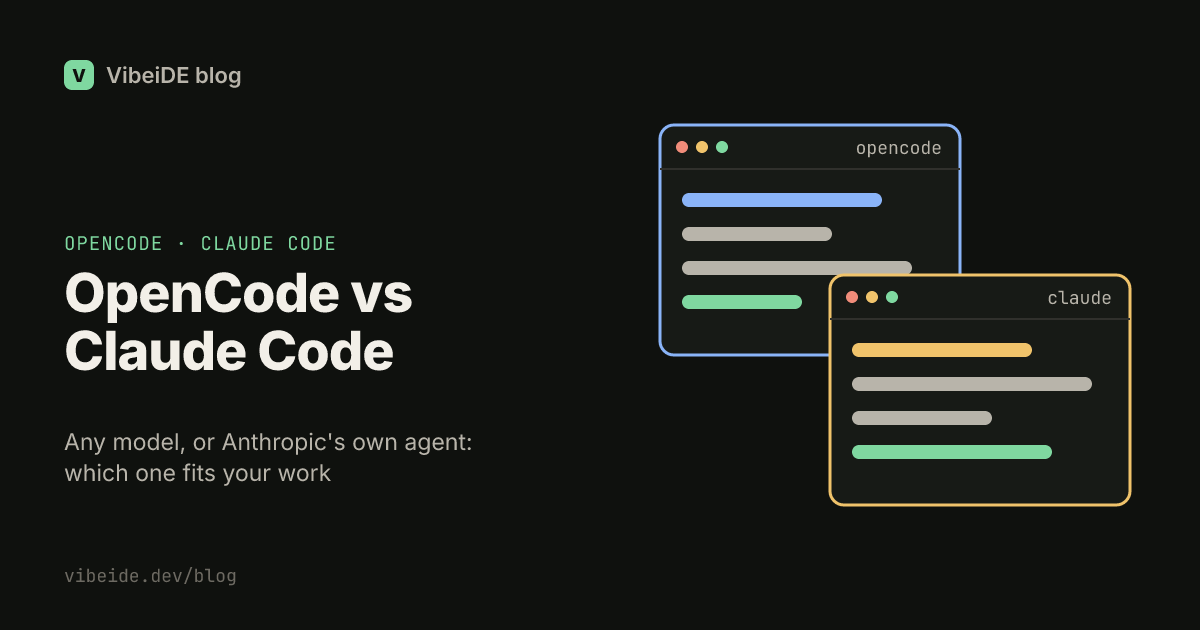
OpenCode and Claude Code look alike at first glance. Both are coding agents that live in your terminal, read your repository, edit files and run commands. The real difference is underneath: Claude Code is Anthropic's agent for Claude models, and OpenCode is an open source agent that runs whichever model you connect to it.
That one difference decides most of the rest: what you pay, which plan you can use, and where each tool fits. This comparison walks through model access, installation, how each tool plans and acts, configuration, and headless use, then gives a short guide to choosing. Details are based on the official OpenCode docs and Claude Code docs as of September 2026.
The short answer
- Choose Claude Code if you already pay for a Claude Pro or Max plan, want Anthropic's own agent tuned for Claude models, or rely on features like hooks to enforce rules.
- Choose OpenCode if you want to pick the model per task, use local models, or bring a ChatGPT, GitHub Copilot or other provider account instead of a Claude plan.
- Use both if different projects or tasks favor different models. They can share one instruction file, covered below.
Where the model comes from
This is the question that matters most.
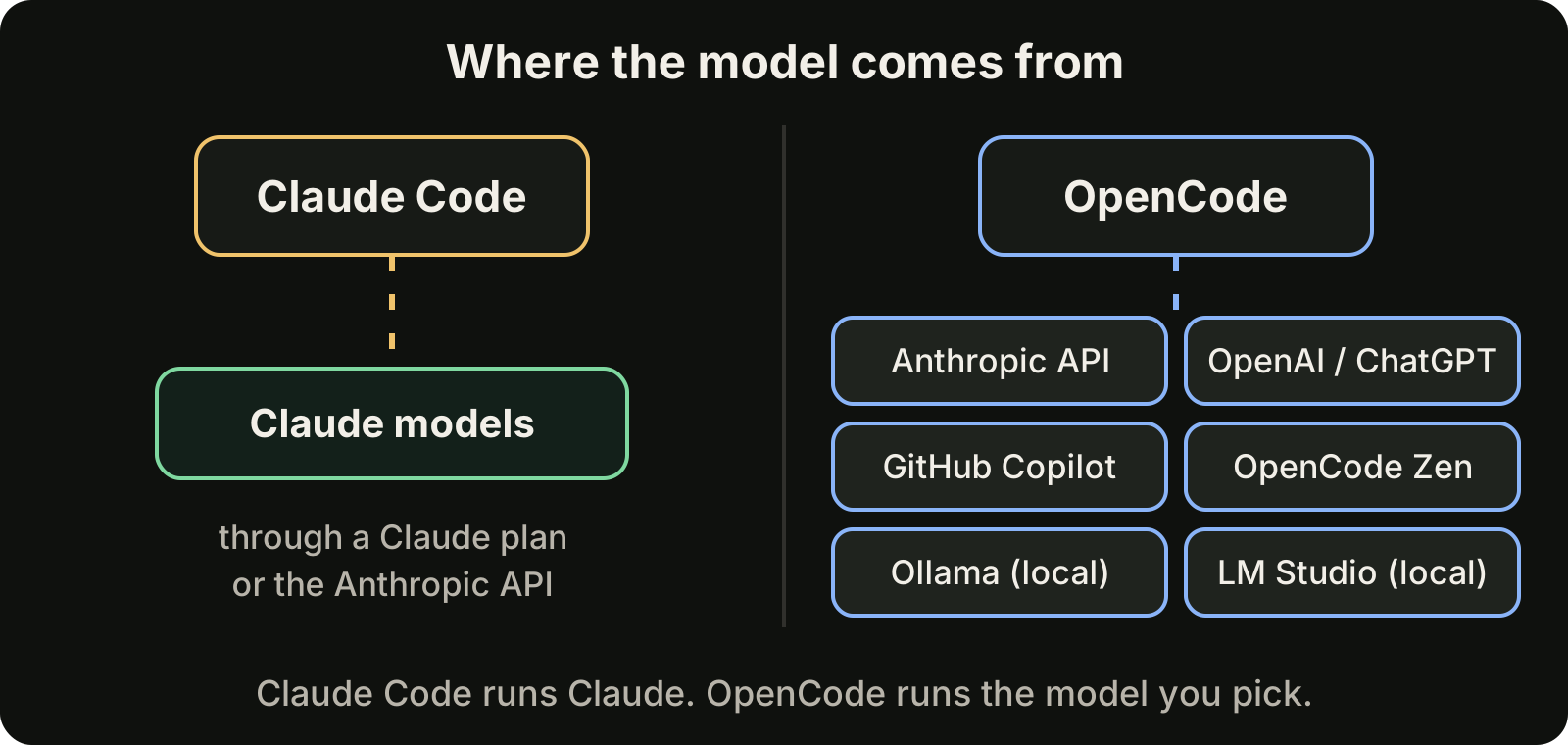
Claude Code runs Claude models. You sign in with a Pro, Max, Team, Enterprise or Console account; the free claude.ai plan does not include Claude Code. It can also run through Amazon Bedrock, Google Cloud's Agent Platform or Microsoft Foundry if your company buys model access there.
OpenCode is provider-agnostic. Its providers page lists support for more than 75 LLM providers through the AI SDK and Models.dev, plus local models through Ollama, LM Studio and llama.cpp. You add a provider with the /connect command, and the credentials are saved in ~/.local/share/opencode/auth.json. OpenCode also offers OpenCode Zen, a curated set of models its team has tested with the agent.
Subscriptions are where people get surprised. OpenCode's docs say existing ChatGPT Plus or Pro, GitHub Copilot and GitLab Duo subscriptions can be used directly. They also note that Anthropic prohibits using Claude Pro or Max subscriptions through OpenCode plugins. If you want Claude models inside OpenCode, plan on API billing rather than your Claude plan. If your Claude plan is the thing you pay for, Claude Code is the tool built for it.
Installation
Both install in one command. For every OpenCode installer and the first-run steps, see our guide to installing OpenCode.
Claude Code, with the native installer on macOS, Linux or WSL:
curl -fsSL https://claude.ai/install.sh | bashAlternatives include brew install --cask claude-code, winget install Anthropic.ClaudeCode on Windows, and npm install -g @anthropic-ai/claude-code. The native install updates itself in the background; Homebrew and WinGet installs do not by default. Run claude in a project folder and follow the browser sign-in.
OpenCode:
curl -fsSL https://opencode.ai/install | bashOr npm install -g opencode-ai, brew install anomalyco/tap/opencode, scoop install opencode or choco install opencode on Windows, and a Docker image. Run opencode, then /connect to add a provider. OpenCode's docs recommend a modern terminal such as WezTerm, Alacritty, Ghostty or Kitty for the best experience.
Planning and acting
Both tools separate thinking from doing, which is the habit that saves the most rework with any coding agent.
In OpenCode, the Tab key switches between two primary agents. Plan is restricted: file edits and bash commands are set to ask before running. Build is the default agent with all tools enabled.
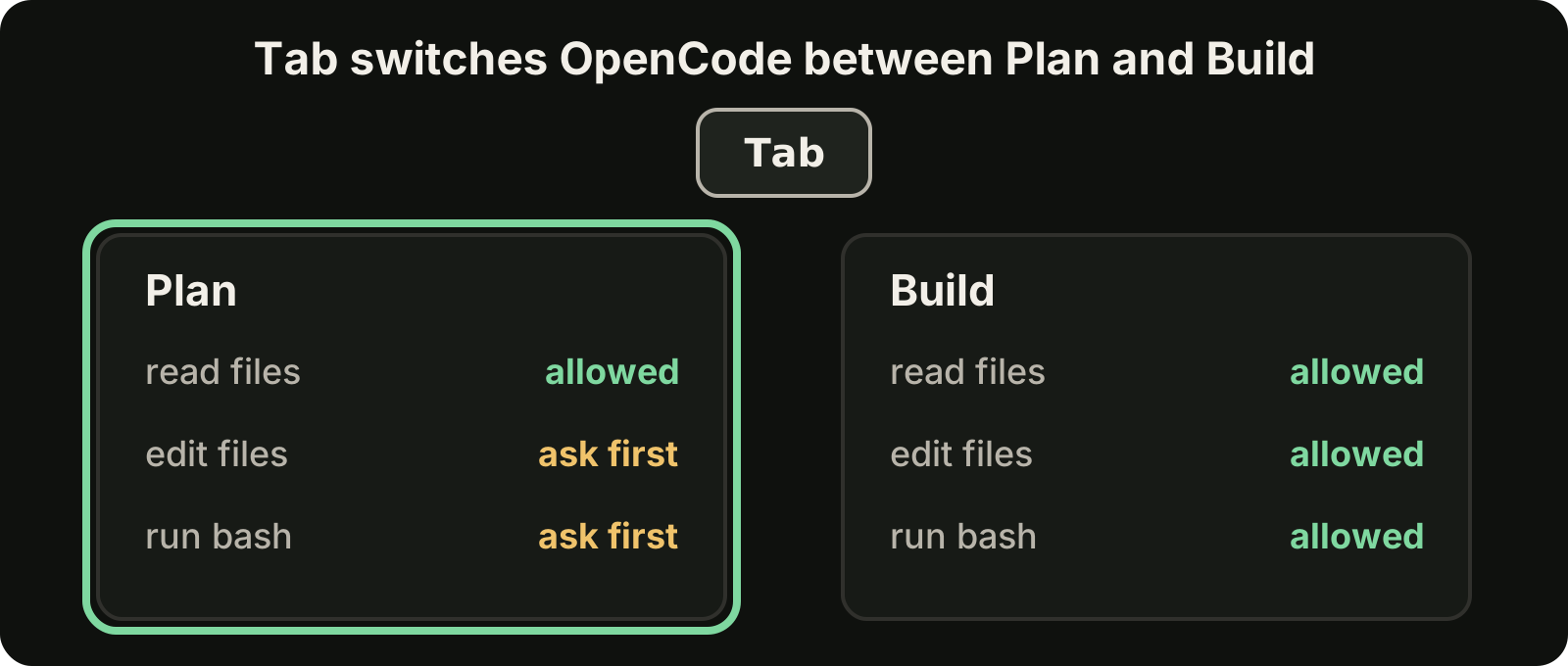
Claude Code has plan mode, where Claude researches and proposes a plan without editing files until you approve. Our guide to Claude Code plan mode shows how to use it well.
Both support helpers for focused work. OpenCode ships subagents such as General, Explore (read-only codebase search) and Scout (read-only research), which you call with an @ mention like @explore find where auth tokens are refreshed. You can define your own agents as Markdown files in .opencode/agents/ or ~/.config/opencode/agents/, or under "agent" in opencode.json. Claude Code has its own subagents, and its hooks run your commands at fixed points so rules are enforced rather than just requested.
OpenCode's permission system is simple to read: each tool, such as edit, bash, read or webfetch, can be set to ask, allow or deny, with glob patterns for finer control.
Project instructions
Both tools read a file that explains your project to the agent.
- OpenCode's
/initanalyzes the project and creates anAGENTS.md, which you commit to git. - Claude Code's
/initcreates aCLAUDE.md. Claude Code can also readAGENTS.mddirectly when a project has no CLAUDE.md or CLAUDE.local.md, or you can import it with an@AGENTS.mdline.
If you use both tools, keep AGENTS.md as the single source of truth and add a small CLAUDE.md only for Claude-specific notes. Our guides to CLAUDE.md best practices and AGENTS.md for Codex cover what to put in each.
Headless runs and automation
Both tools can run without the interactive interface, which matters for scripts, CI and orchestration.
OpenCode has the richer set of entry points, documented in its CLI reference:
opencode run "add input validation to the signup handler"
opencode run --continue "now add tests for it"
opencode serve
opencode run takes flags such as --model in provider/model form, --agent, --continue and --session. opencode models lists the models your connected providers offer. opencode serve starts a headless HTTP server, opencode web adds a browser interface, and opencode attach connects a terminal UI to a running server, even on another machine. opencode github install sets up GitHub automation.
Claude Code runs non-interactively with claude -p "your prompt", which prints the result and exits, so it fits into scripts in the same way.
Everyday features compared
| Claude Code | OpenCode | |
|---|---|---|
| Models | Claude models | 75+ providers and local models |
| Sign-in | Claude plan or Console API, or a cloud provider | /connect with API keys or supported subscriptions |
| Plan before editing | Plan mode | Plan agent (Tab) |
| Instruction file | CLAUDE.md, reads AGENTS.md | AGENTS.md |
| Enforced rules | Hooks | Permissions per tool: ask, allow, deny |
| Undo | Checkpoints and git | /undo and /redo |
| Sharing | Git and your own tools | /share creates a conversation link |
| Headless | claude -p | opencode run, opencode serve |
| Source | Anthropic product | Open source |
Which one fits the task
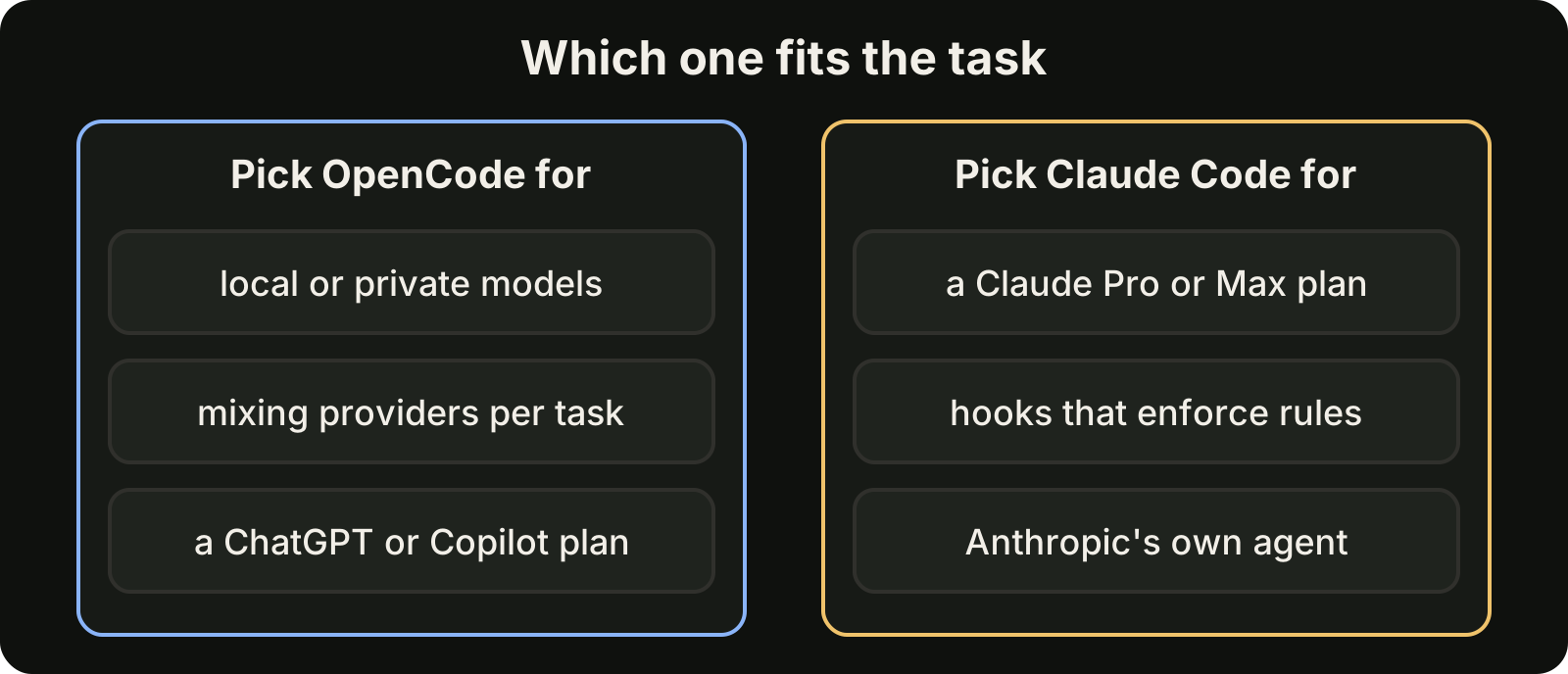
Start from what you already pay for. A Claude Pro or Max plan points to Claude Code, since that plan cannot be used in OpenCode. A ChatGPT or Copilot subscription, local hardware you want to use, or a wish to compare models side by side points to OpenCode.
Then consider control. If your team needs rules that always run, like blocking destructive commands or formatting every edit, Claude Code's hooks are the stronger tool. If you want to tune which agent can do what, per tool and per path, OpenCode's permission settings are easy to read and share.
Many developers end up using both, often alongside Codex, which we compare in Codex vs Claude Code and, against OpenCode, in OpenCode vs Codex. The hard part then is not choosing a tool; it is keeping track of which agent is doing what in which project.
Where VibeiDE fits
VibeiDE is a desktop app that coordinates the Codex, Claude Code and OpenCode CLIs you already installed, and each user signs in to their own provider accounts. Codex and Claude Code run in embedded terminals that show the original CLI interface, while OpenCode runs headless with its activity recorded. Each project has its own task queue with a parallel limit per provider, and finished tasks wait in Ready for review. See the OpenCode page or set it up in about three minutes with a 14-day trial and no card.
Takeaways
- Claude Code runs Claude models on a Claude plan or API; OpenCode runs the model you connect, including local ones.
- Anthropic prohibits using Claude Pro or Max subscriptions through OpenCode plugins, so Claude models in OpenCode mean API billing.
- Both separate planning from acting: plan mode in Claude Code, the Plan agent (Tab) in OpenCode.
- Share one AGENTS.md between them and keep tool-specific notes small.
- For automation, OpenCode offers
run,serveandattach; Claude Code offersclaude -p.