VibeiDE shipped six releases between 10 and 16 November 2026: versions 0.10.3 to 0.10.8. The short version: Teams arrived (shared tasks, roles and client summaries), the Brain gained an Economizer view that trims repeated token waste, a task that hits a usage limit can now continue with another provider or wait for its own, and reviewing what an agent changed got much more precise. This roundup groups the changes by what they do for you, not by version number. Every item comes from the release notes, where you can read the full list.
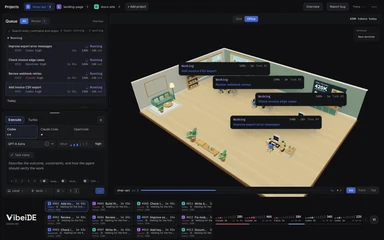 Your agents, in one office.Every task gets a desk and a live status card. Click a desk to focus it.Try VibeiDE free
What is the biggest change this week?
Teams. Version 0.10.8 (16 November) adds shared work for people who run coding agents together, which the Teams page describes in more detail:
- Shared tasks. Create, prioritize and pick up shared tasks with attachments, then explore branches, review changes and merge completed work.
- Shared rules and notes. Share project rules, skills and Team brain notes so teammates can reuse decisions and resolve conflicting plans.
- Repositories and roles. Share repositories, invite teammates and manage roles. Join a project with an existing folder or a fresh clone.
- Progress summaries. Generate team or client progress summaries, copy or export them as PDFs, and arrange automatic delivery to selected teammates. Agencies can read how this works for client reporting on Teams for agencies.
- Company board. Company opens a shared task board with branch activity and review status, and your last loaded board stays readable during connection failures.
If you work alone, nothing changes in your setup: these features sit beside the single-user workflow.
How does VibeiDE help with token usage now?
The Brain, VibeiDE's project memory, now learns from recurring failures, redirects stuck tasks and trims unused tools, and you can inspect and manage its learned facts in a new Economizer view (0.10.8). It follows the design Microsoft published as TokenEconomizer, adapted so it makes no model calls of its own.
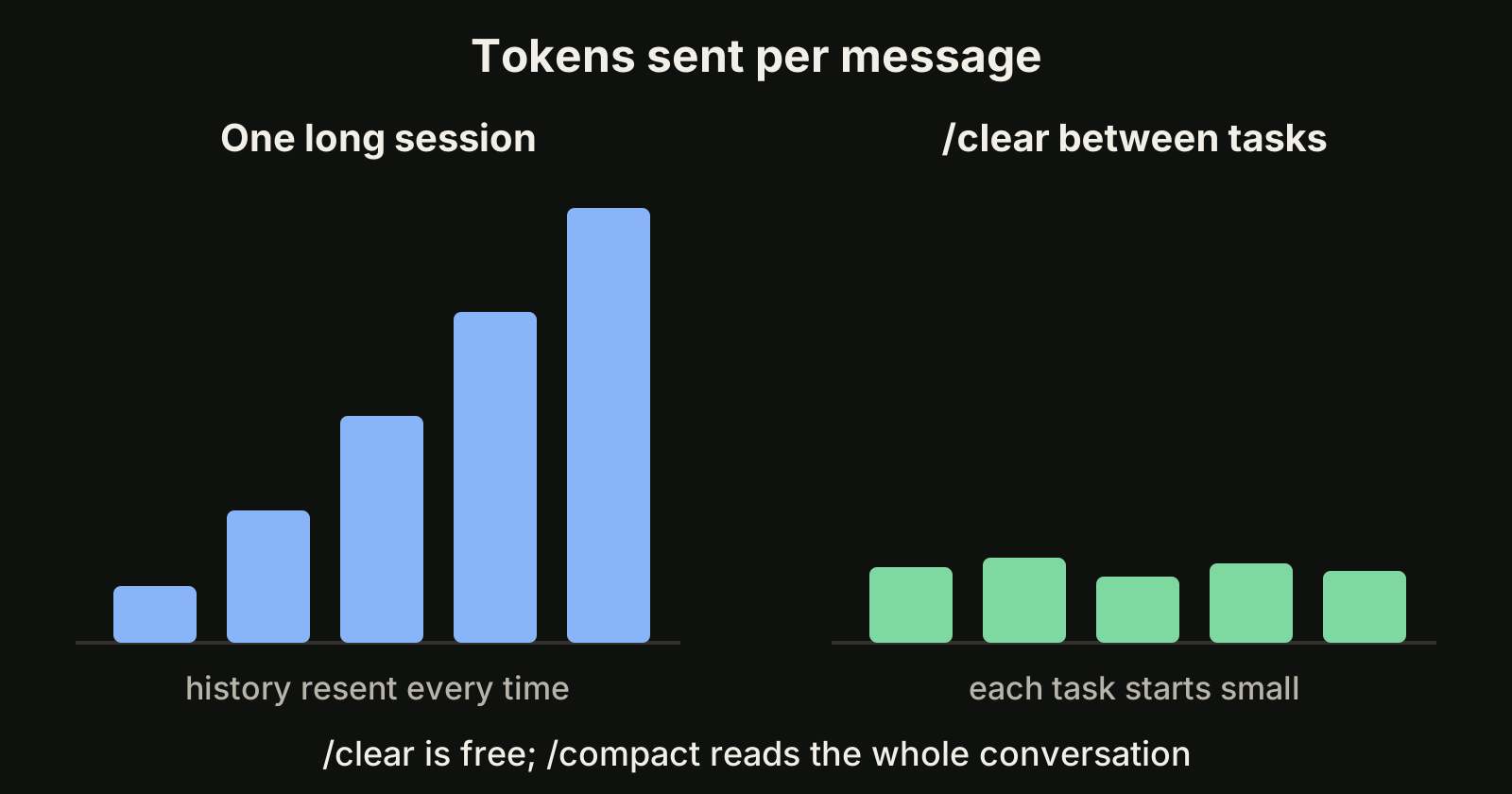
We explained the original plugin, its published results and the differences in our TokenEconomizer guide. The product side is on the TokenEconomizer use case page, and the engineering write-up is How we built TokenEconomizer into the VibeiDE Brain. The source plugin lives in the TokenEconomizer repository.
What happens when a provider hits its usage limit?
Two releases this week changed this:
- Hand off to another provider (0.10.5). Continue a task with another provider after reaching a usage limit, and include files or pasted text in the handoff. Tasks open Chat when they reach a provider limit, so you see what happened.
- Or wait for your own (0.10.8). Continue with your current provider after a usage limit when its allowance resets or extra usage becomes available.
- See limits coming (0.10.4). View provider limits from the system tray, customize usage indicators and explore charts that estimate when limits may run out. Provider usage details show reset information and clearer limit warnings.
- Fresher readings (0.10.6). Claude usage readings stay current when a previous usage check cannot resume.
None of this raises a provider allowance: each user still signs in to their own provider accounts. For planning a week around limits, see Claude Code weekly limit and the Claude Code rate limits page.
How did reviewing agent changes improve?
Review is the step VibeiDE is built around, and this week added the most detail there:
- Per-run changes (0.10.7). Review each run's changed files and line counts, open individual diffs, and see uncertain changes separately. Browse changes by folder in a roomier viewer, including command and sub-agent edits, with uncertain changes kept apart from confirmed totals.
- Retention (0.10.7). Choose how long command-made changes are kept, from one day to three months.
- Turbo Review (0.10.4). Enable Turbo Review to check finished work, fix clear defects and verify changes with your choice of provider, model and effort.
- Bigger changesets (0.10.5). Review or commit changesets larger than 500 files. Stash is disabled when changes exceed its 500-file limit.
- Bulk review on the phone (0.10.8). Mark multiple tasks reviewed at once from mobile.
What changed for branches and worktrees?
Parallel tasks need separate working copies, and three releases made them easier to manage:
- Branch or worktree (0.10.7). Create branches in your current folder with edits carried along, or choose a separate worktree. A Branch changed dialog lets you cancel or continue when a task's folder has switched branches, and keeps your message if you cancel.
- Workspace atlas (0.10.4). Explore worktree origins, the tasks that created them and comparisons with the main branch. Clean up detached worktrees whose commits are saved elsewhere. New worktrees default to main or master.
- One menu (0.10.3). Choose and search branches and worktrees in one composer menu, or pick your next task's worktree from the map.
If worktrees are new to you, Claude Code worktree explains the idea, and the git worktree documentation covers the commands.
What is new in Turbo, Office and the monitor?
- Turbo progress (0.10.8). Follow Turbo's current stage, execution agent count and completed work packages beside the terminal tabs.
- Steer a running Turbo task (0.10.4). Send instructions to a running Turbo task to stop its agents and replan the remaining work.
- OpenCode in Turbo (0.10.3). Use OpenCode across Turbo stages, filter chat by agent and adjust execution teams during planning.
- Monitor previews (0.10.7). Hover over a Monitor card, or focus it with the keyboard, to preview a task's latest reply or pending question.
- Grouping (0.10.3). Organize monitor cards into nested project and status groups.
- Resources (0.10.7). See current CPU usage, usage history and each project's share in the resource usage panel.
- Office. Desks are easier to rearrange and stay in sync with Grid (0.10.7 and 0.10.8), and Office scripts run directly with your selected checkout and saved shell (0.10.6).
What changed on mobile and for voice input?
- Answer prompts from the phone (0.10.8). Answer more waiting terminal prompts from your phone.
- Switch projects without losing work (0.10.8). Mobile keeps drafts and your current view when you switch projects, and browses longer project lists and conversations.
- Pull-up switcher (0.10.7). A pull-up computer and project switcher, saved Office preview layouts and clearer working and completion times.
- Voice settings (0.10.8). Right-click a microphone to choose a speech model and language, check download progress and open Voice settings. Voice input records immediately while the model loads (0.10.6).
What else is worth knowing?
- Projects (0.10.5). Clone repositories or add local folders with setup guidance, or ask a task to add a project and start work there.
- PDF export (0.10.5). Export final answers as PDFs, including formatting and images.
- OpenCode setup (0.10.7). Install OpenCode from the free models guide and start composing with your chosen model selected. Our OpenCode free models guide lists what is free now.
- Sign out locally (0.10.7). Sign out on this computer while keeping projects, history and running tasks.
- Safer ports (0.10.6). Tasks stop when a port is already in use, so they do not open another project's local service.
What is VibeiDE?
VibeiDE is a desktop app for macOS, Windows and Linux that coordinates the Codex, Claude Code and OpenCode CLIs you already installed. Each project has its own task queue, finished tasks wait in Ready for review, and a 14-day trial starts when you first sign in, without a card. See pricing and the product guide.
Takeaways
- Teams (0.10.8) adds shared tasks, shared rules and notes, roles and exportable progress summaries.
- The Brain's Economizer view trims repeated token waste without extra model calls.
- A task at a usage limit can hand off to another provider (0.10.5) or wait for its own reset (0.10.8).
- Change review now shows per-run diffs, uncertain changes separately and Turbo Review.
- Worktree handling, mobile prompts and voice settings all got clearer. Full notes: changelog.