The Claude Code weekly limit is a cap on how much you can use Claude across a whole week, on top of the five-hour session limit. It is shared across Claude, Claude Code and Claude Desktop, applies to all models, and resets at a fixed day and time assigned to your account, which you can see in Settings > Usage on claude.ai or with /usage in Claude Code. When you hit it, switching models does not help: you wait for the reset, turn on usage credits, or move to API billing.


This guide explains how the weekly limit works as of November 2026, how it differs from the five-hour window, what Claude Code does when you reach it, and how to pace a week of agent work so you do not run out on day four. Every fact below comes from the Claude Help Center and the Claude Code cost documentation, read on 12 November 2026. Limits and plan names change, so treat those pages as the source of truth.
What is the Claude Code weekly limit?
It is the second of two usage meters on Pro and Max plans. Anthropic's article Use Claude Code with your Pro or Max plan says both plans "have a five-hour session limit and a weekly limit", and that these limits "are shared across Claude and Claude Code, meaning all activity in both tools counts against the same limits." IDE use counts too.
Three details matter for planning:
- It covers all models. The Help Center says weekly limits "apply across all models, and some plans also have a separate weekly limit for Fable." Max plans have that separate Fable limit.
- It is not a fixed message count. Usage depends on conversation length and complexity, the features you use, the model and the effort level you pick.
- It moved up in September 2026. A Help Center notice says that from 14 September 2026 Claude Code weekly limits stay 25% higher than before the May to September promotion, on Pro, Max, Ultra, Team and seat-based Enterprise plans.
When does the Claude Code weekly limit reset?
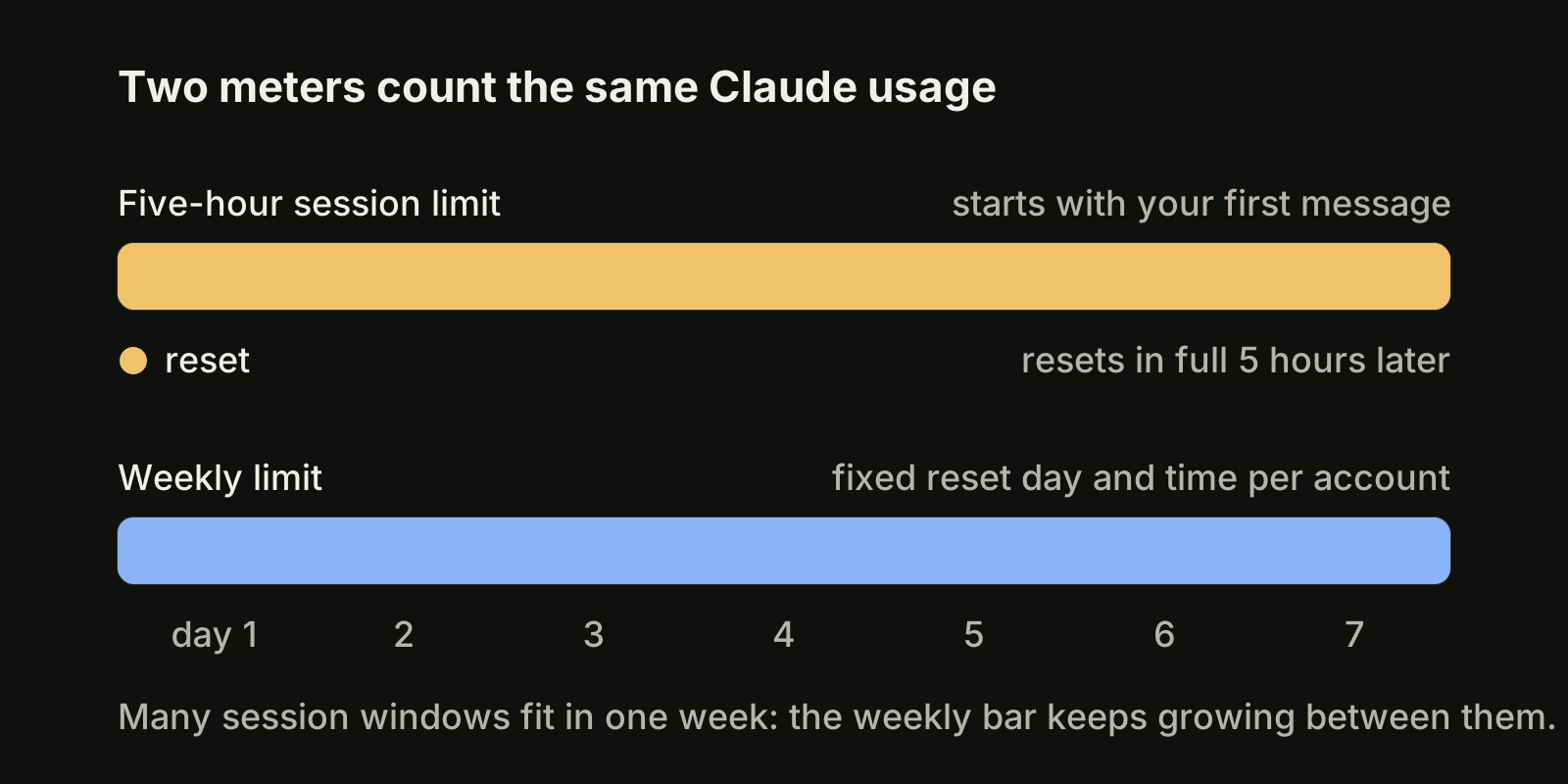
At a fixed time each week that belongs to your account. The Help Center puts it plainly: "Weekly limits reset at a fixed time each week that is assigned to your account", your reset day and time "stay the same regardless of when you start using Claude", and you get your full weekly allowance each cycle.
That is different from the five-hour window, which starts with your first message and "resets in full five hours later." So a quiet Monday does not move your weekly reset, and a late start on Friday does not give you a fresh week.
| Five-hour session limit | Weekly limit | |
|---|---|---|
| Starts | With your first message | Fixed reset time per account |
| Resets | In full, five hours later | Same day and time every week |
| Covers | All usage in that window | All models; Max also has a separate Fable limit |
| Where to see it | Settings > Usage, Current session | Settings > Usage, next reset time |
| Switching models helps? | No | No |
On Team and Enterprise plans, the cost documentation describes the same pattern: each member's Claude Code use draws from a per-seat allowance that resets on a rolling five-hour window and a weekly window, shared with Claude chat and Cowork.
How do I check how much of my weekly limit is left?
Use one of three places:
- **
/usagein Claude Code.** For Pro, Max, Team and Enterprise subscribers it shows plan usage bars, activity stats and a breakdown of what counts against your limits. Pressdorwto switch between the last 24 hours and the last 7 days. That breakdown comes from local session history on that machine, so use from other devices or claude.ai is not in it. - Settings > Usage on claude.ai. It shows the current session and your next weekly reset time, across every Claude surface.
/status. The Pro and Max article says you can "monitor your remaining allocation using the /status command."
The /usage breakdown is the most useful one for agent work. It attributes recent usage to skills, subagents, plugins and MCP servers, and lists recommendations such as trimming a large CLAUDE.md or lowering effort, each with the share of your recent usage it applies to. In Claude Code v2.1.305 or later, pressing f applies the ones Claude Code can act on. You will also see warning messages as you approach any limit. If you want the numbers on screen all the time, our Claude Code statusline guide shows how to add them.
What happens when you hit the weekly limit?
Claude Code tells you, and the message shows when the window resets. The cost documentation lists the session and weekly messages as "a seat-based usage window on a subscription plan, shared across all models", so /model does not restore access. Only the model-specific Opus or Sonnet limit messages can be worked around by switching to a model outside that family.
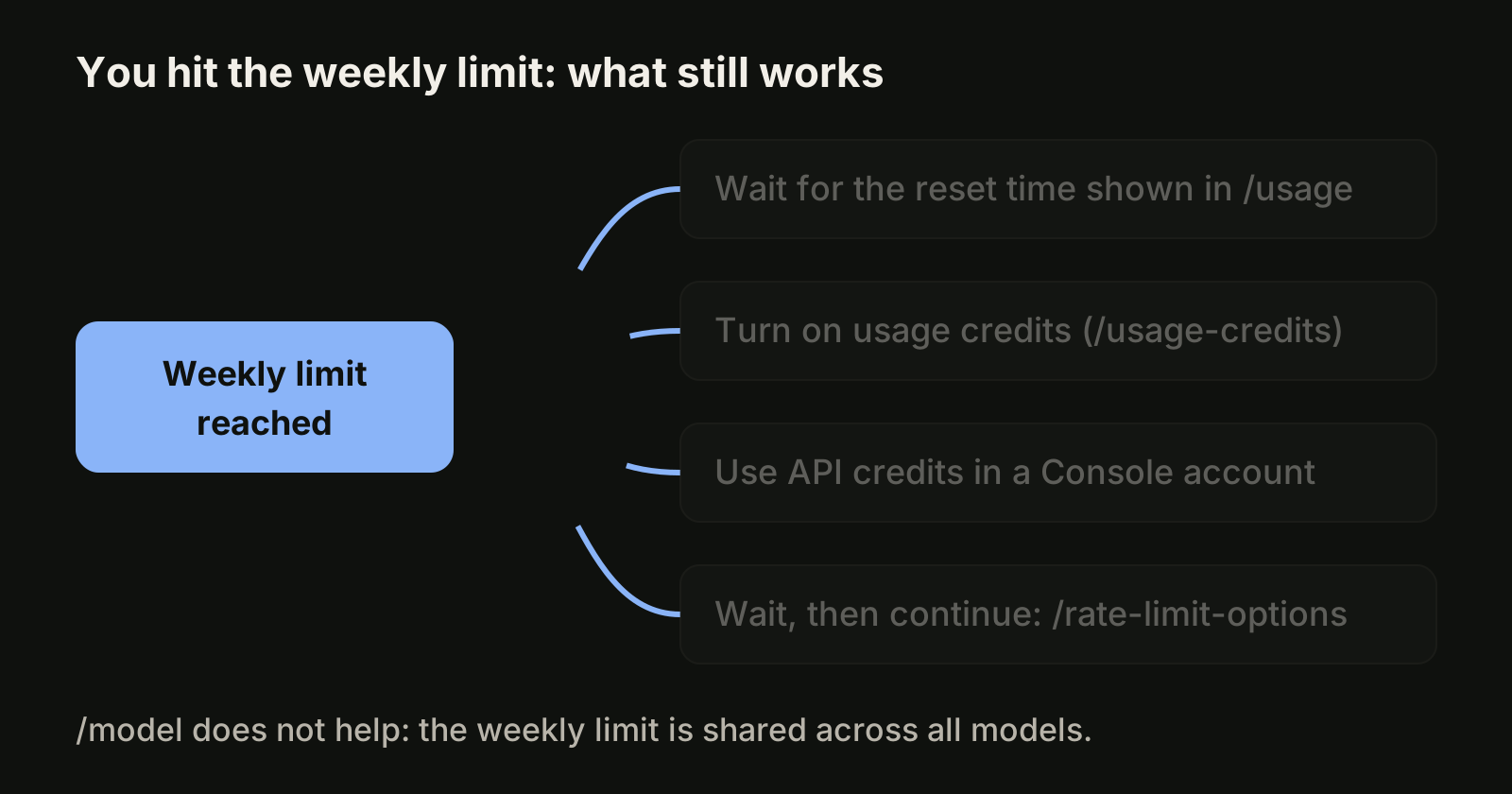
Your options, as of November 2026:
- Wait for the reset. The time is in the limit message,
/usageand Settings > Usage. - Turn on usage credits. Run
/usage-credits. On Pro and Max it opens Settings > Usage, where you turn usage credits on or off and set a monthly spend limit. On Team and Enterprise it opens organization settings or asks your admins. - Switch to a Claude Console account and buy API usage credits, billed at standard API rates.
- Upgrade if you hit limits every week (Pro to Max 5x, Max 5x to Max 20x).
Two newer behaviours are worth knowing. First, Claude Code "may keep working briefly so it can finish the step in progress", shown as Usage limit reached · wrapping up; this wrap-up allowance is small, counts toward your weekly limit, and on Pro applies at most once per weekly period. It is still rolling out. Second, since v2.1.234 Claude Code can wait in the open session and continue the interrupted task after a reset. It starts that wait on its own only when the reset is less than 24 hours away, and the interactive mode reference notes that "a weekly limit can reset days out." For a weekly limit, open /rate-limit-options and pick Wait here, then continue automatically if you want the task to resume by itself, and keep the session open. Background sessions and -p runs do not offer the wait.
How to plan a week of agent work around the weekly limit
The weekly limit punishes front-loading only if you do not look at it. A few habits from the cost documentation keep a week predictable:
- Check
/usagedaily, not only when a warning appears. If a day runs well above a seventh of your weekly bar, move lower-priority tasks to after the reset. - Put model-heavy work early (large refactors, plan reviews, long debugging) and leave review, small fixes and documentation for the days before the reset.
- Clear between unrelated tasks.
/clearstarts fresh at no cost, while a long session sends its whole history with every request. Use/renamefirst so you can/resumeit later; our post on Claude Code continue vs resume covers how. - Match the model and effort to the job. The docs suggest Sonnet for most coding tasks, Opus for complex architecture, and a lower
/effortfor simple work. - Watch parallel sessions. Every subagent, background session and agent teammate sends its own requests, so several sessions at once spend the same weekly allowance faster.
- Keep CLAUDE.md short and move workflows into skills, which load only when used.
Our longer guides on Claude Code usage limits and what Claude Code costs go deeper on the five-hour window and on reducing token use.
Running several agents against one weekly limit
Parallel agents make the weekly limit the real constraint, because the allowance does not grow with the number of terminals. VibeiDE is a desktop app that coordinates the Codex, Claude Code and OpenCode CLIs you already installed, each signed in to your own provider accounts. Its usage display shows provider-reported usage, remaining runway and reset countdowns where the provider reports them; each project sets its own parallel limit per provider, and those slots control how many processes run at once without raising a provider allowance or bypassing its limits. When Claude Code or Codex reaches a usage limit, the terminal explains that you can continue in the same terminal after the reset. See Claude Code rate limits and planning work around usage windows.
FAQ
Does switching to Sonnet help when I hit the weekly limit?
No. The weekly limit covers all models. Switching models only helps after a model-specific Opus or Sonnet limit message.
Is the weekly limit the same for Claude chat and Claude Code?
Yes. Usage in claude.ai, Claude Code and Claude Desktop counts toward the same limits.
Can I change my weekly reset day?
The Help Center says the reset day and time are assigned to your account and stay the same regardless of when you start. It does not describe a way to change them.
Do Max plans have a separate weekly limit?
Max plans have the general weekly limit plus a separate weekly limit for Fable, as of November 2026.
Will Claude Code resume my task after the weekly reset?
Only if you start the wait yourself with /rate-limit-options and keep the session open, because Claude Code does not start a wait on its own for a reset more than 24 hours away.
Takeaways
- Pro and Max plans have a five-hour session limit and a weekly limit, shared across Claude, Claude Code and Claude Desktop.
- The weekly limit resets at a fixed day and time per account; see it in Settings > Usage or
/usage. /modeldoes not help at the weekly limit; wait, use/usage-credits, move to API credits or upgrade.- For a weekly limit, start the wait with
/rate-limit-optionsif you want the task to continue after the reset. - Check
/usagedaily, put heavy work early, clear between tasks and watch how many sessions run in parallel.