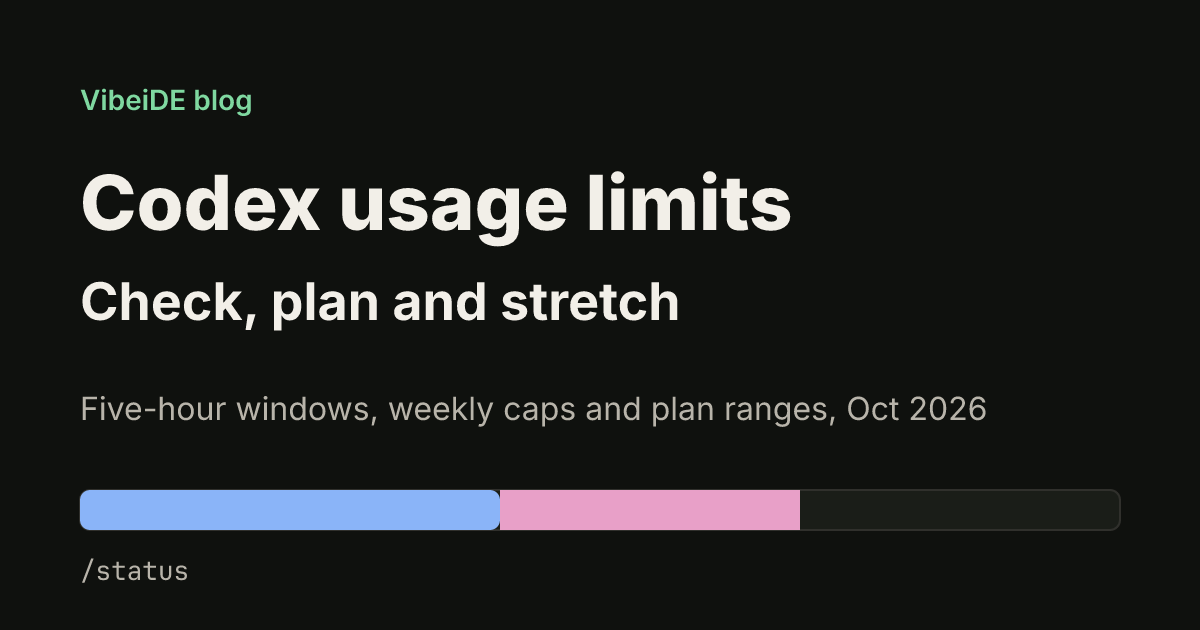
Codex usage limits decide how much agent work you get between resets, and they are easy to misread. The numbers OpenAI publishes are ranges, they depend on the model you pick, and local CLI sessions draw from the same allowance as cloud tasks. This guide explains how the limits work as of October 2026, how to check where you stand, and how to plan a working day so you do not stall halfway through a task.
All plan details below come from the official Codex pricing page as of October 2026. OpenAI changes these numbers often, so check that page before you buy or upgrade.
How Codex usage limits work
Codex on a ChatGPT plan does not give you a fixed number of prompts. Three rules shape your allowance:
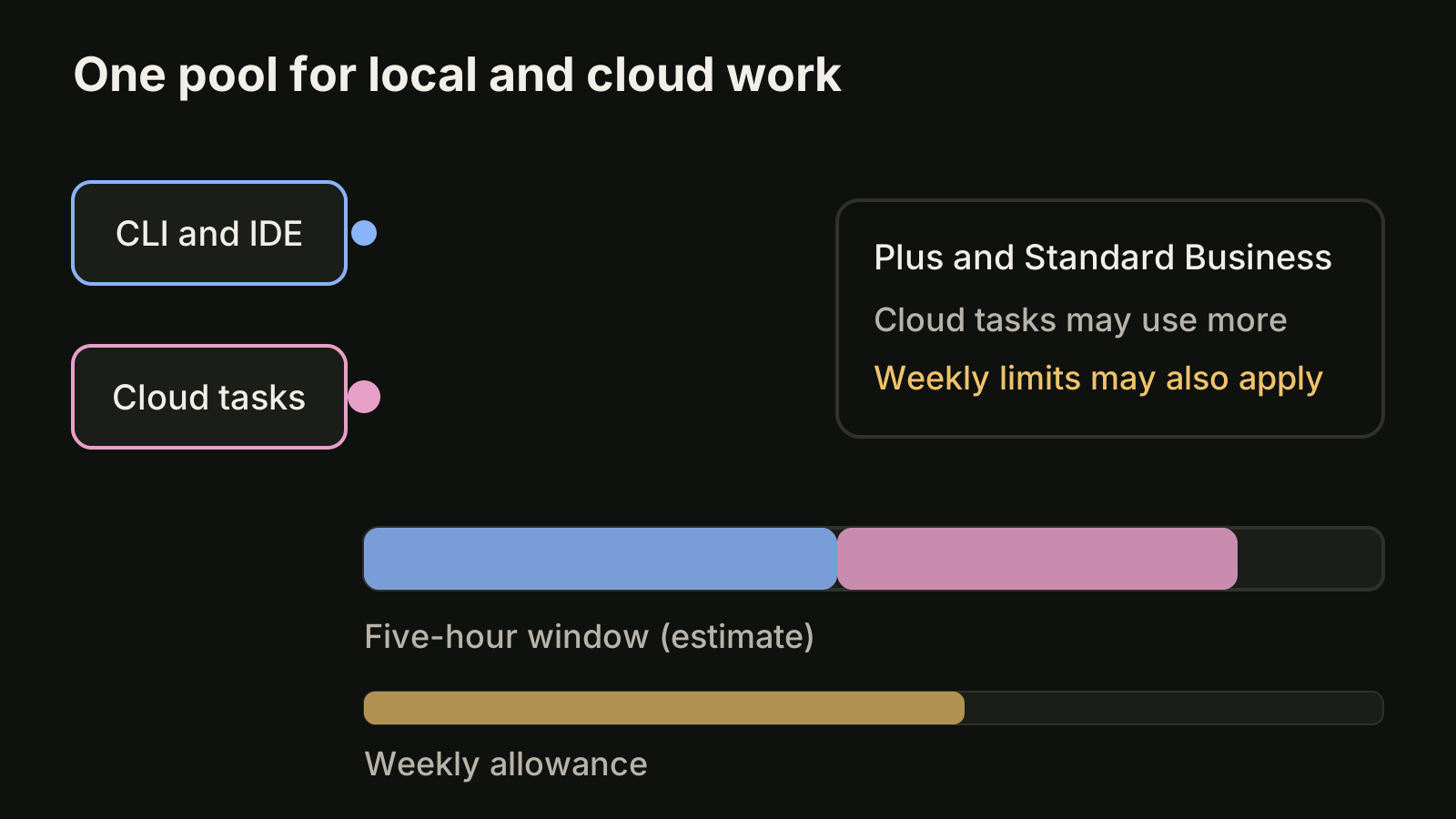
- A rolling five-hour window. Plus and Standard Business plans publish estimates of local messages per five-hour period. When the window rolls forward, older usage stops counting against you.
- Weekly limits may also apply. The pricing page says so directly, so a heavy Monday can still leave you short on Thursday even if every five-hour window looked fine.
- One shared pool. Local messages (the CLI and IDE extension) and cloud chats share your plan's usage allowance, and cloud tasks may use more allowance than local messages.
The published figures are estimates, not fixed message limits. A short question about one file costs far less than a long refactor that reads half the repository, so the same plan can feel generous one day and tight the next.
Plan ranges as of October 2026
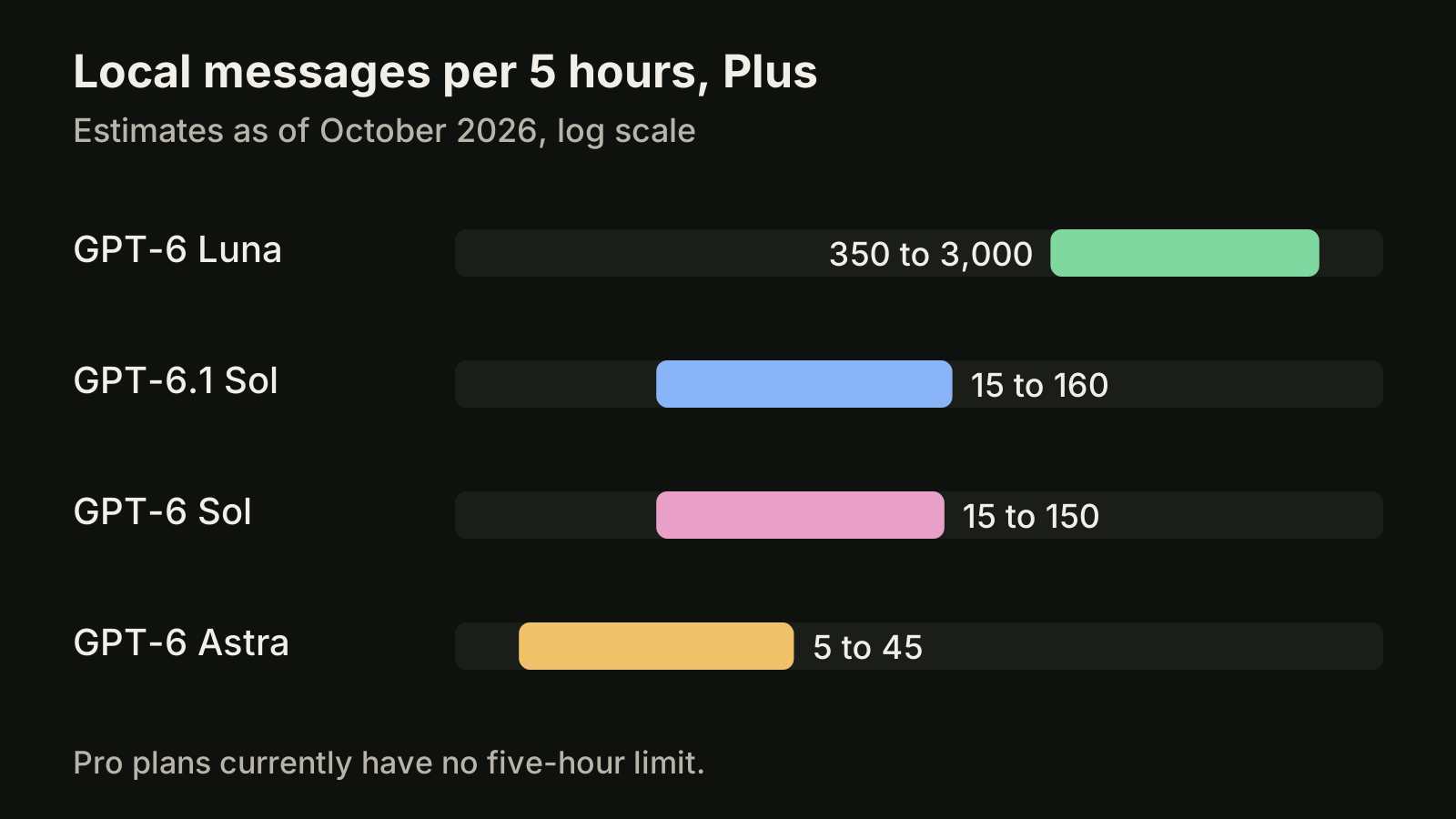
The pricing page lists these local message estimates per five-hour period for Plus and Standard Business:
| Model | Local messages per 5 hours (Plus, Standard Business) |
|---|---|
| GPT-6 Luna | 350 to 3,000 |
| GPT-6.1 Sol | 15 to 160 |
| GPT-6 Sol | 15 to 150 |
| GPT-6 Astra | 5 to 45 |
A few plan details matter when you compare:
- Plus costs $20 per month and includes Codex on the web, in the CLI, in the IDE extension and on iOS. You can extend usage with ChatGPT credits.
- Pro starts at $100 per month, with tiers at $100, $200 and $500. Pro plans currently have no five-hour limit.
- Business costs $20 per user per month billed annually, or $25 billed monthly, for two or more users.
- Enterprise and Edu with flexible pricing have no fixed rate limits; usage scales with credits. Without flexible pricing they get the same per-seat limits as Plus for most features.
The spread between models is the single biggest lever you control. The small model stretches a window more than ten times further than the largest one, so picking the model per task matters more than any prompt trick. Our guide to Codex models explains how to switch with /model and set a default in your config.
Check how much you have left
You have two official ways to see your remaining allowance:
- Inside the CLI. In an active Codex session, run the
/statusslash command. It shows your remaining limits without leaving the terminal. - The usage dashboard. Open
chatgpt.com/codex/settings/usagein your browser while signed in to the same ChatGPT account. The pricing page suggests checking it every week or two to spot patterns.
Make /status a habit before you start a large task, not after. If the five-hour window is nearly spent, it is better to queue the refactor for later and spend the remaining allowance on small fixes than to watch a long task stop halfway.
What happens when you hit the limit
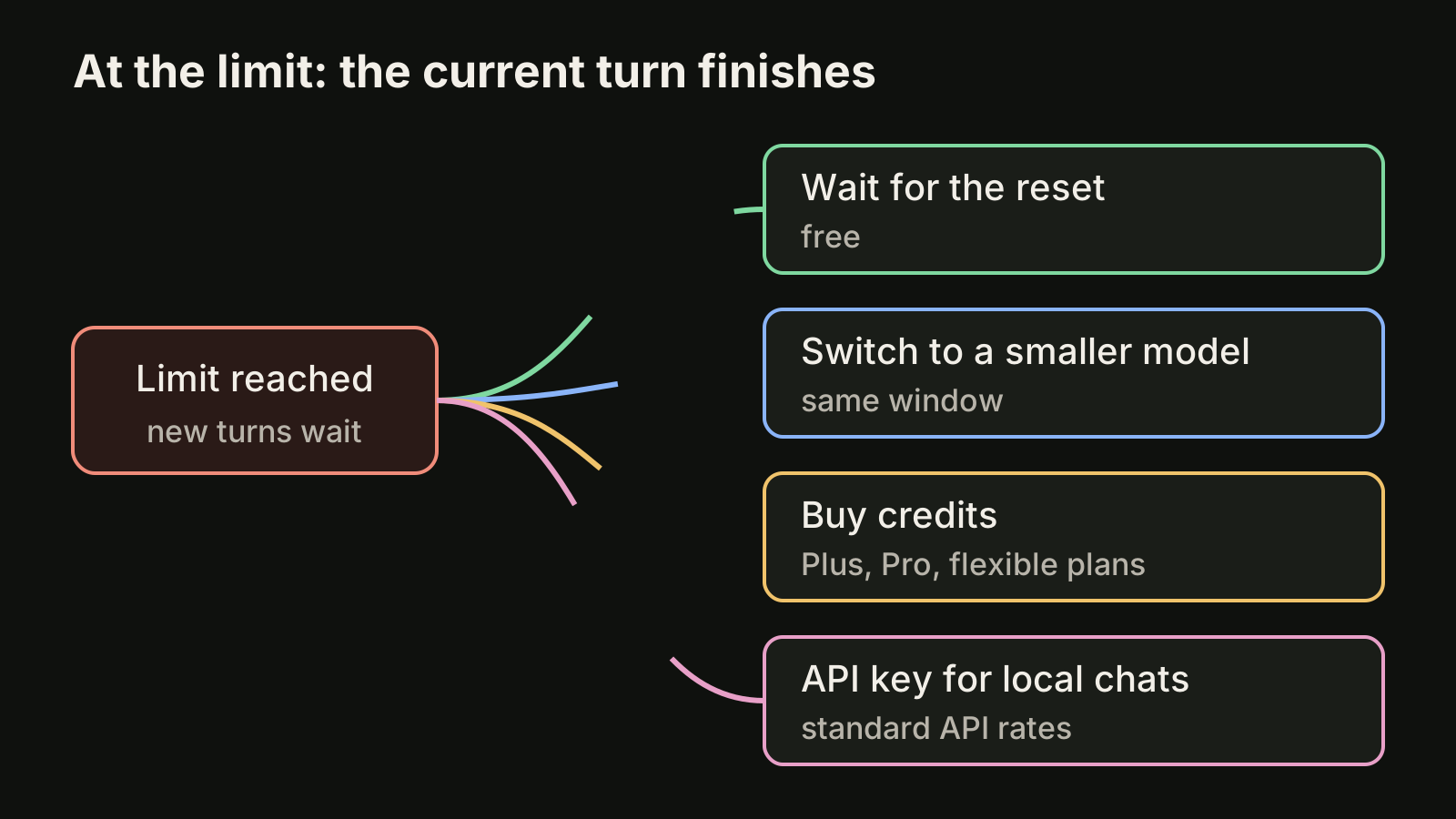
If you reach a limit during an active turn, the pricing page says the agent can continue working on that turn, subject to fair use limits. New turns wait until the window resets. From there you have four options:
- Wait for the reset. The cheapest option. Use the time to review what the agent already produced.
- Buy credits. Plus and Pro users can buy additional credits without upgrading. Business, Edu and Enterprise plans with flexible pricing can buy workspace credits.
- Use an API key for extra local work. All users can run extra local chats through an API key at standard API rates. API key usage has no cloud features such as GitHub code review, and model availability follows what your key can access.
- Switch to a smaller model. Moving routine work to the small model keeps you going inside the same window.
Watch out for speed multipliers. Fast mode uses 2.5 times the included subscription usage of Standard speed, so turning it on for a whole day drains a window much faster than you expect.
Five ways to stretch your Codex allowance
Most of the allowance goes to context: every file the agent reads and every tool description it carries costs usage. These habits follow the official guidance and cut that cost:
- Scope every prompt. Name the files, the function and the expected result. "Fix the date parsing in
src/billing/invoice.tsand add a test" costs far less than "look at billing and improve it". - Keep instructions lean. Nest AGENTS.md files inside the repository so Codex loads only the rules for the folder it works in, instead of one huge root file.
- Disable MCP servers you are not using. Each server adds context to every turn and uses allowance even when no tool is called.
- Separate required work from nice to have. Say what must be done and what is optional, and set the output format and length. Agents that guess tend to do more than you asked.
- Match the model to the task. Use the small model for renames, lint fixes and test scaffolding, and save the large models for design work and hard bugs.
Scripted runs follow the same rules. A nightly job started with codex exec draws from the same allowance as your interactive sessions, so schedule it for hours when you are not coding.
Plan a day of agent work around the window
Limits hurt most when they arrive in the middle of a task. A simple routine avoids that:
- Start the day with
/statusand decide how many large tasks fit in the current window. - Put the biggest task first, while the window is fresh, and keep small tasks for the tail end.
- Batch small requests into one well-scoped prompt instead of five separate ones that each reload context.
- Write the next prompt while you wait. Queue the follow-ups you thought of during review, so the next window starts with clear work instead of a blank prompt.
- Review before you re-prompt. A failed run you do not understand tends to be repeated, and repeated runs are the fastest way to burn a window.
If you also run Claude Code, the same planning applies with different numbers: see our guide to Claude Code usage limits for its five-hour and weekly windows. The Codex rate limits page compares how to keep work moving when one provider is paused.
Where VibeiDE fits
VibeiDE is a desktop app that coordinates the Codex, Claude Code and OpenCode CLIs you already installed, and each user signs in to their own provider accounts, so your Codex plan and its limits stay exactly as they are. Its usage display shows provider-reported usage, remaining runway and reset countdowns where the provider reports them. When Codex reaches a usage limit, the terminal explains that you can continue in the same terminal after the reset. Each project has its own task queue, so waiting prompts can be edited or reordered and a task starts when its provider has a free slot. Slots control how many processes run at once; they do not raise a provider allowance, and VibeiDE does not bypass provider limits. You can download VibeiDE or read how the task queue works.
Takeaways
- Codex usage limits are estimates per five-hour window, weekly limits may also apply, and local and cloud work share one pool.
- The model you pick changes your allowance more than anything else: as of October 2026 the small model allows many times more local messages than the largest.
- Check
/statusbefore large tasks and the usage dashboard every week or two. - At the limit, the current turn can finish; after that, wait, buy credits, switch models or use an API key at API rates.
- Lean prompts, nested AGENTS.md files and fewer MCP servers make the same plan last longer.