Claude Code usage limits decide how much agent work you get done in a day. If you sign in with a Claude subscription, every prompt, tool call and subagent draws from the same plan allowance, and when it runs out the session stops until a reset. This guide explains how the limits work as of October 2026, how to check where you stand, what to do when you hit one, and the habits that make the allowance last.
If you pay per token with an API key instead, you have no plan cap, only spend. The second half of this guide still applies, because the same habits cut cost.
How Claude Code usage limits work
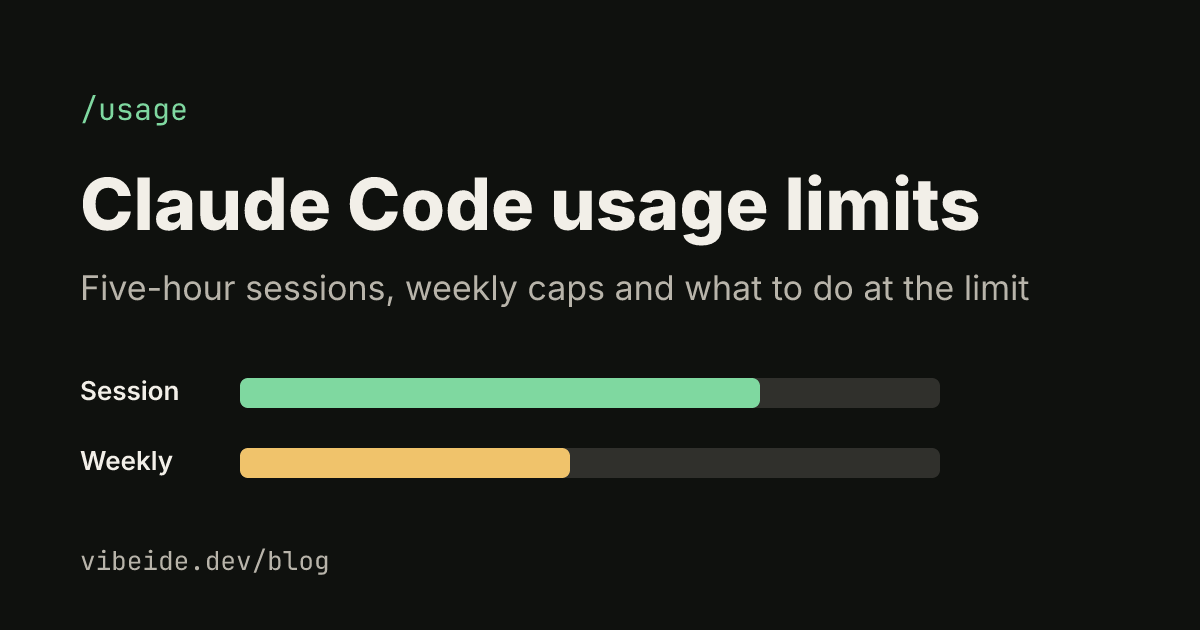
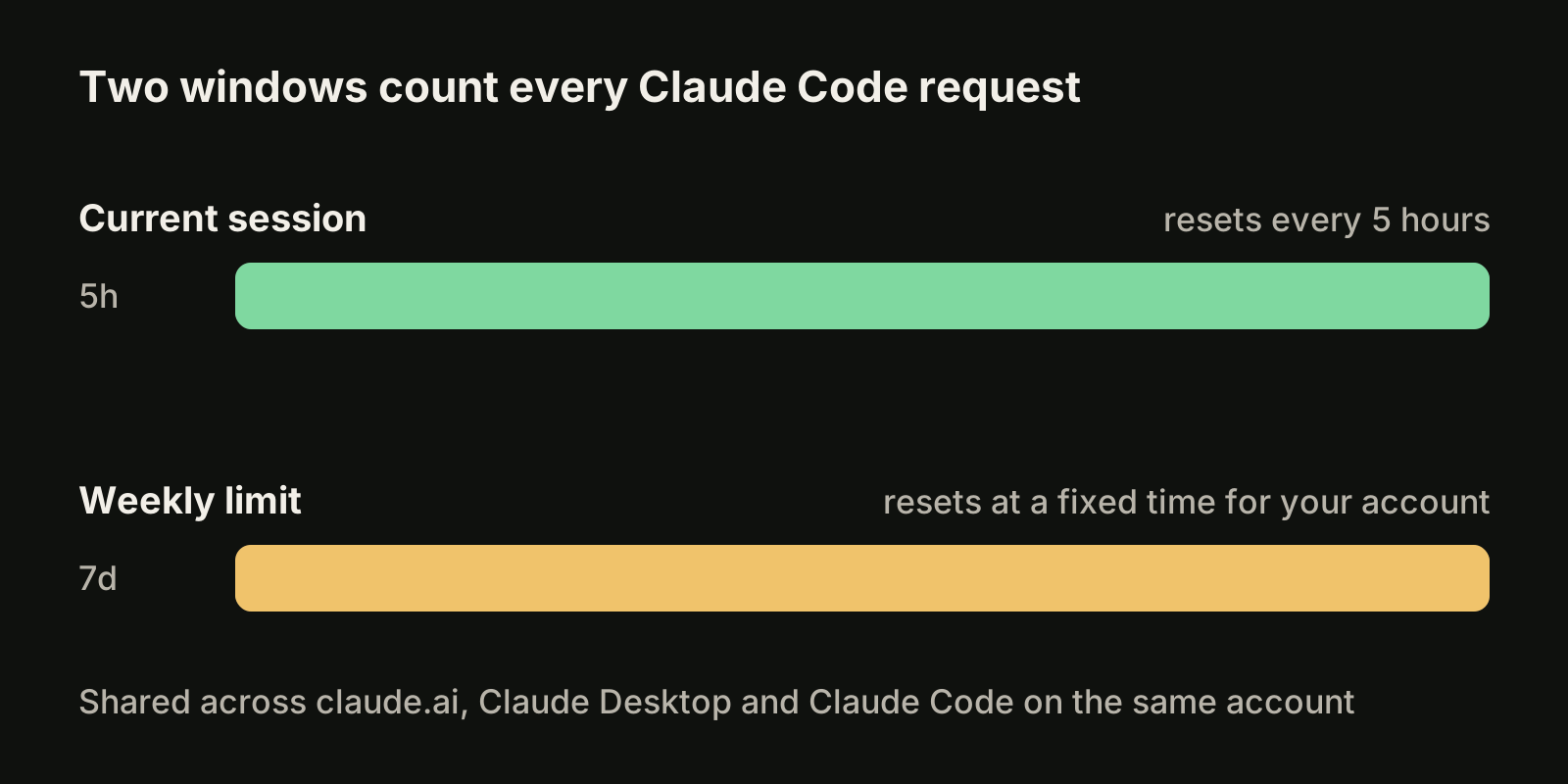
As of October 2026, paid Claude plans track usage in two windows at once, according to the usage limit best practices article:
- A five-hour session limit. Your session allowance resets every five hours. Settings > Usage on claude.ai shows how much of the current session you have used and the time left.
- A weekly limit. It applies across all models and resets at a fixed time assigned to your account, as the Max plan article describes.
Both windows are shared across your account. Usage in claude.ai chat, Claude Desktop and Claude Code all draws from the same pool, so a long research chat in the browser leaves less room for agent work in the terminal.
The size of the allowance depends on the plan. As of October 2026, Claude pricing lists:
| Plan | Price (USD, as of October 2026) | Session allowance |
|---|---|---|
| Pro | $20 per month, or $17 per month billed yearly | Base allowance |
| Max 5x | $100 per month | Five times Pro per session |
| Max 20x | $200 per month | Twenty times Pro per session |
| Team and Enterprise | Per seat | Per-seat allowance, Standard or Premium |
Anthropic does not publish a fixed number of prompts or tokens per window. What a prompt costs depends on the conversation length, the files and tool results in context, the model and the effort level. On Team and Enterprise plans, the costs documentation says each member's Claude Code usage draws from a seat allowance that resets on a rolling five-hour window and a weekly window, shared with Claude chat and Cowork.
Check your usage before it runs out
You have three places to look.
**/usage in Claude Code.** On a Pro, Max, Team or Enterprise plan, /usage shows plan usage bars and a breakdown of what counts against your limits: usage attributed to skills, subagents, plugins and individual MCP servers, plus flags for behaviors such as long context or cache misses when one accounts for 10% or more of recent usage. Press d or w to switch between the last 24 hours and the last 7 days. The breakdown comes from session history on that machine, so usage from other devices or claude.ai is not included.
/usageThe dollar figure in the Session block is meant for API users. For subscribers it is an estimate at list price, not a bill.
Settings > Usage on claude.ai. This page shows the current session, the weekly limit and when each resets, across every surface on your account.
The status line. If you keep a custom status line, it can show context usage continuously, so you notice a bloated session before it eats your allowance.
Why usage climbs faster than you expect
Most surprise limit hits come from how Claude Code sends requests, not from how many prompts you typed. The costs documentation lists the main causes:
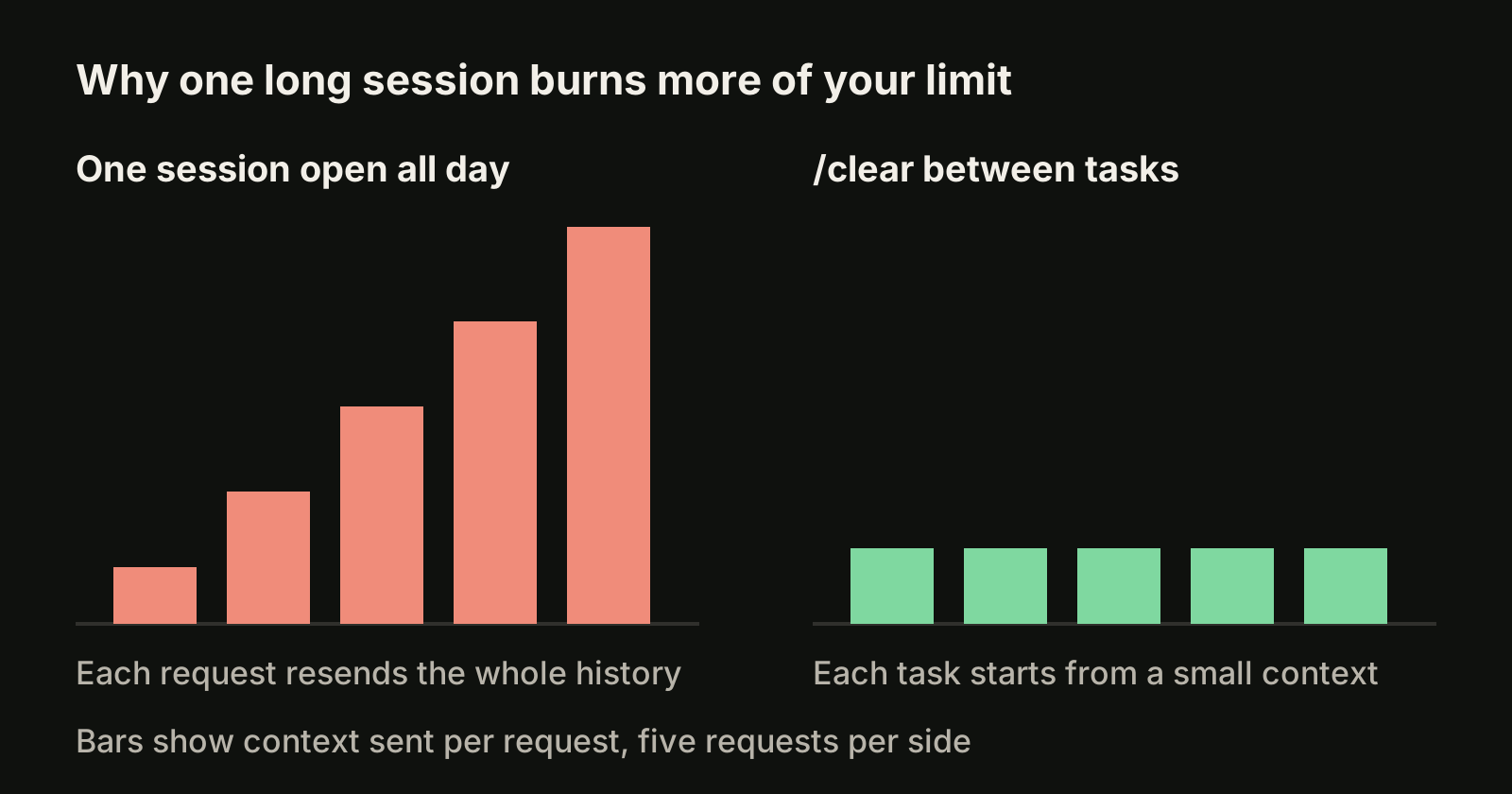
- Long context. Claude Code sends the full conversation with every request, and every batch of tool results adds another request. A one-line question in a session that has been open all day still carries the whole history.
- Cache misses after a break. The prompt cache lifetime is an hour on a subscription. Your first message after a longer break reprocesses the full context.
- Subagents and agent teams. Each subagent sends its own requests, and each active teammate keeps its own context window until it exits.
- Scheduled tasks and loops. A
/loopor scheduled task fires on its interval even while you are away, sending your context each time. - Compaction itself.
/compactreads the whole conversation it summarizes, so compacting a large context is a large request./clearcosts nothing.
Model choice matters too. The Claude Code support article says Opus uses meaningfully more of your quota per turn than Sonnet, and recommends Sonnet for most coding work.
What happens when you hit a limit
Read the message first, because each one means something different.
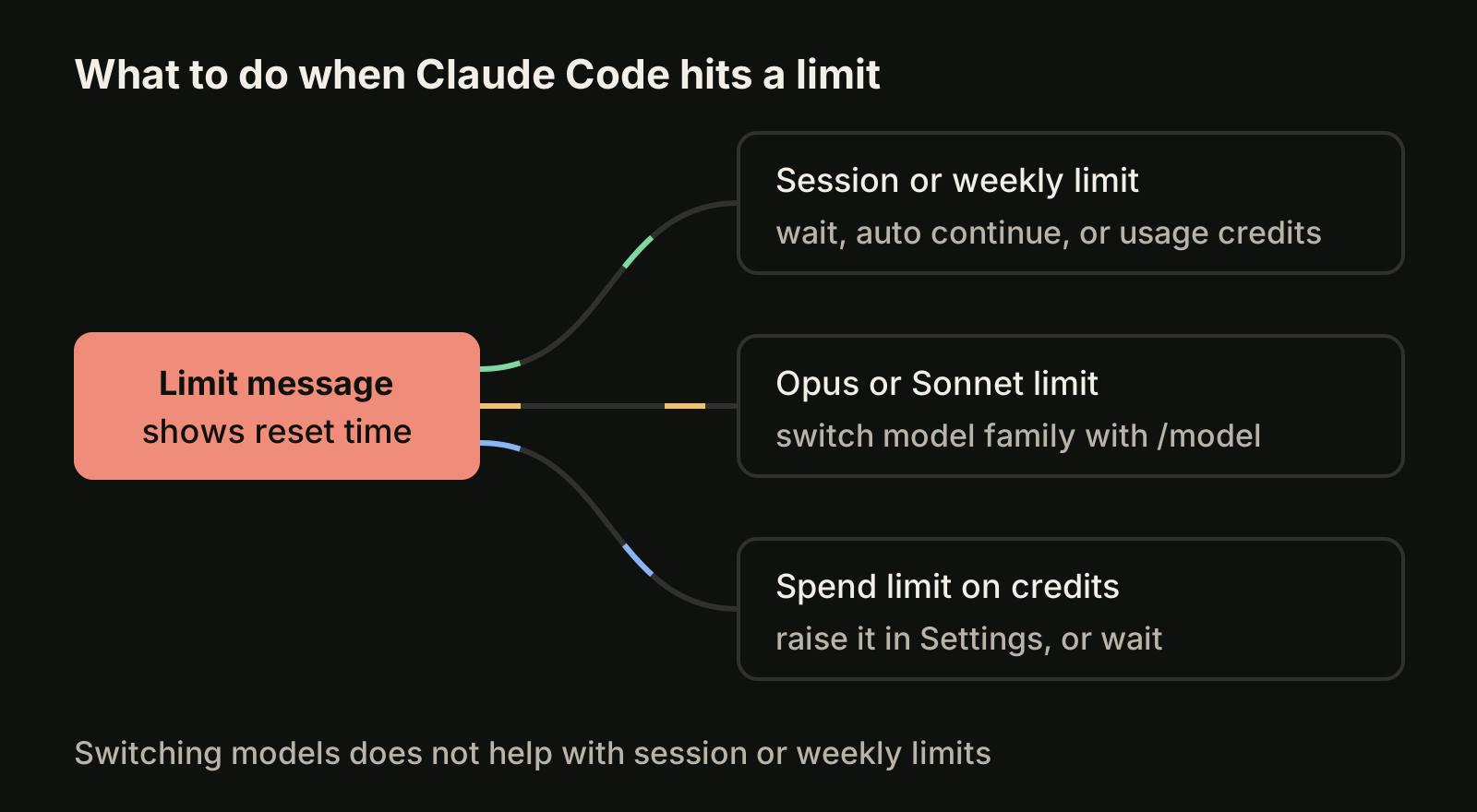
"You've hit your session limit" or "You've hit your weekly limit". These windows apply across all models, so switching models with /model does not help. The message shows when the window resets. You can wait, or turn on usage credits and run /usage-credits to keep working past the allowance at extra cost.
"You've hit your Opus limit" or "You've hit your Sonnet limit". This one is model specific. Switching to a model outside that family with /model keeps you working.
A spend limit message. Your usage credits reached a monthly spend limit. Raise it in Settings > Usage, or wait for the plan reset.
Let Claude Code continue after the reset
Since Claude Code v2.1.234, when a session limit stops Claude mid-task in an interactive session signed in with a subscription, Claude Code waits in the open session and continues the task on its own after the reset. The bottom of the terminal shows lines like:
Usage limit reached · limit resets 3:45pm
Continuing automatically at 3:45pm · esc to cancel
Keep the session open. Press Esc at an empty prompt to cancel, or run /rate-limit-options to choose. Claude Code does not start the wait on its own when the reset is more than 24 hours away, which is common for a weekly limit, so pick it from /rate-limit-options if you want it. The continued task still asks for permissions as usual, so it can stop on a prompt while you are away.
Occasionally Anthropic offers a free limit reset on eligible plans. You claim it in Settings > Usage on the web or in Claude Desktop, not in Claude Code.
Seven habits that make the allowance last
- One task per session. Run
/clearwhen you switch to unrelated work. Use/renamefirst if you want to find the old session later with/resume. - Default to Sonnet. Keep Opus for planning or hard reasoning, or use
/model opusplanto plan with Opus and execute with Sonnet. - Lower effort for simple work. Use
/effortfor mechanical edits that do not need deep reasoning. - Trim fixed context. Keep CLAUDE.md under about 200 lines, move workflow instructions into skills, and disable MCP servers you do not use with
/mcp. See our guide to the Claude Code context window. - Send verbose work to subagents. Test runs and log reading stay in the subagent's context, and only a summary comes back. Give simple subagents a smaller model.
- Be specific. "Add input validation to the login function in auth.ts" reads a few files. "Improve this codebase" scans everything.
- Watch for idle drains. Stop loops and teammates when they are done, and check the
/usagebreakdown for long context or cache-miss flags.
Plan your week around the weekly limit
The five-hour window is easy to feel. The weekly limit is the one that ends a Thursday early. A few planning rules help:
- Spread heavy work. Large refactors and agent teams can use a day's worth of allowance in an hour. Start them early in your week, not the day before a deadline.
- Check Settings > Usage on Monday. Note when your weekly window resets so you know how much runway you have.
- Keep a queue ready for the reset. When you hit a limit, write the next tasks down instead of forcing them through. Your queue is ready the moment the window opens.
- Use a second provider for parallel work. If you also have a Codex plan, independent tasks can run there while Claude is waiting. See Codex vs Claude Code and our guide to Codex usage limits.
If you run several Claude Code sessions at once, every one of them draws on the same pool, so a limit hits all of them together. See how to run multiple Claude Code sessions without edits colliding.
Where VibeiDE fits
VibeiDE is a desktop app that coordinates the Claude Code, Codex and OpenCode CLIs you already installed, each signed in to your own provider accounts. Its usage display shows provider-reported usage, remaining runway and reset countdowns where the provider reports them, and when Claude Code reaches a usage limit the terminal explains that you can continue in the same terminal after the reset. Each project keeps its own task queue, so waiting prompts can be edited or reordered while the limit is in effect. Per-provider slots control how many processes run at once; they do not raise your allowance or bypass provider limits. See Claude Code rate limits in VibeiDE.
Takeaways
- Claude Code usage limits have two windows: a five-hour session limit and a weekly limit, shared with claude.ai and Claude Desktop.
/usageshows plan bars and what is eating your allowance; Settings > Usage shows reset times.- Session and weekly limits apply across all models. Only model-specific limits are solved with
/model. - Long sessions, cache misses, subagents and loops drive most surprise limit hits.
/clearbetween tasks is the cheapest fix. - Since v2.1.234, Claude Code can wait and continue a task after a session reset. For a weekly reset, start the wait from
/rate-limit-options.