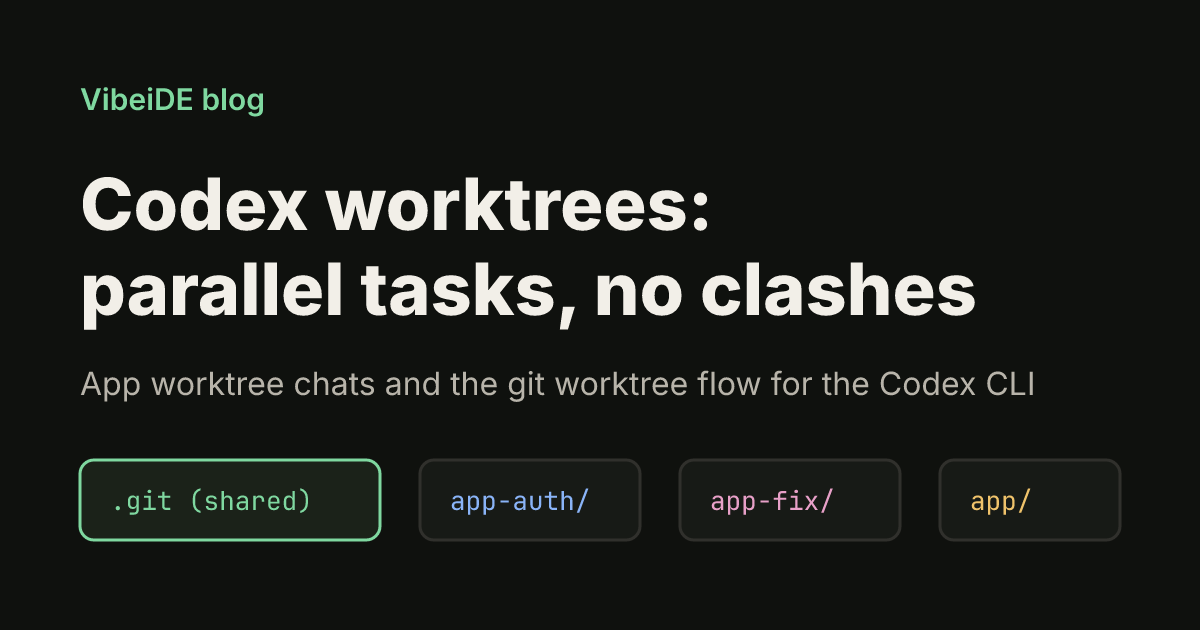
A Codex worktree gives one Codex task its own copy of your repository's files, so two tasks can edit code at the same time without overwriting each other. The Codex app creates and cleans up worktrees for you. The Codex CLI has no worktree flag, so there you use plain git worktree and point Codex at the folder. This guide covers both, as of October 2026, plus the review and cleanup steps that keep parallel work from turning into a merge mess.
What a worktree is (and why Codex tasks need one)
A Git worktree is an extra working directory linked to the same repository. According to the git worktree documentation, linked worktrees share everything except per-worktree files such as HEAD and the index. In practice that means:
| Shared across worktrees | Separate per worktree |
|---|---|
| Commits and history | Checked-out files on disk |
Branches and tags (refs/) | HEAD (which commit or branch is checked out) |
| Repository config (by default) | The index (staged changes) |
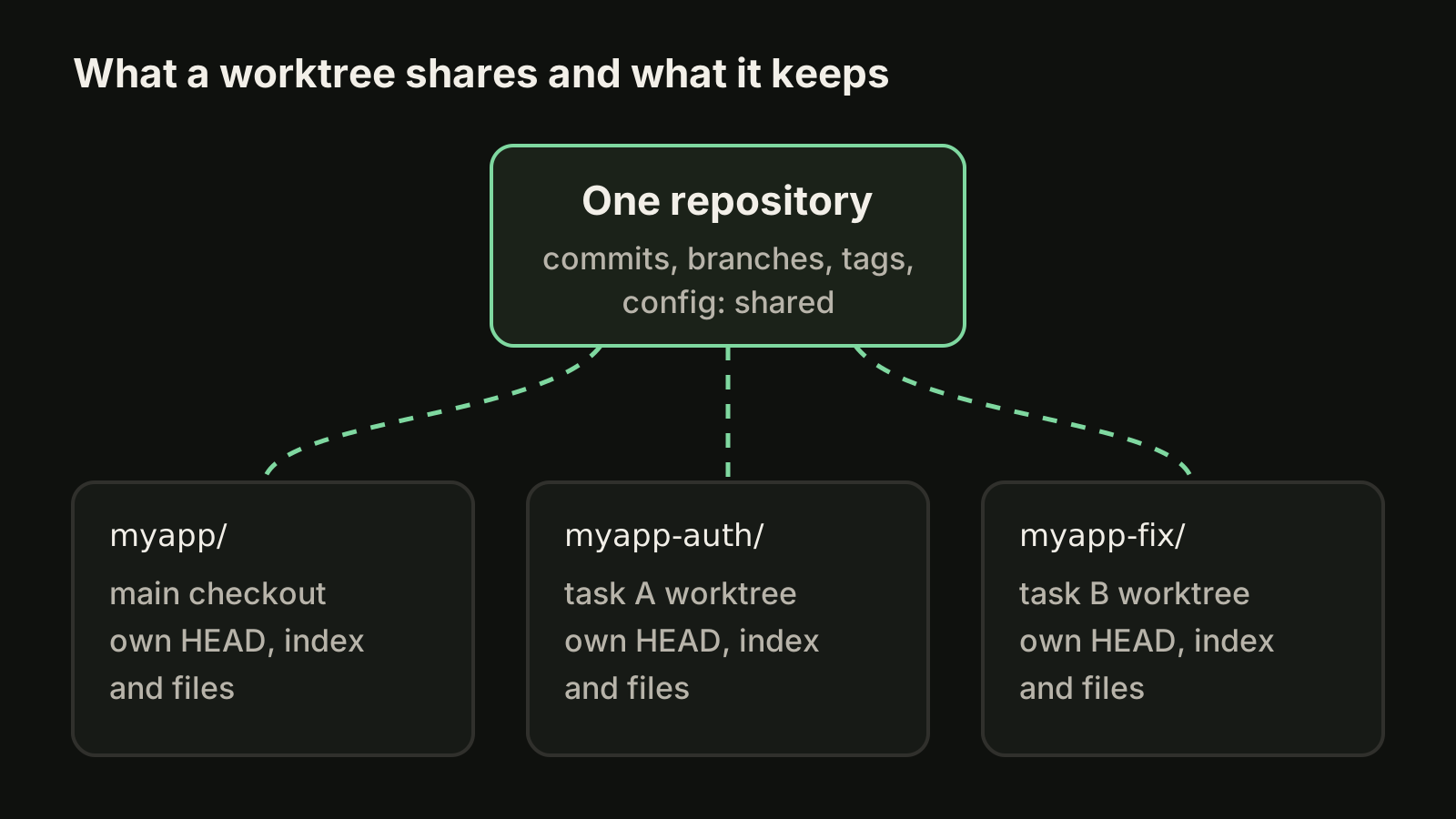
Without worktrees, two Codex sessions in the same folder edit the same files. One task's half-finished change breaks the other task's tests, and git diff mixes both. With one worktree per task, each agent gets clean files, and you review each diff on its own.
Codex worktrees in the Codex app
The Codex desktop app has worktrees built in. The steps, from the official Codex worktrees guide:
- Start a new chat and select Worktree under the composer.
- Optionally pick a local environment, so setup scripts install dependencies in the new worktree.
- Choose the starting branch below the composer:
main, a feature branch, or your current branch with its uncommitted changes. - Submit the prompt. Codex creates the worktree from the
HEADof that branch.
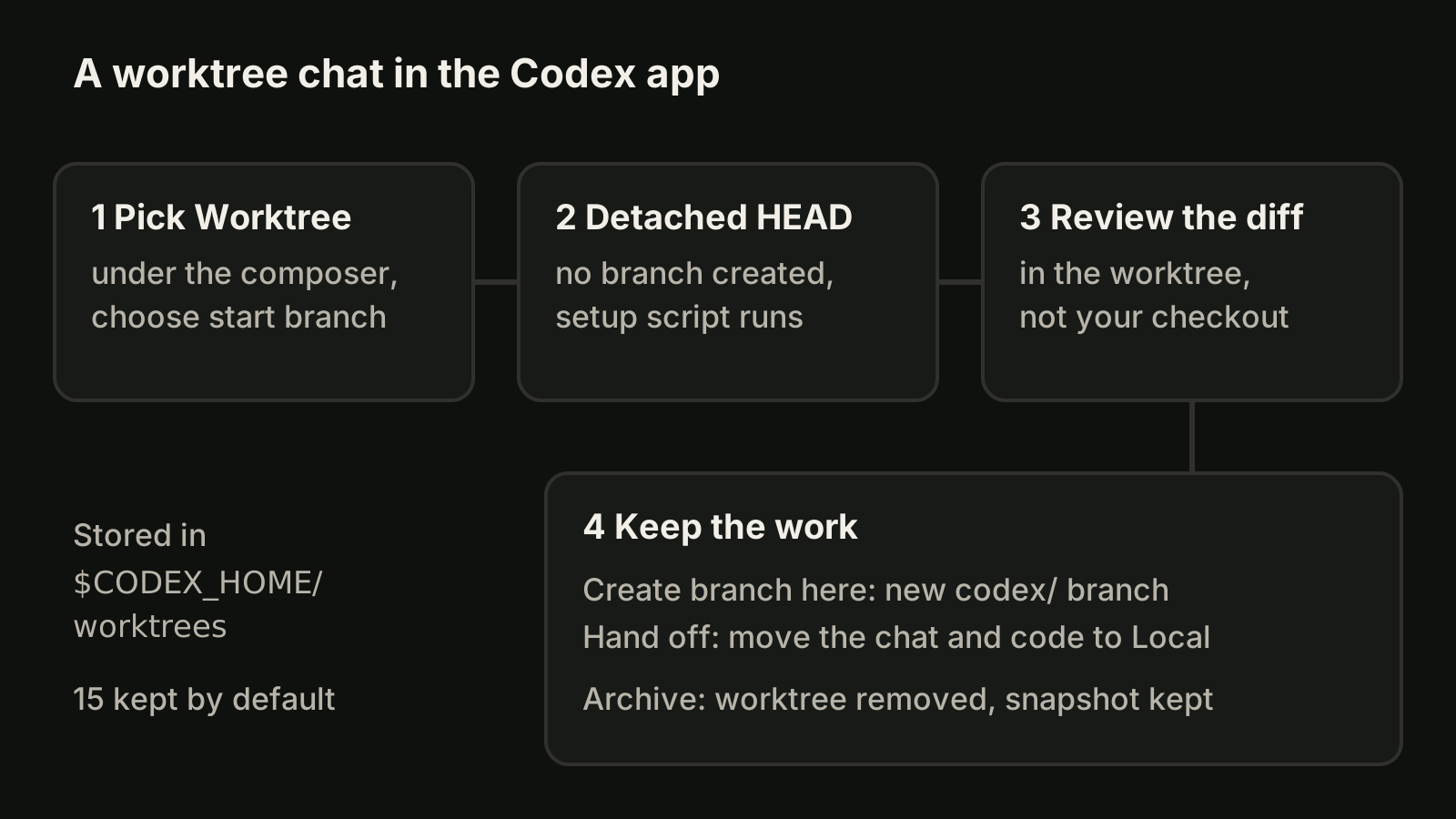
A few details matter once you run several of these:
- Location. Managed worktrees live in
$CODEX_HOME/worktrees. Change it under Settings > Worktrees > Worktree root. - Detached HEAD. New worktrees do not create a branch. When you want one, use Create branch here, which uses the
codex/prefix by default. - Ignored files. A fresh worktree has no
.env. List the ignored paths it needs in a.worktreeincludefile at the repository root, using.gitignorestyle patterns. Do not list tracked files. - Hand off. Hand off in the chat header moves the chat and its code between Local and the worktree, and handles the Git steps for you.
- Cleanup. By default Codex keeps the 15 most recent managed worktrees. Archiving a chat deletes its managed worktree, and Codex saves a snapshot first, so reopening the chat offers a restore. Pinned chats, chats in progress and permanent worktrees are not auto-deleted.
One rule trips people up: Git allows a branch to be checked out in only one place. If you used Create branch here in a worktree, you cannot also check that branch out locally. Git reports that the branch is already used by a worktree. Use Hand off instead of a manual checkout.
Codex worktrees with the Codex CLI
The Codex CLI does not have a worktree command or flag. Its --cd (-C) flag sets the working directory before the agent starts, which is all you need. If you have not installed it yet, start with our guide to installing the Codex CLI.
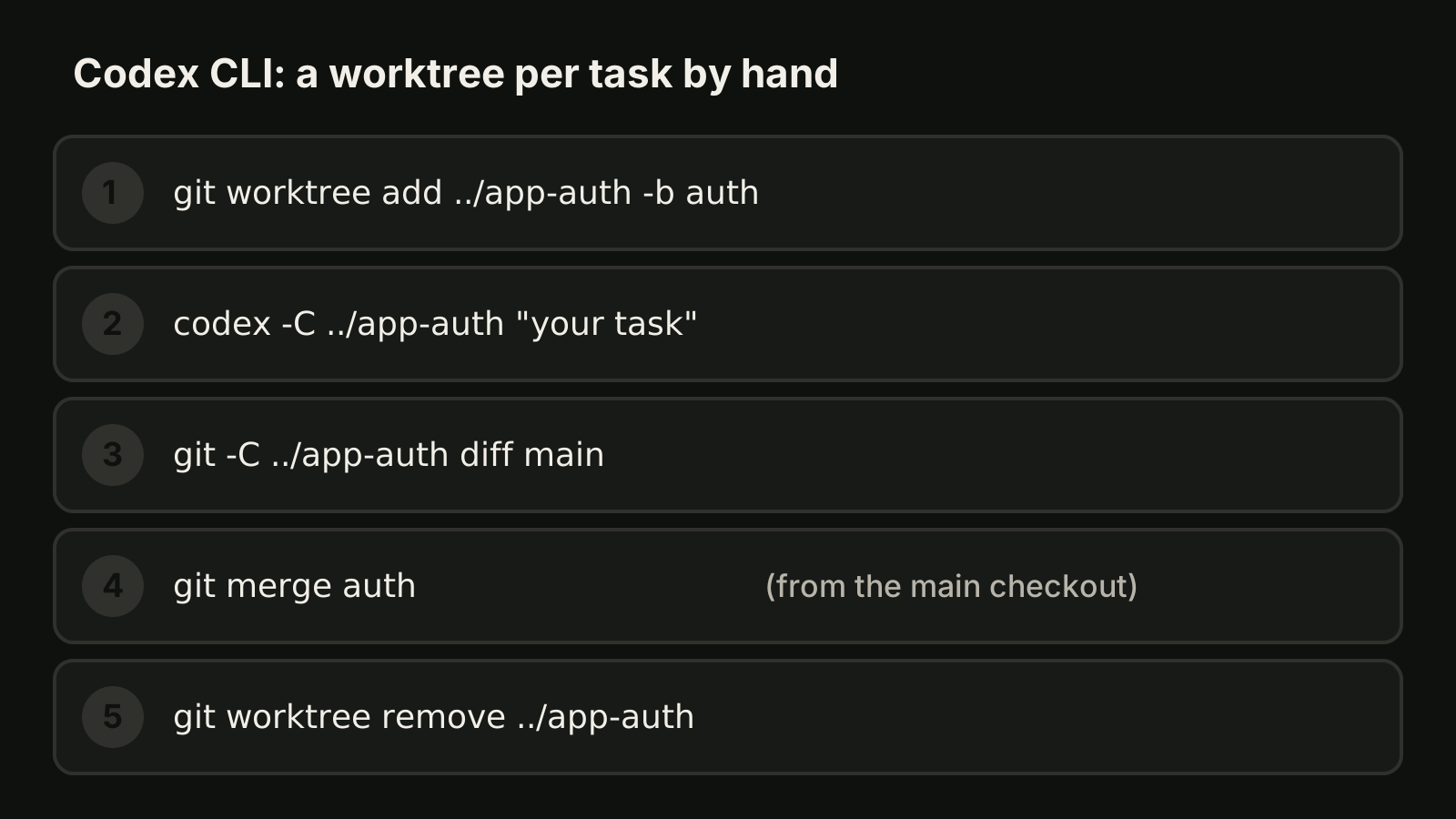
1. Create a worktree on a new branch next to your main checkout:
git worktree add ../app-auth -b authThe -b option creates the branch from HEAD and checks it out in the new folder. To start from another commit, add it at the end, for example git worktree add ../app-auth -b auth main.
2. Copy what Git ignores. A worktree is a fresh checkout, so .env files and installed dependencies are missing. Copy the env file and run your install command inside the new folder:
cp .env ../app-auth/
cd ../app-auth && npm install
3. Start Codex in the worktree:
codex -C ../app-auth "add rate limiting to the login endpoint and run the tests"Open a second terminal with a second worktree for the next task. Each Codex session treats its own folder as the workspace. The Codex sandbox guide explains what workspace-write allows. Commits in a linked worktree are written to the main repository's .git directory, which sits outside the worktree folder. If the sandbox blocks a commit, commit from your own shell, or grant access with --add-dir, which gives additional directories write access.
4. Review the diff before merging:
git -C ../app-auth diff main5. Merge and clean up from the main checkout:
git merge auth
git worktree remove ../app-auth
git branch -d auth
git worktree remove only removes clean worktrees, with no untracked or modified files. Use --force only when you are sure the changes are not needed. git worktree list shows every worktree, and git worktree prune clears entries for folders you deleted by hand.
For scripted runs, the same pattern works with codex exec: create the worktree, cd into it, then run codex exec "<task>" there.
App or CLI: which worktree flow to use
| Need | Codex app | Codex CLI |
|---|---|---|
| Create and delete worktrees | Automatic | git worktree add and remove |
| Branch | Detached, branch on demand (codex/) | You name it with -b |
Ignored files like .env | .worktreeinclude | Copy them yourself |
| Setup scripts | Local environment | Run them yourself |
| Cleanup | Keeps 15 by default, snapshots first | Manual |
If you also run Claude Code, its CLI has a built-in --worktree flag; we compare the approaches in running multiple Claude Code sessions. Shared project instructions belong in AGENTS.md, which is tracked and therefore present in every worktree.
Habits that keep parallel Codex work clean
- One task, one worktree, one branch. Name the branch after the task so
git worktree listreads like a to-do list. - Split by files, not by size. Two tasks that edit the same file will still conflict at merge time, even in separate worktrees.
- Review each diff on its own before merging, then remove the worktree the same day.
- Resume, do not restart. If a task needs a follow-up, codex resume continues the same conversation instead of re-explaining it.
If you juggle several of these across projects, VibeiDE is a desktop app that coordinates the Codex, Claude Code and OpenCode CLIs you already installed. Its composer branch mode "New worktree per task" gives each task its own Git worktree and branch from a chosen source, so tasks can run side by side, and Changes below the prompt shows the diff for the selected worktree and can commit, or commit and push, without leaving the app. Queues alone do not isolate files, which is why the worktree mode matters. See VibeiDE for Codex or how it handles parallel AI coding agents.
Takeaways
- A worktree gives each Codex task its own files,
HEADand index while sharing history and branches. - In the Codex app, choose Worktree under the composer; worktrees start detached in
$CODEX_HOME/worktreesand the 15 most recent are kept by default. - Use
.worktreeincludefor ignored files the app should copy, and Hand off instead of checking out the same branch twice. - In the Codex CLI, run
git worktree add ../dir -b branch, thencodex -C ../dir. - Review the diff, merge, then
git worktree removeso old worktrees do not pile up.