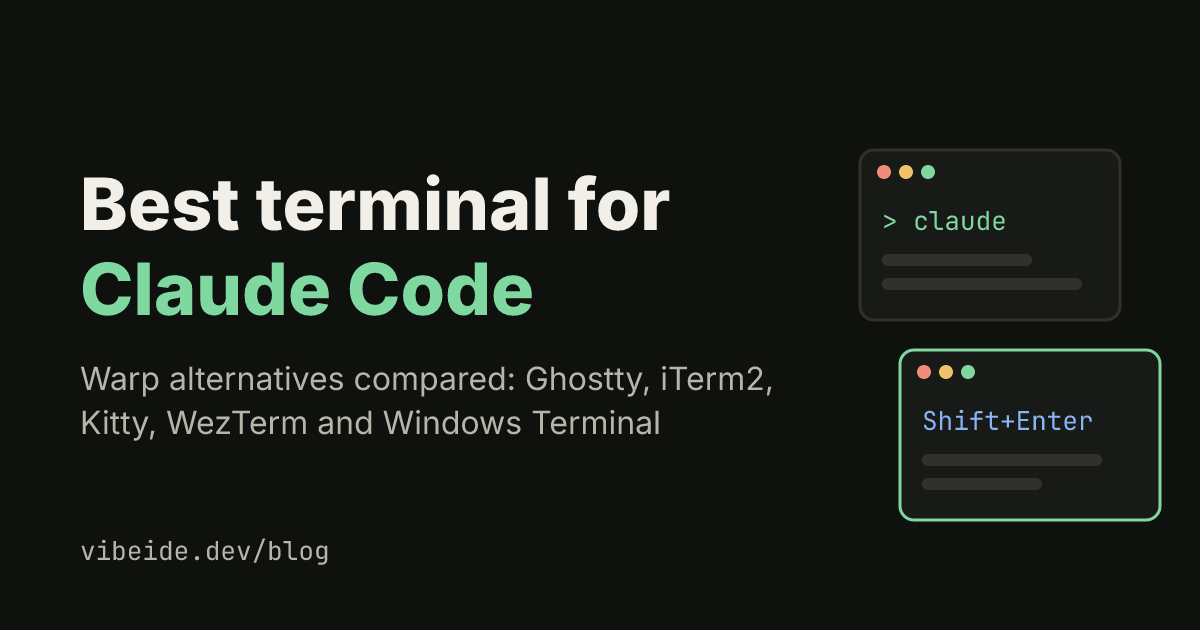
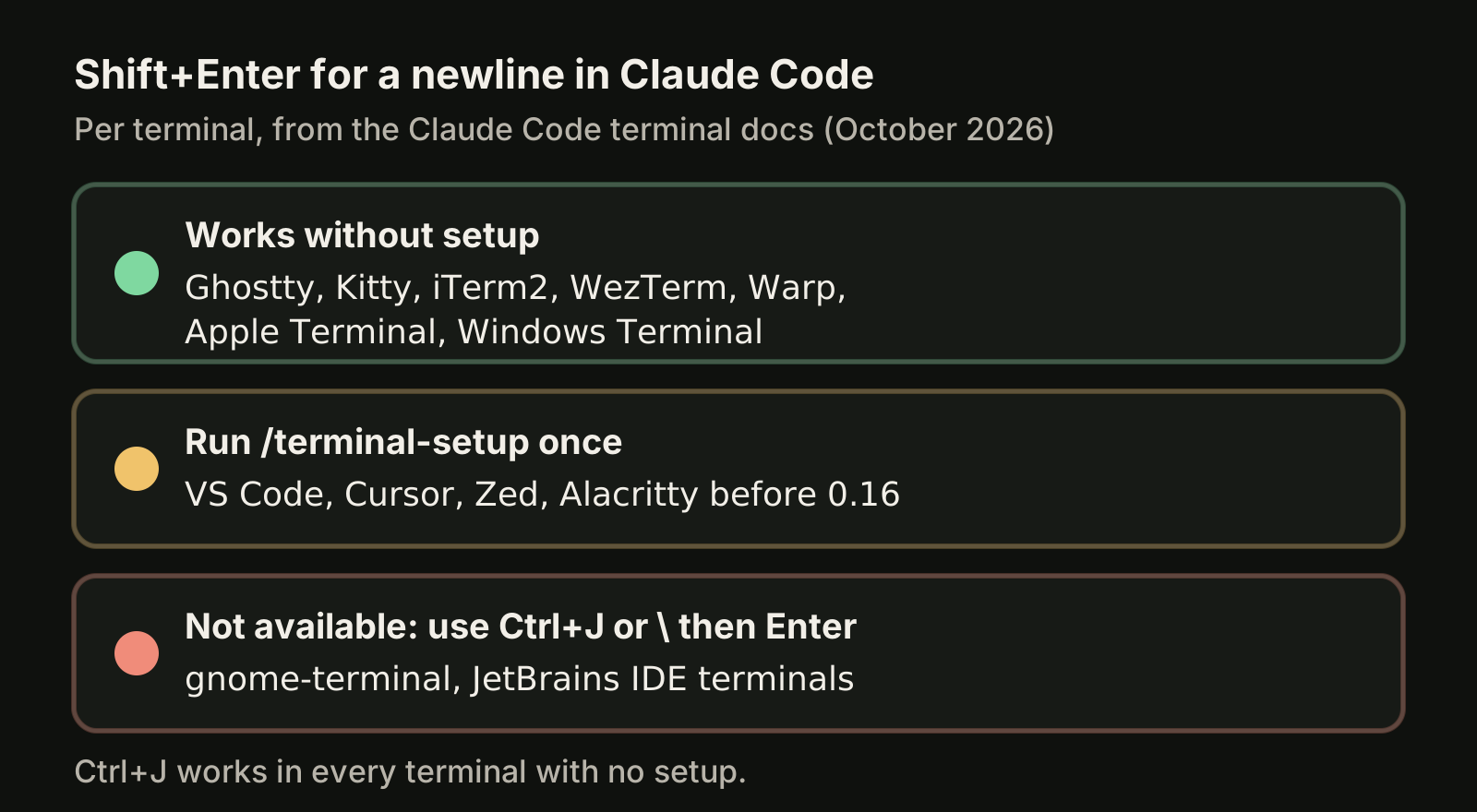
The best terminal for Claude Code is one that inserts a newline on Shift+Enter, tells you when Claude finishes, and passes alerts through tmux without extra work. As of October 2026, the Claude Code terminal docs list Ghostty, Kitty and iTerm2 as the only terminals that get a desktop notification by default, and Ghostty, Kitty, iTerm2, WezTerm, Warp, Apple Terminal and Windows Terminal as handling Shift+Enter with no setup. If you want a Warp alternative, Ghostty (macOS and Linux) and WezTerm (macOS, Windows and Linux) are the closest fits.
One workspace for all your coding agents.Download VibeiDE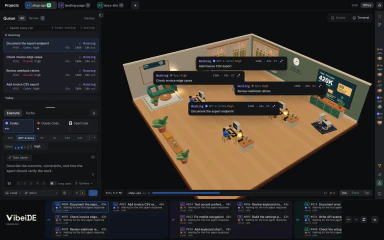
Claude Code itself works in any terminal without configuration, as the official terminal guide says. The differences show up in the small things you do fifty times a day: writing a multi-line prompt, noticing that a task is waiting for you, and keeping several sessions readable.
What makes a terminal good for Claude Code?
A good Claude Code terminal gets five things right without you editing config files.
- Multi-line input. Enter submits. Shift+Enter should add a line break; Ctrl+J and typing
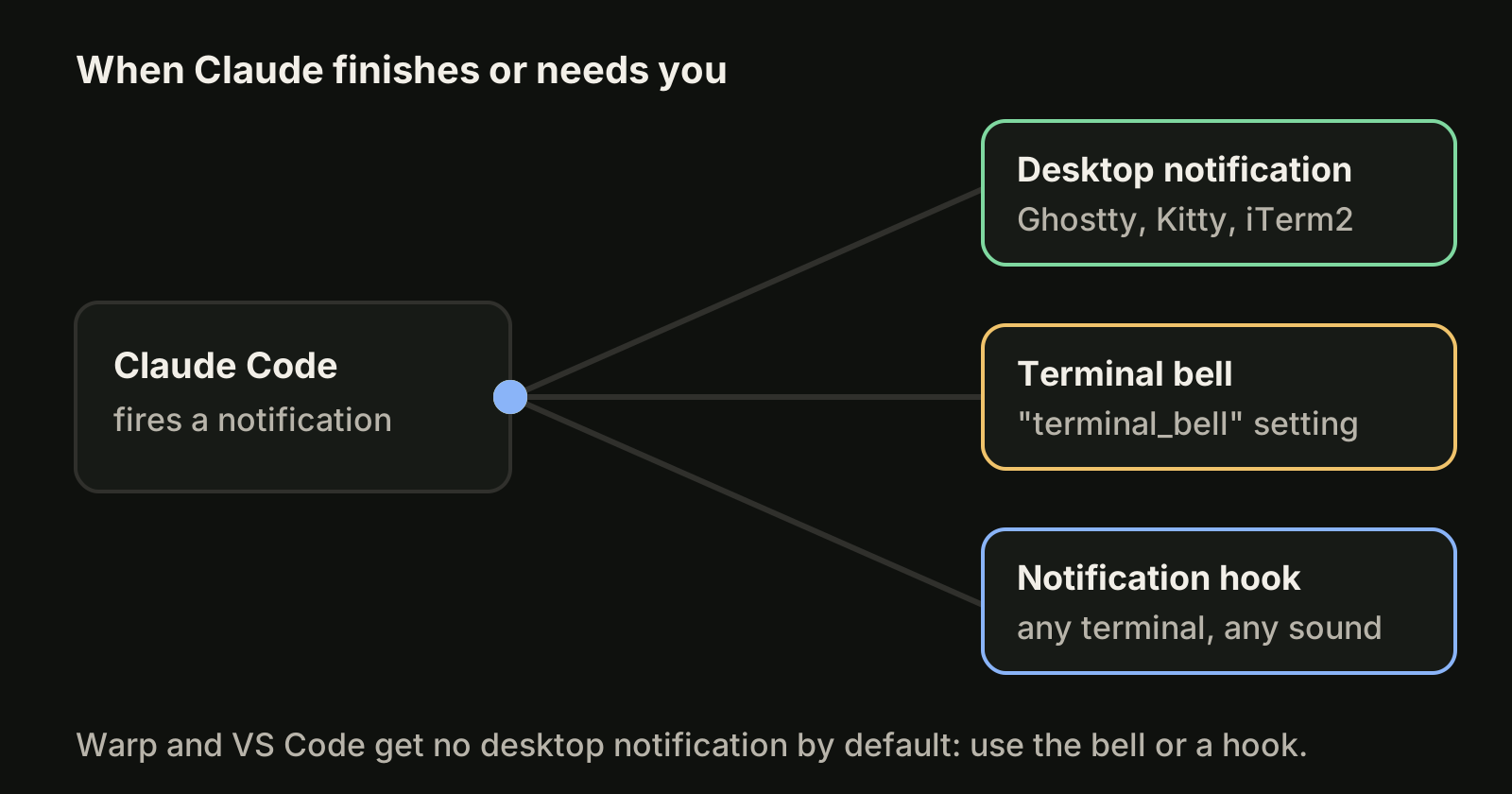
\then Enter work everywhere. - Alerts. Claude Code fires a notification when it finishes or needs a permission answer. Only some terminals turn that into a desktop notification.
- tmux passthrough. If you run Claude Code inside tmux, alerts and Shift+Enter need a few tmux settings.
- Smooth rendering. Long output should not flicker or make scrollback jump.
- Option as Meta on macOS. Shortcuts such as Option+P (switch model) do nothing until the terminal sends Option as a modifier.
Which terminals work best with Claude Code?
The table compares the terminals developers ask about most. Shift+Enter and notification behavior come from the Claude Code terminal docs; platforms and licenses come from each project's own page, checked in October 2026.
| Terminal | Platforms | License | Shift+Enter | Desktop alert by default |
|---|---|---|---|---|
| Ghostty | macOS, Linux | MIT | Yes | Yes |
| Kitty | Linux, macOS, BSD | GPL-3.0 | Yes | Yes |
| iTerm2 | macOS | GPL | Yes | Yes |
| WezTerm | Windows, macOS, Linux, BSD | Open source | Yes | No, use the bell or a hook |
| Warp | macOS, Windows, Linux | Client AGPL v3 (UI crates MIT) | Yes | No, use the bell or a hook |
| Windows Terminal | Windows 10 2004 or later | MIT | Yes | No, use the bell or a hook |
| Apple Terminal | macOS | Bundled with macOS | Yes | No, use the bell or a hook |
| VS Code terminal | macOS, Windows, Linux | Bundled with the editor | After /terminal-setup | No, use the bell or a hook |
Two details are easy to miss. In VS Code, Cursor, Zed and Alacritty before 0.16 you run /terminal-setup once so Shift+Enter works. In gnome-terminal and the JetBrains IDE terminals Shift+Enter is not available at all, so you use Ctrl+J.
What are the best Warp alternatives for running coding agents?
Warp describes itself as "an agentic development environment, born out of the terminal", and its client code is open source on GitHub. It runs Claude Code fine and handles Shift+Enter, but by default Claude Code sends it no desktop notification. People look for Warp alternatives for three different reasons, and each has a different answer.
You want a fast, plain terminal. Ghostty is the closest match on macOS and Linux: native UI, GPU rendering, MIT license, and desktop notifications from Claude Code out of the box. Kitty is the other strong pick on Linux and macOS.
You need Windows. Windows Terminal runs on Windows 10 version 2004 or later and handles Shift+Enter. WezTerm runs on Windows, macOS and Linux and includes a built-in multiplexer for splits and tabs.
You want to run many agents at once. Here the terminal is not the real constraint. Claude Code can run background sessions you start with claude --bg "<prompt>" and watch in one list with claude agents. Claude Squad (AGPL-3.0) runs several agents in tmux and gives each one a git worktree. Desktop orchestrators go further; our Conductor alternatives comparison lists 13 of them by platform.
How do I set up my terminal for Claude Code?
These five steps take about five minutes and cover almost every terminal problem people report.
1. Fix multi-line prompts
Press Shift+Enter in a Claude Code prompt. If it submits instead of adding a line, run this once in the host terminal (not inside tmux):
/terminal-setupIf your terminal is gnome-terminal or a JetBrains IDE, use Ctrl+J instead.
2. Turn on Option as Meta (macOS)
In iTerm2, open Settings, Profiles, Keys, General and set both Option keys to "Esc+". In Apple Terminal, open Settings, Profiles, Keyboard and check "Use Option as Meta Key". In Ghostty, Kitty and other terminals, look for an Option-as-Alt or Option-as-Meta setting in the config file.
3. Get an alert when Claude finishes
In Ghostty, Kitty and iTerm2 this already works. In iTerm2, notifications forwarded over SSH also need "Notification Center Alerts" and "Send escape sequence-generated alerts" under Settings, Profiles, Terminal. Everywhere else, ring the terminal bell:
{
  "preferredNotifChannel": "terminal_bell"
}
Put that in ~/.claude/settings.json, or add a Notification hook that plays a sound. Our Claude Code notifications guide has more hook examples.
4. Configure tmux, if you use it
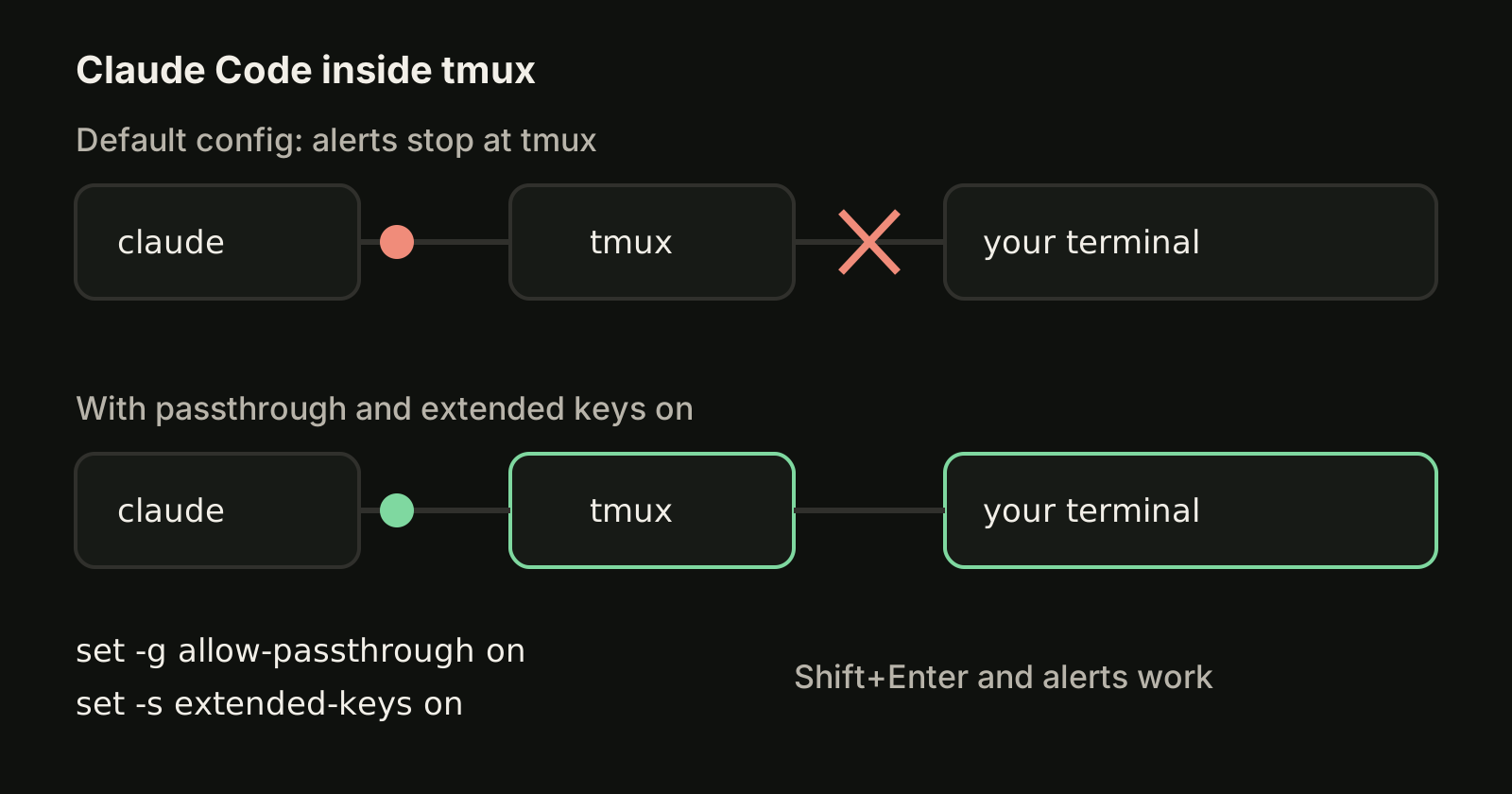
Inside tmux, Shift+Enter submits and alerts never reach the outer terminal until you add these lines to ~/.tmux.conf:
set -g allow-passthrough on
set -g focus-events on
set -s extended-keys on
set -as terminal-features 'xterm*:extkeys'
Then apply them with tmux source-file ~/.tmux.conf.
5. Stop flicker in long sessions
If the display flickers or scrollback jumps while Claude works, switch to fullscreen rendering with /tui fullscreen, or start Claude Code with the variable set:
CLAUDE_CODE_NO_FLICKER=1 claudeWhile you are in settings, a custom statusline keeps the model, context and branch visible at the bottom of the screen.
Is the terminal the bottleneck when you run several sessions?
Usually not. Once you run three or four Claude Code or Codex sessions across projects, the pain moves from key bindings to bookkeeping: which tab holds which request, which task finished, and which change you have not reviewed yet. More tabs and splits make that worse. What helps is a separate working copy per task (git worktrees) and one place that shows every session's state, as covered in running multiple Claude Code sessions.
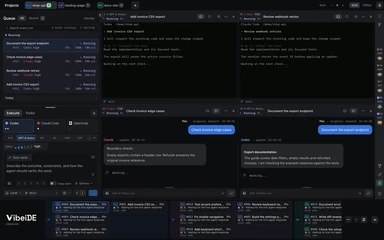
That is the problem VibeiDE is built for. It is a desktop app that coordinates the Codex, Claude Code and OpenCode CLIs you already installed: Codex and Claude Code run in embedded terminals that show the original CLI interface, each project has its own task queue, the "New worktree per task" mode gives each task its own Git worktree and branch, and finished tasks wait in Ready for review until you look at them. See how it compares with a terminal-first tool on VibeiDE vs Warp and VibeiDE vs tmux, or read about running AI coding agents in parallel.
FAQ
Does Claude Code work in any terminal?
Yes. The Claude Code docs say it works in any terminal without configuration. Terminal choice only changes conveniences such as Shift+Enter, desktop alerts and rendering.
Is Warp good for Claude Code?
Warp handles Shift+Enter without setup, so prompts work as expected. Claude Code does not send Warp a desktop notification by default, so set preferredNotifChannel to "terminal_bell" or add a Notification hook.
What is the best terminal for Claude Code on Windows?
Windows Terminal and WezTerm both handle Shift+Enter without setup. Neither gets a desktop alert by default, so add the terminal bell setting or a Notification hook. Warp also ships Windows builds.
Do I need tmux to use Claude Code?
No. tmux helps when you work over SSH or want sessions to survive a closed window. If you use it, add the four ~/.tmux.conf lines above so Shift+Enter and alerts still work.
Takeaways
- Ghostty, Kitty and iTerm2 give Claude Code both Shift+Enter and desktop alerts with no setup (as of October 2026).
- For a Warp alternative, pick Ghostty on macOS and Linux, or WezTerm when you also need Windows.
- In other terminals, set
preferredNotifChannelto"terminal_bell"or add a Notification hook. - Inside tmux, turn on
allow-passthroughandextended-keys, or alerts and Shift+Enter break. - With many agents at once, organize sessions by task and worktree; the terminal alone will not fix tab overload.