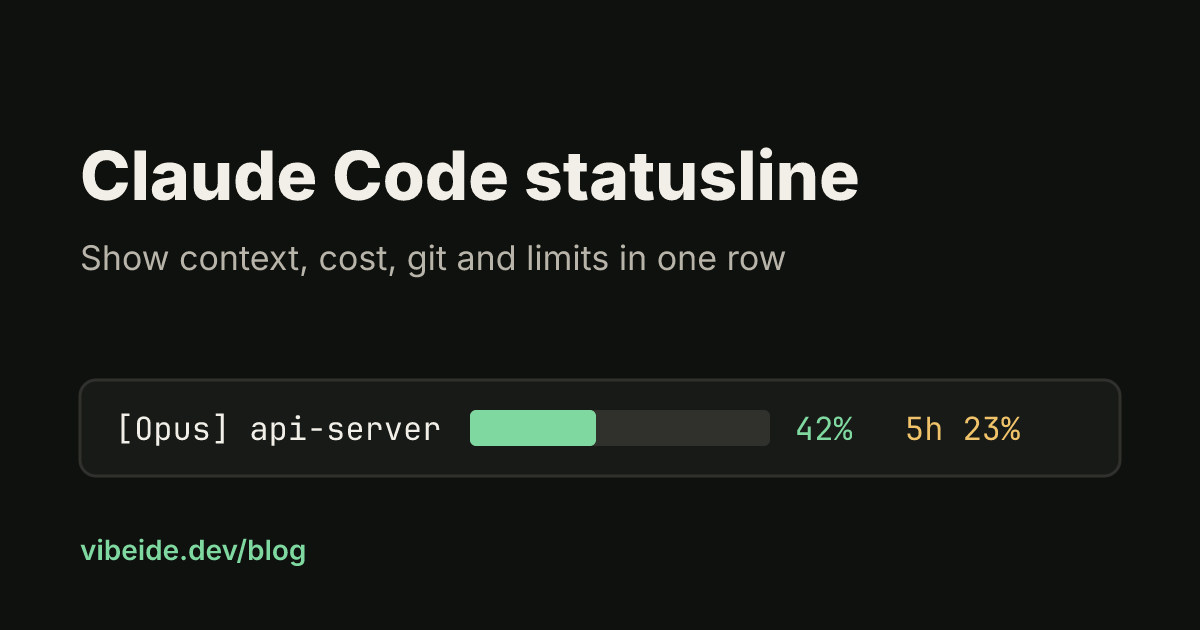
Claude Code shows a lot of state while it works, but most of it is hidden until you ask: how full the context window is, what the session has cost so far, which branch you are on, how much of your plan's five-hour window is gone. The Claude Code statusline puts that state in one row under the prompt, refreshed as the session moves. This guide covers the two ways to set it up, the JSON fields your script receives, three scripts worth copying, and the problems that leave the row blank. Details are from the official status line documentation as of October 2026.
One workspace for all your coding agents.Download VibeiDE
What the status line is
The status line is a row at the bottom of the Claude Code interface that runs a command you choose. Claude Code pipes JSON session data into the command on stdin and displays whatever the command prints to stdout. The script runs on your machine and does not consume API tokens.
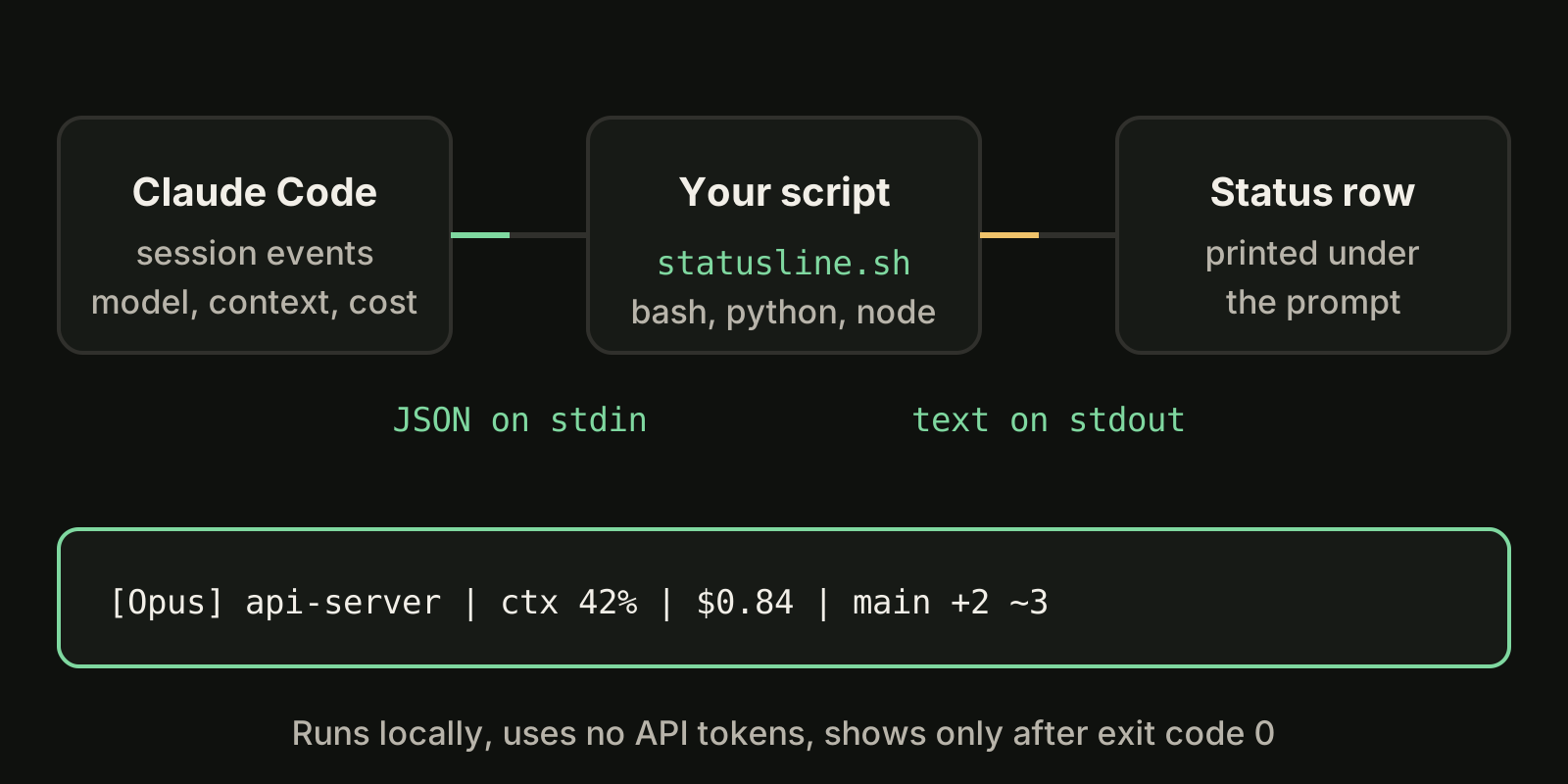
Three things follow from that design:
- Anything you can compute in a shell can go in the row: git state, a clock, a ticket number from the branch name.
- The output appears only after your script exits with code 0. A script that fails or prints nothing leaves the row blank.
- With a custom status line configured, Claude Code drops most of the footer keyboard hints, such as
esc to interrupt, to make room.
Set it up with /statusline
The fastest path is the built-in command. Describe what you want in plain language:
/statusline show model name and context percentage with a progress barClaude Code writes a script into ~/.claude/ and updates your settings. Approve the file edits when it asks. To remove it later, run /statusline delete (or clear, or remove it), or delete the statusLine field from your settings file by hand. The full list of built-in slash commands is in our Claude Code commands guide.
Configure it by hand in settings.json
If you prefer to own the script, add a statusLine object to your user settings at ~/.claude/settings.json, or to project settings if the whole team should share it:
{
  "statusLine": {
    "type": "command",
    "command": "~/.claude/statusline.sh",
    "padding": 2,
    "refreshInterval": 10
  }
}| Field | What it does |
|---|---|
type | Always "command": run a shell command |
command | A script path or an inline shell command |
padding | Extra horizontal spacing in characters, default 0 |
refreshInterval | Also re-run every N seconds (minimum 1); leave unset for event-only updates |
hideVimModeIndicator | Hide the built-in -- INSERT -- text when your script shows vim.mode itself |
Then create the script and make it executable:
#!/bin/bash
input=$(cat)
MODEL=$(echo "$input" | jq -r '.model.display_name')
DIR=$(echo "$input" | jq -r '.workspace.current_dir')
PCT=$(echo "$input" | jq -r '.context_window.used_percentage // 0' | cut -d. -f1)
echo "[$MODEL] ${DIR##*/} | ${PCT}% context"
chmod +x ~/.claude/statusline.shClaude Code reloads settings automatically, so the row appears as soon as you save. The examples use jq to parse JSON; install it first if jq --version fails. Python and Node scripts work the same way: read stdin, parse JSON, print a line.
The JSON your script receives
These are the fields most people put in a status line. The documentation lists the full schema.
| Field | Meaning |
|---|---|
model.display_name, model.id | Current model; see how to switch models |
workspace.current_dir, workspace.project_dir | Current folder and the folder Claude Code started in |
workspace.git_worktree | Linked worktree name, absent in the main working tree |
context_window.used_percentage | Share of the context window in use |
context_window.context_window_size | Window size in tokens |
cost.total_cost_usd | Estimated session cost at list price, not your bill; see what Claude Code costs |
cost.total_duration_ms | Wall-clock time of the session |
cost.total_lines_added, cost.total_lines_removed | Lines changed in the session |
rate_limits.five_hour.used_percentage | Share of the 5-hour window used (Pro and Max) |
rate_limits.seven_day.used_percentage | Share of the 7-day window used (Pro and Max) |
effort.level | Current reasoning effort, when the model supports it |
session_name, session_id | Session name (from --name or /rename) and id |
pr.number, pr.review_state | Open pull request for the branch, when there is one |
Two details save debugging time. First, used_percentage counts input tokens only (fresh input plus cache reads and writes), not output, and it can be null early in a session. Second, several objects are simply absent until they apply: rate_limits appears only for Pro and Max subscribers after the first response, pr only while a pull request is open, vim only in vim mode. Always use fallbacks such as // 0 or // empty in jq.
When the status line updates
The script runs when a session starts or resumes, and again on events: a new assistant message, /compact finishing, a permission mode change, a vim mode toggle, a change to the command itself, and when a rate-limit window or warm prompt cache in the last data reaches its reset or expiry time.
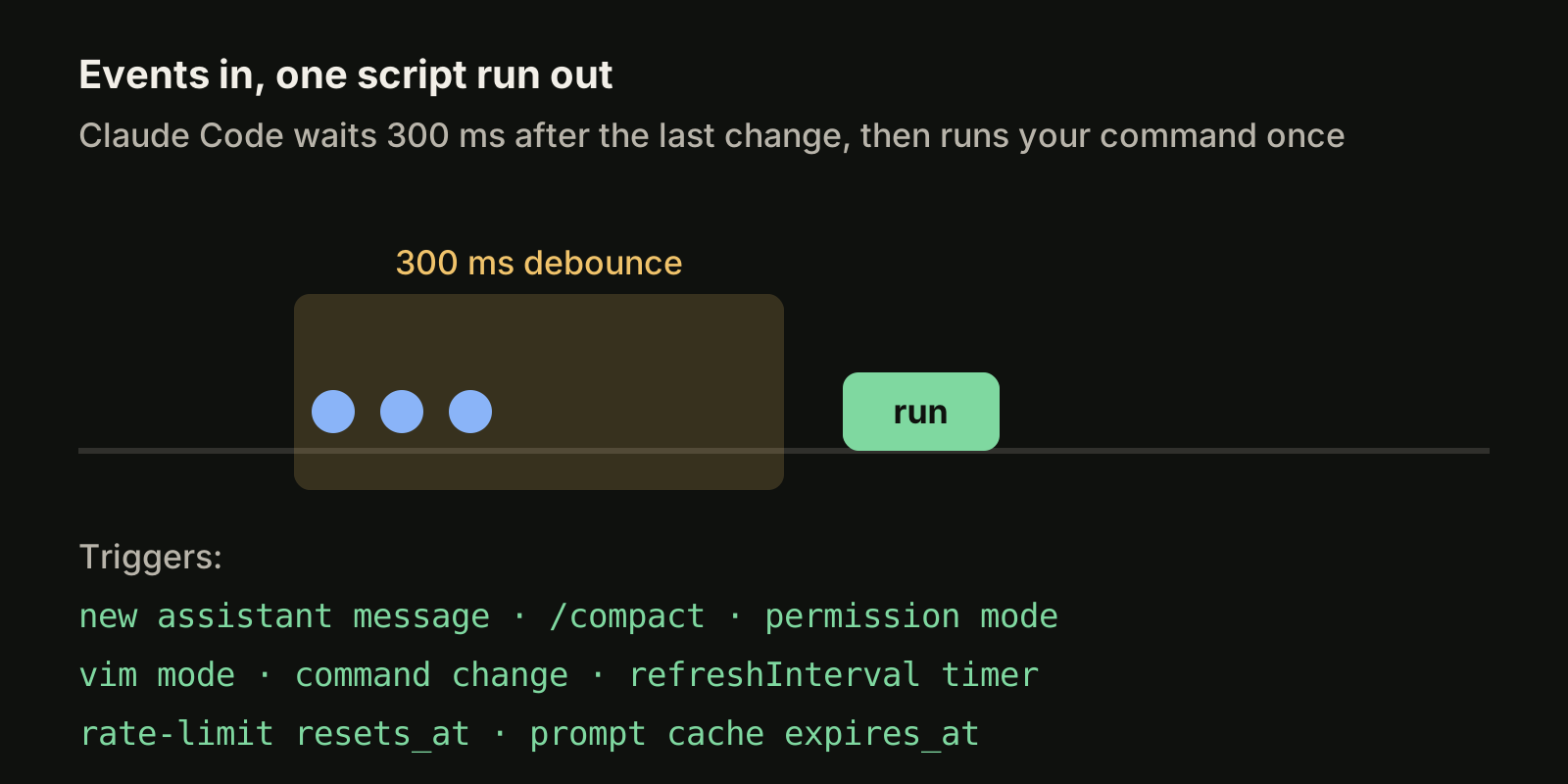
Updates are debounced at 300 ms, so a burst of events triggers one run. If a new update arrives while your script is still running, the old run is cancelled. Event triggers go quiet while the session is idle, so a clock or a git segment can go stale. Set refreshInterval when you need the row to keep moving.
Three status lines worth copying
A context bar that tells you when to stop
Context is the number that matters most in long sessions, because long, crowded sessions are where parts of a request tend to get lost. A bar is easier to read at a glance than a number:
#!/bin/bash
input=$(cat)
MODEL=$(echo "$input" | jq -r '.model.display_name')
PCT=$(echo "$input" | jq -r '.context_window.used_percentage // 0' | cut -d. -f1)
FILLED=$((PCT / 10)); EMPTY=$((10 - FILLED))
BAR=$(printf '%*s' "$FILLED" '' | tr ' ' '#')$(printf '%*s' "$EMPTY" '' | tr ' ' '-')
if [ "$PCT" -ge 80 ]; then C='\033[31m'; elif [ "$PCT" -ge 50 ]; then C='\033[33m'; else C='\033[32m'; fi
echo -e "[$MODEL] ${C}${BAR}\033[0m ${PCT}%"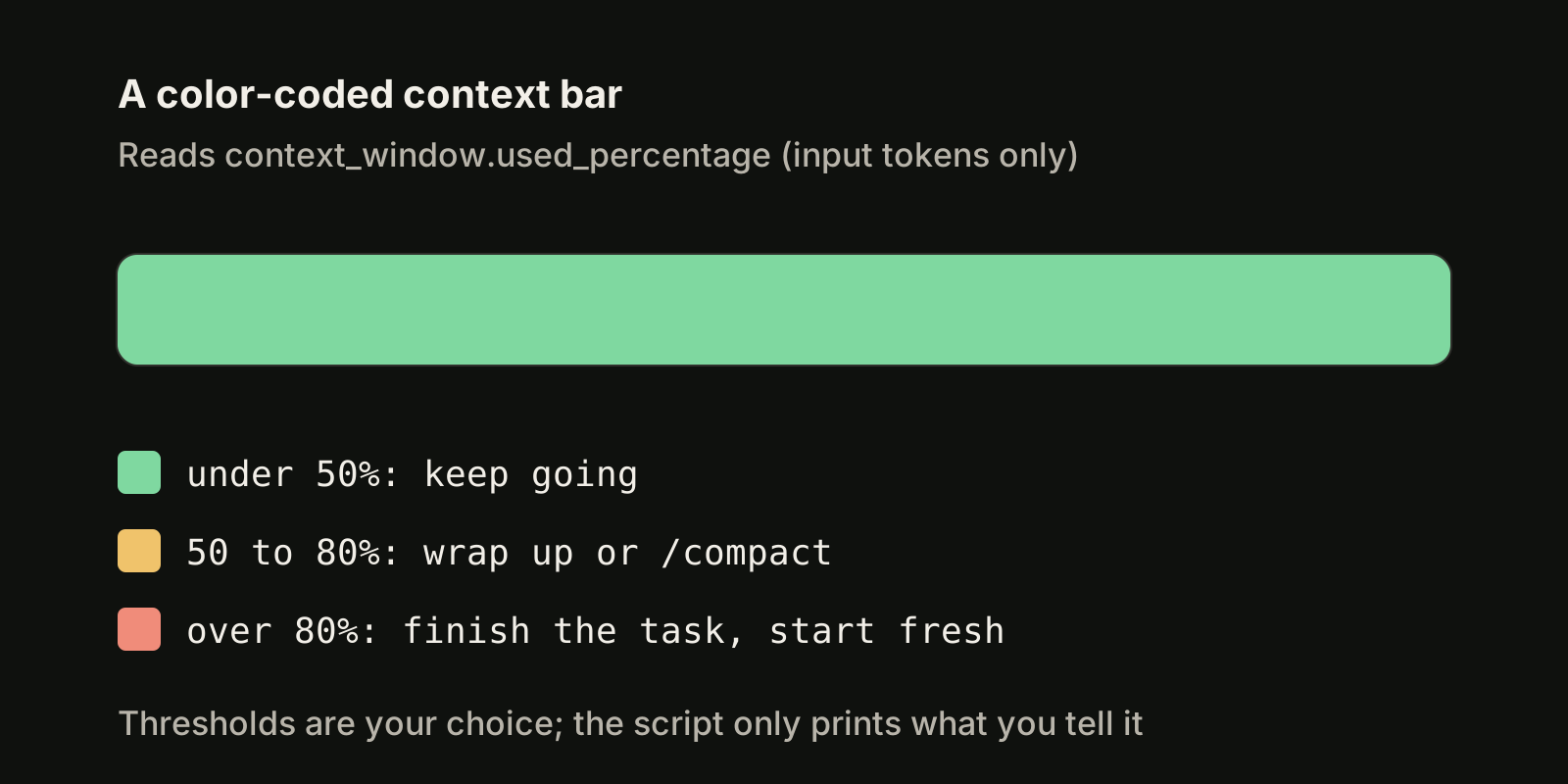
The 50 and 80 percent thresholds are a habit, not a rule. When the bar turns yellow, wrap up or run /compact with a focus; when it turns red, finish the current task and start a fresh session. Our context window guide explains what fills the window and what survives /compact.
Plan limits next to the model
If you are on Pro or Max, show the 5-hour and 7-day windows so a limit never surprises you mid-task:
#!/bin/bash
input=$(cat)
MODEL=$(echo "$input" | jq -r '.model.display_name')
FIVE=$(echo "$input" | jq -r '.rate_limits.five_hour.used_percentage // empty')
WEEK=$(echo "$input" | jq -r '.rate_limits.seven_day.used_percentage // empty')
OUT="[$MODEL]"
[ -n "$FIVE" ] && OUT="$OUT 5h: $(printf '%.0f' "$FIVE")%"
[ -n "$WEEK" ] && OUT="$OUT 7d: $(printf '%.0f' "$WEEK")%"
echo "$OUT"
For how the windows work and how to plan a week of agent work around them, see Claude Code usage limits.
Git branch, cached
git status in a large repository can be slow, and the script runs often. Cache the git part per session and refresh it every few seconds:
#!/bin/bash
input=$(cat)
SID=$(echo "$input" | jq -r '.session_id')
CACHE="/tmp/statusline-git-$SID"
if [ ! -f "$CACHE" ] || [ $(( $(date +%s) - $(stat -c %Y "$CACHE" 2>/dev/null || stat -f %m "$CACHE") )) -gt 5 ]; then
  BRANCH=$(git branch --show-current 2>/dev/null)
  DIRTY=$(git diff --numstat 2>/dev/null | wc -l | tr -d ' ')
  echo "$BRANCH ~$DIRTY" > "$CACHE"
fi
echo "branch: $(cat "$CACHE")"
Key the cache on session_id, not the process id: each run is a new process, and two sessions in different repositories must not read each other's file.
Multiple lines, colors and terminal width
Each echo or print becomes its own row, so you can put git on line one and the context bar on line two. ANSI color codes such as \033[32m work if your terminal supports them, and OSC 8 escape sequences make text clickable in terminals like iTerm2, Kitty and WezTerm. Because Claude Code captures your output instead of handing the script the terminal, tput cols cannot see the width; read the COLUMNS and LINES environment variables instead. Keep the row short either way, since long output gets cut or wraps.
On Windows, Claude Code runs the command through Git Bash when it is installed, otherwise PowerShell. Write paths in command with forward slashes, because Git Bash eats unquoted backslashes and the script fails silently.
Troubleshooting a blank status line
- Folder not trusted: the status line follows the same workspace trust rule as hooks and stays blank until you accept the trust dialog.
claude --debuglogs that the command was skipped. - Not executable or wrong stream: run
chmod +xand print to stdout, not stderr. - Non-zero exit: any error or empty output blanks the row. Test with mock input:
echo '{"model":{"display_name":"Opus"},"context_window":{"used_percentage":25}}' | ~/.claude/statusline.sh - Hooks disabled:
disableAllHooks: trueoutside managed settings also disables your status line, and an organization settingallowManagedHooksOnlyhides it without warning. - Values show
--or empty: fields can benullbefore the first response; add fallbacks. - Percentage differs from /context: the status line uses the last API response, while
/contextadds an estimate for newer messages.
The same trust and hook rules matter for Claude Code hooks, which run commands in a similar way.
One status line per task, many tasks at once
A status line answers "how is this session doing" for the one terminal in front of you. When you run several sessions across projects, the harder question is which one needs you now. VibeiDE coordinates the Claude Code, Codex and OpenCode CLIs you already installed: Codex and Claude Code run in embedded terminals that show the original CLI interface, each project has its own task queue, and the usage display shows provider-reported usage, remaining runway and reset countdowns where the provider reports them. See Claude Code orchestration across your projects.
Takeaways
- Run
/statuslinewith a plain-language description, or add astatusLineobject withtype: "command"to~/.claude/settings.json. - Your script reads JSON on stdin and prints the row on stdout; it runs locally, costs no tokens, and must exit with code 0.
- The most useful fields are
context_window.used_percentage,cost.total_cost_usd,rate_limits.five_hourandrate_limits.seven_day, and the git and pull request fields. - Updates are event driven with a 300 ms debounce; add
refreshIntervalfor clocks and idle sessions. - Guard every field with a fallback, cache slow git calls per
session_id, and check workspace trust when the row stays blank.