Yes, OpenCode has an official desktop app. As of October 2026, OpenCode Desktop is a free download for macOS, Windows and Linux on the OpenCode download page, and opencode web opens the same agent in your browser. If you want a graphical view of several OpenCode sessions next to Claude Code and Codex, a multi-agent desktop app is the other option.
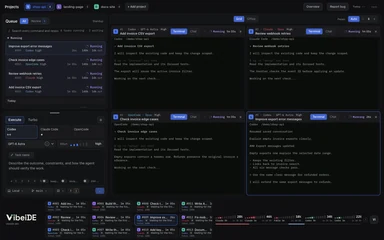 VibeiDEAll your agents. One Grid.Battery friendly, no 3D. 14 days free, no card.Download
 This guide compares every way to run OpenCode outside the plain terminal, shows how to install each one, and helps you pick the right one for how you work.
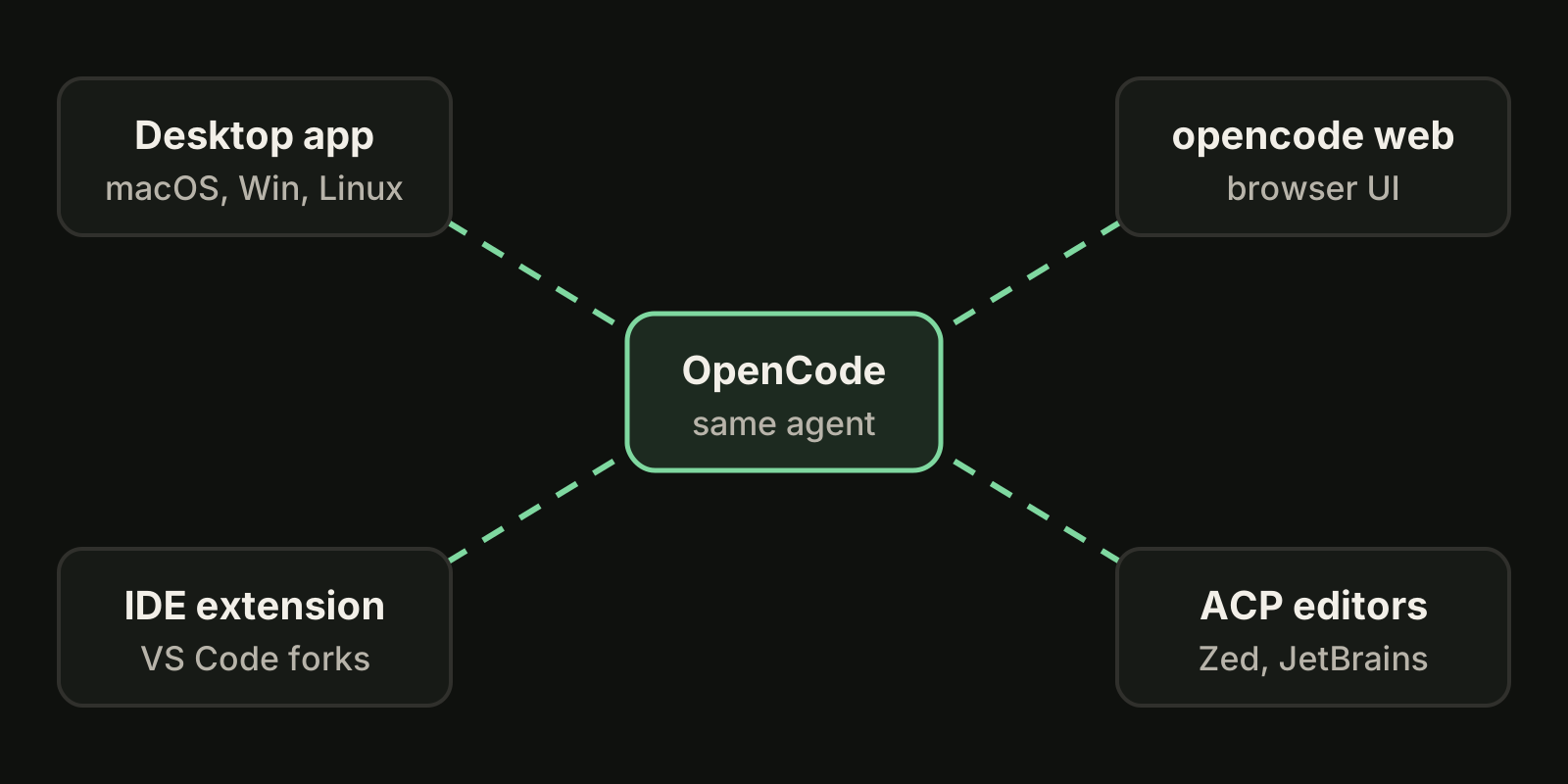
Is there an OpenCode desktop app?
Yes. The download page lists OpenCode Desktop next to the terminal version, as of October 2026:
| Platform | Package listed on the download page |
|---|---|
| macOS, Apple Silicon | DMG |
| macOS, Intel | DMG |
| Windows x64 | NSIS installer |
| Windows ARM64 | NSIS installer |
| Linux | .deb and .rpm |
| macOS with Homebrew | brew install --cask opencode-desktop |
The desktop app is a front end for the same OpenCode agent, so you still need a provider or a free model. If you have not set one up yet, start with installing OpenCode and choosing a model, then open the desktop app on your project folder.
How do I install the OpenCode desktop app?
- Open the OpenCode download page and pick the build for your system under OpenCode Desktop.
- On macOS you can install it from the terminal instead:
brew install --cask opencode-desktop- On Windows, run the NSIS installer for x64 or ARM64. If you also use the terminal version on Windows, read OpenCode on Windows for PowerShell and WSL details.
- On Linux, install the
.deb(Debian, Ubuntu) or.rpm(Fedora, openSUSE) package with your package manager. - Open a project folder, sign in to a provider or pick a free model, and send a first prompt to check that everything works.
If you only want to try OpenCode without paying for a model, the free models guide lists what OpenCode Zen offers at no cost right now.
Can I use OpenCode in the browser?
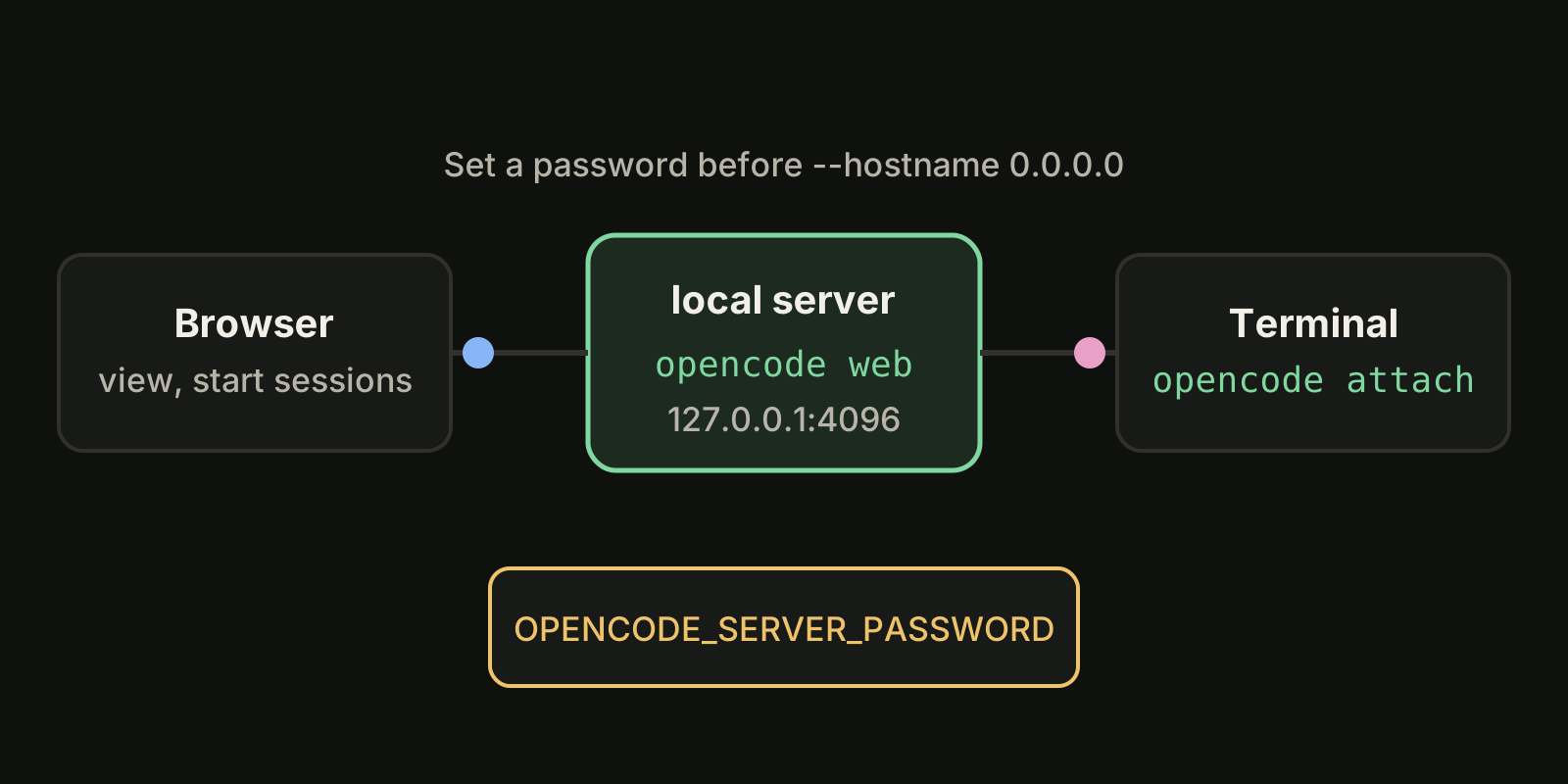
Yes. The opencode web command starts a local server and opens a web interface in your default browser, according to the OpenCode web docs:
opencode webBy default it listens on 127.0.0.1 with a random free port. A few flags matter:
| Flag or variable | What it does |
|---|---|
--port 4096 | Use a fixed port |
--hostname 0.0.0.0 | Listen on all interfaces, for access from another device |
--mdns | Advertise the server on the local network as opencode.local |
OPENCODE_SERVER_PASSWORD | Protect the server with a password |
The docs warn that the server is unsecured without a password, which is fine on localhost and risky on a network. Set OPENCODE_SERVER_PASSWORD before you use --hostname 0.0.0.0. You can also attach a terminal to a running server with opencode attach http://localhost:4096, so the browser and the terminal show the same sessions. On Windows the docs suggest running opencode web from WSL rather than PowerShell.
Can I run OpenCode inside my editor?
Yes, in two ways.
IDE extension. OpenCode has an extension for VS Code and forks such as Cursor, Windsurf and VSCodium. Install it from the extension marketplace, then press Cmd+Esc on macOS or Ctrl+Esc on Windows and Linux to open OpenCode in a split terminal. It shares your current selection or tab with the agent.
ACP editors. opencode acp runs OpenCode as an Agent Client Protocol server, so editors that speak ACP can host it as their agent. The ACP docs list Zed, JetBrains IDEs, Avante.nvim and CodeCompanion.nvim. In Zed you can add it from the ACP registry with the zed: acp registry command, or add this to ~/.config/zed/settings.json:
{
  "agent_servers": {
    "OpenCode": {
      "type": "custom",
      "command": "opencode",
      "args": ["acp"]
    }
  }
}
The docs note that a few slash commands, such as /undo and /redo, are not supported over ACP.
OpenCode GUI options compared
Every option below runs the same OpenCode agent. They differ in where the window lives and how many sessions you can see at once (as of October 2026).
| Option | Where it runs | Best for | Several sessions at once |
|---|---|---|---|
| OpenCode Desktop | Native app on macOS, Windows, Linux | A GUI for one agent | Sessions inside one app |
opencode web | Your browser, served locally | Remote or second-screen use | Sessions on one server |
| IDE extension | VS Code, Cursor, Windsurf, VSCodium terminal | Editing code next to the agent | One terminal per session |
| ACP in Zed or JetBrains | The editor's agent panel | Staying inside your editor | Editor threads |
| Claude Squad | Terminal, tmux sessions | Keyboard-driven multi-agent work | Yes, one tmux session per agent |
| VibeiDE | Desktop app for macOS and Windows | Queuing and reviewing work across OpenCode, Claude Code and Codex | Yes, per project queues |
If you only use OpenCode, the official desktop app or opencode web is the simplest choice. The question changes when OpenCode is one of several agents you run every day. For a wider list of multi-agent apps, see Conductor alternatives and Claude Code GUI options.
When a multi-agent desktop app fits better
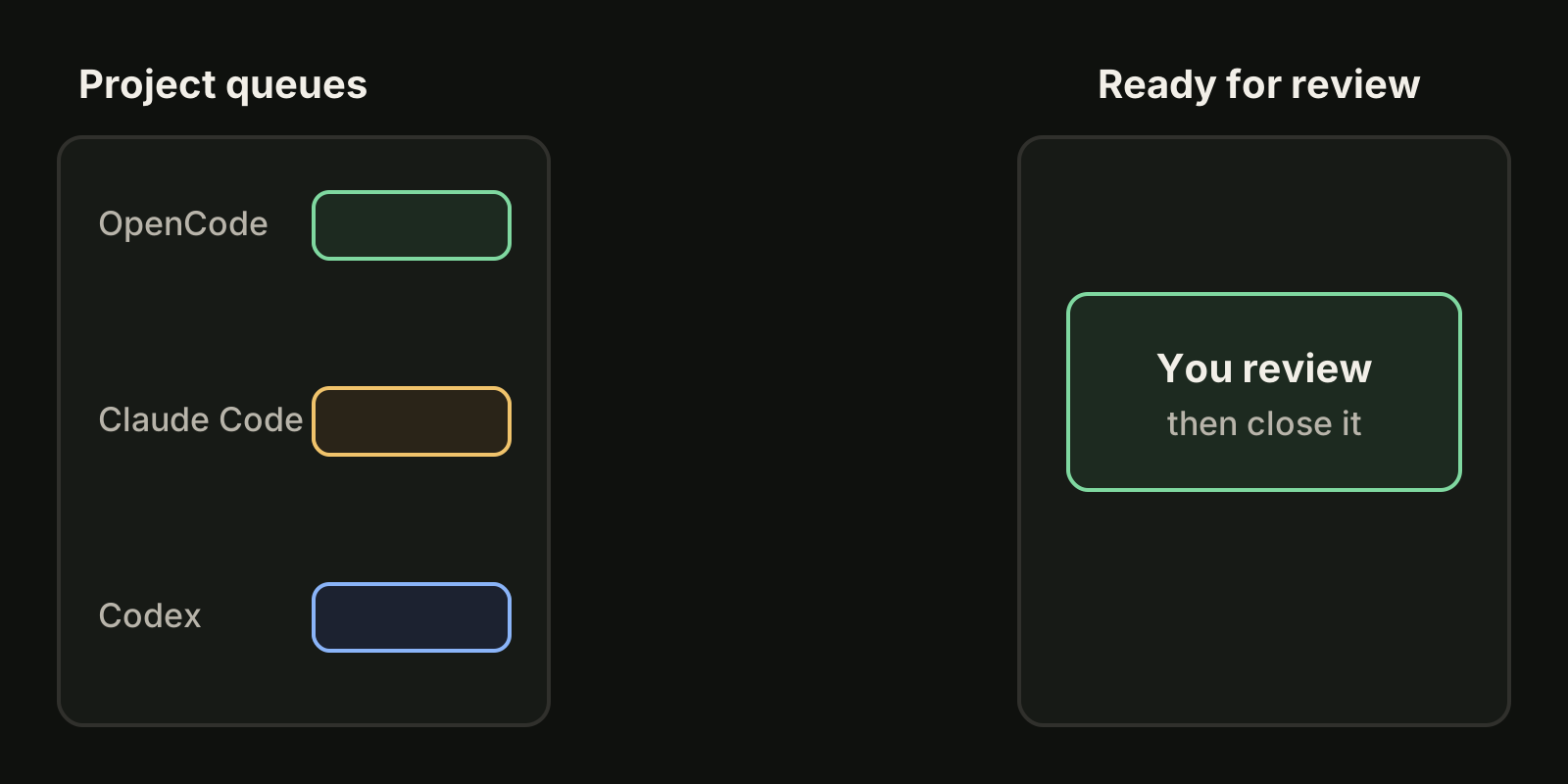
The official front ends are built around one agent. If you run OpenCode for cheap or free models, Claude Code for hard reasoning and Codex for batch work, you end up with three windows and no single place that says what is running, what is waiting and what is finished.
VibeiDE is a desktop app that coordinates the Codex, Claude Code and OpenCode CLIs you already installed; macOS is fully validated, Windows is supported and the Linux build is experimental. OpenCode runs headless with recorded activity, while Codex and Claude Code run in embedded terminals. Each project has its own task queue, a task starts when its provider has a free slot, and finished tasks wait in Ready for review. You sign in to your own provider accounts, so model costs stay with your providers. See VibeiDE for OpenCode for the details.
A practical split:
- Use the OpenCode desktop app or
opencode webwhile you explore a single change. - Move to a queue when you have more independent tasks than you can watch, for example several fixes on free models from the free AI coding models page.
- Review each finished task before you start the next one that depends on it.
FAQ
Is the OpenCode desktop app free?
The desktop app is a free download. You still pay your model provider unless you use a free model, and free model lists change often.
Does the OpenCode desktop app replace the terminal version?
No. The download page offers the terminal version and the desktop app side by side, and you can keep using the terminal, the web UI or the IDE extension on the same project.
Is there an OpenCode GUI for Linux?
Yes. As of October 2026 the download page lists .deb and .rpm packages for OpenCode Desktop, and opencode web works on Linux too.
How do I use OpenCode from my phone or another computer?
Run opencode web --hostname 0.0.0.0 with OPENCODE_SERVER_PASSWORD set, then open the server address from the other device on the same network.
Takeaways
- OpenCode Desktop is the official GUI, available for macOS, Windows and Linux as of October 2026.
opencode webgives you a browser UI; set a password before exposing it beyond localhost.- The IDE extension and ACP put OpenCode inside VS Code forks, Zed and JetBrains IDEs.
- For OpenCode plus Claude Code and Codex in one place, use a multi-agent app with queues and review, such as VibeiDE.