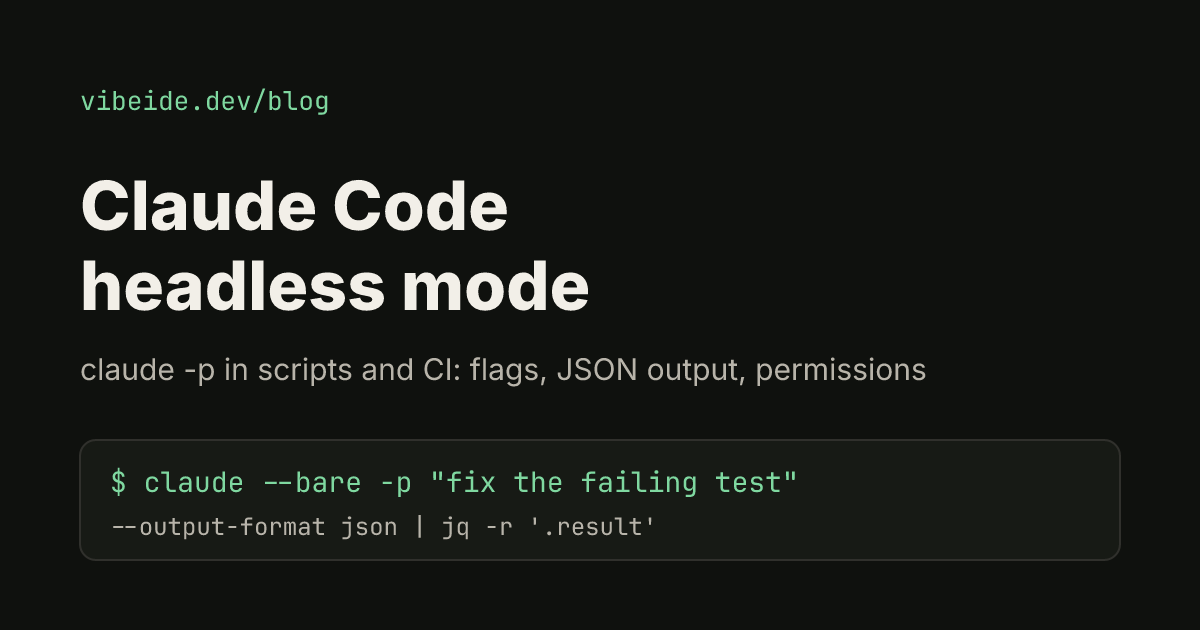
Claude Code headless mode means running Claude Code without its interactive terminal interface: you pass a prompt with -p, Claude works through it, prints the result and exits. That makes it a normal command-line tool you can call from a shell script, a git hook, a package.json script or a CI job.
Anthropic's documentation now files this under running Claude Code programmatically and the Agent SDK, but the page still lives at the headless docs URL, and the flags are the same ones most people mean when they search for headless mode. This guide covers the flags you need, how to get output a script can parse, how to approve tools without a person at the keyboard, and how to continue a conversation across several calls. Everything below was checked against the official documentation as of October 2026.
What headless mode is
In an interactive session you type, Claude asks for permission, you approve, and the conversation stays open. In headless mode the whole exchange is one command:
claude -p "What does the auth module do?"-p is short for --print. Claude Code loads the same tools and agent loop it uses interactively, answers, and returns control to your shell. A few rules make it script friendly:
- It exits with code
0on success and a non-zero code when the run fails, soifstatements and CI steps can branch on it. - An invalid flag is reported on stderr before the run starts. A failure inside the run, such as missing authentication, is printed as the result on stdout.
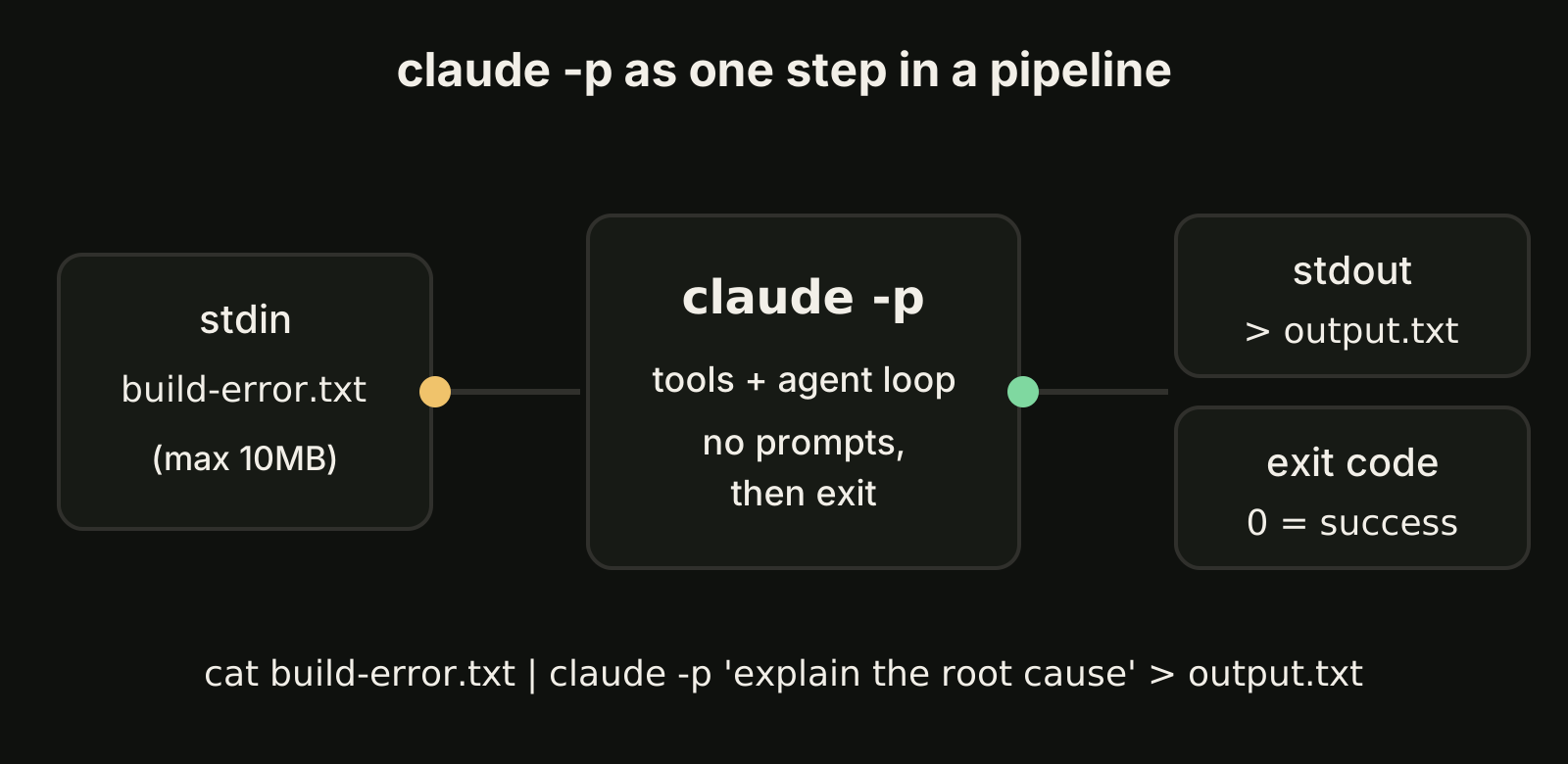
- It reads stdin, so you can pipe data in and redirect the answer out. Piped stdin is capped at 10MB; for larger input, write a file and name its path in the prompt.
Your first claude -p run
Start with something read-only so you can see the shape of the output:
cat build-error.txt | claude -p 'concisely explain the root cause of this build error' > output.txtThe prompt comes from the argument, the build log from stdin, and the explanation lands in output.txt. Nothing in the repository changes, because no tool that edits files was approved.
Not every interactive feature works under -p. User-invoked skills and custom commands do: put /skill-name in the prompt and Claude Code expands it before running. Built-in commands that only make sense in the terminal interface, such as /login, are not available. A few commands accept their value as an argument instead, for example /model sonnet.
Start faster and reproducibly with --bare
By default a -p run loads the same context an interactive session would: your CLAUDE.md, hooks, skills, subagents, plugins, MCP servers and auto memory from the working directory and ~/.claude. On your own machine that is usually what you want. In CI it means the result depends on whatever happens to be configured on the runner.
--bare skips that auto-discovery:
claude --bare -p "Summarize README.md" --allowedTools "Read"Three things to know before you rely on it:
- Bare mode never reads OAuth credentials or the system keychain. Set
ANTHROPIC_API_KEYin the environment (or supply anapiKeyHelperthrough--settings), because your subscription login is not used. - Claude gets the Bash, file read and file edit tools. Anything else comes in through flags:
--append-system-promptfor instructions,--settingsfor settings,--mcp-configfor MCP servers,--agentsfor custom agents and--plugin-dirfor a plugin. - There is a security reason too. Without
--bare, a-psession runs the hooks in a project's.claude/settings.jsonand connects the servers in its.mcp.jsonwith no trust dialog, even in a folder you have never opened before. Bare mode does not read them.
The documentation recommends --bare for scripted and SDK calls and says it will become the default for -p in a future release, so it is worth adopting now.
Get output a script can use
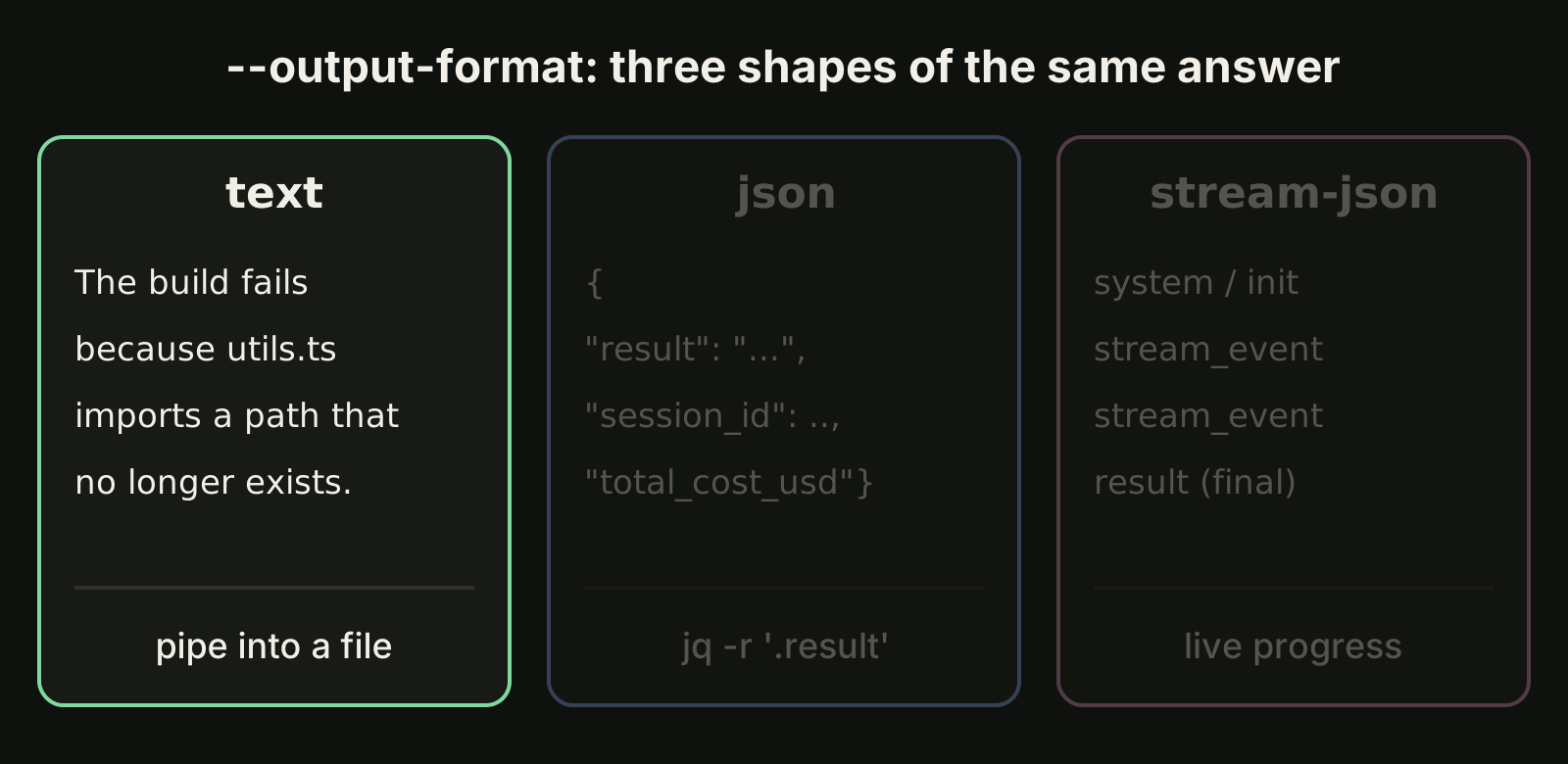
--output-format decides what lands on stdout:
| Format | What you get | Use it for |
|---|---|---|
text (default) | The answer as plain text | Piping into a file or another command |
json | One JSON object with result, session_id and metadata | Scripts that need the answer plus the session ID or cost |
stream-json | Newline-delimited JSON events | Live progress in your own UI or logs |
With jq, pulling out the text answer is one line:
claude -p "Summarize this project" --output-format json | jq -r '.result'The JSON payload also includes total_cost_usd with a per-model breakdown. The docs describe both as client-side estimates that can differ from your actual bill, which is fine for spotting a runaway job but not for invoicing.
When you need a fixed shape rather than prose, add --json-schema. The structured answer appears in the structured_output field:
claude -p "Extract the main function names from auth.py" \
  --output-format json \
  --json-schema '{"type":"object","properties":{"functions":{"type":"array","items":{"type":"string"}}},"required":["functions"]}' \
  | jq '.structured_output'
An invalid schema now fails loudly with Error: --json-schema is not a valid JSON Schema, so a typo in CI breaks the build instead of silently returning free text.
For streaming, combine --output-format stream-json with --verbose and --include-partial-messages. Each line is an event, and the last line is a result message with the final text, cost and session metadata.
Approve tools without a prompt
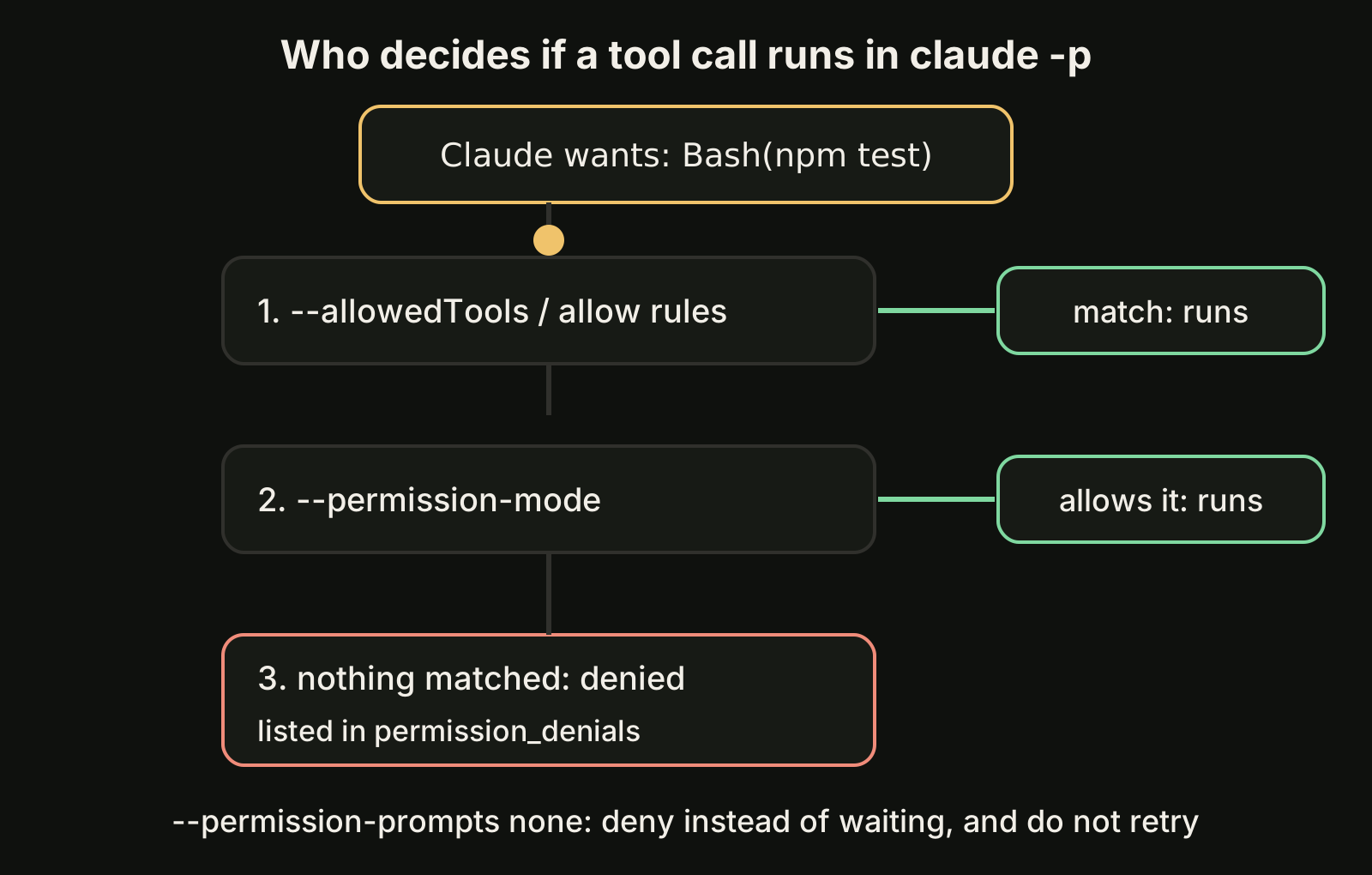
A headless run has nobody to click "allow". You decide up front what Claude may do, in one of three ways.
List the tools. --allowedTools pre-approves specific tools, using permission rule syntax:
claude -p "Run the test suite and fix any failures" \
  --allowedTools "Bash,Read,Edit"
You can narrow Bash to command prefixes. The trailing space and asterisk matter: Bash(git diff *) matches commands starting with git diff, while Bash(git diff*) would also match git diff-index.
claude -p "Look at my staged changes and create an appropriate commit" \
  --allowedTools "Bash(git diff *),Bash(git log *),Bash(git status *),Bash(git commit *)"
Pick a permission mode. --permission-mode sets a baseline for the whole run. acceptEdits lets Claude write files and run common filesystem commands such as mkdir and mv without asking. dontAsk denies everything that would otherwise prompt, which suits locked-down CI. auto has a classifier review most actions instead of you. The docs warn that a run with no mode set takes the built-in starting mode, which can be auto, so pass the one you mean.
Turn prompts off entirely. For scheduled jobs, --permission-prompts none (Claude Code v2.1.259 or later) denies anything that would fall back to a prompt, tells Claude not to retry it, and removes tools that need a person, such as AskUserQuestion:
claude -p "Update the dependency pins and run the tests" --permission-mode auto --permission-prompts noneWith stream-json output, every denial shows up as a permission_denied event, and the final result lists them in permission_denials. Log that list: it tells you exactly which step needed a human.
Continue a headless conversation
Each -p call is a full session with its own transcript, so you can pick it up again:
claude -p "Review this codebase for performance issues"
claude -p "Now focus on the database queries" --continue
claude -p "Generate a summary of all issues found" --continue
--continue resumes the most recent conversation. When several scripts run at once, "most recent" is a race, so capture the ID and resume that exact session instead:
session_id=$(claude -p "Start a review" --output-format json | jq -r '.session_id')
claude -p "Continue that review" --resume "$session_id"
Since v2.1.223 Claude Code finds a session by ID from any directory on the machine. When you resume, the cost figure in the JSON output is the conversation's running total, earlier calls included.
Three recipes worth stealing
A typo linter in package.json. Piping the diff means Claude never needs Bash permission to read it:
{
  "scripts": {
    "lint:claude": "git diff main | claude -p \"you are a typo linter. for each typo in this diff, report filename:line on one line and the issue on the next. return nothing else.\""
  }
}
A security review of a pull request. --append-system-prompt adds instructions while keeping Claude Code's defaults:
gh pr diff "$1" | claude -p \
  --append-system-prompt "You are a security engineer. Review for vulnerabilities." \
  --output-format json
Stopping cleanly. If a supervisor sends SIGTERM, Claude Code exits with code 143, records no result for the unfinished turn and runs SessionEnd hooks. Send SIGINT instead if you want the turn to end properly first.
If you run these in GitHub, the Claude Code GitHub Action wraps the same agent loop and handles checkout, secrets and comments for you; our Claude Code GitHub Actions guide walks through the setup. For the Codex side of the same idea, see codex exec, and for automatic checks inside interactive sessions, see Claude Code hooks.
Where VibeiDE fits
Headless runs are great for one well defined job. When the jobs are coding tasks you want to watch and review, VibeiDE takes a different route: it is a desktop app that coordinates the Codex, Claude Code and OpenCode CLIs you already installed, with Claude Code running in an embedded terminal that shows the original CLI interface. Each project has its own task queue, each task keeps its saved provider conversation so a follow-up can continue it, and finished tasks wait in Ready for review, which is an unread completion state rather than a code approval. See Claude Code orchestration across your projects for how that looks in practice.
Takeaways
claude -p "prompt"is headless mode: one command, one answer, a real exit code, stdin in and stdout out.- Use
--barein CI and scripts so runs are reproducible and repository hooks or MCP servers do not load unasked. SetANTHROPIC_API_KEY, because bare mode ignores your subscription login. --output-format jsongives youresult,session_idand a cost estimate;--json-schemagives youstructured_outputin a fixed shape.- Decide permissions before the run with
--allowedTools,--permission-modeor--permission-prompts none, and logpermission_denials. - Capture
session_idand use--resumeinstead of--continuewhenever more than one run can happen at a time. - For long sessions you continue interactively, keep an eye on the context window; for parallel work, read run multiple Claude Code sessions.