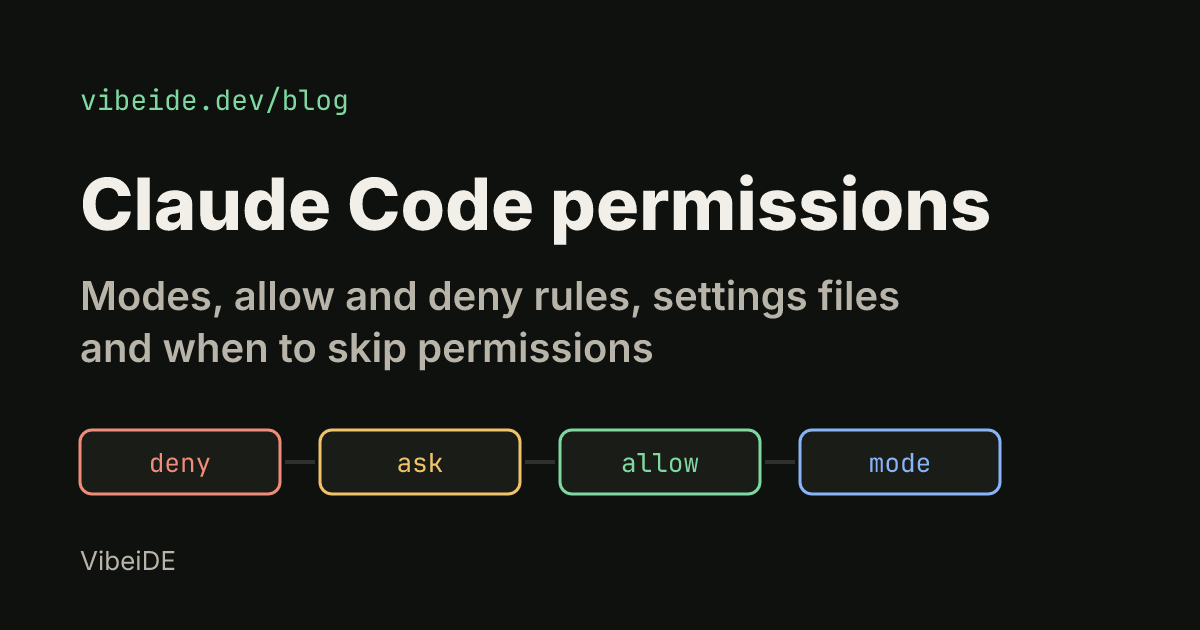
Claude Code permissions decide when the agent stops and asks you, and when it just acts. Get them wrong in one direction and you approve the same npm test forty times a day. Get them wrong in the other and an agent can push to main or rewrite your shell profile while you are in a meeting.
This guide covers the three layers that control it: permission modes, permission rules (allow, ask and deny), and the settings files those rules live in. It ends with the honest answer to the question most people search for: when --dangerously-skip-permissions is a reasonable choice.
Everything below was checked against the official Claude Code permissions documentation and permission modes page as of October 2026. Claude Code changes quickly, so check your version with claude --version if something behaves differently.
How Claude Code permissions work
Claude Code sorts tools into tiers. Reads inside your working directory run without a prompt. Bash commands prompt unless they are on a built-in list of read-only commands such as ls, cat, grep and pwd. File edits prompt. Web fetches and web searches prompt, apart from a short list of preapproved documentation domains.
When a prompt appears, "Yes, and don't ask again" behaves differently per tool. For a Bash command or a WebFetch domain, the approval is saved as a rule in .claude/settings.local.json at the root of the repository. For file edits, it lasts until the session ends.
Two points matter more than the rest:
- Permissions are enforced by Claude Code, not by the model. Writing "never run git push" in
CLAUDE.mdshapes what Claude tries, but it does not block anything. Only a rule, a mode or a hook does. - Three layers stack. The mode sets the baseline, rules carve exceptions on top, and settings precedence decides which rules count.
The six permission modes
A mode sets what Claude can do without asking. You can see all of them in the official table; here is the practical version.
| Mode | Runs without asking | Use it for |
|---|---|---|
default (Manual) | Reads only | Sensitive work, unfamiliar code |
acceptEdits | Reads, file edits, mkdir, touch, mv, cp in the working directory | Iterating on code you review anyway |
plan | Reads and exploration, no source edits until you approve a plan | Exploring before changing anything |
auto | Everything, with a background classifier checking each action | Long tasks with fewer prompts |
dontAsk | Reads and pre-approved tools; everything else is denied | Locked-down CI and scripts |
bypassPermissions | Everything | Isolated containers and VMs only |
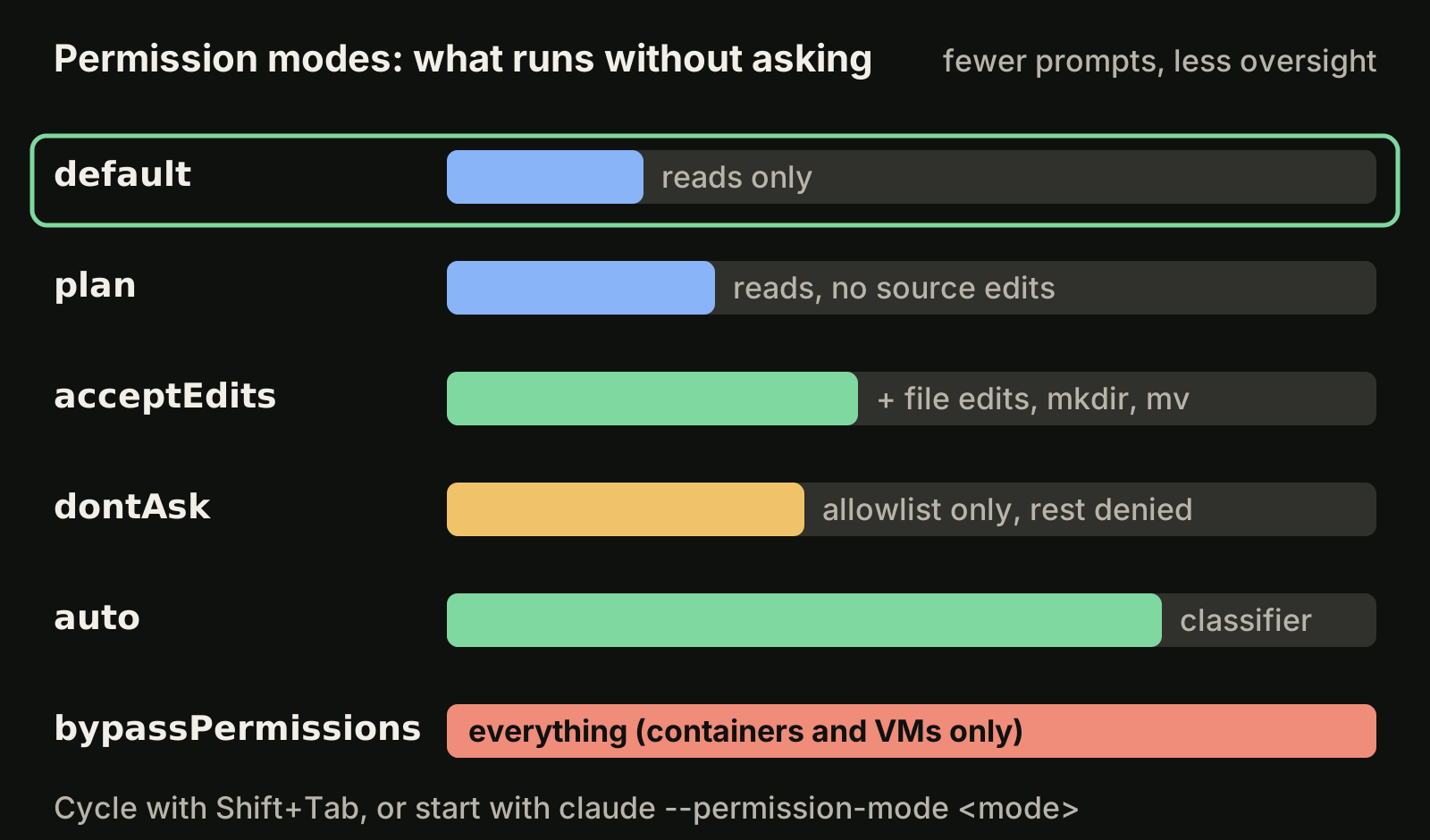
In the terminal, press Shift+Tab to cycle modes. From auto, the first press goes to Manual, then the cycle runs Manual, accept edits, plan. The status bar shows the active mode, for example accept edits on or plan mode on. dontAsk never appears in the cycle, and bypassPermissions only appears if you enabled it at launch.
To start a session in a specific mode, pass a flag:
claude --permission-mode plan
claude --permission-mode acceptEdits
claude --permission-mode manual   # alias for default
To change the default for every session on your machine, set defaultMode in ~/.claude/settings.json:
{
  "permissions": {
    "defaultMode": "acceptEdits"
  }
}
One gotcha: auto and bypassPermissions do not take effect from a project's .claude/settings.json or .claude/settings.local.json. That is deliberate, so a cloned repository cannot silently start your session with prompts turned off. Put those values in your user settings instead.
As of October 2026, auto mode is the built-in starting mode for interactive terminal and VS Code sessions from Claude Code v2.1.283 onward. Organizations can turn it off with permissions.disableAutoMode set to "disable" in managed settings. If you want to review a plan before any file changes, our guide to Claude Code plan mode walks through it.
Allow, ask and deny rules
Rules are where you remove the repetitive prompts without giving up control. Open the /permissions dialog to see every rule and the settings file it came from, or edit the files directly.
A rule is either a bare tool name or a tool with a specifier:
{
  "permissions": {
    "allow": [
      "Bash(npm run *)",
      "Bash(git commit *)"
    ],
    "ask": [
      "Bash(git clean *)"
    ],
    "deny": [
      "Bash(git push *)",
      "Read(./.env)",
      "Read(./secrets/**)"
    ]
  }
}
With this configuration Claude runs npm scripts and commits without asking, asks before git clean, and refuses to push or read your secrets.
Evaluation order: deny first, always
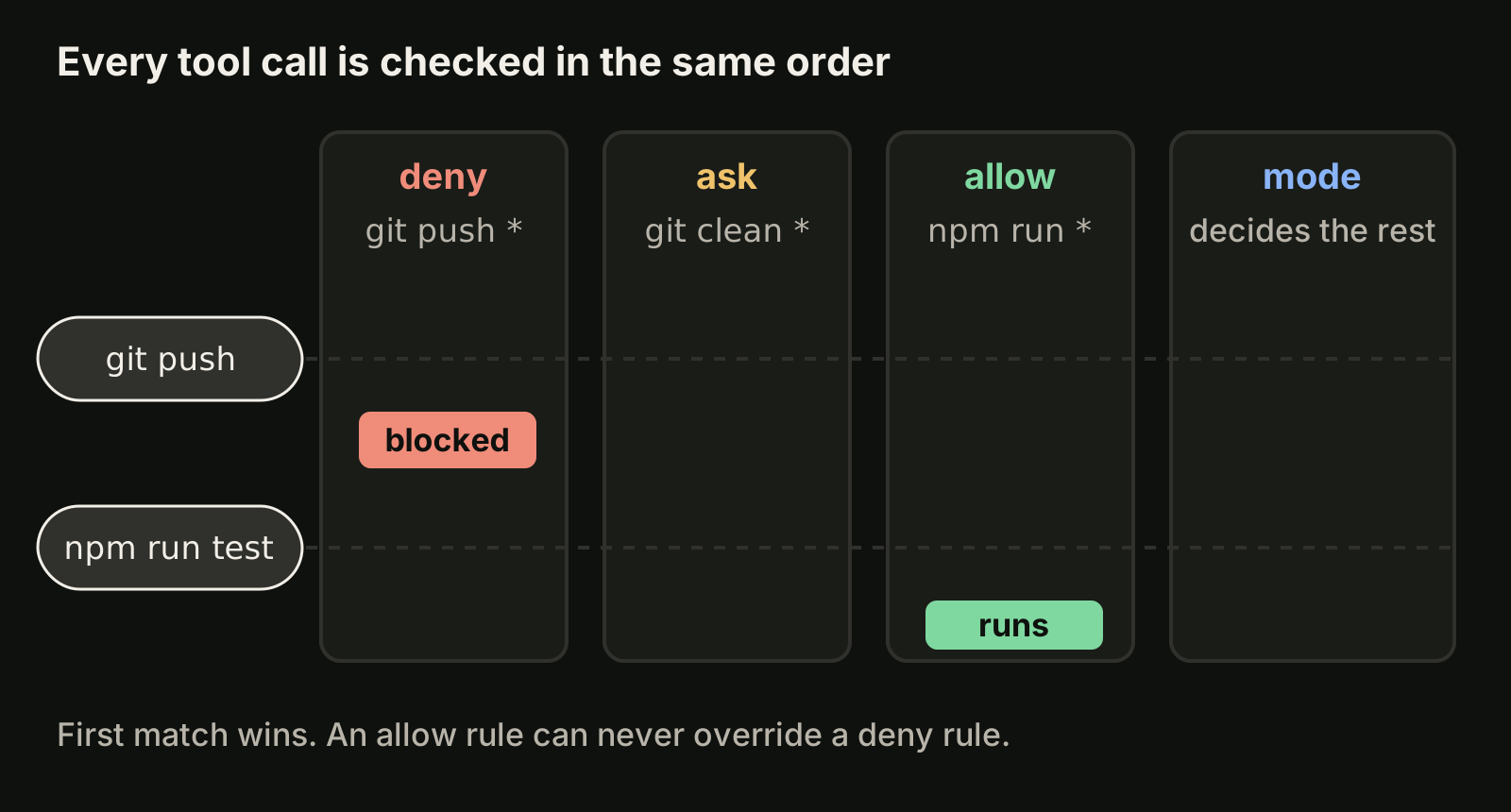
Rules are checked in a fixed order: deny, then ask, then allow. The first match wins, and specificity does not change the order. A broad deny such as Bash(aws *) blocks aws s3 ls even if you also allowed Bash(aws s3 ls). An allow rule can never carve a hole in a deny rule.
A bare tool name in deny, such as Bash, removes the tool from Claude's context entirely, so Claude never sees it.
Writing Bash rules that match what you mean
The * matches any text, including spaces. Put it after the subcommand, because everything before the first * is matched literally:
Bash(git log *)allows onlygit logcommands.Bash(git *)allows every git command, including ones that run programs you did not intend.Bash(ls *)matcheslsandls -labut notlsof.Bash(ls*)without the space matcheslsoftoo.Bash(npm run build)with no*matches that exact command only.
Claude Code understands shell operators, so Bash(npm test *) does not approve npm test && rm -rf build. Each part of a compound command has to match on its own. It also strips simple wrappers like timeout, nice and nohup before matching.
The official docs are clear about the limit: a Bash deny rule matches the command text Claude writes, not the program. Bash(git push *) stops git push origin main but not git -C . push origin main. Treat Bash deny rules as guard rails for normal behavior, and use sandboxing or a PreToolUse hook when you need a real boundary.
Read and Edit rules for files
Read and Edit rules use gitignore-style patterns, with four anchors:
| Pattern | Means | Example |
|---|---|---|
//path | Absolute path from the filesystem root | Read(//Users/alice/secrets/**) |
~/path | Path from your home directory | Read(~/.zshrc) |
/path | Relative to the settings file's location | Edit(/src/**/*.ts) |
path or ./path | Relative to the current directory | Read(*.env) |
The trap is the single slash: /Users/alice/file is not absolute. It is anchored at the settings source. Use // for a real absolute path. A bare filename like Read(.env) matches at any depth under the current directory, which is usually what you want for secrets.
Where permission settings live
Rules can sit in five places. Higher levels override lower ones, and a deny at any level cannot be undone by another level.
| Level | File | Who it affects |
|---|---|---|
| Managed | managed-settings.json, MDM or the admin console | Everyone in the organization |
| Command line | claude --settings, --allowedTools, --disallowedTools | This session |
| Project local | .claude/settings.local.json | You, in this project |
| Shared project | .claude/settings.json | Everyone who clones the repo |
| User | ~/.claude/settings.json | You, in every project |
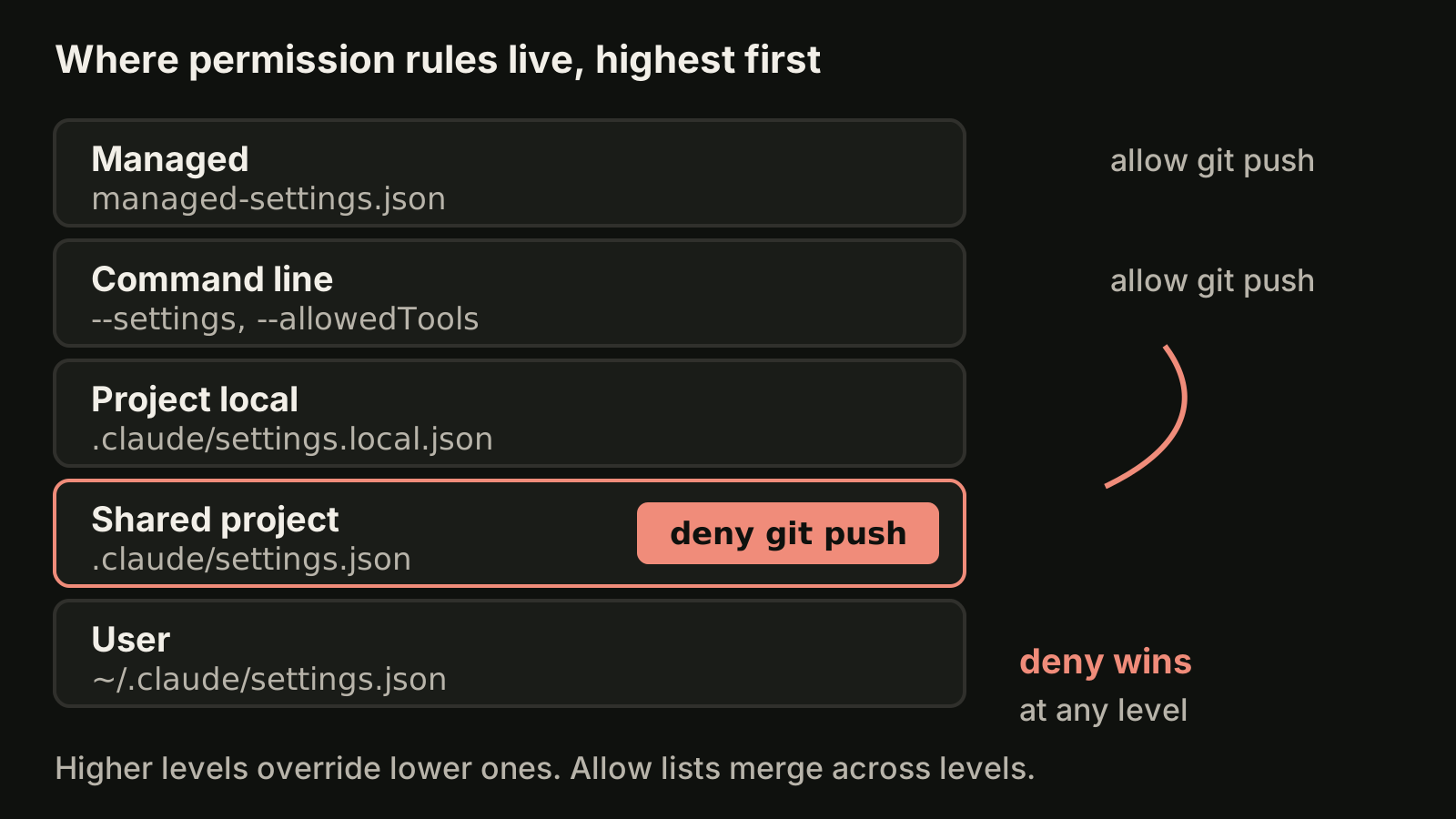
Allow lists merge across scopes rather than replacing each other. A practical split that works for most teams:
- Put shared, safe rules in
.claude/settings.jsonand commit it: test and build commands, deny rules for.envand secrets, deny forgit push. - Keep personal convenience rules in
.claude/settings.local.json. Claude Code adds it to your global git excludes the first time it writes the file, so it stays out of commits. - Put rules that apply everywhere, like a deny for
Read(~/.ssh/**), in~/.claude/settings.json. Use~/or//anchors there, because a single-slash path in user settings points inside~/.claude/.
The full key reference is in the official settings documentation. If you want a rule that inspects commands with your own logic, a PreToolUse hook does that; see our Claude Code hooks guide.
Protected paths no allow rule can open
Some writes are never auto-approved in Manual, accept edits, auto or dontAsk mode, whatever your allow rules say. The protected list includes directories such as .git, .vscode, .idea, .husky and .claude (with exceptions like Claude's own worktrees under .claude/worktrees/), and files such as .gitconfig, .bashrc, .zshrc, .npmrc and .mcp.json.
This is the safety net that keeps an agent from rewriting your git hooks or shell profile. Only bypassPermissions skips it, which is one more reason that mode belongs in a container.
When --dangerously-skip-permissions is safe
--dangerously-skip-permissions is equivalent to --permission-mode bypassPermissions. It skips permission prompts and safety checks, including writes to protected paths. A few things still apply: explicit ask rules still prompt, deny rules still block, and allow rules have no effect because everything is already allowed.
The official guidance is short: only use it in isolated environments such as containers, VMs or dev containers without internet access, where Claude Code cannot damage your host. Claude Code backs that up in a few ways:
- On Linux and macOS it refuses to start in this mode as root or under
sudo, unless it detects a recognized sandbox. - The first interactive start shows a warning dialog you must accept.
- Project settings files cannot turn it on, and administrators can block it with
permissions.disableBypassPermissionsModeset to"disable".
For unattended runs there is usually a better tool. In CI, dontAsk with an exact allowlist gives you a run that cannot prompt and cannot wander:
claude -p "run the test suite" --permission-mode dontAsk --allowedTools "Bash(npm test)" "Read"For long interactive tasks, auto mode removes most prompts while a classifier still reviews risky actions. Our Claude Code headless mode guide covers claude -p in scripts, and the Codex sandbox guide shows how Codex handles the same tradeoff with sandbox modes and --yolo.
A sensible setup for parallel sessions
Permissions get harder once you run several Claude Code sessions at the same time. Every prompt in a background session is a session that has stopped working until you notice it. A setup that keeps several agents moving without giving up control:
- Commit a shared
.claude/settings.jsonwith allow rules for your test, lint and build commands, and deny rules forgit push,.envand secrets. - Run implementation sessions in
acceptEditsor auto mode, and keepplanfor the first pass on anything risky. - Give each session its own git worktree so parallel edits never collide. Our guide to running multiple Claude Code sessions shows the commands.
- Review the diff before anything merges. Fewer prompts means the review at the end carries more weight.
In VibeiDE, Claude Code runs in an embedded terminal that shows the original CLI interface, so its permission prompts, modes and settings files work exactly as described here. The composer branch mode "New worktree per task" gives each task its own Git worktree and branch, and finished tasks wait in Ready for review, which is an unread completion state rather than a code approval. More on that setup on the Claude Code orchestration page.
Takeaways
- Permissions are enforced by Claude Code;
CLAUDE.mdinstructions do not block anything. - Modes set the baseline: Manual, accept edits, plan, auto, dontAsk and bypassPermissions. Cycle with
Shift+Tabor start with--permission-mode. - Rules are checked deny, then ask, then allow. A deny always wins.
- Put
*after the subcommand in Bash rules, and use//for absolute paths in Read and Edit rules. - Commit shared rules in
.claude/settings.json, keep personal ones in.claude/settings.local.json. - Use
--dangerously-skip-permissionsonly inside a container or VM. For CI, preferdontAskwith--allowedTools.