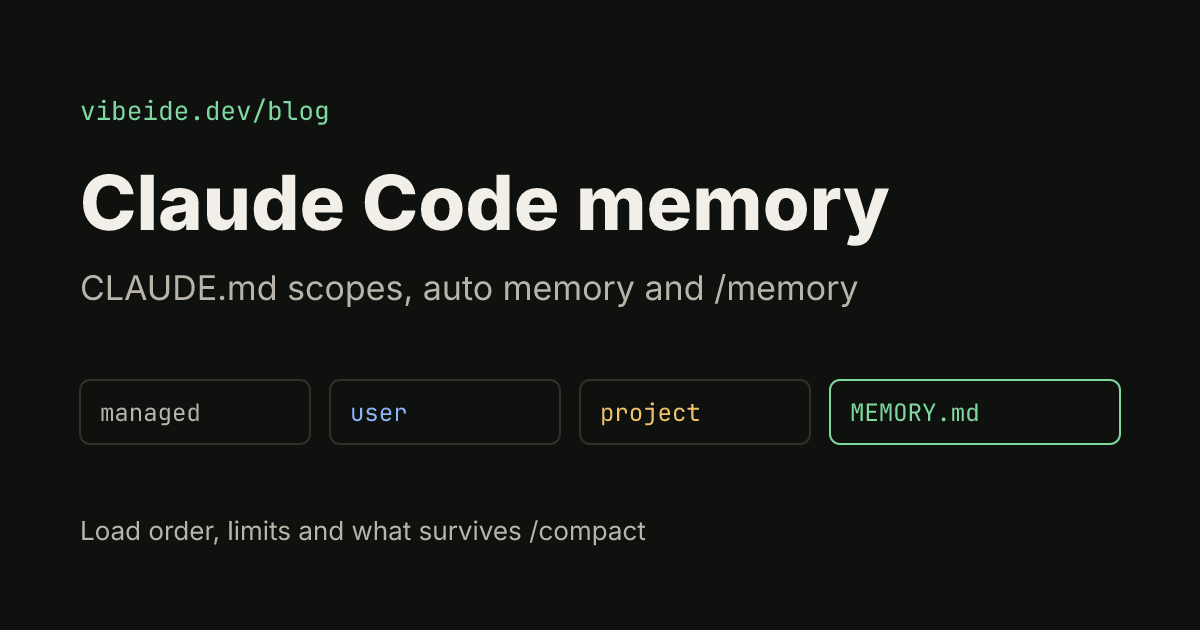
Claude Code memory is the set of files Claude reads at the start of every session so you do not have to re-explain your project each time. Every session starts with a fresh context window, so anything you only said in chat is gone next time. Two systems carry knowledge across sessions: CLAUDE.md files that you write, and auto memory that Claude writes for itself. This guide covers where each one lives, in which order it loads, how to check what loaded, and how to keep it small enough that Claude actually follows it. Details are as of October 2026 and come from the official Claude Code memory documentation.
Stop juggling terminal tabs.VibeiDE puts every agent in one Grid you can actually read.Try freeThe two memory systems at a glance
| CLAUDE.md files | Auto memory | |
|---|---|---|
| Who writes it | You | Claude |
| What it holds | Instructions and rules | Learnings, corrections, preferences |
| Scope | Organization, user, project, local | One directory per repository, shared across worktrees |
| What loads at start | The whole file (keep it under 200 lines) | First 200 lines or 25KB of MEMORY.md |
| Best for | Build commands, conventions, layout | Things you corrected and context Claude cannot derive from code |
Both are context, not enforced configuration. Claude reads them and tries to follow them, but a vague or contradicting line can be ignored. If something must never happen, such as a push to main, block it with a permission rule or a PreToolUse hook instead of a sentence in CLAUDE.md. Our Claude Code hooks guide shows how.
Where CLAUDE.md files live and in which order they load
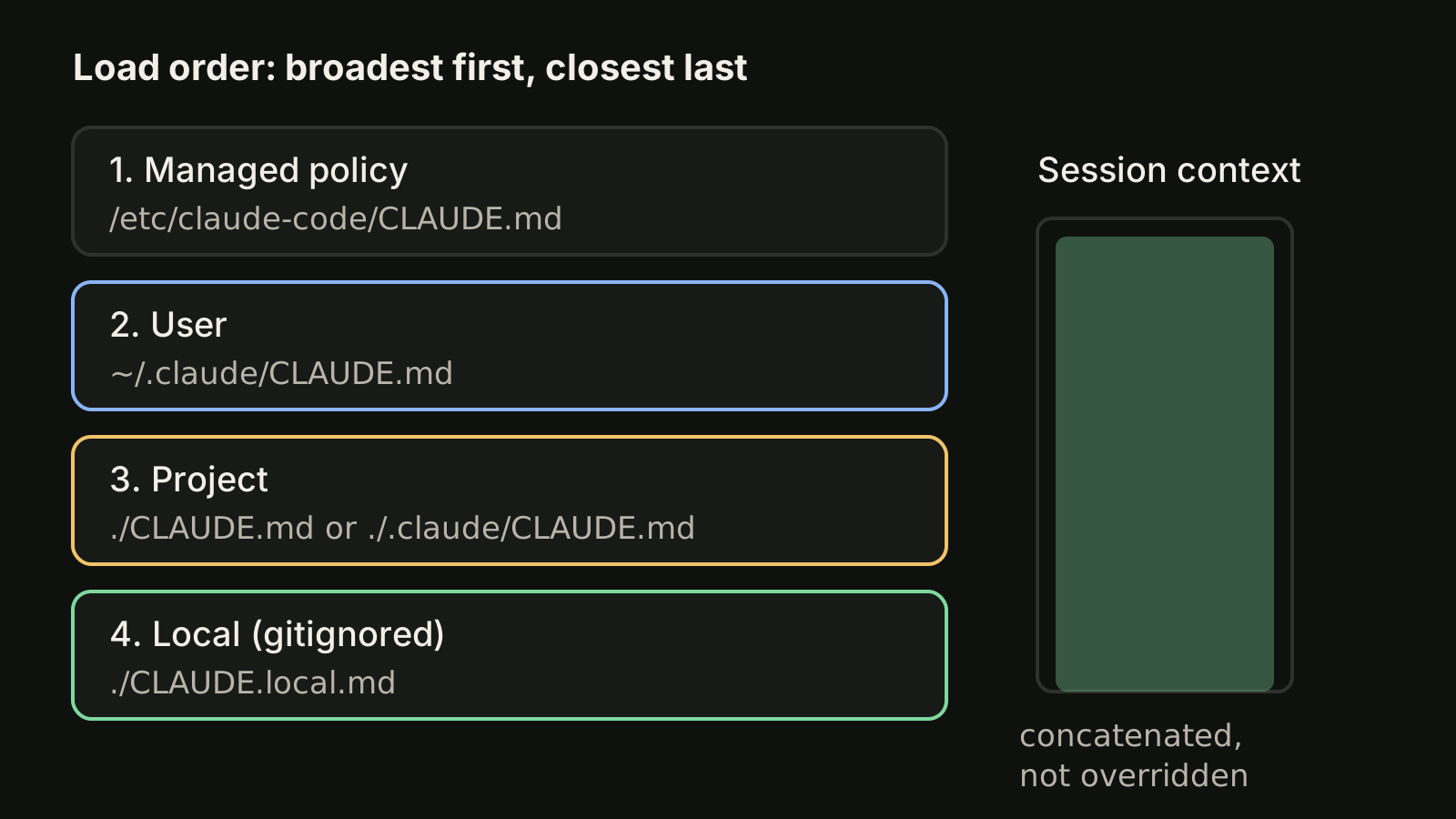
Claude Code reads CLAUDE.md files from four scopes. They load from the broadest to the most specific, so a project instruction appears in context after a user instruction:
| Scope | Location | Shared with |
|---|---|---|
| Managed policy | macOS /Library/Application Support/ClaudeCode/CLAUDE.md, Linux and WSL /etc/claude-code/CLAUDE.md, Windows C:\Program Files\ClaudeCode\CLAUDE.md | Everyone on the machine |
| User | ~/.claude/CLAUDE.md | Only you, all projects |
| Project | ./CLAUDE.md or ./.claude/CLAUDE.md | Your team, through git |
| Local | ./CLAUDE.local.md (add it to .gitignore) | Only you, this project |
A few rules decide what ends up in the session:
- Files are concatenated, not overridden. If your user file says one thing and the project file says the opposite, Claude sees both and may follow either. Keep them consistent.
- Claude Code walks up from your working directory. Start it in
foo/bar/and it loadsfoo/CLAUDE.mdand thenfoo/bar/CLAUDE.md, so the file closest to where you launched is read last. - CLAUDE.md files in subdirectories below the working directory do not load at launch. Each one loads when Claude reads, writes or edits a file in that subdirectory.
- A managed policy file cannot be excluded by personal settings. In a monorepo you can skip other teams' files with the
claudeMdExcludessetting.
If your repository already has an AGENTS.md for other agents and no CLAUDE.md on the path, Claude Code reads the AGENTS.md. If both exist, it reads the CLAUDE.md files. Our AGENTS.md guide for Codex covers that file from the Codex side.
Set up project memory in five minutes
- Run
/initin the project. Claude scans the codebase and writes a starting CLAUDE.md with build commands, test commands and conventions it found. If a CLAUDE.md already exists,/initsuggests improvements instead of overwriting it. - Cut what Claude can see for itself. Directory trees and dependency lists cost context every session and add little.
- Add what Claude cannot discover: the exact test command, the branch rules, the folder that must not be touched, the mistake it made twice.
- Write lines you can verify. "Run
npm testbefore committing" works; "test your changes" does not. - Put personal details, such as your sandbox URL, in
CLAUDE.local.mdso they stay out of git.
Keep each CLAUDE.md under about 200 lines. Longer files use more context and the docs say adherence drops. When a file grows, move narrow instructions into rules (next section) or into a skill that loads only when needed. For a fuller checklist, see CLAUDE.md best practices.
You can pull other files in with @path imports, for example See @README for an overview. Relative paths resolve from the file that contains the import, and imports can nest up to four hops. Imports help you organize, but imported files load at launch, so they do not save context.
Scope instructions with .claude/rules/
For larger projects, split instructions into topic files under .claude/rules/, such as testing.md or api-design.md. Files without frontmatter load every session like .claude/CLAUDE.md. Add a paths field and the rule only loads when Claude works with matching files:
---
paths:
  - "src/api/**/*.ts"
---

# API rules

- Every endpoint validates its input
- Use the standard error response format
Personal rules for every project go in ~/.claude/rules/. They load before project rules, and neither set overrides the other.
How auto memory works
Auto memory is Claude's own notebook. It is on by default in local sessions. When you correct Claude, confirm an approach or tell it something about the project that the code does not show, it may save a note. It skips anything it can derive from the codebase and anything your CLAUDE.md already says.
The notes live per repository in ~/.claude/projects/<project>/memory/. Because the folder is derived from the git repository, every worktree and subdirectory of the same repo shares one memory directory. Inside it:
~/.claude/projects/<project>/memory/
├── MEMORY.md           # index, one line per memory
├── user_role.md        # one memory per topic file
└── feedback_testing.md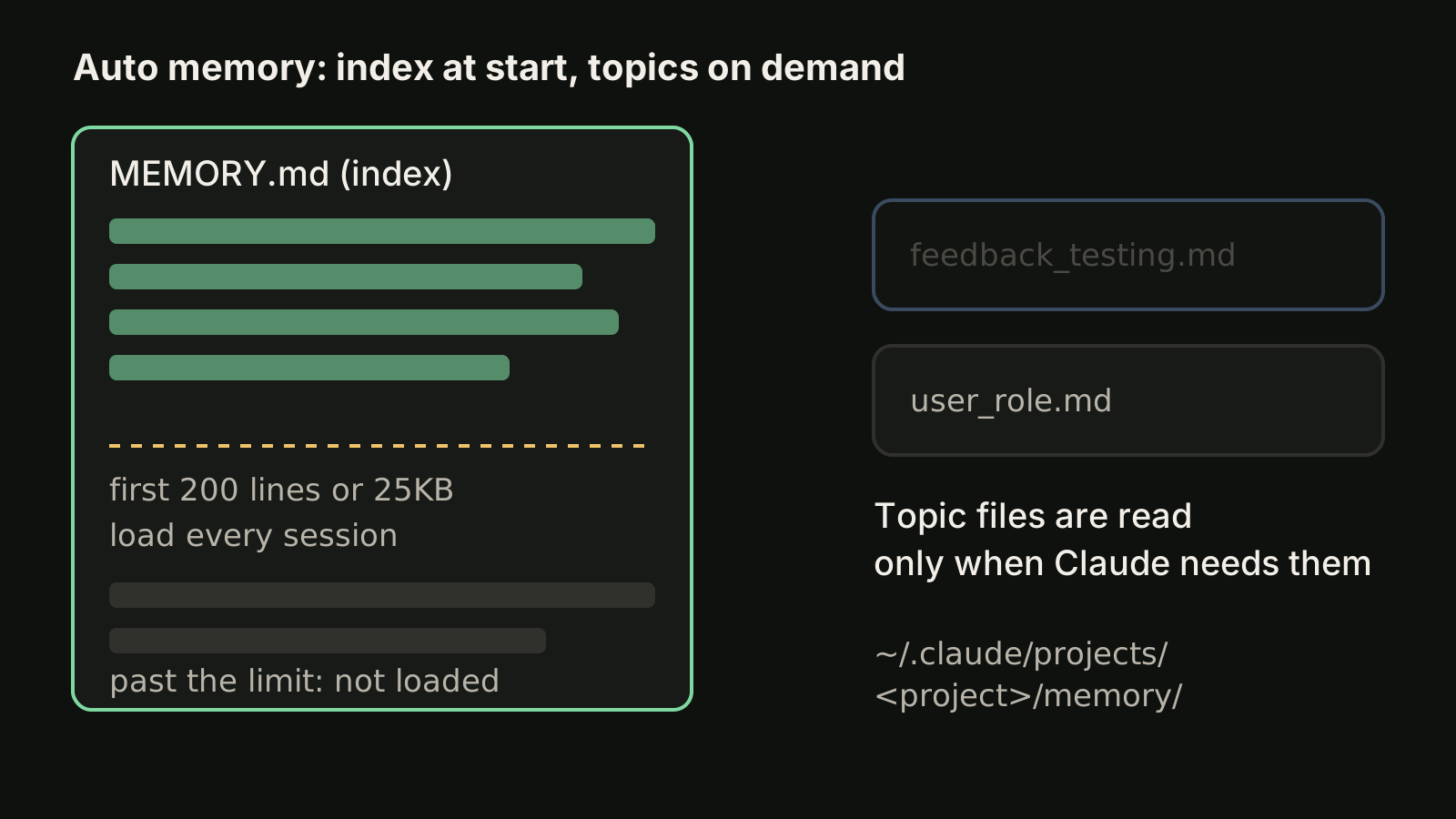
Only the first 200 lines or 25KB of MEMORY.md, whichever comes first, load at the start of a session. Topic files load on demand when Claude decides it needs them. When the index gets close to the limit, Claude Code asks Claude to shorten it, and anything past the limit is not loaded.
Two practical consequences:
- Auto memory is machine-local. It does not follow you to another computer or a cloud environment. Anything the whole team needs belongs in the project CLAUDE.md.
- "Remember that the API tests need a local Redis" goes to auto memory. If you want it in CLAUDE.md instead, say "add this to CLAUDE.md" or edit the file yourself.
To turn auto memory off, use the toggle in /memory (it saves autoMemoryEnabled to ~/.claude/settings.json), set "autoMemoryEnabled": false in one project's settings, or set the environment variable CLAUDE_CODE_DISABLE_AUTO_MEMORY=1.
Check what Claude actually loaded
When Claude ignores an instruction, check the inputs before rewriting it:
/memorylists every CLAUDE.md, CLAUDE.local.md and memory location for your user and project, lets you toggle auto memory and opens the auto memory folder. Pick any file to edit it./contextshows the Memory files that loaded at launch. A file missing there is invisible to Claude.- A nested CLAUDE.md never appears under Memory files at launch, because it loads on demand. Ask Claude to read a file in that folder, then look for the
Loadedline. /doctor prompt-auditasks Claude to look for outdated or conflicting instructions across your CLAUDE.md files, rules and skills, and proposes edits without changing anything until you approve.
What survives /compact
The project root CLAUDE.md survives compaction: after /compact, Claude Code reads it again from disk and puts it back into the session. Nested CLAUDE.md files and path-scoped rules load again the next time Claude touches a matching file.
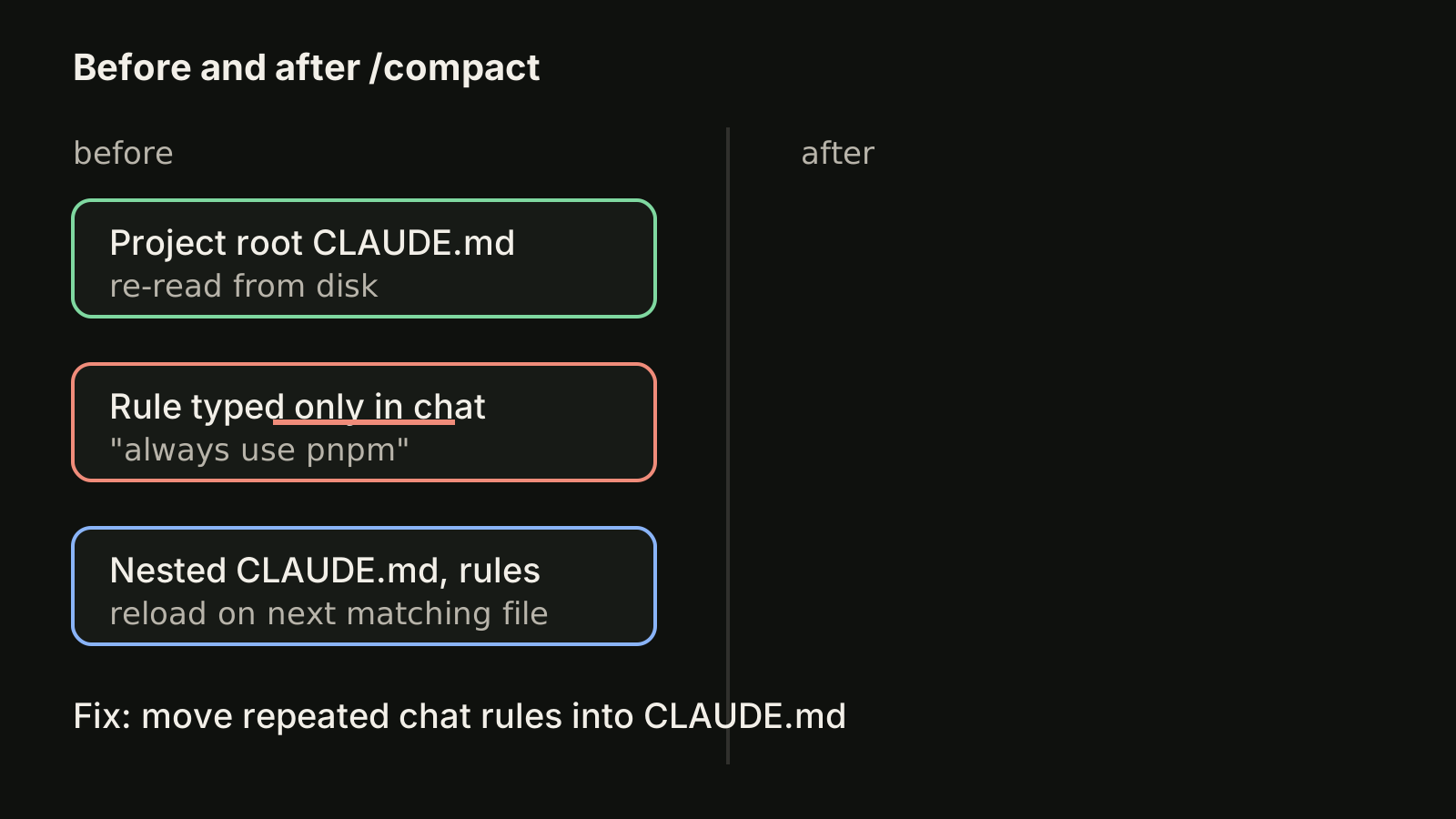
Instructions you only typed in chat do not survive. If you notice yourself repeating the same correction after a compaction, that line belongs in CLAUDE.md. Our Claude Code context window guide explains when compaction happens and how to keep sessions short enough to avoid it.
Memory when you run many sessions
Memory files help every session start on the same footing, but they do not tell you which session is doing what. Two habits work well with several Claude Code sessions: keep one task per session so that context stays small and CLAUDE.md does most of the remembering, and give parallel tasks their own Git worktree so their edits do not collide (see Claude Code worktree). Worktrees of the same repository share one auto memory directory, while a gitignored CLAUDE.local.md exists only in the worktree where you created it.
VibeiDE is a desktop app that coordinates the Claude Code, Codex and OpenCode CLIs you already installed, with Claude Code running in an embedded terminal that shows its original interface. Each project has its own task queue, each task keeps its saved provider conversation so a follow-up continues it instead of re-explaining the context, and the "New worktree per task" branch mode gives each task its own worktree and branch. See VibeiDE for Claude Code.
Takeaways
- Claude Code memory has two parts: CLAUDE.md files you write and auto memory Claude writes in
~/.claude/projects/<project>/memory/. - CLAUDE.md files load from managed policy, user, project and local scopes and are concatenated, so contradictions are your problem to remove.
- Keep each CLAUDE.md under about 200 lines, move narrow rules into
.claude/rules/withpaths, and use hooks for anything that must be enforced. - Only the first 200 lines or 25KB of
MEMORY.mdload per session; topic files load on demand. - Use
/memoryto edit and/contextto verify what loaded, and move repeated chat corrections into CLAUDE.md so they survive/compact.