Long agent sessions produce a lot of text. Claude narrates what it is about to do, does it, then recaps what it did. When you run one session that is fine. When you run several at once, or come back to a finished task after lunch, the recap is the part you skim past to find the result.
 Your agents, in one office.Every task gets a desk and a live status card. Click a desk to focus it.Try VibeiDE free
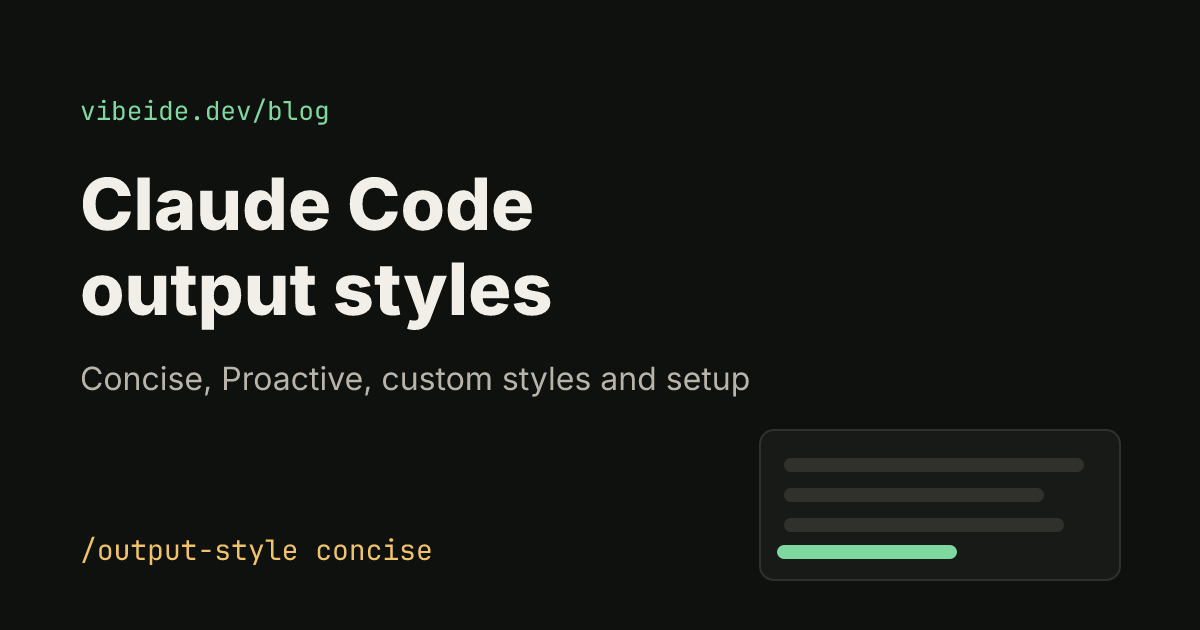
 Claude Code has a built-in answer for this: output styles. An output style is a set of instructions that sets Claude's role, tone and response format for every response in a session, so you stop repeating "keep it short" in each prompt. This guide covers the built-in styles (including the newer Concise style), how to switch, how to write a custom style, and where an output style is the wrong tool. Everything here follows the official output styles documentation as of October 2026.
What an output style changes
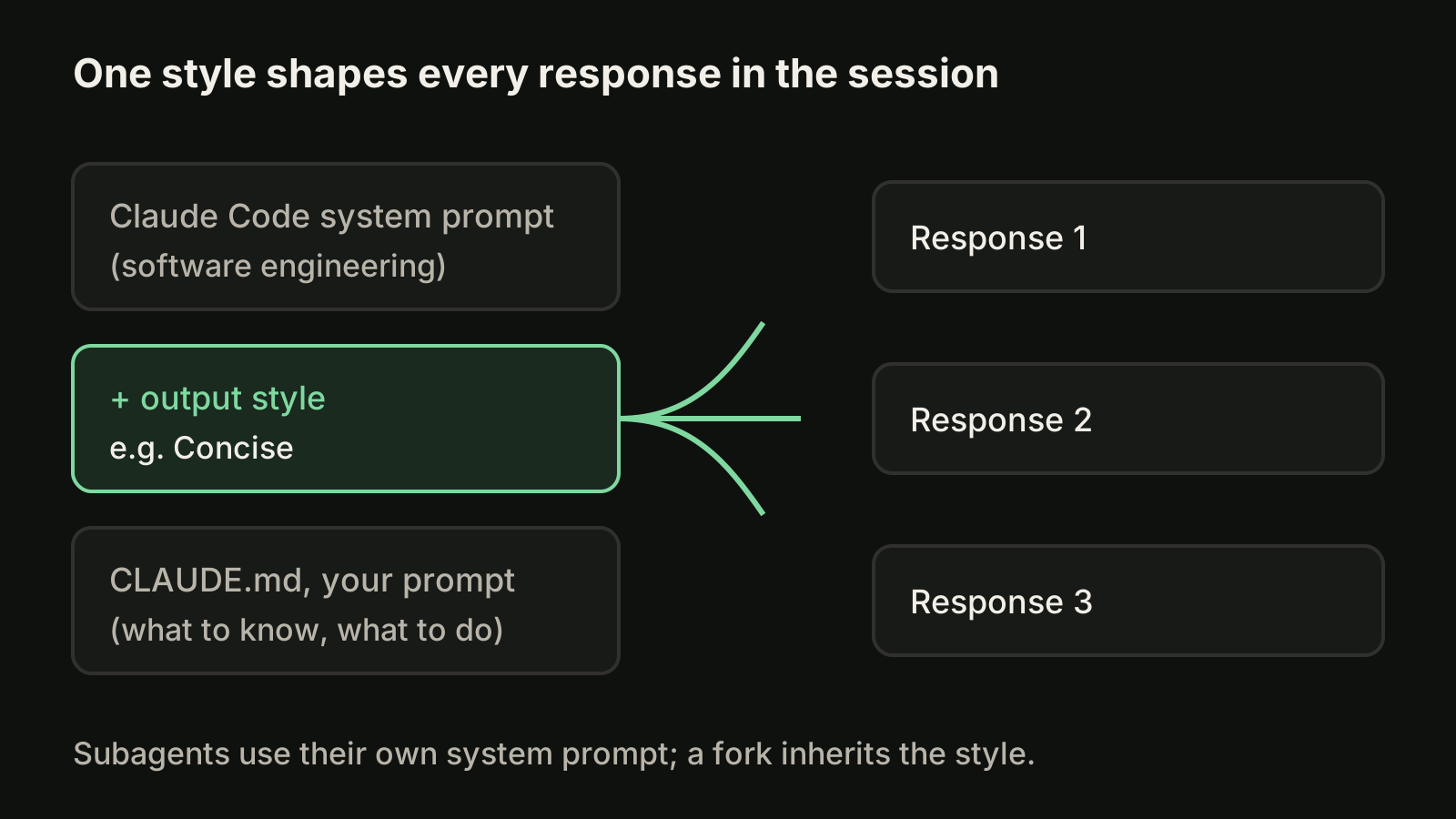
Claude Code always works from its standard system prompt, which is written for software engineering tasks. An output style adds its own instructions on top, and Claude Code sends those instructions with every request in the session.
Three things follow from that:
- It is session-wide. One switch changes every following response, not just the next one.
- It is an instruction, not a guarantee. Claude follows it the way it follows any instruction. If something must happen every time, such as formatting after each edit, use a hook instead.
- It only shapes the main conversation. A fork inherits the style, but other subagents run their own system prompt, so a style does not change how they respond.
The built-in output styles
Claude Code starts in the Default style, which means no style instructions at all. Four built-in styles keep the standard engineering instructions and add their own:
| Style | What changes | Use it when |
|---|---|---|
| Default | Nothing added | You like the standard responses |
| Proactive | Starts work right away and makes reasonable assumptions on routine decisions | You will correct course if an assumption is wrong |
| Concise | Leads with the result, drops preamble, narration and recaps | Default responses are longer than you want |
| Explanatory | Adds short Insight blocks explaining the choices behind the code | You are learning a codebase |
| Learning | Insight blocks plus small pieces of code left for you to write | You want hands-on practice |
Concise: the fix for verbose output
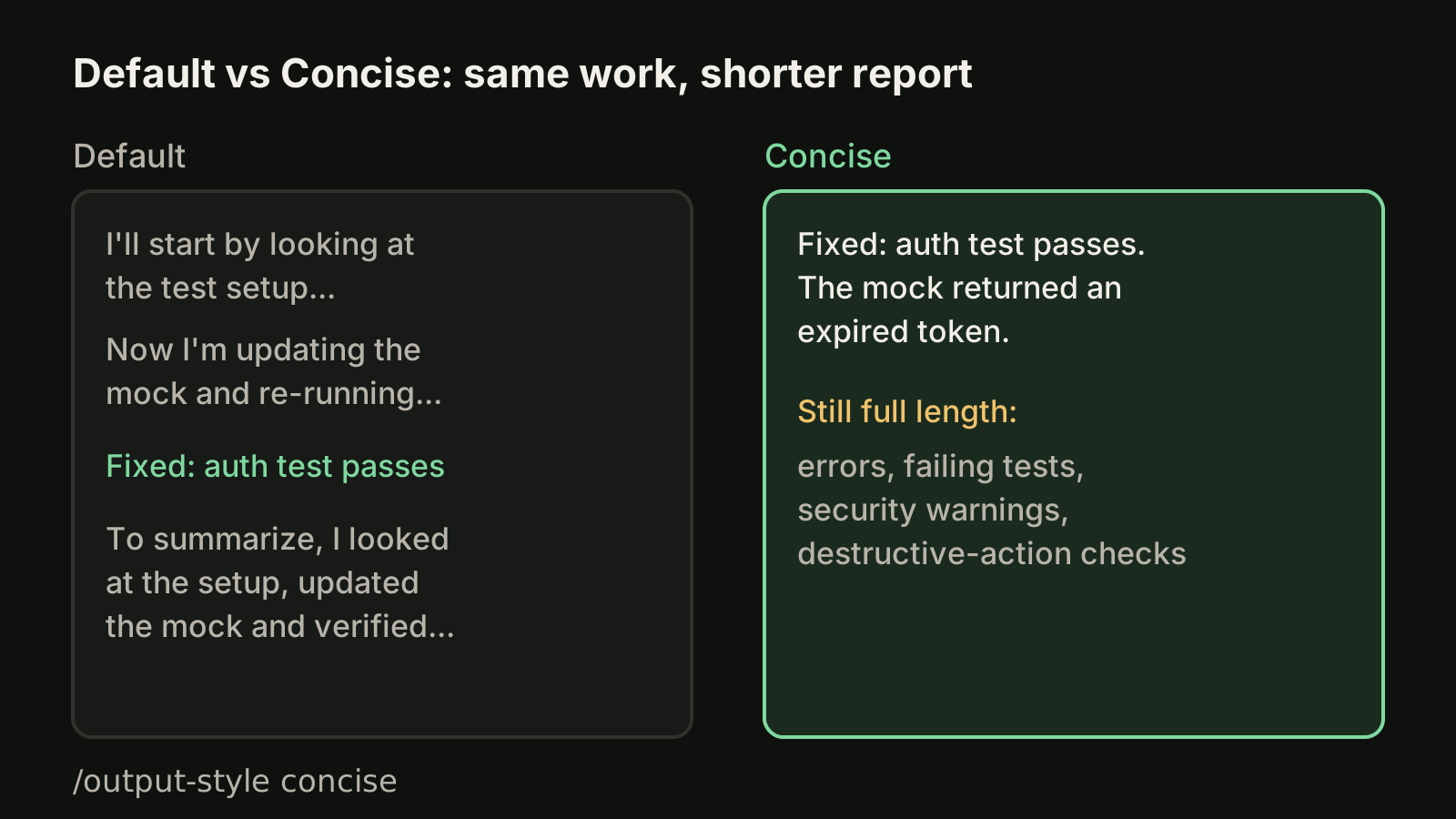
Concise is the style most people running several agents want. The first sentence of a response states what happened or what the answer is, a simple question gets one to three sentences, and the step-by-step narration and closing recap go away. The documentation is explicit that the engineering work is as thorough as in Default; only the reporting gets shorter.
Two kinds of output stay at full length: anything you ask for (ask for an explanation and you get one), and anything you need to act safely, such as error reports, failing test output, security warnings and confirmations for destructive actions. Concise requires Claude Code v2.1.237 or later.
Proactive: fewer routine questions
Proactive tells Claude to start implementing as soon as you send a task, make reasonable assumptions instead of stopping to ask, and skip plan mode unless you ask for a plan. It still tells Claude to check with you before deleting data or touching a shared or production system.
Proactive does not change your permission mode. Permission prompts appear exactly as before, because tool approval is decided by your permission settings, not by the style.
Explanatory and Learning
Explanatory keeps the Default behavior and adds two or three point Insight blocks in the conversation, before or after the code they explain. They are not written into your files. Learning adds the same blocks and, at real design decisions, leaves a TODO(human) comment and asks you to write that piece. Both produce longer responses than Default by design, which means more output tokens.
How to switch your output style
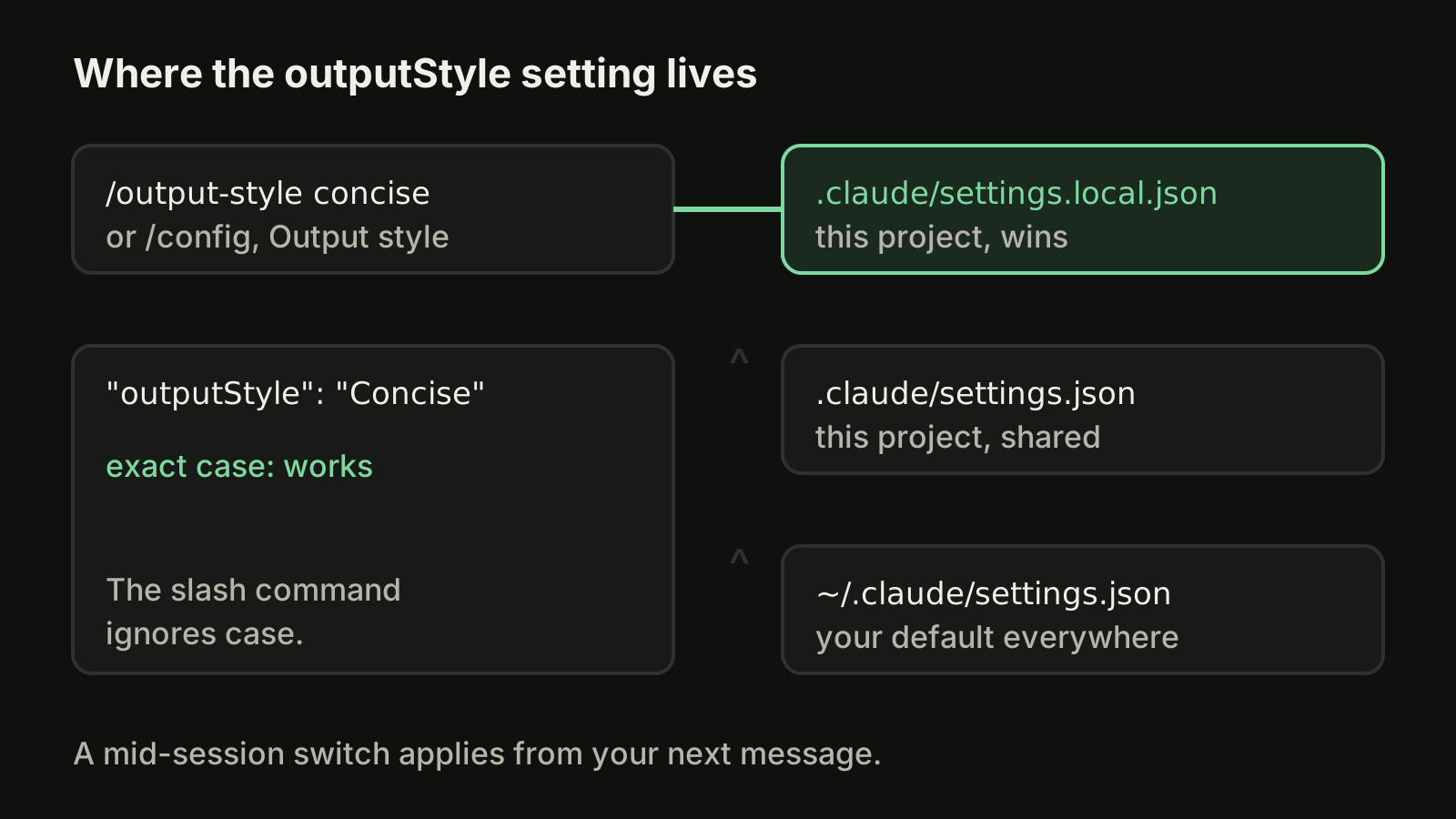
You have four ways to pick a style. The command and the menus save your choice to .claude/settings.local.json at the local project level.
The slash command. Run it with a style name, or without one to list the styles and see the current one:
/output-style concise
/output-style
The command ignores case. It also works in non-interactive mode and Agent SDK sessions (v2.1.269 or later).
The config menu. Run /config and select Output style.
A settings file. Set outputStyle directly:
{
  "outputStyle": "Concise"
}
Here the value is case-sensitive. Write Proactive, Concise, Explanatory or Learning exactly; a value such as concise does not match and silently gives you Default.
Every project at once. Put outputStyle in ~/.claude/settings.json. A project's own settings files take precedence over it, so one repository can still opt into Explanatory while the rest stay Concise.
When you switch in the middle of a session, Claude uses the new style from your next message. Before v2.1.251 the change only applied after /clear or a new session, so update if a switch seems to do nothing.
Write a custom output style
A custom style is a Markdown file with frontmatter and instructions. Save it in one of these folders; the file name becomes the style name unless you set name:
| Level | Folder |
|---|---|
| User (all projects) | ~/.claude/output-styles/ |
| Project (shared in the repo) | .claude/output-styles/ |
| Managed policy | .claude/output-styles/ in the managed settings directory |
Here is a style for agents you check on between other work. It keeps Claude's coding behavior and changes only how it reports:
---
name: Status report
description: Short result-first reports for unattended tasks
keep-coding-instructions: true
---

Start every response with one line: DONE, BLOCKED or NEEDS INPUT, then the result.

List changed files as paths, one per line. Do not restate the diff.

If you skipped any part of the request, say which part and why in a line starting with SKIPPED.

Keep error output, failing tests and warnings complete.
The SKIPPED line is there for a common pain in long sessions: a request that quietly does not get done. A style cannot force Claude to notice, but asking for the line every time makes a gap much easier to spot when you review.
Then switch to it with /output-style Status report or through /config. Claude Code reads style files when it starts, so restart it after creating or editing a file.
The frontmatter fields
All fields are optional, and a misspelled field is ignored without an error:
name: shown in the picker. Defaults to the file name.description: shown in the picker.keep-coding-instructions: set totrueto keep Claude Code's built-in software engineering instructions, such as how to scope changes and verify work. It defaults tofalse, so a custom style without it drops those instructions. Leave it out only when Claude is not doing engineering work, for example a writing assistant style.force-for-plugin: for styles shipped in a plugin; applies the style whenever the plugin is enabled.
If the YAML does not parse, the style still loads under its file name with no fields set. Run claude --debug to see the error.
Output style or something else?
An output style is for how Claude responds across a whole session. Other needs fit other features better:
| You want | Use |
|---|---|
| Every response in a certain length, voice or format | An output style |
| Claude to know your build commands and conventions | CLAUDE.md |
| Instructions for one kind of task, like a release checklist | A skill |
| Something to happen every time without exception | A hook |
| A helper with its own prompt, model and tools | A subagent |
| A one-off addition when you launch Claude Code | --append-system-prompt |
They combine well: CLAUDE.md for what Claude should know, an output style for how it reports, and a hook for anything that must be guaranteed.
Token cost
A style's instructions add input tokens to every request, although prompt caching reduces that after the first request in a session. Output is the bigger lever: Explanatory and Learning write more, Concise writes less. If long sessions are pushing you toward a limit, a shorter style helps alongside the habits in our guide to the Claude Code context window.
Running several sessions
Output styles matter most when you are not reading every line as it streams, which is exactly the situation when several agents run at once. VibeiDE is a desktop app that coordinates the Codex, Claude Code and OpenCode CLIs you already installed; Claude Code runs in an embedded terminal that shows the original CLI interface, each project has its own task queue, and finished tasks wait in Ready for review, so a result-first style keeps that review short. See how it works for Claude Code.
Takeaways
- An output style sets Claude's role, tone and format for every response in a session; it is an instruction, not a guarantee.
- Concise (v2.1.237 or later) leads with the result and drops narration and recaps, while keeping errors, test failures and warnings complete.
- Switch with
/output-style <name>or/config; in settings files theoutputStylevalue is case-sensitive. - Custom styles live in
~/.claude/output-styles/or.claude/output-styles/; addkeep-coding-instructions: trueif Claude should keep coding the same way. - Use CLAUDE.md for knowledge, skills for one kind of task and hooks for anything that must always happen.